Select Games to Compare
Nailcrown vs The Mound: Omen of Cthulhu
| close | close |
|---|---|
| shopping_cart Where to Buy | |
| info General Information | |
| Release Date | |
| Mar 1, 2027 | Jul 15, 2026 |
| Developer | |
| Destructive Creations | ACE Team |
| Publisher | |
| Bohemia Interactive (Bohemia Incubator) | Nacon |
| Genre(s) | |
| Boomer Shooter / Dark-Fantasy FPS | Co-op Horror Adventure |
| Engine | |
| Unreal Engine | Unreal Engine 5 |
| stars Ratings & Price | |
| Content Rating | |
| Adults Only 18+ / M for Mature | Mature |
| Avg. User Rating | |
| 4.5 / 5.0 | 4.5 / 5.0 |
| Current Price (USD) | |
| $29.99 | $39.99 |
| tune Key Specs | |
| Quick Highlights | |
|
|
| sports_esports Gameplay & Mechanics | |
| Companions/Followers | |
|
|
| Key Collectibles | |
|
|
| Key Themes | |
|
|
| colorize Combat & Gear | |
| Weapons Overview | |
|
|
| Armor / Gear Sets | |
|
|
| Outfits/Customization | |
|
|
| trending_up Progression & Upgrades | |
| Skills & Progression | |
|
To break the potential monotony of continuous, hyper-violent combat, Nailcrown incorporates a robust progression and item economy system internally categorized as 'Evolve As You Go'. Players are heavily incentivized to meticulously scour their surroundings for hidden items, secrets, and specialized architectural nodes referred to as shrines. These shrines function as the primary upgrade mechanism, serving as interactive terminals where acquired resources are invested to improve baseline character statistics. More critically, exploration yields specific upgrade items for weaponry, introducing secondary alternate-fire modes, enhanced elemental damage such as chaining lightning, and improved statistical performance. This ensures the game's difficulty curve scales appropriately, matching exponentially increasing enemy volumes with devastating, highly customized player mechanics. |
In The Mound: Omen of Cthulhu, survival relies heavily on resource management and cooperative synergy rather than sprawling skill trees. Players start each expedition by receiving base equipment from the ship's Captain, which must be carefully split among the team. A key mechanic is the sanity system; as tension rises in the deep jungle, sanity begins to slip, affecting your atmospheric perception and physical senses. Managing this mental deterioration is crucial. You also must manage limited gunpowder, which acts as a powerful but dangerous resource. Upgrades likely involve better expedition gear, enhanced resistance to madness, and improved carrying capacity for the treasures you find. Success dictates that personal survival often outweighs combat, meaning your best skill is knowing when to run for your life to make it back to the Galleon. |
| public World & Exploration | |
| World & Level Design | |
|
The environmental architecture in Nailcrown is characterized by a deliberate and highly tuned juxtaposition of extreme claustrophobia and expansive, open-arena combat spaces, a hallmark of classic 1990s boomer shooters. The world is divided into distinct, labyrinthine regions such as ancient subterranean burial sites and brutal medieval prisons known as the Catacombs. These environments are not merely passive backdrops but active components of the gameplay loop, densely packed with architectural puzzles, hidden pathways, and lethal environmental hazards. The structural dichotomy controls psychological pacing: tight corridors induce tension and force close-quarters engagements, seamlessly opening into massive, cavernous spaces capable of accommodating the rendering of immense enemy hordes for high-velocity, momentum-driven arena combat. |
The game world offers a terrifying progression from the deceptive safety of your anchored Galleon to the heart of the cursed jungle. You begin your expeditions on the shore, moving inward through dense, wet, and claustrophobic Valdivian-inspired rainforests. The environment is designed to be highly unpredictable, acting as a living entity that existed long before the players arrived. There are distinct biomes, including the dense overgrowth of the surface jungle, hidden ancient ruins holding strange wonders, and a subterranean underworld dominated by the K'nyanian influence. The map's layout encourages strategic splitting up to cover ground for loot, but forces players back together as reality alters and monstrous threats emerge. This constant shift in the environment ensures that no two expeditions feel exactly the same, keeping players perpetually on edge. |
| Playable Vehicles | |
|
|
| Notable Fauna/Mounts | |
|
|
| book Story & Characters | |
| Main Characters | |
|
|
| Example Missions | |
|
|
| people Multiplayer | |
| Multiplayer Details | |
|
Nailcrown features a comprehensive suite of multiplayer options catering to cooperative players and the competitive arena shooter demographic, critically preserving an old-school ethos by not requiring an always-online connection for solo play. Modes include an Online and LAN Co-operative Campaign, allowing players to seamlessly team up with dynamically scaling difficulty. For competitive players, the game offers brutal Online and LAN Deathmatch and Team Deathmatch modes. These modes are designed to emulate classic 1990s arena dynamics, heavily relying on map control, weapon spawns, and momentum-driven movement tech, drawing intense favorable comparisons to Unreal Tournament within the community. |
The core of The Mound: Omen of Cthulhu is its purely cooperative multiplayer mode, supporting up to four players online. Unlike many modern games that feature competitive or PvP elements, this title focuses entirely on PvE survival and exploration. Teamwork is not just encouraged; it is absolutely mandatory. Players must strategically divide their starting equipment, manage limited resources like gunpowder, and decide when to split up to search for treasure versus sticking together for safety. The game dynamically adjusts its tension; making too much noise with firearms can wake the hostile jungle, punishing reckless groups. For those unable to form a full squad of human players, the developers have addressed community requests by ensuring that solo or partial squads can be supplemented by AI bots, keeping the cooperative spirit intact even when playing alone. |
| extension Editions & DLC | |
| Available Editions | |
|
While specific retail tiers remain formally unannounced, industry trends and Bohemia Incubator's history suggest a Standard Edition encompassing the base single-player and multiplayer suites. A highly probable 'Necromancer's Deluxe Edition' is expected to include a digital artbook showcasing the gruesome dark-fantasy concept art, a digital copy of the game's heavy-metal inspired soundtrack, and potentially exclusive cosmetic weapon skins. Given the developer's commitment to old-school ethos, microtransactions are highly unlikely, meaning all editions will grant complete access to the fundamental gameplay loop without predatory monetization. |
The Mound: Omen of Cthulhu is poised to launch globally on July 15, 2026, across PlayStation 5, Xbox Series X/S, and PC platforms. Nacon is expected to release a Standard Edition containing the base game and cooperative modes. Given the game's focus on deep, immersive environments and a richly crafted Lovecraftian lore, a Deluxe or Explorer's Edition is highly probable, offering digital artbooks, a haunting original soundtrack, and exclusive in-game cosmetic gear for your Conquistador explorers. Pre-order bonuses typically include early access to specific weapon skins or starting resources like extra gunpowder stashes to give your initial expeditions a slight edge. Regardless of the edition, all players will have access to the complete cooperative campaign and the terrifying descent into the K'nyanian underworld right from day one. |
| Post-Launch Content / DLC | |
|
Based on the operational blueprint of Bohemia Interactive (evidenced by ongoing support for titles like DayZ), Nailcrown is projected to receive sustained post-launch support following its anticipated Q1 2027 release. Industry analysts project this content will manifest as premium expansion packs rather than live-service microtransactions. Potential DLCs could include new multiplayer arena maps, additional single-player campaign acts exploring different demonic realms or opposing necromancers, and further intricate weapon upgrade paths to continually refresh the dark-fantasy ecosystem. |
ACE Team and Nacon have a strong track record of supporting their unique titles post-launch, and a cooperative game like this practically demands continuous updates. After the initial release on July 15, 2026, players can anticipate a roadmap filled with new horrors. Post-launch content will likely include entirely new regions of the Valdivian-inspired rainforest to explore, deeper and more twisted K'nyanian underground ruins, and fresh, terrifying Lovecraftian entities that will further test your sanity. Additionally, the developers might introduce new playable character archetypes, expanding the Conquistador roster with unique starting traits or specialized gear. Free updates could also bring highly requested quality-of-life features, new weather dynamic systems that alter the jungle's hostility, and seasonal events that introduce limited-time cosmic horror phenomena, ensuring the cooperative expeditions remain fresh and terrifying for years. |
| help_outline FAQ | |
| Frequently Asked Questions | |
|
|
| build Technical Details | |
| Graphics & Visual Fidelity | |
|
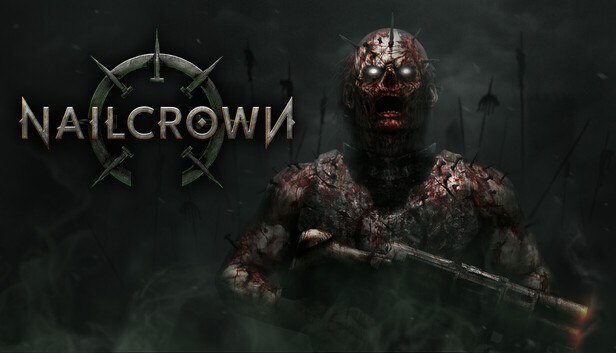
Constructed upon the Unreal Engine, Nailcrown achieves a striking juxtaposition of retro-shooter spatial navigation and high-fidelity modern rendering. The visual centerpiece is the proprietary dynamic gore system, which allows for precise, location-based damage modeling including dynamic bone shattering, blood decals, and procedural dismemberment that persists in the environment. Despite a remarkably low storage footprint achieved through procedural texture generation, the game requires substantial system memory to process this carnage. Advanced DirectX 12 rendering pipelines provide the volumetric lighting and complex shaders necessary to bring the atmospheric dark dungeons and magical weapon particle effects to terrifying life. |
Leveraging modern rendering technologies, The Mound: Omen of Cthulhu presents a visually stunning and deeply unsettling world. The game beautifully captures the dense, wet, and ancient aesthetic of the South American Valdivian rainforest. High-fidelity textures bring the rotting wood, slick mud, and creeping vines to life, creating an intensely claustrophobic environment where danger could be lurking behind any tree. The lighting system is particularly crucial; players must rely on the warm, flickering glow of primitive torches and lanterns to push back the oppressive, volumetric darkness. As the Lovecraftian elements take hold, the visuals begin to distort, reflecting the K'nyanians' ability to biologically modify life and alter reality. The creature designs are a grotesque fusion of natural flora and cosmic horror, guaranteeing that the visual experience is both breathtakingly beautiful and fundamentally repulsive. |
| Audio & Soundtrack | |
|
The auditory experience in Nailcrown is crucial to the combat loop, providing vital spatial audio cues to track off-screen enemies like the erratic Ghouls or charging Minotaurs. The sound design is relentlessly visceral, with distinct, heavy impacts for the Warhammer and sharp, tearing audio profiles for the Sword, complementing the dynamic gore engine. While the specific composer has not been formally announced, the soundtrack is characterized by heavy, aggressive instrumentation—likely a fusion of dark ambient gothic tones and adrenaline-pumping industrial metal—designed to elevate the player's momentum and perfectly match the hyper-violent, run-and-gun gameplay. |
Audio design plays a monumental role in cultivating the cosmic horror of The Mound: Omen of Cthulhu. The developers have masterfully recreated the oppressive soundscape of the Valdivian temperate rainforest. Every rustling leaf, snapping twig, and distant animal call is designed to keep players perpetually paranoid. Sound is also a crucial gameplay mechanic; the jungle is highly reactive to noise. The deafening blast of a musket not only shatters the eerie silence but serves as a beacon, waking unpredictable, monstrous threats. The musical score leans heavily into Lovecraftian dread, utilizing atonal strings, deep percussive thrums, and unsettling ambient drones that swell as your character's sanity begins to slip. This dynamic audio system ensures that the fear is as much auditory as it is visual, making the unseen horrors just as terrifying as the visible ones. |
| User Interface (UI/UX) | |
|
The User Interface of Nailcrown strictly avoids modern cinematic clutter, opting instead for a highly functional, retro-inspired heads-up display (HUD). Essential information such as health, armor, and ammunition for the current weapon are prominently displayed using stylized, gothic fonts and distinct color coding for rapid peripheral reading during chaotic encounters. The UI eschews immersion-breaking waypoint systems or glowing objective markers, forcing players to actively navigate based on level geometry and environmental cues. Menus are streamlined, prioritizing rapid access to the extensive accessibility features, difficulty sliders, and the crucial visual censorship toggles. |
The user interface in this Lovecraftian adventure is meticulously designed to immerse players in the dread of the Conquistador era while providing essential survival data. To maintain the claustrophobic and terrifying atmosphere, the HUD is kept minimal. Instead of intrusive minimaps or glowing objective markers, players must rely on environmental cues and their own spatial awareness to navigate the ever-changing jungle. Key UI elements include a subtle sanity meter that visualizes the mental toll the cursed jungle and K'nyanian horrors are taking on your character. An ammunition counter highlights the extreme scarcity of your gunpowder, emphasizing that every shot must count. Inventory management screens are designed to facilitate the rapid sharing of resources between cooperative partners, ensuring that crucial healing items or torches can be distributed seamlessly during moments of high panic. |
| Accessibility Options | |
|
Destructive Creations has integrated a comprehensive suite of modern accessibility and quality-of-life features directly into the core architecture. Gameplay accessibility includes adjustable difficulty scaling to manage horde density and lethality, alongside a consumer-friendly 'Save Anytime' feature that rejects punishing retro checkpoint systems. Visual accessibility includes granular contrast controls for low-light environments, vital camera comfort settings to reduce motion sickness, and robust subtitle options. Crucially, addressing the game's mature themes, a dedicated censor toggle is included and activated by default to obscure explicit anatomical details on certain enemy types, protecting content creators from platform bans while preserving the developer's uncompromising vision. |
While survival horror games are traditionally punishing, modern development standards dictate a robust suite of accessibility options to ensure all players can enjoy the cosmic dread. ACE Team is expected to include comprehensive subtitle settings, allowing players to adjust font size, color, and background opacity for all dialogue and crucial environmental sound cues. Visual accessibility features will likely encompass various colorblind modes to help distinguish important loot, aggressive enemies, and cooperative teammates against the lush green and dark brown backdrops of the jungle. Motor accessibility can be supported through fully remappable controls on both keyboards and gamepads, as well as toggle options for actions that typically require holding a button, such as aiming heavy muskets or sprinting. These features ensure that the terrifying challenge comes from the gameplay, not the interface. |
| video_library Media Links | |
| Gameplay Video | |
| launchWatch | launchWatch |
| Walkthrough/Guide | |
| launchView | launchView |
| settings_applications System Requirements | |
| 1080p (Full HD) - Recommended (High Settings, 120+ FPS) CPU: Provides stable frame pacing during chaotic, multi-projectile arena fights. CPU (Laptop): Ensures no CPU bottlenecking when processing heavy gore physics. GPU: Ideal for maxing out volumetric lighting and particle effects. GPU (Laptop): Delivers desktop-class 1080p performance with DLSS 3 support. RAM: Recommended specification to allow the persistent rendering of shattered bones, blood decals, and limbs across the entire map. Storage: Fastest possible asset loading to eliminate any loading screens. | |
memoryCPU: Intel Core i5-10400 or AMD Ryzen 5 3600 developer_boardGPU: NVIDIA GeForce RTX 3060 Ti or AMD Radeon RX 6750 XT laptop_macCPU (L): Intel Core i7-12700H or AMD Ryzen 7 6800H laptop_windowsGPU (L): NVIDIA RTX 4060 Laptop GPU (140W) layersRAM: 32 GB saveStorage (Tier): 15 GB NVMe SSD | memoryCPU: Intel Core i7-9700K or AMD Ryzen 5 3600 developer_boardGPU: NVIDIA GeForce RTX 3060 or AMD Radeon RX 6600 XT laptop_macCPU (L): Intel Core i7-11800H laptop_windowsGPU (L): NVIDIA RTX 4050 Mobile (85W+) layersRAM: 16 GB saveStorage (Tier): 50 GB NVMe SSD |
| 1080p (Full HD) - Minimum (Low-Medium Settings, 60 FPS) CPU: Baseline required for AI multi-agent pathfinding and baseline physics. CPU (Laptop): Provides sufficient multi-core performance for enemy AI. GPU: Capable of handling the base dynamic gore system at 1080p. GPU (Laptop): Minimum required to maintain playable framerates during horde swarms. RAM: Absolute minimum to support uncompressed asset streaming without traversal stuttering. Storage: SSD is critical for streaming level geometry dynamically. | |
memoryCPU: Intel i5-9400F or AMD Ryzen 5 2600X developer_boardGPU: NVIDIA GeForce GTX 1660 Super or AMD Radeon RX 6600 XT laptop_macCPU (L): Intel Core i5-11400H or AMD Ryzen 5 5600H laptop_windowsGPU (L): NVIDIA RTX 3050 Ti (85W) or RX 6600M layersRAM: 16 GB saveStorage (Tier): 15 GB SSD | memoryCPU: Intel Core i5-8400 or AMD Ryzen 5 2600 developer_boardGPU: NVIDIA GeForce GTX 1060 6GB or AMD Radeon RX 580 laptop_macCPU (L): Intel Core i5-10300H laptop_windowsGPU (L): NVIDIA RTX 3050 Mobile (60W+) layersRAM: 8 GB saveStorage (Tier): 50 GB SSD |
| 1440p (QHD/2K) - Recommended (Ultra Settings, 100+ FPS) CPU: Excellent single and multi-core speeds for advanced Unreal Engine rendering. CPU (Laptop): Top-tier mobile processors to handle complex AI and physics at higher resolutions. GPU: Powers through 1440p resolution while maintaining the extreme framerates boomer shooters require. GPU (Laptop): Provides massive VRAM and rasterization power for 1440p ultra. RAM: Essential for 1440p high-resolution uncompressed textures. Storage: Standard requirement. | |
memoryCPU: Intel Core i7-12700K or AMD Ryzen 7 5800X3D developer_boardGPU: NVIDIA GeForce RTX 4070 or AMD Radeon RX 7800 XT laptop_macCPU (L): Intel Core i9-13900HX or AMD Ryzen 9 7845HX laptop_windowsGPU (L): NVIDIA RTX 4080 Laptop GPU (175W) layersRAM: 32 GB saveStorage (Tier): 15 GB NVMe SSD | memoryCPU: Intel Core i5-12400F or AMD Ryzen 5 5600X developer_boardGPU: NVIDIA GeForce RTX 4070 or AMD Radeon RX 7700 XT laptop_macCPU (L): AMD Ryzen 7 6800H laptop_windowsGPU (L): NVIDIA RTX 4070 Mobile (115W+) layersRAM: 16 GB saveStorage (Tier): 50 GB NVMe SSD |
| 2160p (UHD/4K) - Ultra/Enthusiast (Max Settings, 60-90 FPS) CPU: The ultimate CPUs for eliminating any system bottlenecks. CPU (Laptop): Maximum mobile processing power. GPU: Required to brute-force 4K rendering while calculating thousands of dynamic gore physics objects. GPU (Laptop): The only mobile GPU capable of sustained 4K performance in heavy particle scenarios. RAM: Maximum required memory footprint. Storage: Standard requirement. | |
memoryCPU: Intel Core i9-13900K or AMD Ryzen 7 7800X3D developer_boardGPU: NVIDIA GeForce RTX 4080 / 4090 or AMD Radeon RX 7900 XTX laptop_macCPU (L): Intel Core i9-14900HX or AMD Ryzen 9 7945HX3D laptop_windowsGPU (L): NVIDIA RTX 4090 Laptop GPU (175W) layersRAM: 32 GB saveStorage (Tier): 15 GB NVMe SSD | — |
| 2160p (UHD/4K) - Ultra (Epic Settings, 60 FPS) CPU: Top-tier CPUs needed to eliminate any stuttering during massive reality-warping events. CPU (Laptop): Desktop-class mobile replacement processor. GPU: Mandatory for native 4K rendering with all post-processing horror effects maxed out. GPU (Laptop): The highest tier mobile GPU is required to sustain 4K Epic settings. RAM: Ensures no memory swapping occurs during massive particle and foliage rendering. Storage: Maximum bandwidth for instant texture loads in the jungle. | |
| — | memoryCPU: Intel Core i7-13700K or AMD Ryzen 7 7800X3D developer_boardGPU: NVIDIA GeForce RTX 4080 or AMD Radeon RX 7900 XTX laptop_macCPU (L): Intel Core i9-13900HX laptop_windowsGPU (L): NVIDIA RTX 4090 Mobile (175W) layersRAM: 32 GB saveStorage (Tier): 50 GB Gen 4 NVMe SSD |
| save Overall Storage | |
| Spec: 15 GB available space Note: Remarkably low footprint achieved through procedural texture generation and efficient asset reuse. SSD strongly recommended for memory streaming. Type: Unknown | Spec: 50 GB Available Space Note: An NVMe SSD is strongly recommended to eliminate streaming hitches when reality seamlessly shifts around the players. Type: Unknown |
| desktop_windows Operating System | |
| Spec: Windows 10 (64-bit) Explanation: Required for DirectX 12 compatibility and advanced memory management. | Spec: Windows 10 / Windows 11 64-bit Explanation: Required for DirectX 12 compatibility and advanced memory management. |
| gamepad DirectX Version | |
| Spec: Version 12 Explanation: Essential for rendering complex shaders, volumetric lighting, and particle effects for magical weaponry. | Spec: DirectX 12 Explanation: Necessary for optimal performance, utilizing modern rendering features for the dense foliage and lighting. |
| info_outline Other Game Notes | |
|
|
| build Optimization Details | |
|
|
| laptop Laptop Considerations | |
|
|

info_outline Feature details based on available data. System requirements and performance estimates may vary.
laptop_chromebook Laptop Recommendations
Common Recommendations (Handles All Compared Games)

- memory Intel Core i7-12700H
- developer_board NVIDIA GeForce RTX 3070
- layers 32GB DDR4-3200MHz
- track_changes Target GPU: NVIDIA RTX 3050 Ti (85W) or RX 6600M / NVIDIA RTX 3050 Mobile (60W+)

- memory Intel Core i9-13900H
- developer_board NVIDIA GeForce RTX 4060
- layers 16GB DDR5-5200MHz
- track_changes Target GPU: NVIDIA RTX 3050 Ti (85W) or RX 6600M / NVIDIA RTX 3050 Mobile (60W+)

- memory Intel Core i9-14900HX
- developer_board NVIDIA GeForce RTX 4060
- layers 32GB DDR5-5600MHz
- track_changes Target GPU: NVIDIA RTX 3050 Ti (85W) or RX 6600M / NVIDIA RTX 3050 Mobile (60W+)

- memory AMD Ryzen 7 7435HS
- developer_board NVIDIA GeForce RTX 3050
- layers 32GB DDR5-4800MHz
- track_changes Target GPU: NVIDIA RTX 4060 Laptop GPU (140W) / NVIDIA RTX 4050 Mobile (85W+)

- memory Intel Core i9-14900HX
- developer_board NVIDIA GeForce RTX 4080 Laptop GPU
- layers 64 GB DDR5-5600MHz
- track_changes Target GPU: NVIDIA RTX 4080 Laptop GPU (175W) / NVIDIA RTX 4070 Mobile (115W+)

- memory Intel Core Ultra 9 Processor 275HX (Series 2)
- developer_board NVIDIA GeForce RTX 5070 Laptop GPU
- layers 32GB DDR5-5600MHz
- track_changes Target GPU: NVIDIA RTX 4080 Laptop GPU (175W) / NVIDIA RTX 4070 Mobile (115W+)

- memory Intel Core i9-14900HX Processor
- developer_board NVIDIA GeForce RTX 5070 Laptop GPU
- layers 32GB DDR5-5600MHz
- track_changes Target GPU: NVIDIA RTX 4080 Laptop GPU (175W) / NVIDIA RTX 4070 Mobile (115W+)

- memory Intel Core Ultra 9 285H (Series 2) , 14 cores (6 Performance cores + 8 Efficient cores), 20 threads
- developer_board NVIDIA GeForce RTX 5050 Laptop GPU
- layers 32GB (2x16GB) DDR5 8400MHz SO-DIMM
- track_changes Target GPU: NVIDIA RTX 4090 Laptop GPU (175W)

- memory Intel Core Ultra 9 285H
- developer_board NVIDIA GeForce RTX 5070
- layers 32GB (2x16GB) DDR5 4800MHz SO-DIMM
- track_changes Target GPU: NVIDIA RTX 4090 Laptop GPU (175W)

- memory Intel Ultra 7 255HX
- developer_board NVIDIA GeForce RTX 5070 Ti
- layers 32GB DDR5 5600MHz
- track_changes Target GPU: NVIDIA RTX 4090 Laptop GPU (175W)

- memory Intel Core i9-14900HX
- developer_board NVIDIA GeForce RTX 4090
- layers 32GB DDR5-5600MHz
- track_changes Target GPU: NVIDIA RTX 4090 Mobile (175W)
For Nailcrown Specifically
- memory Intel Core i7-12700H
- developer_board NVIDIA GeForce RTX 3070
- layers 32GB DDR4-3200MHz
- track_changes Target GPU: NVIDIA GeForce GTX 1660 Super or AMD Radeon RX 6600 XT
- memory Intel Core i9-13900H
- developer_board NVIDIA GeForce RTX 4060
- layers 16GB DDR5-5200MHz
- track_changes Target GPU: NVIDIA GeForce GTX 1660 Super or AMD Radeon RX 6600 XT
- memory Intel Core i9-14900HX
- developer_board NVIDIA GeForce RTX 4060
- layers 32GB DDR5-5600MHz
- track_changes Target GPU: NVIDIA GeForce GTX 1660 Super or AMD Radeon RX 6600 XT

- memory Intel Core i9-12900H
- developer_board NVIDIA GeForce RTX 3070 Ti
- layers 16GB DDR5-4800MHz
- track_changes Target GPU: NVIDIA GeForce GTX 1660 Super or AMD Radeon RX 6600 XT
- memory AMD Ryzen 7 7435HS
- developer_board NVIDIA GeForce RTX 3050
- layers 32GB DDR5-4800MHz
- track_changes Target GPU: NVIDIA GeForce GTX 1660 Super or AMD Radeon RX 6600 XT

- memory AMD Ryzen 7 6800H
- developer_board NVIDIA GeForce RTX 3060
- layers 16GB DDR5-4800MHz
- track_changes Target GPU: NVIDIA GeForce GTX 1660 Super or AMD Radeon RX 6600 XT

- memory AMD Ryzen 9 5900HS
- developer_board NVIDIA GeForce RTX 3080
- layers 16GB DDR4-3200MHz
- track_changes Target GPU: NVIDIA GeForce GTX 1660 Super or AMD Radeon RX 6600 XT

- memory Intel Core i7-13620H
- developer_board NVIDIA GeForce RTX 4070
- layers 16GB DDR5-4800MHz
- track_changes Target GPU: NVIDIA GeForce GTX 1660 Super or AMD Radeon RX 6600 XT

- memory Intel Core i7-14700HX
- developer_board NVIDIA GeForce RTX 4070
- layers 16GB DDR5-5600MHz
- track_changes Target GPU: NVIDIA GeForce GTX 1660 Super or AMD Radeon RX 6600 XT

- memory Intel Core i9-14900HX
- developer_board NVIDIA GeForce RTX 4070
- layers 32GB DDR5-5600MHz
- track_changes Target GPU: NVIDIA GeForce GTX 1660 Super or AMD Radeon RX 6600 XT

- memory AMD Ryzen 9 8940HX Processor
- developer_board NVIDIA GeForce RTX 5060 Laptop GPU
- layers 32GB DDR5-5200MHz
- track_changes Target GPU: NVIDIA GeForce RTX 3060 Ti or AMD Radeon RX 6750 XT

- memory Intel Core i9-12950HX
- developer_board NVIDIA GeForce RTX 3080 Ti
- layers 32GB DDR5-4800MHz
- track_changes Target GPU: NVIDIA GeForce RTX 3060 Ti or AMD Radeon RX 6750 XT
- memory Intel Core i9-14900HX
- developer_board NVIDIA GeForce RTX 4080 Laptop GPU
- layers 64 GB DDR5-5600MHz
- track_changes Target GPU: NVIDIA GeForce RTX 3060 Ti or AMD Radeon RX 6750 XT
- memory Intel Core Ultra 9 Processor 275HX (Series 2)
- developer_board NVIDIA GeForce RTX 5070 Laptop GPU
- layers 32GB DDR5-5600MHz
- track_changes Target GPU: NVIDIA GeForce RTX 3060 Ti or AMD Radeon RX 6750 XT
- memory Intel Core i9-14900HX Processor
- developer_board NVIDIA GeForce RTX 5070 Laptop GPU
- layers 32GB DDR5-5600MHz
- track_changes Target GPU: NVIDIA GeForce RTX 3060 Ti or AMD Radeon RX 6750 XT

- memory Intel Core i9-14900HX Processor
- developer_board NVIDIA GeForce RTX 5070 Laptop GPU
- layers 32GB DDR5-5600MHz
- track_changes Target GPU: NVIDIA GeForce RTX 3060 Ti or AMD Radeon RX 6750 XT
- memory Intel Core i9-14900HX
- developer_board NVIDIA GeForce RTX 4080 Laptop GPU
- layers 64 GB DDR5-5600MHz
- track_changes Target GPU: NVIDIA GeForce RTX 4070 or AMD Radeon RX 7800 XT
- memory Intel Core Ultra 9 Processor 275HX (Series 2)
- developer_board NVIDIA GeForce RTX 5070 Laptop GPU
- layers 32GB DDR5-5600MHz
- track_changes Target GPU: NVIDIA GeForce RTX 4070 or AMD Radeon RX 7800 XT
- memory Intel Core i9-14900HX Processor
- developer_board NVIDIA GeForce RTX 5070 Laptop GPU
- layers 32GB DDR5-5600MHz
- track_changes Target GPU: NVIDIA GeForce RTX 4070 or AMD Radeon RX 7800 XT
- memory Intel Core i9-14900HX Processor
- developer_board NVIDIA GeForce RTX 5070 Laptop GPU
- layers 32GB DDR5-5600MHz
- track_changes Target GPU: NVIDIA GeForce RTX 4070 or AMD Radeon RX 7800 XT

- memory Intel Core Ultra 9 285H (Arrow Lake-H)
- developer_board NVIDIA GeForce RTX 5070 Laptop GPU
- layers 64GB LPDDR5x-8533MT/s (LPCAMM2)
- track_changes Target GPU: NVIDIA GeForce RTX 4070 or AMD Radeon RX 7800 XT

- memory Intel Core i9-14900HX
- developer_board NVIDIA GeForce RTX 4080
- layers 64GB DDR5-5600MHz
- track_changes Target GPU: NVIDIA GeForce RTX 4070 or AMD Radeon RX 7800 XT

- memory Intel Core i9-14900HX
- developer_board NVIDIA GeForce RTX 4080
- layers 32GB DDR5-5600MHz
- track_changes Target GPU: NVIDIA GeForce RTX 4070 or AMD Radeon RX 7800 XT

- memory Intel Core i9-14900HX
- developer_board NVIDIA GeForce RTX 4080
- layers 32GB DDR5-5600MHz
- track_changes Target GPU: NVIDIA GeForce RTX 4070 or AMD Radeon RX 7800 XT

- memory Intel Core i9-14900HX
- developer_board NVIDIA GeForce RTX 4080
- layers 32GB DDR5-5600MHz
- track_changes Target GPU: NVIDIA GeForce RTX 4070 or AMD Radeon RX 7800 XT

- memory AMD Ryzen 9 7845HX
- developer_board NVIDIA GeForce RTX 4080
- layers Up to 64GB DDR5
- track_changes Target GPU: NVIDIA GeForce RTX 4070 or AMD Radeon RX 7800 XT
- memory Intel Core Ultra 9 285H (Series 2) , 14 cores (6 Performance cores + 8 Efficient cores), 20 threads
- developer_board NVIDIA GeForce RTX 5050 Laptop GPU
- layers 32GB (2x16GB) DDR5 8400MHz SO-DIMM
- track_changes Target GPU: NVIDIA GeForce RTX 4080 / 4090 or AMD Radeon RX 7900 XTX
- memory Intel Core Ultra 9 285H
- developer_board NVIDIA GeForce RTX 5070
- layers 32GB (2x16GB) DDR5 4800MHz SO-DIMM
- track_changes Target GPU: NVIDIA GeForce RTX 4080 / 4090 or AMD Radeon RX 7900 XTX
- memory Intel Ultra 7 255HX
- developer_board NVIDIA GeForce RTX 5070 Ti
- layers 32GB DDR5 5600MHz
- track_changes Target GPU: NVIDIA GeForce RTX 4080 / 4090 or AMD Radeon RX 7900 XTX

- memory Intel Core Ultra 7 240H
- developer_board NVIDIA GeForce RTX 5070 Ti Laptop GPU
- layers 32GB LPDDR5X 5600MHz
- track_changes Target GPU: NVIDIA GeForce RTX 4080 / 4090 or AMD Radeon RX 7900 XTX

- memory Intel Core Ultra 9 275HX
- developer_board GeForce RTX 5070 Laptop Laptop GPU
- layers 64GB DDR5-6400MHz (Single-Channel)
- track_changes Target GPU: NVIDIA GeForce RTX 4080 / 4090 or AMD Radeon RX 7900 XTX

- memory Intel Core Ultra 9 275HX
- developer_board NVIDIA GeForce RTX 5070 Ti
- layers 32GB
- track_changes Target GPU: NVIDIA GeForce RTX 4080 / 4090 or AMD Radeon RX 7900 XTX

- memory Intel Core Ultra 9 275HX
- developer_board NVIDIA GeForce RTX 5070 Ti Laptop GPU
- layers 32 GB DDR5 6400MHz (2x16GB)
- track_changes Target GPU: NVIDIA GeForce RTX 4080 / 4090 or AMD Radeon RX 7900 XTX

- memory AMD Ryzen 9 9955HX
- developer_board NVIDIA GeForce RTX 5070 Ti Laptop GPU
- layers 64GB DDR5-5600MHz (Dual-Channel)
- track_changes Target GPU: NVIDIA GeForce RTX 4080 / 4090 or AMD Radeon RX 7900 XTX

- memory Intel Core Ultra 9 285HX
- developer_board NVIDIA GeForce RTX 5080
- layers 64GB DDR5-5600MHz
- track_changes Target GPU: NVIDIA GeForce RTX 4080 / 4090 or AMD Radeon RX 7900 XTX

- memory Intel Core Ultra 9 275HX
- developer_board NVIDIA GeForce RTX 5080
- layers 32GB DDR5-6400MHz
- track_changes Target GPU: NVIDIA GeForce RTX 4080 / 4090 or AMD Radeon RX 7900 XTX
For The Mound: Omen of Cthulhu Specifically

- memory Intel Core i5-11400H
- developer_board NVIDIA GeForce RTX 2050
- layers 8GB DDR4-3200MHz
- track_changes Target GPU: NVIDIA GeForce GTX 1060 6GB or AMD Radeon RX 580
- memory Intel Core i7-12700H
- developer_board NVIDIA GeForce RTX 3070
- layers 32GB DDR4-3200MHz
- track_changes Target GPU: NVIDIA GeForce GTX 1060 6GB or AMD Radeon RX 580
- memory Intel Core i9-13900H
- developer_board NVIDIA GeForce RTX 4060
- layers 16GB DDR5-5200MHz
- track_changes Target GPU: NVIDIA GeForce GTX 1060 6GB or AMD Radeon RX 580
- memory Intel Core i9-14900HX
- developer_board NVIDIA GeForce RTX 4060
- layers 32GB DDR5-5600MHz
- track_changes Target GPU: NVIDIA GeForce GTX 1060 6GB or AMD Radeon RX 580
- memory Intel Core i9-12900H
- developer_board NVIDIA GeForce RTX 3070 Ti
- layers 16GB DDR5-4800MHz
- track_changes Target GPU: NVIDIA GeForce GTX 1060 6GB or AMD Radeon RX 580

- memory Intel Core i5-12450H
- developer_board NVIDIA GeForce RTX 3050
- layers 16GB DDR4-3200MHz
- track_changes Target GPU: NVIDIA GeForce GTX 1060 6GB or AMD Radeon RX 580

- memory Intel Core i5-12500H
- developer_board NVIDIA GeForce RTX 3050 Ti
- layers 16GB DDR4-3200MHz
- track_changes Target GPU: NVIDIA GeForce GTX 1060 6GB or AMD Radeon RX 580
- memory AMD Ryzen 7 7435HS
- developer_board NVIDIA GeForce RTX 3050
- layers 32GB DDR5-4800MHz
- track_changes Target GPU: NVIDIA GeForce GTX 1060 6GB or AMD Radeon RX 580
- memory AMD Ryzen 7 6800H
- developer_board NVIDIA GeForce RTX 3060
- layers 16GB DDR5-4800MHz
- track_changes Target GPU: NVIDIA GeForce GTX 1060 6GB or AMD Radeon RX 580
- memory AMD Ryzen 9 5900HS
- developer_board NVIDIA GeForce RTX 3080
- layers 16GB DDR4-3200MHz
- track_changes Target GPU: NVIDIA GeForce GTX 1060 6GB or AMD Radeon RX 580
- memory Intel Core i7-13620H
- developer_board NVIDIA GeForce RTX 4070
- layers 16GB DDR5-4800MHz
- track_changes Target GPU: NVIDIA GeForce RTX 3060 or AMD Radeon RX 6600 XT
- memory Intel Core i7-14700HX
- developer_board NVIDIA GeForce RTX 4070
- layers 16GB DDR5-5600MHz
- track_changes Target GPU: NVIDIA GeForce RTX 3060 or AMD Radeon RX 6600 XT
- memory Intel Core i9-14900HX
- developer_board NVIDIA GeForce RTX 4070
- layers 32GB DDR5-5600MHz
- track_changes Target GPU: NVIDIA GeForce RTX 3060 or AMD Radeon RX 6600 XT
- memory Intel Core i9-14900HX
- developer_board NVIDIA GeForce RTX 4070
- layers 32GB DDR5-5600MHz
- track_changes Target GPU: NVIDIA GeForce RTX 4070 or AMD Radeon RX 7700 XT

- memory Intel Core i9-14900HX
- developer_board NVIDIA GeForce RTX 4070
- layers 16GB DDR5-5600MHz
- track_changes Target GPU: NVIDIA GeForce RTX 4070 or AMD Radeon RX 7700 XT

- memory Intel Core Ultra 7 255H
- developer_board NVIDIA GeForce RTX 5060 Laptop GPU
- layers 16GB DDR5-5600MHz (Dual-Channel)
- track_changes Target GPU: NVIDIA GeForce RTX 4070 or AMD Radeon RX 7700 XT
- memory AMD Ryzen 9 8940HX Processor
- developer_board NVIDIA GeForce RTX 5060 Laptop GPU
- layers 32GB DDR5-5200MHz
- track_changes Target GPU: NVIDIA GeForce RTX 4070 or AMD Radeon RX 7700 XT
- memory Intel Core i9-12950HX
- developer_board NVIDIA GeForce RTX 3080 Ti
- layers 32GB DDR5-4800MHz
- track_changes Target GPU: NVIDIA GeForce RTX 4070 or AMD Radeon RX 7700 XT

- memory AMD Ryzen 7 7445HS
- developer_board NVIDIA GeForce RTX 4050
- layers 16GB (2x8GB) DDR5 5600MHz SO-DIMM
- track_changes Target GPU: NVIDIA GeForce RTX 4070 or AMD Radeon RX 7700 XT

- memory AMD Ryzen 7 7445HS
- developer_board NVIDIA GeForce RTX 4050
- layers 16GB DDR5 5600MHz SO-DIMM
- track_changes Target GPU: NVIDIA GeForce RTX 4070 or AMD Radeon RX 7700 XT
- memory Intel Core i9-14900HX
- developer_board NVIDIA GeForce RTX 4080 Laptop GPU
- layers 64 GB DDR5-5600MHz
- track_changes Target GPU: NVIDIA GeForce RTX 4070 or AMD Radeon RX 7700 XT

- memory AMD Ryzen 7 6800HS
- developer_board NVIDIA GeForce RTX 5070 Laptop GPU
- layers 16GB (2x8GB) DDR4 4800MHz SO-DIMM
- track_changes Target GPU: NVIDIA GeForce RTX 4070 or AMD Radeon RX 7700 XT
- memory Intel Core Ultra 9 Processor 275HX (Series 2)
- developer_board NVIDIA GeForce RTX 5070 Laptop GPU
- layers 32GB DDR5-5600MHz
- track_changes Target GPU: NVIDIA GeForce RTX 4070 or AMD Radeon RX 7700 XT
- memory Intel Core Ultra 9 285H (Series 2) , 14 cores (6 Performance cores + 8 Efficient cores), 20 threads
- developer_board NVIDIA GeForce RTX 5050 Laptop GPU
- layers 32GB (2x16GB) DDR5 8400MHz SO-DIMM
- track_changes Target GPU: NVIDIA GeForce RTX 4080 or AMD Radeon RX 7900 XTX
- memory Intel Core Ultra 9 285H
- developer_board NVIDIA GeForce RTX 5070
- layers 32GB (2x16GB) DDR5 4800MHz SO-DIMM
- track_changes Target GPU: NVIDIA GeForce RTX 4080 or AMD Radeon RX 7900 XTX

- memory Intel Core i9-14900HX Processor
- developer_board NVIDIA GeForce RTX 5070 Ti Laptop GPU
- layers 64GB DDR5-5600MHz (commonly listed as 4800MHz by some retailers, but 5600MHz is common for 14th Gen HX with DDR5)
- track_changes Target GPU: NVIDIA GeForce RTX 4080 or AMD Radeon RX 7900 XTX

- memory Intel Core Ultra 9 Processor 275HX
- developer_board NVIDIA GeForce RTX 5070 Ti Laptop GPU
- layers 64GB DDR5-6400MHz
- track_changes Target GPU: NVIDIA GeForce RTX 4080 or AMD Radeon RX 7900 XTX

- memory Intel Core Ultra 9 Processor 275HX (Series 2)
- developer_board NVIDIA GeForce RTX 5070 Ti Laptop GPU
- layers 32GB DDR5-5600MHz
- track_changes Target GPU: NVIDIA GeForce RTX 4080 or AMD Radeon RX 7900 XTX
- memory Intel Ultra 7 255HX
- developer_board NVIDIA GeForce RTX 5070 Ti
- layers 32GB DDR5 5600MHz
- track_changes Target GPU: NVIDIA GeForce RTX 4080 or AMD Radeon RX 7900 XTX
- memory Intel Core Ultra 7 240H
- developer_board NVIDIA GeForce RTX 5070 Ti Laptop GPU
- layers 32GB LPDDR5X 5600MHz
- track_changes Target GPU: NVIDIA GeForce RTX 4080 or AMD Radeon RX 7900 XTX
- memory Intel Core Ultra 9 275HX
- developer_board GeForce RTX 5070 Laptop Laptop GPU
- layers 64GB DDR5-6400MHz (Single-Channel)
- track_changes Target GPU: NVIDIA GeForce RTX 4080 or AMD Radeon RX 7900 XTX
- memory Intel Core Ultra 9 275HX
- developer_board NVIDIA GeForce RTX 5070 Ti
- layers 32GB
- track_changes Target GPU: NVIDIA GeForce RTX 4080 or AMD Radeon RX 7900 XTX
- memory Intel Core Ultra 9 275HX
- developer_board NVIDIA GeForce RTX 5070 Ti Laptop GPU
- layers 32 GB DDR5 6400MHz (2x16GB)
- track_changes Target GPU: NVIDIA GeForce RTX 4080 or AMD Radeon RX 7900 XTX
info_outline Laptop recommendations are estimates based on available component benchmarks and game requirements. Actual performance may vary depending on settings, drivers, cooling, power limits, etc. Prices and availability subject to change. As an Amazon Associate, we earn from qualifying purchases.