Select Games to Compare
Benchmark your exact mobile GPU wattage (TGP), battery throttling drops, and cooling pad requirements for these games.
The Ascent vs John Carpenter Toxic Commando
| close | close |
|---|---|
| shopping_cart Where to Buy | |
| info General Information | |
| Release Date | |
| Jul 29, 2021 | Mar 12, 2026 |
| Developer | |
| Neon Giant | Saber Interactive |
| Publisher | |
| Curve Digital | Focus Entertainment |
| Genre(s) | |
| Action RPG, Twin-Stick Shooter, Cyberpunk, Co-Op, Indie | First-Person Shooter, Co-op Action, Horde Shooter |
| Engine | |
| Unreal Engine 4 | Swarm Engine |
| stars Ratings & Price | |
| Content Rating | |
| Mature | M for Mature |
| Avg. User Rating | |
| 4.1 / 5.0 | 3.5 / 5.0 |
| Current Price (USD) | |
| $29.99 | $39.99 |
| tune Key Specs | |
| Quick Highlights | |
|
|
| sports_esports Gameplay & Mechanics | |
| Companions/Followers | |
|
|
| Key Collectibles | |
|
|
| Key Themes | |
|
|
| colorize Combat & Gear | |
| Weapons Overview | |
|
|
| Armor / Gear Sets | |
|
|
| Outfits/Customization | |
|
|
| trending_up Progression & Upgrades | |
| Skills & Progression | |
|
The Ascent features a deep ARPG progression system. Players level up to earn Skill Points, which are invested into attributes like Tactical Sense, Weapon Handling, Aiming, and Evasion. The game's defining feature is its 'Cyberware' system. Players can install active augmentations (such as launching a barrage of homing missiles or summoning an explosive spider mech) and passive modules (like increasing maximum health or adding dodge-roll evasion). Additionally, the 'Cyberdeck' acts as a hacking tool that players must continually upgrade to slice open high-level corporate doors, ATMs, and hostile automated turrets. |
The progression system is built around four classes: Strike, Medic, Operator, and Defender. Each class has a unique skill tree fueled by Sludgite. Players can unlock active abilities like Strike's Fireball palm blast or the Operator's autonomous drones. Weapons have their own progression called 'Weapon Prestige,' where players can reset weapon tiers to unlock legendary skins and specialized mods. Additionally, character stats can be boosted via 'Residium,' focusing on health, ammo capacity, and vehicle repair speed. The 'Triple Currency' economy (Sludgite, Residium, Mortite) ensures players must engage with multiple difficulty levels to fully max out their build. |
| public World & Exploration | |
| World & Level Design | |
|
Veles is designed vertically, separated into distinct 'Tiers' that represent the socio-economic status of its inhabitants. 'The Warrens' and 'Deepstink' are the lowest tiers, characterized by claustrophobic slums, raw sewage, and heavy industrial machinery. The mid-tiers feature bustling commercial hubs, neon-soaked nightclubs, and dense residential blocks. The absolute pinnacle, 'The Pinnacle', is where the corporate elite reside in clean, opulent, sunlit luxury. Exploring the map involves seamlessly riding massive elevators and traversing open urban battlegrounds filled with countless interactive NPCs, alien races, and destructible cover. |
The game features nine massive, open-ended missions. Each map is roughly 2–4 square kilometers, filled with Points of Interest (POIs). Regions vary from industrial facilities to terraformed 'gunk' wastelands. Players must navigate treacherous, physics-based mud and sludge that can trap vehicles. The terrain deformation is dynamic, meaning the 'Mud-Tech' makes driving a tactical challenge rather than just a traversal method. The environments are designed to accommodate thousands of enemies at once, utilizing the Swarm Engine's verticality and scale to create claustrophobic facility runs and wide-open defense zones. |
| Playable Vehicles | |
|
|
| Notable Fauna/Mounts | |
|
|
| book Story & Characters | |
| Main Characters | |
|
|
| Example Missions | |
|
|
| people Multiplayer | |
| Multiplayer Details | |
|
The Ascent features both single-player and up to 4-player cooperative multiplayer. Uniquely for a modern game, it fully supports 'couch co-op' (local multiplayer on a shared screen) as well as online co-op. Playing with a squad fundamentally changes the combat dynamic, allowing players to synergize their cyberware—such as one player acting as a heavy tank with energy shields while others use sniper rifles and hacking abilities to control the battlefield. Enemy health and spawns scale dynamically based on the player count. |
The primary mode is 4-player Online Cooperative play. While the game can be played solo with AI bots, the experience is balanced for a full human squad. There is currently no PvP mode; the focus remains strictly on PvE horde survival and objective-based missions. |
| extension Editions & DLC | |
| Available Editions | |
|
The Ascent launched on PC, Xbox One, and Xbox Series X/S (including Day One on Xbox Game Pass) on July 29, 2021, and later expanded to PS4 and PS5. The base game is sold standalone, but Curve Games also released the 'Cyber Edition' bundle, which packages the base game with the 'Cyber Heist' story DLC and several cosmetic/weapon packs, including the 'Cyber Warrior Pack' and the 'CyberSec Pack'. These premium packs offer unique Samurai-inspired armor sets, animated weapon skins, and tactical grenades. |
Standard Edition ($39.99) includes the base game. Blood Edition ($49.99) includes the 'Bloody Pass' (Season Pass) and an exclusive Cosmetic Pack with character and weapon skins. A special loyalty discount is offered to players who own Saber Interactive's previous hit, World War Z, acknowledging the engine's lineage. The Bloody Pass is also available standalone for $12.99, featuring seasonal cosmetic drops. |
| Post-Launch Content / DLC | |
|
Neon Giant provided excellent post-launch support. The major expansion, 'Cyber Heist' (released August 2022), takes place immediately after the main campaign. It introduces new overworld locations, new main and side missions, and highly requested melee weapons like the Rock Crusher and Guillotine. Additionally, several cosmetic DLCs ('CyberSec Pack', 'Cyber Warrior Pack') were added, alongside free game updates that introduced a highly requested Transmogrification system (allowing players to change their armor's appearance without losing stats) and a New Game+ mode. |
The 'Bloody Pass' serves as the primary post-launch vehicle, focusing on cosmetic rewards. Saber has hinted at 'Horde Mode XL' updates similar to World War Z, which would push the Swarm Engine to its absolute limits with even larger enemy counts. Map expansions and new commandos are planned for Year 1. |
| help_outline FAQ | |
| Frequently Asked Questions | |
|
|
| build Technical Details | |
| Graphics & Visual Fidelity | |
|
Despite being developed by an incredibly small indie team of 11 people at Neon Giant, The Ascent boasts 'AAA' visual fidelity. The game is played from a classic isometric perspective, but the camera seamlessly shifts and pans to showcase the breathtaking scale of the arcology. The environmental detail is staggering, with hundreds of physics objects, volumetric smoke, and neon signs reflecting in rain-slicked puddles. The implementation of Ray Traced reflections and shadows on PC is considered some of the best in the industry, making the grimy, futuristic city look hyper-realistic. |
Powered by the Swarm Engine, the game specializes in rendering thousands of individual entities. It features advanced 'Mud-Tech' for realistic terrain deformation and heavy use of volumetric lighting to emphasize the grimy, neon-soaked atmosphere. PS5 Pro Enhanced support adds higher fidelity reflections and shadows. |
| Audio & Soundtrack | |
|
The auditory experience is a standout feature, headlined by a pulsating, heavy synthwave soundtrack composed by Paweł Błaszczak (known for his work on Dying Light and The Witcher). The music dynamically shifts from brooding, atmospheric synthesizer hums during exploration to aggressive, high-tempo club beats during massive firefights. The weapon sound design is incredibly punchy, and the diverse alien languages spoken by the ambient crowds make the arcology feel like a true melting pot. |
Co-composed by John Carpenter and Fractal Edge Music, the soundtrack is a standout 'darksynth' experience. It features heavy synth-wave beats that react dynamically to the intensity of the horde, providing a thumping, rhythmic backbone to the carnage. Audio feedback is key, with distinct 'pings' for weak-point hits. |
| User Interface (UI/UX) | |
|
The UI embraces the cyberpunk aesthetic with sleek, red-and-cyan holographic menus. In combat, the HUD displays a health bar, energy meter (for augmentations), and a tactical charge meter. One of the best UI features is the 'Waypoint' system; pressing a button projects a glowing digital line on the ground guiding the player to their next objective, seamlessly integrating navigation into the world without cluttering the screen with permanent mini-maps. |
The UI features a minimalist, retro-futuristic aesthetic inspired by 80s computer terminals. It includes a dynamic Ping system for highlighting enemies and resources without voice chat. The HUD clearly displays class-specific cooldowns and squad health status. |
| Accessibility Options | |
|
The game offers standard accessibility settings including text scaling, subtitle backgrounds, and UI color adjustments. It also includes highly customizable aim-assist settings, which is incredibly helpful for players using gamepads in a fast-paced twin-stick shooter. Difficulty can be adjusted at any time, allowing players to scale back enemy damage if a particular boss fight proves too punishing. |
Includes 16 major accessibility features, such as full controller remapping, subtitle scaling/backgrounds, colorblind modes, and a robust 'Ping' communication system for non-verbal coordination. Camera shake and motion blur can be toggled to reduce motion sickness. |
| video_library Media Links | |
| Gameplay Video | |
| launchWatch | launchWatch |
| Walkthrough/Guide | |
| launchView | launchView |
| settings_applications System Requirements | |
| 1080p (Full HD) - Recommended (High Preset, 1080p (60 FPS Target)) CPU: Official recommended processors, providing enough multi-threaded overhead to eliminate stuttering during massive explosive encounters. CPU (Laptop): Ensures perfectly fluid frame pacing, critical for twin-stick shooter responsiveness. GPU: Official recommended GPUs. The 8GB VRAM buffer is necessary to run the game with high-quality textures and dense volumetric lighting. GPU (Laptop): Guarantees a locked 60 FPS at 1080p on high settings, with enough overhead for mild Ray Tracing. RAM: The official recommendation to ensure seamless asset streaming when running through the open world. Storage: NVMe SSD. | |
memoryCPU: Intel Core i7-6700K (4 * 4000) or equivalent / AMD Ryzen 5 2600 (6 * 3400) or equivalent developer_boardGPU: Geforce GTX 1070 (8192 MB) / Radeon RX 5700 (8192 MB) laptop_macCPU (L): Intel Core i7-9750H / AMD Ryzen 7 4800H laptop_windowsGPU (L): NVIDIA GeForce RTX 3060 Mobile / RTX 4050 Mobile layersRAM: 16 GB saveStorage (Tier): 35 GB available space | memoryCPU: Intel i5-11600K / Ryzen 5 5600X developer_boardGPU: NVIDIA RTX 3060 Ti / AMD RX 6800 XT laptop_macCPU (L): Intel i7-12700H / Ryzen 7 6800H laptop_windowsGPU (L): NVIDIA RTX 4060 Laptop (100W+) layersRAM: 16 GB saveStorage (Tier): 58 GB SSD |
| 1080p (Full HD) - Minimum (Low Preset, 1080p (30 FPS Target)) CPU: The official minimum processors required to handle the baseline game logic, AI crowds, and destructible physics. CPU (Laptop): Older quad-core mobile CPUs will struggle slightly in crowded hubs but can run the game at minimum settings targeting 30-45 FPS. GPU: The official minimum GPUs. Players will need to keep visual settings low to accommodate older hardware while rendering the busy cityscapes. GPU (Laptop): Capable of providing a playable 1080p experience on low/medium settings without Ray Tracing. RAM: Official minimum required system memory. Storage: SSD drive strongly recommended. | |
memoryCPU: Intel Core i5-3470 (4 * 3200) or equivalent / AMD FX-8350 (4 * 4000) or equivalent developer_boardGPU: GeForce GTX 660 (2048 MB) / Radeon R9 390X (8192 MB) laptop_macCPU (L): Intel Core i5-8300H / AMD Ryzen 5 3550H laptop_windowsGPU (L): NVIDIA GeForce GTX 1650 Mobile layersRAM: 8 GB saveStorage (Tier): 35 GB available space | memoryCPU: Intel i5-8400 / Ryzen 5 1500X developer_boardGPU: NVIDIA GTX 1070 / AMD RX 580 laptop_macCPU (L): Intel i5-10300H / Ryzen 5 4600H laptop_windowsGPU (L): NVIDIA RTX 3050 Laptop (60W) layersRAM: 16 GB saveStorage (Tier): 58 GB SSD |
| 1440p (QHD/2K) - Ultra (High-Ultra / 60 FPS) CPU: L3 Cache on X3D chips significantly helps minimum FPS in hordes. CPU (Laptop): Top-tier mobile silicon required for 1440p stability. GPU: Ample VRAM and compute for high-resolution post-processing. GPU (Laptop): High TGP ensures the GPU doesn't throttle during intensive particle effects. RAM: Recommended for high-resolution texture streaming and multitasking. Storage: DirectStorage-like speeds recommended. | |
| — | memoryCPU: Intel i7-12700K / Ryzen 7 5800X3D developer_boardGPU: NVIDIA RTX 4070 / AMD RX 7900 GRE laptop_macCPU (L): Intel i9-13900HX laptop_windowsGPU (L): NVIDIA RTX 4080 Laptop (150W) layersRAM: 32 GB saveStorage (Tier): 58 GB NVMe SSD |
| 1440p (QHD/2K) - Enthusiast (Ultra Preset, 1440p (60+ FPS Target)) CPU: Modern mid-to-high end CPUs provide massive overhead, ensuring AI pathfinding doesn't halt the render thread. CPU (Laptop): Easily powers the game's logic while driving higher resolution laptop displays. GPU: Handles the increased pixel count cleanly, ensuring razor-sharp visuals on neon signs and metallic cybernetics. GPU (Laptop): Provides the necessary compute overhead for 1440p rendering on portable panels. RAM: Optimal configuration for modern systems. Storage: NVMe SSD. | |
memoryCPU: Intel Core i5-10400 / AMD Ryzen 5 3600 developer_boardGPU: NVIDIA GeForce RTX 2070 Super / AMD Radeon RX 6700 XT laptop_macCPU (L): Intel Core i7-11800H / AMD Ryzen 7 5800H laptop_windowsGPU (L): NVIDIA GeForce RTX 3070 Mobile / RTX 4060 Mobile layersRAM: 16 GB saveStorage (Tier): 35 GB available space | — |
| 2160p (UHD/4K) - 4K Enthusiast (Ultra / 60 FPS (DLSS/FSR Balanced)) CPU: The absolute peak for managing the Sludge God's massive environmental changes. CPU (Laptop): Desktop-class mobile CPU is a must for 4K. GPU: Native 4K is extremely heavy; upscaling is still recommended for 60+ FPS. GPU (Laptop): The only mobile GPU capable of sustained 4K performance in this title. RAM: Overhead for 4K framebuffers and high-res assets. Storage: Fastest available storage to eliminate asset pop-in. | |
| — | memoryCPU: Intel i9-14900K / Ryzen 9 7950X3D developer_boardGPU: NVIDIA RTX 4090 / AMD RX 7900 XTX laptop_macCPU (L): Intel i9-14900HX laptop_windowsGPU (L): NVIDIA RTX 4090 Laptop (175W) layersRAM: 32 GB saveStorage (Tier): 58 GB Gen4 NVMe SSD |
| 2160p (UHD/4K) - Ultra (Max Preset + Ray Tracing, 4K (60 FPS with DLSS/FSR)) CPU: Ensures absolutely no bottlenecks at the highest visual fidelity. CPU (Laptop): Desktop-grade performance in a mobile chassis. GPU: Powers the grueling 4K resolution, rendering the breathtaking ray-traced puddles and neon reflections flawlessly. GPU (Laptop): Required to maintain a stable 4K frame rate on an external display. RAM: Optimizes system stability and ensures zero background application interference. Storage: Gen4 NVMe SSD. | |
memoryCPU: Intel Core i7-10700K / AMD Ryzen 7 5800X developer_boardGPU: NVIDIA GeForce RTX 3080 / AMD Radeon RX 6800 XT laptop_macCPU (L): Intel Core i9-12900H laptop_windowsGPU (L): NVIDIA GeForce RTX 3080 Ti Mobile / RTX 4080 Mobile layersRAM: 32 GB saveStorage (Tier): 35 GB available space | — |
| save Overall Storage | |
| Spec: 35 GB available space Note: An SSD is highly recommended to eliminate loading hitches when taking the elevator or transit trains between the massive vertical tiers of Veles. Type: Unknown | Spec: 58 GB SSD Space Note: HDD usage will result in severe stuttering and slow texture streaming. Type: SSD |
| desktop_windows Operating System | |
| Spec: Windows 10 x64 Explanation: A 64-bit operating system is strictly required by the engine to efficiently manage memory allocation across the massive, seamless cyberpunk metropolis. | Spec: Windows 10/11 (64-bit) Explanation: Modern API support is required for Swarm Engine optimizations. |
| gamepad DirectX Version | |
Spec: Version 11 (Minimum) / Version 12 (Recommended) Explanation: DirectX 11 provides baseline compatibility, but DirectX 12 is officially required to enable the game's advanced Ray Tracing features and DLSS support. | Spec: DirectX 12 Explanation: Essential for handling the draw calls required for thousands of simultaneous entities. |
| info_outline Other Game Notes | |
|
|
| build Optimization Details | |
|
|
| laptop Laptop Considerations | |
|
|


info_outline Feature details based on available data. System requirements and performance estimates may vary.
laptop_chromebook Laptop Recommendations
Common Recommendations (Handles All Compared Games)

- memory Intel Core i7-12700H
- developer_board NVIDIA GeForce RTX 3070
- layers 32GB DDR4-3200MHz
- track_changes Target GPU: NVIDIA GeForce GTX 1650 Mobile / NVIDIA RTX 3050 Laptop (60W)

- memory Intel Core i9-13900H
- developer_board NVIDIA GeForce RTX 4060
- layers 16GB DDR5-5200MHz
- track_changes Target GPU: NVIDIA GeForce GTX 1650 Mobile / NVIDIA RTX 3050 Laptop (60W)

- memory Intel Core i9-14900HX
- developer_board NVIDIA GeForce RTX 4060
- layers 32GB DDR5-5600MHz
- track_changes Target GPU: NVIDIA GeForce GTX 1650 Mobile / NVIDIA RTX 3050 Laptop (60W)

- memory AMD Ryzen 7 7435HS
- developer_board NVIDIA GeForce RTX 3050
- layers 32GB DDR5-4800MHz
- track_changes Target GPU: NVIDIA GeForce RTX 3060 Mobile / RTX 4050 Mobile / NVIDIA RTX 4060 Laptop (100W+)

- memory AMD Ryzen 9 8940HX Processor
- developer_board NVIDIA GeForce RTX 5060 Laptop GPU
- layers 32GB DDR5-5200MHz
- track_changes Target GPU: NVIDIA GeForce RTX 3060 Mobile / RTX 4050 Mobile / NVIDIA RTX 4060 Laptop (100W+)

- memory AMD Ryzen 7 7445HS
- developer_board NVIDIA GeForce RTX 4050
- layers 16GB (2x8GB) DDR5 5600MHz SO-DIMM
- track_changes Target GPU: NVIDIA GeForce RTX 3060 Mobile / RTX 4050 Mobile / NVIDIA RTX 4060 Laptop (100W+)
- memory Intel Core i7-12700H
- developer_board NVIDIA GeForce RTX 3070
- layers 32GB DDR4-3200MHz
- track_changes Target GPU: NVIDIA GeForce RTX 3070 Mobile / RTX 4060 Mobile
- memory Intel Core i9-13900H
- developer_board NVIDIA GeForce RTX 4060
- layers 16GB DDR5-5200MHz
- track_changes Target GPU: NVIDIA GeForce RTX 3070 Mobile / RTX 4060 Mobile
- memory Intel Core i9-14900HX
- developer_board NVIDIA GeForce RTX 4060
- layers 32GB DDR5-5600MHz
- track_changes Target GPU: NVIDIA GeForce RTX 3070 Mobile / RTX 4060 Mobile

- memory Intel Core i9-14900HX
- developer_board NVIDIA GeForce RTX 4080 Laptop GPU
- layers 64 GB DDR5-5600MHz
- track_changes Target GPU: NVIDIA RTX 4080 Laptop (150W)

- memory Intel Core Ultra 9 Processor 275HX (Series 2)
- developer_board NVIDIA GeForce RTX 5070 Laptop GPU
- layers 32GB DDR5-5600MHz
- track_changes Target GPU: NVIDIA RTX 4080 Laptop (150W)

- memory Intel Core i9-14900HX Processor
- developer_board NVIDIA GeForce RTX 5070 Laptop GPU
- layers 32GB DDR5-5600MHz
- track_changes Target GPU: NVIDIA RTX 4080 Laptop (150W)

- memory Intel Core i9-14900HX
- developer_board NVIDIA GeForce RTX 4090
- layers 32GB DDR5-5600MHz
- track_changes Target GPU: NVIDIA RTX 4090 Laptop (175W)

- memory Intel Core Ultra 9 285H (Series 2) , 14 cores (6 Performance cores + 8 Efficient cores), 20 threads
- developer_board NVIDIA GeForce RTX 5050 Laptop GPU
- layers 32GB (2x16GB) DDR5 8400MHz SO-DIMM
- track_changes Target GPU: NVIDIA RTX 4090 Laptop (175W)

- memory Intel Core Ultra 9 285H
- developer_board NVIDIA GeForce RTX 5070
- layers 32GB (2x16GB) DDR5 4800MHz SO-DIMM
- track_changes Target GPU: NVIDIA RTX 4090 Laptop (175W)
For The Ascent Specifically
- memory Intel Core i7-12700H
- developer_board NVIDIA GeForce RTX 3070
- layers 32GB DDR4-3200MHz
- track_changes Target GPU: GeForce GTX 660 (2048 MB) / Radeon R9 390X (8192 MB)
- memory Intel Core i9-13900H
- developer_board NVIDIA GeForce RTX 4060
- layers 16GB DDR5-5200MHz
- track_changes Target GPU: GeForce GTX 660 (2048 MB) / Radeon R9 390X (8192 MB)
- memory Intel Core i9-14900HX
- developer_board NVIDIA GeForce RTX 4060
- layers 32GB DDR5-5600MHz
- track_changes Target GPU: GeForce GTX 660 (2048 MB) / Radeon R9 390X (8192 MB)

- memory Intel Core i9-12900H
- developer_board NVIDIA GeForce RTX 3070 Ti
- layers 16GB DDR5-4800MHz
- track_changes Target GPU: GeForce GTX 660 (2048 MB) / Radeon R9 390X (8192 MB)

- memory Intel Core i5-12450H
- developer_board NVIDIA GeForce RTX 3050
- layers 16GB DDR4-3200MHz
- track_changes Target GPU: GeForce GTX 660 (2048 MB) / Radeon R9 390X (8192 MB)

- memory Intel Core i5-12500H
- developer_board NVIDIA GeForce RTX 3050 Ti
- layers 16GB DDR4-3200MHz
- track_changes Target GPU: GeForce GTX 660 (2048 MB) / Radeon R9 390X (8192 MB)
- memory AMD Ryzen 7 7435HS
- developer_board NVIDIA GeForce RTX 3050
- layers 32GB DDR5-4800MHz
- track_changes Target GPU: GeForce GTX 660 (2048 MB) / Radeon R9 390X (8192 MB)

- memory AMD Ryzen 7 6800H
- developer_board NVIDIA GeForce RTX 3060
- layers 16GB DDR5-4800MHz
- track_changes Target GPU: GeForce GTX 660 (2048 MB) / Radeon R9 390X (8192 MB)

- memory AMD Ryzen 9 5900HS
- developer_board NVIDIA GeForce RTX 3080
- layers 16GB DDR4-3200MHz
- track_changes Target GPU: GeForce GTX 660 (2048 MB) / Radeon R9 390X (8192 MB)

- memory Intel Core i7-13620H
- developer_board NVIDIA GeForce RTX 4070
- layers 16GB DDR5-4800MHz
- track_changes Target GPU: GeForce GTX 660 (2048 MB) / Radeon R9 390X (8192 MB)
- memory AMD Ryzen 9 8940HX Processor
- developer_board NVIDIA GeForce RTX 5060 Laptop GPU
- layers 32GB DDR5-5200MHz
- track_changes Target GPU: Geforce GTX 1070 (8192 MB) / Radeon RX 5700 (8192 MB)
- memory AMD Ryzen 7 7445HS
- developer_board NVIDIA GeForce RTX 4050
- layers 16GB (2x8GB) DDR5 5600MHz SO-DIMM
- track_changes Target GPU: Geforce GTX 1070 (8192 MB) / Radeon RX 5700 (8192 MB)

- memory AMD Ryzen 7 7445HS
- developer_board NVIDIA GeForce RTX 4050
- layers 16GB DDR5 5600MHz SO-DIMM
- track_changes Target GPU: Geforce GTX 1070 (8192 MB) / Radeon RX 5700 (8192 MB)

- memory AMD Ryzen 9 7845HX
- developer_board NVIDIA GeForce RTX 4080
- layers Up to 64GB DDR5
- track_changes Target GPU: Geforce GTX 1070 (8192 MB) / Radeon RX 5700 (8192 MB)
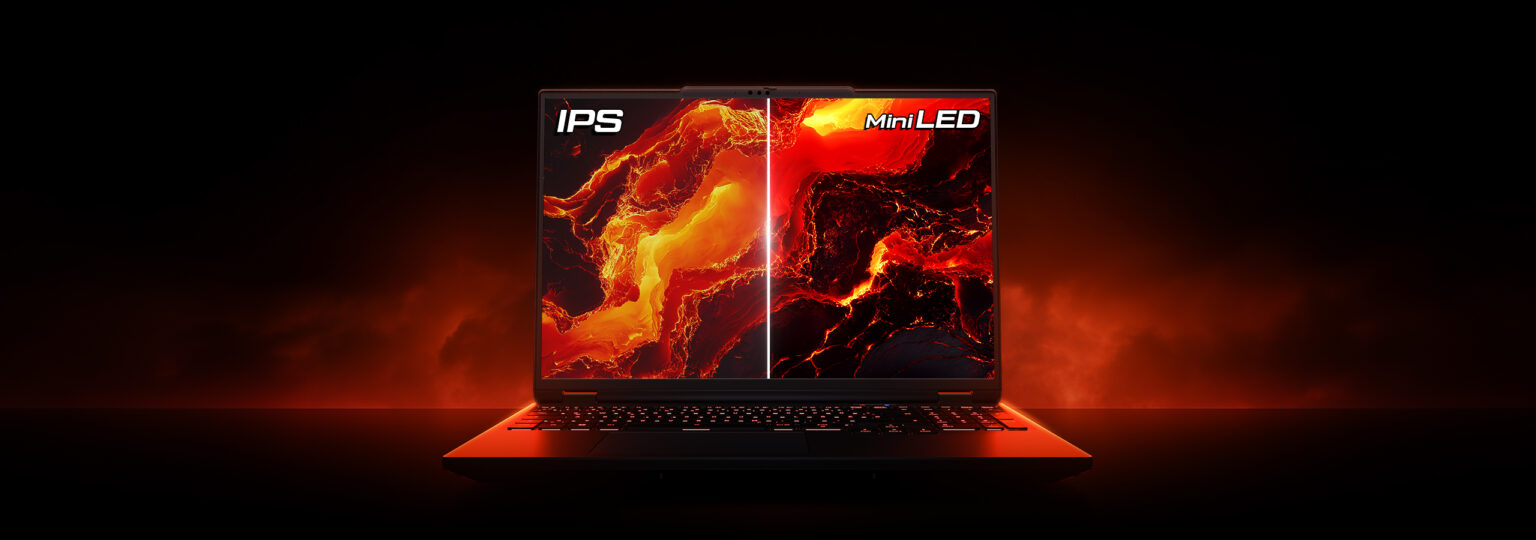
- memory AMD Ryzen 9 9955HX
- developer_board NVIDIA GeForce RTX 5070 Ti Laptop GPU
- layers 64GB DDR5-5600MHz (Dual-Channel)
- track_changes Target GPU: Geforce GTX 1070 (8192 MB) / Radeon RX 5700 (8192 MB)
- memory Intel Core i7-12700H
- developer_board NVIDIA GeForce RTX 3070
- layers 32GB DDR4-3200MHz
- track_changes Target GPU: NVIDIA GeForce RTX 2070 Super / AMD Radeon RX 6700 XT
- memory Intel Core i9-13900H
- developer_board NVIDIA GeForce RTX 4060
- layers 16GB DDR5-5200MHz
- track_changes Target GPU: NVIDIA GeForce RTX 2070 Super / AMD Radeon RX 6700 XT
- memory Intel Core i9-14900HX
- developer_board NVIDIA GeForce RTX 4060
- layers 32GB DDR5-5600MHz
- track_changes Target GPU: NVIDIA GeForce RTX 2070 Super / AMD Radeon RX 6700 XT
- memory Intel Core i9-12900H
- developer_board NVIDIA GeForce RTX 3070 Ti
- layers 16GB DDR5-4800MHz
- track_changes Target GPU: NVIDIA GeForce RTX 2070 Super / AMD Radeon RX 6700 XT
- memory AMD Ryzen 7 7435HS
- developer_board NVIDIA GeForce RTX 3050
- layers 32GB DDR5-4800MHz
- track_changes Target GPU: NVIDIA GeForce RTX 2070 Super / AMD Radeon RX 6700 XT
- memory AMD Ryzen 7 6800H
- developer_board NVIDIA GeForce RTX 3060
- layers 16GB DDR5-4800MHz
- track_changes Target GPU: NVIDIA GeForce RTX 2070 Super / AMD Radeon RX 6700 XT
- memory AMD Ryzen 9 5900HS
- developer_board NVIDIA GeForce RTX 3080
- layers 16GB DDR4-3200MHz
- track_changes Target GPU: NVIDIA GeForce RTX 2070 Super / AMD Radeon RX 6700 XT
- memory Intel Core i7-13620H
- developer_board NVIDIA GeForce RTX 4070
- layers 16GB DDR5-4800MHz
- track_changes Target GPU: NVIDIA GeForce RTX 2070 Super / AMD Radeon RX 6700 XT

- memory Intel Core i7-14700HX
- developer_board NVIDIA GeForce RTX 4070
- layers 16GB DDR5-5600MHz
- track_changes Target GPU: NVIDIA GeForce RTX 2070 Super / AMD Radeon RX 6700 XT

- memory Intel Core i9-14900HX
- developer_board NVIDIA GeForce RTX 4070
- layers 32GB DDR5-5600MHz
- track_changes Target GPU: NVIDIA GeForce RTX 2070 Super / AMD Radeon RX 6700 XT
For John Carpenter Toxic Commando Specifically
- memory Intel Core i7-12700H
- developer_board NVIDIA GeForce RTX 3070
- layers 32GB DDR4-3200MHz
- track_changes Target GPU: NVIDIA GTX 1070 / AMD RX 580
- memory Intel Core i9-13900H
- developer_board NVIDIA GeForce RTX 4060
- layers 16GB DDR5-5200MHz
- track_changes Target GPU: NVIDIA GTX 1070 / AMD RX 580
- memory Intel Core i9-14900HX
- developer_board NVIDIA GeForce RTX 4060
- layers 32GB DDR5-5600MHz
- track_changes Target GPU: NVIDIA GTX 1070 / AMD RX 580
- memory Intel Core i9-12900H
- developer_board NVIDIA GeForce RTX 3070 Ti
- layers 16GB DDR5-4800MHz
- track_changes Target GPU: NVIDIA GTX 1070 / AMD RX 580
- memory Intel Core i5-12450H
- developer_board NVIDIA GeForce RTX 3050
- layers 16GB DDR4-3200MHz
- track_changes Target GPU: NVIDIA GTX 1070 / AMD RX 580
- memory Intel Core i5-12500H
- developer_board NVIDIA GeForce RTX 3050 Ti
- layers 16GB DDR4-3200MHz
- track_changes Target GPU: NVIDIA GTX 1070 / AMD RX 580
- memory AMD Ryzen 7 7435HS
- developer_board NVIDIA GeForce RTX 3050
- layers 32GB DDR5-4800MHz
- track_changes Target GPU: NVIDIA GTX 1070 / AMD RX 580
- memory AMD Ryzen 7 6800H
- developer_board NVIDIA GeForce RTX 3060
- layers 16GB DDR5-4800MHz
- track_changes Target GPU: NVIDIA GTX 1070 / AMD RX 580
- memory AMD Ryzen 9 5900HS
- developer_board NVIDIA GeForce RTX 3080
- layers 16GB DDR4-3200MHz
- track_changes Target GPU: NVIDIA GTX 1070 / AMD RX 580
- memory Intel Core i7-13620H
- developer_board NVIDIA GeForce RTX 4070
- layers 16GB DDR5-4800MHz
- track_changes Target GPU: NVIDIA GTX 1070 / AMD RX 580
- memory Intel Core i7-14700HX
- developer_board NVIDIA GeForce RTX 4070
- layers 16GB DDR5-5600MHz
- track_changes Target GPU: NVIDIA RTX 3060 Ti / AMD RX 6800 XT
- memory Intel Core i9-14900HX
- developer_board NVIDIA GeForce RTX 4070
- layers 32GB DDR5-5600MHz
- track_changes Target GPU: NVIDIA RTX 3060 Ti / AMD RX 6800 XT

- memory Intel Core i9-14900HX
- developer_board NVIDIA GeForce RTX 4070
- layers 16GB DDR5-5600MHz
- track_changes Target GPU: NVIDIA RTX 3060 Ti / AMD RX 6800 XT
- memory Intel Core i9-14900HX
- developer_board NVIDIA GeForce RTX 4080 Laptop GPU
- layers 64 GB DDR5-5600MHz
- track_changes Target GPU: NVIDIA RTX 4070 / AMD RX 7900 GRE
- memory Intel Core Ultra 9 Processor 275HX (Series 2)
- developer_board NVIDIA GeForce RTX 5070 Laptop GPU
- layers 32GB DDR5-5600MHz
- track_changes Target GPU: NVIDIA RTX 4070 / AMD RX 7900 GRE
- memory Intel Core i9-14900HX Processor
- developer_board NVIDIA GeForce RTX 5070 Laptop GPU
- layers 32GB DDR5-5600MHz
- track_changes Target GPU: NVIDIA RTX 4070 / AMD RX 7900 GRE

- memory Intel Core i9-14900HX Processor
- developer_board NVIDIA GeForce RTX 5070 Laptop GPU
- layers 32GB DDR5-5600MHz
- track_changes Target GPU: NVIDIA RTX 4070 / AMD RX 7900 GRE

- memory Intel Core Ultra 9 285H (Arrow Lake-H)
- developer_board NVIDIA GeForce RTX 5070 Laptop GPU
- layers 64GB LPDDR5x-8533MT/s (LPCAMM2)
- track_changes Target GPU: NVIDIA RTX 4070 / AMD RX 7900 GRE

- memory Intel Core i9-14900HX
- developer_board NVIDIA GeForce RTX 4080
- layers 64GB DDR5-5600MHz
- track_changes Target GPU: NVIDIA RTX 4070 / AMD RX 7900 GRE

- memory Intel Core i9-14900HX
- developer_board NVIDIA GeForce RTX 4080
- layers 32GB DDR5-5600MHz
- track_changes Target GPU: NVIDIA RTX 4070 / AMD RX 7900 GRE

- memory Intel Core i9-14900HX
- developer_board NVIDIA GeForce RTX 4080
- layers 32GB DDR5-5600MHz
- track_changes Target GPU: NVIDIA RTX 4070 / AMD RX 7900 GRE

- memory Intel Core i9-14900HX
- developer_board NVIDIA GeForce RTX 4080
- layers 32GB DDR5-5600MHz
- track_changes Target GPU: NVIDIA RTX 4070 / AMD RX 7900 GRE
- memory AMD Ryzen 9 7845HX
- developer_board NVIDIA GeForce RTX 4080
- layers Up to 64GB DDR5
- track_changes Target GPU: NVIDIA RTX 4070 / AMD RX 7900 GRE
- memory Intel Core Ultra 9 285H (Series 2) , 14 cores (6 Performance cores + 8 Efficient cores), 20 threads
- developer_board NVIDIA GeForce RTX 5050 Laptop GPU
- layers 32GB (2x16GB) DDR5 8400MHz SO-DIMM
- track_changes Target GPU: NVIDIA RTX 4090 / AMD RX 7900 XTX
- memory Intel Core Ultra 9 285H
- developer_board NVIDIA GeForce RTX 5070
- layers 32GB (2x16GB) DDR5 4800MHz SO-DIMM
- track_changes Target GPU: NVIDIA RTX 4090 / AMD RX 7900 XTX

- memory Intel Core i9-14900HX Processor
- developer_board NVIDIA GeForce RTX 5070 Ti Laptop GPU
- layers 64GB DDR5-5600MHz (commonly listed as 4800MHz by some retailers, but 5600MHz is common for 14th Gen HX with DDR5)
- track_changes Target GPU: NVIDIA RTX 4090 / AMD RX 7900 XTX

- memory Intel Core Ultra 9 Processor 275HX
- developer_board NVIDIA GeForce RTX 5070 Ti Laptop GPU
- layers 64GB DDR5-6400MHz
- track_changes Target GPU: NVIDIA RTX 4090 / AMD RX 7900 XTX

- memory Intel Core Ultra 9 Processor 275HX (Series 2)
- developer_board NVIDIA GeForce RTX 5070 Ti Laptop GPU
- layers 32GB DDR5-5600MHz
- track_changes Target GPU: NVIDIA RTX 4090 / AMD RX 7900 XTX

- memory Intel Ultra 7 255HX
- developer_board NVIDIA GeForce RTX 5070 Ti
- layers 32GB DDR5 5600MHz
- track_changes Target GPU: NVIDIA RTX 4090 / AMD RX 7900 XTX

- memory Intel Core Ultra 7 240H
- developer_board NVIDIA GeForce RTX 5070 Ti Laptop GPU
- layers 32GB LPDDR5X 5600MHz
- track_changes Target GPU: NVIDIA RTX 4090 / AMD RX 7900 XTX

- memory Intel Core Ultra 9 275HX
- developer_board GeForce RTX 5070 Laptop Laptop GPU
- layers 64GB DDR5-6400MHz (Single-Channel)
- track_changes Target GPU: NVIDIA RTX 4090 / AMD RX 7900 XTX

- memory Intel Core Ultra 9 275HX
- developer_board NVIDIA GeForce RTX 5070 Ti
- layers 32GB
- track_changes Target GPU: NVIDIA RTX 4090 / AMD RX 7900 XTX

- memory Intel Core Ultra 9 275HX
- developer_board NVIDIA GeForce RTX 5070 Ti Laptop GPU
- layers 32 GB DDR5 6400MHz (2x16GB)
- track_changes Target GPU: NVIDIA RTX 4090 / AMD RX 7900 XTX
info_outline Laptop recommendations are estimates based on available component benchmarks and game requirements. Actual performance may vary depending on settings, drivers, cooling, power limits, etc. Prices and availability subject to change. As an Amazon Associate, we earn from qualifying purchases.