Select Games to Compare
Benchmark your exact mobile GPU wattage (TGP), battery throttling drops, and cooling pad requirements for these games.
Pax Autocratica vs Crimson Moon
| close | close |
|---|---|
| shopping_cart Where to Buy | |
| info General Information | |
| Release Date | |
| Aug 10, 2026 | Sep 1, 2026 |
| Developer | |
| Multiverse | Team Metal |
| Publisher | |
| Multiverse | ProbablyMonsters |
| Genre(s) | |
| Colony Simulator / FPS Roguelite | Action-RPG / Soulslike / Roguelite |
| Engine | |
| Unity Engine (IL2CPP) | Unreal Engine 5.6 |
| stars Ratings & Price | |
| Content Rating | |
| Mature 17+ | M (Mature 17+) |
| Avg. User Rating | |
| 4.6 / 5.0 | 3.8 / 5.0 |
| Current Price (USD) | |
| $29.99 | $19.99 |
| tune Key Specs | |
| Quick Highlights | |
|
|
| sports_esports Gameplay & Mechanics | |
| Companions/Followers | |
|
|
| Key Collectibles | |
|
|
| Key Themes | |
|
|
| colorize Combat & Gear | |
| Weapons Overview | |
|
|
| Armor / Gear Sets | |
|
|
| Outfits/Customization | |
|
|
| trending_up Progression & Upgrades | |
| Skills & Progression | |
|
Progression in Pax Autocratica is strictly governed by the Tactical Bureau and the complex Core Fragment system. Players must construct the Tactical Bureau to unlock vital mobility upgrades such as double jumping, hovering, and sustained flight, which are mandatory to survive the overlapping bullet-hell patterns of late-game enemies. The skill tree features robust Action Point (AP) pathways, allowing advanced AP regeneration builds that massively compress combat tempo. Furthermore, the Core Fragment system allows players to equip up to ten active cores—ranging from Homing Missile Pods to Void Detonations and Chain-Lightning generators. Combining these Weapon Cores, Squad Cores, and Combination Cores unlocks compounding mathematical synergies that fundamentally dictate your ultimate combat efficacy. |
Crimson Moon omits traditional RPG skill trees or classes. Progression is entirely dictated by physical loadouts and the 'Purification' economy. Players must survive a Hunt and extract to the hub to permanently 'purify' looted weapons and armor. Buildcrafting heavily relies on 'Weapon Arts'—powerful magical or physical skills intrinsically bound to specific gear (e.g., 'Winter Sun' for Frost encasement, 'Aura of the Burning Heart' for fire AoE). During a run, players also acquire 'Boons' via Nexus Gates; these are temporary, roguelite stat modifiers (like 'Toxic Strike' or 'Chalice of Conquest') that introduce localized volatility to builds but vanish upon extraction or death. |
| public World & Exploration | |
| World & Level Design | |
|
The known game universe is currently segmented into distinct geographic biomes known as Sectors, blending procedural generation with handcrafted boss arenas. Sector 1, Elysia, features arid deserts, sprawling alien tendril ecosystems, and oases that climax at the heavily fortified Fortress Bunker. Sector 2, Auryto, introduces massive logistical bottlenecks, mutated environments, and Infested Nests populated by aggressive alien wildlife. Sector 3, Serina, represents the brutal Early Access endgame, demanding mastery of supply chains and culminating in an intense bullet-hell encounter against the Serina Fortress. A highly anticipated Sector 4 remains locked in the game files, slated for the official 1.0 release, and promises entirely new environmental hazards and massive co-op integrated raid layouts. |
The game rejects a contiguous open-world design in favor of highly compartmentalized, repeatable Wards (biomes) accessed via the Sanctus Clypeus hub. While the overarching geographical layout of each Ward remains static to allow players to master environmental routing, internal variables such as elite mob placements, hazard spawns, and loot caches are completely randomized per run. Documented Wards include the starting Prologue area, The Forsaken Streets, the Archspire Cathedral, Ramshorn Keep, Shoreditch Prison, and the endgame Elk Grove Academy. Each Ward features bespoke gothic architecture, unique enemy ecosystems, and specific environmental hazards. |
| Playable Vehicles | |
|
|
| Notable Fauna/Mounts | |
|
|
| book Story & Characters | |
| Main Characters | |
|
|
| Example Missions | |
|
|
| people Multiplayer | |
| Multiplayer Details | |
|
As of September 2026, Pax Autocratica operates strictly as a single-player hybrid simulation. However, the most universally demanded feature by the game's expansive 500,000-wishlist community is collaborative gameplay. Multiverse has officially confirmed that Co-Op Multiplayer is structurally confirmed for future deployment. The studio is currently undertaking the massive technical hurdle of refactoring their IL2CPP Unity architecture to support synchronized multiplayer instances. This highly anticipated mode will allow multiple commanders to jointly manage complex logistical supply chains, optimize base layouts, and deploy as a fully unified squad into massive Sector Overlord raid encounters, fundamentally shifting the game's dynamic. |
The software heavily focuses on two-player online cooperative play. Co-op is governed by a punishing 'shared life pool' mechanic; if one player dies repeatedly, the run is bankrupted for both, demanding extreme synergy. The dynamic difficulty algorithm scales immediately when a second Nephilim joins, massively inflating enemy health pools and aggression metrics. Loot drops and gold are subject to a 'first-come, first-served' pickup rule, requiring communication to ensure equitable distribution of vital unpurified gear. |
| extension Editions & DLC | |
| Available Editions | |
|
Pax Autocratica was released as a unified Early Access edition on PC platforms, purposefully avoiding fragmented launch tiers to consolidate player feedback. The standard MSRP sits at $29.99, though it launched with an introductory discount of $24.89, driving rapid market penetration of over 100,000 units in its first week. Players who participated in the one-month anniversary 'Auroria Day' event were rewarded with the exclusive Nebula Assault Rifle - Aurorian Ceremonial Series cosmetic weapon skin. While the developers have not yet announced Deluxe or Ultimate editions, the eventual 1.0 release is expected to feature a robust Supporter Pack offering digital artbooks, developmental post-mortems, and expanded cosmetic insignias for colony structures. |
Team Metal opted for a highly disruptive pricing model. The Standard Edition retails globally for $19.99 (or regional equivalents like ₹1,897.22 in India), offering full access to the base game. The Deluxe Edition is positioned at $29.99 (also available as a $10 upgrade modularly). This premium tier includes purely cosmetic items—specifically the Ceremonial Armor Set and the Axe of the Gods weapon skin—and crucially, grants entitlement to the game's first major post-launch narrative expansion. PlayStation 5 purchasers (of either edition) exclusively receive the Sonai Magistrate Armor Set at launch. |
| Post-Launch Content / DLC | |
|
The developer Multiverse operates a highly aggressive two-year Early Access roadmap. To date, patches like Directive ST-11 have fundamentally overhauled base building with batch dismantling, drone logic, and UI scaling. Looking forward, the community has confirmed through data-mining and developer AMAs that the future includes highly anticipated features such as Co-Op Multiplayer, natively synchronized colony management, and extensive Sector 4 expansion raids. Furthermore, the team is actively prototyping player-suggested Core Fragments (like Quantum Immortality and Medical Drones) and completely overhauling the social simulation with 'Player Marriage' mechanics and a 'Prisoner Conversion V2' system to deepen the sociopolitical management layers before the official 1.0 launch. |
While specific details are tightly guarded by ProbablyMonsters (evidenced by a total lack of datamined leaks), a comprehensive post-launch roadmap is confirmed via the Deluxe Edition, which includes an expansion pass for the game's first major content drop. This DLC is expected to significantly expand the Wards of Gildenarch, introduce new Dead Gods, and potentially implement highly requested features like dual-wielding or dedicated ranged weaponry, which are unsupported in the 1.0 release. |
| help_outline FAQ | |
| Frequently Asked Questions | |
|
|
| build Technical Details | |
| Graphics & Visual Fidelity | |
|
Built on the Unity Engine, Pax Autocratica features a stark, stylized graphical approach that highlights the grim reality of space colonization. The visual language heavily relies on contrasting elements: the sterile, mechanized Brutalist architecture of your expanding Command Center against the organic, mutated flesh of the Scourgeborn enemies. Recent graphical updates have completely overhauled visual clarity, modifying the physical proportions of enemy units for better readability and significantly upgrading the particle effects of abilities like the Void Detonation core. The engine handles hundreds of simultaneous lighting sources during combat, necessitating the option to disable volumetric fog and screen-space reflections for users prioritizing pure mechanical framerate over visual fidelity. |
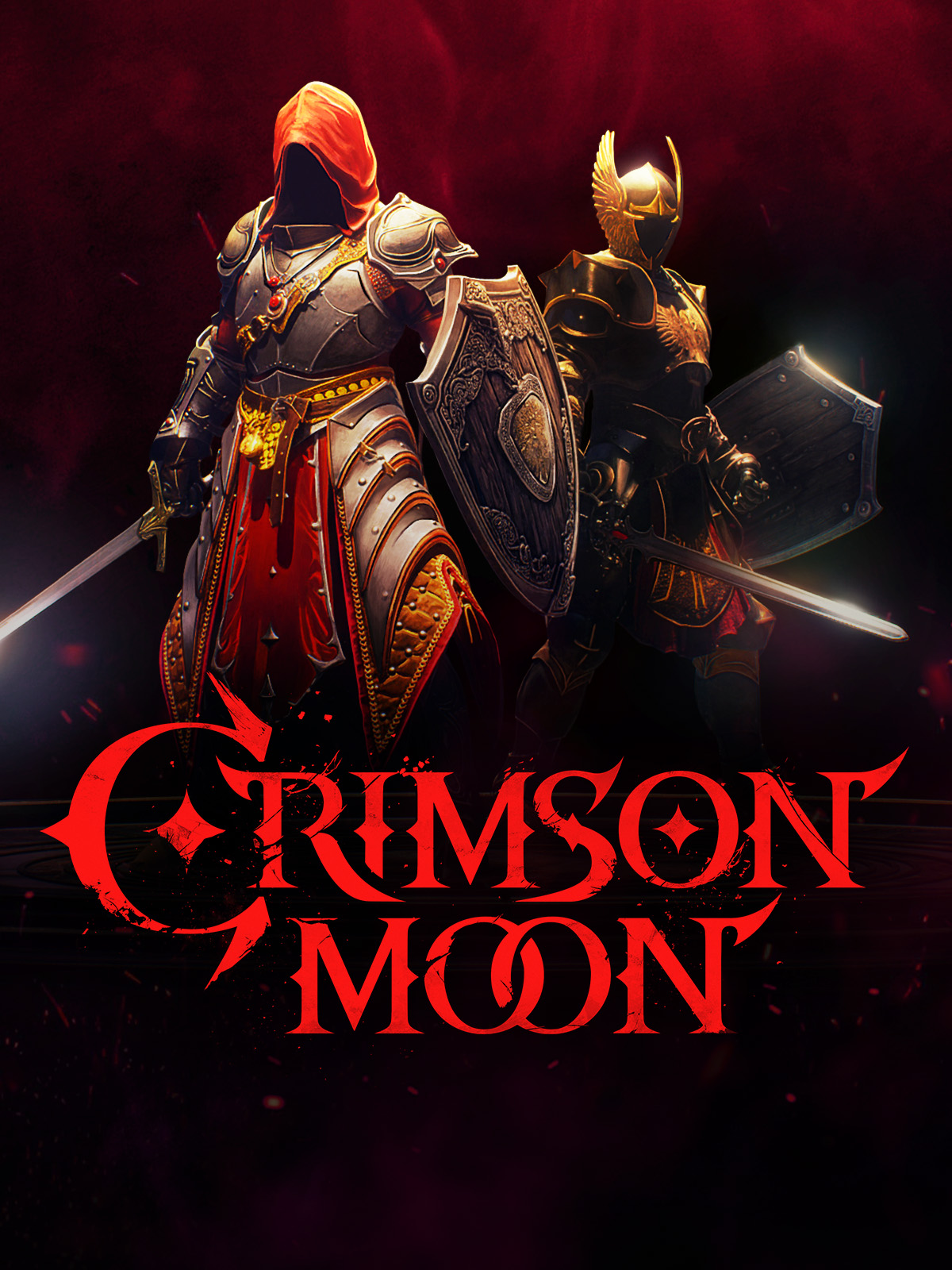
Crimson Moon utilizes Unreal Engine 5.6 to achieve stunning AAA-equivalent visual fidelity. The art direction relies heavily on Lumen for real-time, path-traced global illumination, creating striking contrasts between divine angelic radiance and the gritty, Hellgrowth-infested urban decay of Gildenarch. The engine simulates dense volumetric fog and GPU-driven cloth physics for the Nephilim's armor. The 'Angel Mode' transformation is the visual centerpiece, generating golden, winged manifestations mid-combat. The uncompromising graphics require aggressive upscaling (DLSS 5 / FSR 4) to maintain the rigid 60 FPS necessary for soulslike combat. |
| Audio & Soundtrack | |
|
The auditory soundscape of Pax Autocratica bridges the sterile, bureaucratic hum of an authoritarian dystopia with the frantic, explosive sound design of an arcade shooter. The game features highly granular audio settings, providing players with distinct custom volume controls for varying audio streams including weapons fire, AI chatter, ambient machinery, and environmental effects. Fully compatible with stereo and surround sound configurations, the audio engine is designed to provide acute spatial awareness, alerting the player to the teleporting strikes of Sattleri Warriors or the incoming barrage of Overlord flak cannons. The music shifts dynamically, maintaining a tense, pulsing industrial synth beat during base management that explodes into chaotic orchestral arrangements during Sector Boss encounters. |
The audio design heavily complements the game's dark fantasy, heavy metal aesthetic. Combat is punctuated by the visceral, meaty impacts of heavy weapons shattering armor, and distinct, high-pitched audio cues that signal the tight frame windows for perfect parries. The musical score oscillates between solemn, choral chants within the safety of the Sanctus Clypeus hub, and aggressive, driving heavy metal instrumentation that kicks in dynamically during intense mob encounters and the massive 'Dead Gods' boss fights. |
| User Interface (UI/UX) | |
|
Navigating a complex totalitarian bureaucracy requires a dense but functional User Interface. Directive ST-11 completely overhauled the UI to improve controller accessibility for gamepad and Steam Deck users, fixing critical icon switching errors and remapping radial menus. The interface features a streamlined Soldier Management screen with class-based sorting protocols, allowing commanders to easily track the loyalty, fear, and fatigue of their populace. The UI also integrates unified chat logs to prevent clutter from repetitive item pickups and features critical safety warnings if a player attempts to launch an expedition without essential medical or revival consumables. Hover tooltips can be temporarily hidden via trigger inputs to clear up screen real estate. |
The User Interface at launch received severe, unified criticism from the PC player base. Criticisms highlighted off-center text, unscaled HUD elements that made health bars difficult to read during chaotic combat, and a lack of auto-pickup for basic consumables. More critically, the 1.0 PC release lacked manual keybinding (forcing players into rigid presets where dodge and sprint shared a button) and featured a third-person lock-on camera that snapped violently or clipped through geometry when tracking highly mobile elite enemies. Team Metal has promised immediate hotfixes to rectify these severe UX friction points. |
| Accessibility Options | |
|
Multiverse has made a concerted effort to ensure the highly demanding mechanics of Pax Autocratica remain accessible. The title features fully adjustable difficulty sliders—Relaxed, Standard, and Demanding—which can be altered dynamically in the middle of a campaign without voiding the save data or penalizing the player. Recognizing controller struggles, recent patches massively improved Steam Deck and gamepad integration, optimizing the layout of the complex base-building menus. To reduce intense gameplay frustration, a 'capture pity' system guarantees enemy capture after a set number of failures, while visual adjustments to hit-reactions and enemy status effects allow players with visual processing difficulties to better read the chaotic battlefield states. |
Crimson Moon is inherently hostile to traditional accessibility standards by design, prioritizing extreme difficulty, punishing permanent-loss mechanics, and frame-perfect reaction times. However, the game does offer cooperative multiplayer as a means of mitigating difficulty, allowing a highly skilled player to 'carry' or support a less skilled partner (though the shared life pool makes this risky). The initial PC launch was notably poor for accessibility, entirely lacking custom keybindings, though this is actively being patched by the development team. |
| video_library Media Links | |
| Gameplay Video | |
| launchWatch | launchWatch |
| Walkthrough/Guide | |
| launchView | launchView |
| settings_applications System Requirements | |
| 1080p (Full HD) - Recommended (High Preset, 60 FPS Target (DLSS/FSR Quality Mode)) CPU: Provides necessary headroom to process complex environmental physics and elite mob interactions without stuttering. CPU (Laptop): Strong single-core performance is needed to keep the GPU fed during intensive, multi-enemy boss encounters. GPU: Ensures smooth rendering of high-quality textures and stable performance when utilizing demanding Weapon Arts. GPU (Laptop): Offers solid 1080p 60FPS performance thanks to advanced architecture and frame generation capabilities. RAM: Strongly recommended to ensure no memory bottlenecks occur during extended co-op sessions. Storage: Required to maintain instant load times when deploying from the Sanctus Clypeus hub to the Wards. | |
| — | memoryCPU: Intel Core i7-10700K / AMD Ryzen 5 5600X developer_boardGPU: NVIDIA GeForce RTX 3070 / AMD Radeon RX 6700 XT laptop_macCPU (L): Intel Core i7-12700H / AMD Ryzen 7 6800H laptop_windowsGPU (L): NVIDIA GeForce RTX 4060 Laptop GPU (115W+ TGP) layersRAM: 32 GB saveStorage (Tier): 50 GB NVMe SSD |
| 1080p (Full HD) - Minimum (Low-Medium Settings, 30-60 FPS) CPU: Baseline required to manage colony pathfinding without freezing. CPU (Laptop): Must maintain high base clocks to avoid simulation lag. GPU: Adequate for rendering the primary colony and Sector 1 environments. GPU (Laptop): Will require FSR on Balanced mode to sustain 60 FPS in dense firefights. RAM: Strict 16GB minimum due to simultaneous logistics and FPS memory pools. Storage: SSD strongly recommended for seamless transitions. | |
memoryCPU: Intel Core i5-8600 / AMD Ryzen 5 1600 developer_boardGPU: Nvidia GTX 1060 (6GB) / AMD RX 480 (6GB) laptop_macCPU (L): Intel Core i5-10300H / AMD Ryzen 5 4600H laptop_windowsGPU (L): Nvidia GTX 1650 Ti / RTX 3050 (High TGP) layersRAM: 16 GB saveStorage (Tier): 40 GB HDD/SSD | memoryCPU: Intel Core i5-8400 / AMD Ryzen 5 2600 developer_boardGPU: NVIDIA GeForce GTX 1070 / AMD Radeon RX 5700 laptop_macCPU (L): Intel Core i7-9750H / AMD Ryzen 7 3750H laptop_windowsGPU (L): NVIDIA GeForce RTX 3050 Ti Laptop GPU layersRAM: 16 GB saveStorage (Tier): 50 GB (SSD Recommended) |
| 1440p (QHD/2K) - High (High/Max Preset, 60 FPS Target (DLSS/FSR Balanced)) CPU: Ensures the system never bottlenecks the GPU when rendering complex lighting and shadows at higher resolutions. CPU (Laptop): Top-tier mobile processors necessary to calculate UE5 physics without causing frame pacing drops. GPU: Delivers the rasterization overhead to manage path-traced lighting while keeping framerates strictly locked for parry timing. GPU (Laptop): Required to maintain high frame rates at 1440p on laptops without drastically reducing visual fidelity. RAM: Highly recommended for absolutely smooth gameplay. Storage: Crucial for asset streaming at higher resolutions. | |
| — | memoryCPU: Intel Core i5-13600K / AMD Ryzen 7 7700X developer_boardGPU: NVIDIA GeForce RTX 4070 / AMD Radeon RX 7800 XT laptop_macCPU (L): Intel Core i9-13900HX / AMD Ryzen 9 7845HX laptop_windowsGPU (L): NVIDIA GeForce RTX 4080 Laptop GPU (175W TGP) layersRAM: 32 GB saveStorage (Tier): 50 GB NVMe SSD |
| 1440p (QHD/2K) - Recommended (High Settings, 60+ FPS) CPU: Provides necessary multi-core performance for late-game population calculations. CPU (Laptop): Handles the physics calculations of overlapping projectile patterns effectively. GPU: Maintains fluid framerates during intense bullet-hell boss encounters. GPU (Laptop): Comfortably handles 1440p internal resolution with mild upscaling. RAM: Sufficient for holding high-resolution textures in memory. Storage: Crucial for rapid asset streaming. | |
memoryCPU: Intel Core i7-8700K / AMD Ryzen 5 3600 developer_boardGPU: Nvidia RTX 2060 Super / AMD RX 5700 XT laptop_macCPU (L): Intel Core i7-11800H / AMD Ryzen 7 5800H laptop_windowsGPU (L): Nvidia RTX 3060 / 4050 Mobile (90W+) layersRAM: 16 GB saveStorage (Tier): 40 GB NVMe SSD | — |
| 2160p (UHD/4K) - Ultra / Enthusiast (Max Preset, 60 FPS Target (DLSS/FSR Quality or Native)) CPU: Eliminates all system bottlenecks, ensuring that every gothic environment is rendered flawlessly with maximum simulation complexity. CPU (Laptop): The pinnacle of mobile processing power required to drive ultra-high-resolution UE5 calculations. GPU: Massive rasterization and VRAM capacity required to render 4K textures and handle the intense volumetric fog and particle systems natively. GPU (Laptop): Essential for attempting 4K gaming on a mobile platform, relying heavily on DLSS upscaling to maintain fluid motion. RAM: Ensures the system never bottlenecks during maximum memory saturation events. Storage: Provides instantaneous asset loading; estimated size requirement for full 4K texture pack installation. | |
| — | memoryCPU: Intel Core Ultra 7 / AMD Ryzen 7 9700X developer_boardGPU: NVIDIA GeForce RTX 5070 Ti / AMD Radeon RX 9070 XT laptop_macCPU (L): Intel Core i9-14900HX laptop_windowsGPU (L): NVIDIA GeForce RTX 4090 Laptop GPU (175W TGP) layersRAM: 32 GB saveStorage (Tier): 135 GB NVMe SSD |
| 2160p (UHD/4K) - Ultra (Epic Settings, 60+ FPS) CPU: Ensures absolutely no bottlenecking when managing late-game automated drone swarms and maximum ESL spawns. CPU (Laptop): Desktop-replacement grade CPUs are necessary for flawless 4K logic processing. GPU: Required to brute-force 4K rendering alongside complex lighting and chain-lightning physics. GPU (Laptop): Highest TGP needed to prevent frame drops during Sector 3 flak barrages. RAM: Provides extra overhead for extended play sessions and modding tools. Storage: Eliminates all load times between phases. | |
memoryCPU: Intel Core i7-12700K / AMD Ryzen 7 7800X3D developer_boardGPU: Nvidia RTX 3080 / AMD Radeon RX 6800 XT laptop_macCPU (L): Intel Core i9-13900HX / AMD Ryzen 9 7945HX laptop_windowsGPU (L): Nvidia RTX 4080 Mobile (175W) layersRAM: 32 GB saveStorage (Tier): 40 GB Gen4 NVMe SSD | — |
| save Overall Storage | |
| Spec: 40 GB Note: Requires 40 GB of storage space. An SSD is highly recommended to prevent hitching during fast travel between the colony and FPS expeditions. Type: Unknown | Spec: 50 GB NVMe SSD Note: While the footprint is relatively small for a UE5 title, an NVMe SSD is highly recommended to stream complex geometry and textures seamlessly during rapid traversal. Type: NVMe |
| desktop_windows Operating System | |
| Spec: Windows 10 (64-bit) Explanation: Required to handle the multi-threading overhead of the demographic simulation and Unity IL2CPP backend. | Spec: Windows 10 / 11 (64-bit) Explanation: Requires a modern 64-bit architecture to manage the memory overhead required for UE5's rendering pipeline and dynamic environmental generation. |
| gamepad DirectX Version | |
Spec: DirectX 11 (Default) / DirectX 12 (Optional) Explanation: DX11 is default. Forcing -dx12 via launch options spreads draw calls across all CPU cores, yielding up to a 100% framerate increase on high-end hardware, despite initial shader stutter. | Spec: DirectX 12 Ultimate Explanation: Strictly required to leverage hardware-accelerated ray tracing features associated with Lumen lighting and advanced shading techniques. |
| info_outline Other Game Notes | |
|
|
| build Optimization Details | |
|
|
| laptop Laptop Considerations | |
|
|

info_outline Feature details based on available data. System requirements and performance estimates may vary.
laptop_chromebook Laptop Recommendations
Common Recommendations (Handles All Compared Games)

- memory Intel Core i7-12700H
- developer_board NVIDIA GeForce RTX 3070
- layers 32GB DDR4-3200MHz
- track_changes Target GPU: Nvidia GTX 1650 Ti / RTX 3050 (High TGP) / NVIDIA GeForce RTX 3050 Ti Laptop GPU

- memory Intel Core i9-13900H
- developer_board NVIDIA GeForce RTX 4060
- layers 16GB DDR5-5200MHz
- track_changes Target GPU: Nvidia GTX 1650 Ti / RTX 3050 (High TGP) / NVIDIA GeForce RTX 3050 Ti Laptop GPU

- memory Intel Core i9-14900HX
- developer_board NVIDIA GeForce RTX 4060
- layers 32GB DDR5-5600MHz
- track_changes Target GPU: Nvidia GTX 1650 Ti / RTX 3050 (High TGP) / NVIDIA GeForce RTX 3050 Ti Laptop GPU

- memory AMD Ryzen 7 7435HS
- developer_board NVIDIA GeForce RTX 3050
- layers 32GB DDR5-4800MHz
- track_changes Target GPU: NVIDIA GeForce RTX 4060 Laptop GPU (115W+ TGP)

- memory AMD Ryzen 7 7445HS
- developer_board NVIDIA GeForce RTX 4050
- layers 16GB (2x8GB) DDR5 5600MHz SO-DIMM
- track_changes Target GPU: Nvidia RTX 3060 / 4050 Mobile (90W+)

- memory AMD Ryzen 7 7445HS
- developer_board NVIDIA GeForce RTX 4050
- layers 16GB DDR5 5600MHz SO-DIMM
- track_changes Target GPU: Nvidia RTX 3060 / 4050 Mobile (90W+)

- memory Intel Core i9-14900HX
- developer_board NVIDIA GeForce RTX 4080 Laptop GPU
- layers 64 GB DDR5-5600MHz
- track_changes Target GPU: Nvidia RTX 3060 / 4050 Mobile (90W+)

- memory Intel Core Ultra 9 Processor 275HX (Series 2)
- developer_board NVIDIA GeForce RTX 5070 Laptop GPU
- layers 32GB DDR5-5600MHz
- track_changes Target GPU: NVIDIA GeForce RTX 4080 Laptop GPU (175W TGP)

- memory Intel Core i9-14900HX Processor
- developer_board NVIDIA GeForce RTX 5070 Laptop GPU
- layers 32GB DDR5-5600MHz
- track_changes Target GPU: NVIDIA GeForce RTX 4080 Laptop GPU (175W TGP)
- memory Intel Core i9-14900HX
- developer_board NVIDIA GeForce RTX 4080 Laptop GPU
- layers 64 GB DDR5-5600MHz
- track_changes Target GPU: Nvidia RTX 4080 Mobile (175W)
- memory Intel Core Ultra 9 Processor 275HX (Series 2)
- developer_board NVIDIA GeForce RTX 5070 Laptop GPU
- layers 32GB DDR5-5600MHz
- track_changes Target GPU: Nvidia RTX 4080 Mobile (175W)
- memory Intel Core i9-14900HX Processor
- developer_board NVIDIA GeForce RTX 5070 Laptop GPU
- layers 32GB DDR5-5600MHz
- track_changes Target GPU: Nvidia RTX 4080 Mobile (175W)

- memory Intel Core i9-14900HX
- developer_board NVIDIA GeForce RTX 4090
- layers 32GB DDR5-5600MHz
- track_changes Target GPU: NVIDIA GeForce RTX 4090 Laptop GPU (175W TGP)

- memory Intel Core Ultra 9 285H (Series 2) , 14 cores (6 Performance cores + 8 Efficient cores), 20 threads
- developer_board NVIDIA GeForce RTX 5050 Laptop GPU
- layers 32GB (2x16GB) DDR5 8400MHz SO-DIMM
- track_changes Target GPU: NVIDIA GeForce RTX 4090 Laptop GPU (175W TGP)

- memory Intel Core Ultra 9 285H
- developer_board NVIDIA GeForce RTX 5070
- layers 32GB (2x16GB) DDR5 4800MHz SO-DIMM
- track_changes Target GPU: NVIDIA GeForce RTX 4090 Laptop GPU (175W TGP)
For Pax Autocratica Specifically
- memory Intel Core i7-12700H
- developer_board NVIDIA GeForce RTX 3070
- layers 32GB DDR4-3200MHz
- track_changes Target GPU: Nvidia GTX 1060 (6GB) / AMD RX 480 (6GB)
- memory Intel Core i9-13900H
- developer_board NVIDIA GeForce RTX 4060
- layers 16GB DDR5-5200MHz
- track_changes Target GPU: Nvidia GTX 1060 (6GB) / AMD RX 480 (6GB)
- memory Intel Core i9-14900HX
- developer_board NVIDIA GeForce RTX 4060
- layers 32GB DDR5-5600MHz
- track_changes Target GPU: Nvidia GTX 1060 (6GB) / AMD RX 480 (6GB)

- memory Intel Core i9-12900H
- developer_board NVIDIA GeForce RTX 3070 Ti
- layers 16GB DDR5-4800MHz
- track_changes Target GPU: Nvidia GTX 1060 (6GB) / AMD RX 480 (6GB)

- memory Intel Core i5-12450H
- developer_board NVIDIA GeForce RTX 3050
- layers 16GB DDR4-3200MHz
- track_changes Target GPU: Nvidia GTX 1060 (6GB) / AMD RX 480 (6GB)

- memory Intel Core i5-12500H
- developer_board NVIDIA GeForce RTX 3050 Ti
- layers 16GB DDR4-3200MHz
- track_changes Target GPU: Nvidia GTX 1060 (6GB) / AMD RX 480 (6GB)
- memory AMD Ryzen 7 7435HS
- developer_board NVIDIA GeForce RTX 3050
- layers 32GB DDR5-4800MHz
- track_changes Target GPU: Nvidia GTX 1060 (6GB) / AMD RX 480 (6GB)

- memory AMD Ryzen 7 6800H
- developer_board NVIDIA GeForce RTX 3060
- layers 16GB DDR5-4800MHz
- track_changes Target GPU: Nvidia GTX 1060 (6GB) / AMD RX 480 (6GB)

- memory AMD Ryzen 9 5900HS
- developer_board NVIDIA GeForce RTX 3080
- layers 16GB DDR4-3200MHz
- track_changes Target GPU: Nvidia GTX 1060 (6GB) / AMD RX 480 (6GB)

- memory Intel Core i7-13620H
- developer_board NVIDIA GeForce RTX 4070
- layers 16GB DDR5-4800MHz
- track_changes Target GPU: Nvidia GTX 1060 (6GB) / AMD RX 480 (6GB)
- memory AMD Ryzen 7 7445HS
- developer_board NVIDIA GeForce RTX 4050
- layers 16GB (2x8GB) DDR5 5600MHz SO-DIMM
- track_changes Target GPU: Nvidia RTX 2060 Super / AMD RX 5700 XT
- memory AMD Ryzen 7 7445HS
- developer_board NVIDIA GeForce RTX 4050
- layers 16GB DDR5 5600MHz SO-DIMM
- track_changes Target GPU: Nvidia RTX 2060 Super / AMD RX 5700 XT
- memory Intel Core i9-14900HX
- developer_board NVIDIA GeForce RTX 4080 Laptop GPU
- layers 64 GB DDR5-5600MHz
- track_changes Target GPU: Nvidia RTX 2060 Super / AMD RX 5700 XT

- memory Intel Core i7-13620H
- developer_board NVIDIA GeForce RTX 5070 Laptop GPU
- layers 64GB (2x32GB) DDR5 4800MHz SO-DIMM
- track_changes Target GPU: Nvidia RTX 2060 Super / AMD RX 5700 XT

- memory AMD Ryzen 7 6800HS
- developer_board NVIDIA GeForce RTX 5070 Laptop GPU
- layers 16GB (2x8GB) DDR4 4800MHz SO-DIMM
- track_changes Target GPU: Nvidia RTX 2060 Super / AMD RX 5700 XT
- memory Intel Core Ultra 9 Processor 275HX (Series 2)
- developer_board NVIDIA GeForce RTX 5070 Laptop GPU
- layers 32GB DDR5-5600MHz
- track_changes Target GPU: Nvidia RTX 2060 Super / AMD RX 5700 XT
- memory Intel Core i9-14900HX Processor
- developer_board NVIDIA GeForce RTX 5070 Laptop GPU
- layers 32GB DDR5-5600MHz
- track_changes Target GPU: Nvidia RTX 2060 Super / AMD RX 5700 XT

- memory Intel Core i9-14900HX Processor
- developer_board NVIDIA GeForce RTX 5070 Laptop GPU
- layers 32GB DDR5-5600MHz
- track_changes Target GPU: Nvidia RTX 2060 Super / AMD RX 5700 XT

- memory Intel Core Ultra 9 Processor 285H
- developer_board NVIDIA GeForce RTX 5070 Laptop GPU
- layers 16GB DDR5-5600MHz
- track_changes Target GPU: Nvidia RTX 2060 Super / AMD RX 5700 XT

- memory Intel Core Ultra 9 285H (Arrow Lake-H)
- developer_board NVIDIA GeForce RTX 5070 Laptop GPU
- layers 64GB LPDDR5x-8533MT/s (LPCAMM2)
- track_changes Target GPU: Nvidia RTX 2060 Super / AMD RX 5700 XT
- memory Intel Core i9-14900HX
- developer_board NVIDIA GeForce RTX 4080 Laptop GPU
- layers 64 GB DDR5-5600MHz
- track_changes Target GPU: Nvidia RTX 3080 / AMD Radeon RX 6800 XT
- memory Intel Core Ultra 9 Processor 275HX (Series 2)
- developer_board NVIDIA GeForce RTX 5070 Laptop GPU
- layers 32GB DDR5-5600MHz
- track_changes Target GPU: Nvidia RTX 3080 / AMD Radeon RX 6800 XT
- memory Intel Core i9-14900HX Processor
- developer_board NVIDIA GeForce RTX 5070 Laptop GPU
- layers 32GB DDR5-5600MHz
- track_changes Target GPU: Nvidia RTX 3080 / AMD Radeon RX 6800 XT
- memory Intel Core i9-14900HX Processor
- developer_board NVIDIA GeForce RTX 5070 Laptop GPU
- layers 32GB DDR5-5600MHz
- track_changes Target GPU: Nvidia RTX 3080 / AMD Radeon RX 6800 XT
- memory Intel Core Ultra 9 285H (Arrow Lake-H)
- developer_board NVIDIA GeForce RTX 5070 Laptop GPU
- layers 64GB LPDDR5x-8533MT/s (LPCAMM2)
- track_changes Target GPU: Nvidia RTX 3080 / AMD Radeon RX 6800 XT

- memory Intel Core i9-14900HX
- developer_board NVIDIA GeForce RTX 4080
- layers 64GB DDR5-5600MHz
- track_changes Target GPU: Nvidia RTX 3080 / AMD Radeon RX 6800 XT

- memory Intel Core i9-14900HX
- developer_board NVIDIA GeForce RTX 4080
- layers 32GB DDR5-5600MHz
- track_changes Target GPU: Nvidia RTX 3080 / AMD Radeon RX 6800 XT

- memory Intel Core i9-14900HX
- developer_board NVIDIA GeForce RTX 4080
- layers 32GB DDR5-5600MHz
- track_changes Target GPU: Nvidia RTX 3080 / AMD Radeon RX 6800 XT

- memory Intel Core i9-14900HX
- developer_board NVIDIA GeForce RTX 4080
- layers 32GB DDR5-5600MHz
- track_changes Target GPU: Nvidia RTX 3080 / AMD Radeon RX 6800 XT

- memory AMD Ryzen 9 7845HX
- developer_board NVIDIA GeForce RTX 4080
- layers Up to 64GB DDR5
- track_changes Target GPU: Nvidia RTX 3080 / AMD Radeon RX 6800 XT
For Crimson Moon Specifically
- memory AMD Ryzen 7 7435HS
- developer_board NVIDIA GeForce RTX 3050
- layers 32GB DDR5-4800MHz
- track_changes Target GPU: NVIDIA GeForce GTX 1070 / AMD Radeon RX 5700

- memory AMD Ryzen 9 8940HX Processor
- developer_board NVIDIA GeForce RTX 5060 Laptop GPU
- layers 32GB DDR5-5200MHz
- track_changes Target GPU: NVIDIA GeForce GTX 1070 / AMD Radeon RX 5700
- memory AMD Ryzen 7 7445HS
- developer_board NVIDIA GeForce RTX 4050
- layers 16GB (2x8GB) DDR5 5600MHz SO-DIMM
- track_changes Target GPU: NVIDIA GeForce GTX 1070 / AMD Radeon RX 5700
- memory AMD Ryzen 7 7445HS
- developer_board NVIDIA GeForce RTX 4050
- layers 16GB DDR5 5600MHz SO-DIMM
- track_changes Target GPU: NVIDIA GeForce GTX 1070 / AMD Radeon RX 5700
- memory AMD Ryzen 9 7845HX
- developer_board NVIDIA GeForce RTX 4080
- layers Up to 64GB DDR5
- track_changes Target GPU: NVIDIA GeForce GTX 1070 / AMD Radeon RX 5700
- memory AMD Ryzen 9 9955HX
- developer_board NVIDIA GeForce RTX 5070 Ti Laptop GPU
- layers 64GB DDR5-5600MHz (Dual-Channel)
- track_changes Target GPU: NVIDIA GeForce GTX 1070 / AMD Radeon RX 5700
- memory Intel Core i7-12700H
- developer_board NVIDIA GeForce RTX 3070
- layers 32GB DDR4-3200MHz
- track_changes Target GPU: NVIDIA GeForce RTX 3070 / AMD Radeon RX 6700 XT
- memory Intel Core i9-14900HX
- developer_board NVIDIA GeForce RTX 4060
- layers 32GB DDR5-5600MHz
- track_changes Target GPU: NVIDIA GeForce RTX 3070 / AMD Radeon RX 6700 XT

- memory Intel Core i9-14900HX
- developer_board NVIDIA GeForce RTX 4070
- layers 32GB DDR5-5600MHz
- track_changes Target GPU: NVIDIA GeForce RTX 3070 / AMD Radeon RX 6700 XT

- memory Intel Core i9-12950HX
- developer_board NVIDIA GeForce RTX 3080 Ti
- layers 32GB DDR5-4800MHz
- track_changes Target GPU: NVIDIA GeForce RTX 3070 / AMD Radeon RX 6700 XT
- memory Intel Core i9-14900HX
- developer_board NVIDIA GeForce RTX 4080 Laptop GPU
- layers 64 GB DDR5-5600MHz
- track_changes Target GPU: NVIDIA GeForce RTX 3070 / AMD Radeon RX 6700 XT
- memory Intel Core Ultra 9 Processor 275HX (Series 2)
- developer_board NVIDIA GeForce RTX 5070 Laptop GPU
- layers 32GB DDR5-5600MHz
- track_changes Target GPU: NVIDIA GeForce RTX 3070 / AMD Radeon RX 6700 XT
- memory Intel Core i9-14900HX Processor
- developer_board NVIDIA GeForce RTX 5070 Laptop GPU
- layers 32GB DDR5-5600MHz
- track_changes Target GPU: NVIDIA GeForce RTX 3070 / AMD Radeon RX 6700 XT
- memory Intel Core i9-14900HX Processor
- developer_board NVIDIA GeForce RTX 5070 Laptop GPU
- layers 32GB DDR5-5600MHz
- track_changes Target GPU: NVIDIA GeForce RTX 3070 / AMD Radeon RX 6700 XT
- memory Intel Core i9-14900HX
- developer_board NVIDIA GeForce RTX 4080 Laptop GPU
- layers 64 GB DDR5-5600MHz
- track_changes Target GPU: NVIDIA GeForce RTX 4070 / AMD Radeon RX 7800 XT
- memory Intel Core Ultra 9 Processor 275HX (Series 2)
- developer_board NVIDIA GeForce RTX 5070 Laptop GPU
- layers 32GB DDR5-5600MHz
- track_changes Target GPU: NVIDIA GeForce RTX 4070 / AMD Radeon RX 7800 XT
- memory Intel Core i9-14900HX Processor
- developer_board NVIDIA GeForce RTX 5070 Laptop GPU
- layers 32GB DDR5-5600MHz
- track_changes Target GPU: NVIDIA GeForce RTX 4070 / AMD Radeon RX 7800 XT
- memory Intel Core i9-14900HX Processor
- developer_board NVIDIA GeForce RTX 5070 Laptop GPU
- layers 32GB DDR5-5600MHz
- track_changes Target GPU: NVIDIA GeForce RTX 4070 / AMD Radeon RX 7800 XT
- memory Intel Core Ultra 9 285H (Arrow Lake-H)
- developer_board NVIDIA GeForce RTX 5070 Laptop GPU
- layers 64GB LPDDR5x-8533MT/s (LPCAMM2)
- track_changes Target GPU: NVIDIA GeForce RTX 4070 / AMD Radeon RX 7800 XT
- memory Intel Core i9-14900HX
- developer_board NVIDIA GeForce RTX 4080
- layers 64GB DDR5-5600MHz
- track_changes Target GPU: NVIDIA GeForce RTX 4070 / AMD Radeon RX 7800 XT
- memory Intel Core i9-14900HX
- developer_board NVIDIA GeForce RTX 4080
- layers 32GB DDR5-5600MHz
- track_changes Target GPU: NVIDIA GeForce RTX 4070 / AMD Radeon RX 7800 XT
- memory Intel Core i9-14900HX
- developer_board NVIDIA GeForce RTX 4080
- layers 32GB DDR5-5600MHz
- track_changes Target GPU: NVIDIA GeForce RTX 4070 / AMD Radeon RX 7800 XT
- memory Intel Core i9-14900HX
- developer_board NVIDIA GeForce RTX 4080
- layers 32GB DDR5-5600MHz
- track_changes Target GPU: NVIDIA GeForce RTX 4070 / AMD Radeon RX 7800 XT
- memory AMD Ryzen 9 7845HX
- developer_board NVIDIA GeForce RTX 4080
- layers Up to 64GB DDR5
- track_changes Target GPU: NVIDIA GeForce RTX 4070 / AMD Radeon RX 7800 XT
- memory Intel Core Ultra 9 285H (Series 2) , 14 cores (6 Performance cores + 8 Efficient cores), 20 threads
- developer_board NVIDIA GeForce RTX 5050 Laptop GPU
- layers 32GB (2x16GB) DDR5 8400MHz SO-DIMM
- track_changes Target GPU: NVIDIA GeForce RTX 5070 Ti / AMD Radeon RX 9070 XT
- memory Intel Core Ultra 9 285H
- developer_board NVIDIA GeForce RTX 5070
- layers 32GB (2x16GB) DDR5 4800MHz SO-DIMM
- track_changes Target GPU: NVIDIA GeForce RTX 5070 Ti / AMD Radeon RX 9070 XT

- memory Intel Core i9-14900HX Processor
- developer_board NVIDIA GeForce RTX 5070 Ti Laptop GPU
- layers 64GB DDR5-5600MHz (commonly listed as 4800MHz by some retailers, but 5600MHz is common for 14th Gen HX with DDR5)
- track_changes Target GPU: NVIDIA GeForce RTX 5070 Ti / AMD Radeon RX 9070 XT

- memory Intel Core Ultra 9 Processor 275HX
- developer_board NVIDIA GeForce RTX 5070 Ti Laptop GPU
- layers 64GB DDR5-6400MHz
- track_changes Target GPU: NVIDIA GeForce RTX 5070 Ti / AMD Radeon RX 9070 XT

- memory Intel Core Ultra 9 Processor 275HX (Series 2)
- developer_board NVIDIA GeForce RTX 5070 Ti Laptop GPU
- layers 32GB DDR5-5600MHz
- track_changes Target GPU: NVIDIA GeForce RTX 5070 Ti / AMD Radeon RX 9070 XT

- memory Intel Ultra 7 255HX
- developer_board NVIDIA GeForce RTX 5070 Ti
- layers 32GB DDR5 5600MHz
- track_changes Target GPU: NVIDIA GeForce RTX 5070 Ti / AMD Radeon RX 9070 XT

- memory Intel Core Ultra 7 240H
- developer_board NVIDIA GeForce RTX 5070 Ti Laptop GPU
- layers 32GB LPDDR5X 5600MHz
- track_changes Target GPU: NVIDIA GeForce RTX 5070 Ti / AMD Radeon RX 9070 XT

- memory Intel Core Ultra 9 275HX
- developer_board GeForce RTX 5070 Laptop Laptop GPU
- layers 64GB DDR5-6400MHz (Single-Channel)
- track_changes Target GPU: NVIDIA GeForce RTX 5070 Ti / AMD Radeon RX 9070 XT

- memory Intel Core Ultra 9 275HX
- developer_board NVIDIA GeForce RTX 5070 Ti
- layers 32GB
- track_changes Target GPU: NVIDIA GeForce RTX 5070 Ti / AMD Radeon RX 9070 XT

- memory Intel Core Ultra 9 275HX
- developer_board NVIDIA GeForce RTX 5070 Ti Laptop GPU
- layers 32 GB DDR5 6400MHz (2x16GB)
- track_changes Target GPU: NVIDIA GeForce RTX 5070 Ti / AMD Radeon RX 9070 XT
info_outline Laptop recommendations are estimates based on available component benchmarks and game requirements. Actual performance may vary depending on settings, drivers, cooling, power limits, etc. Prices and availability subject to change. As an Amazon Associate, we earn from qualifying purchases.