Select Games to Compare
Benchmark your exact mobile GPU wattage (TGP), battery throttling drops, and cooling pad requirements for these games.
Beast of Reincarnation vs Crimson Moon
| close | close |
|---|---|
| shopping_cart Where to Buy | |
| info General Information | |
| Release Date | |
| Aug 4, 2026 | Sep 1, 2026 |
| Developer | |
| Game Freak | Team Metal |
| Publisher | |
| Fictions | ProbablyMonsters |
| Genre(s) | |
| Action RPG / Souls-lite | Action-RPG / Soulslike / Roguelite |
| Engine | |
| Unreal Engine 5 | Unreal Engine 5.6 |
| stars Ratings & Price | |
| Content Rating | |
| T | M (Mature 17+) |
| Avg. User Rating | |
| 4.2 / 5.0 | 3.8 / 5.0 |
| Current Price (USD) | |
| $69.99 | $19.99 |
| tune Key Specs | |
| Quick Highlights | |
|
|
| sports_esports Gameplay & Mechanics | |
| Companions/Followers | |
|
|
| Key Collectibles | |
|
|
| Key Themes | |
|
|
| colorize Combat & Gear | |
| Weapons Overview | |
|
|
| Armor / Gear Sets | |
|
|
| Outfits/Customization | |
|
|
| trending_up Progression & Upgrades | |
| Skills & Progression | |
|
The progression system in Beast of Reincarnation is deeply intertwined with its dual-protagonist combat, utilizing a shared pool of Skill Points (SP) that players must carefully allocate between Emma and her companion, Koo. Emma's skill tree focuses on her katana mastery and Entanglement Gauge, featuring powerful strikes like Shakuyaku, which deals massive stagger damage, and the devastating aerial Helm Splitter. Koo's branch dictates his Bloom Arts and utility, utilizing FP generated through Emma's perfect parries. Essential early unlocks for Koo include Taunt, which draws aggro away from Emma during intense encounters, and Status Effect Amp to rapidly debilitate bosses. Additionally, players can equip Skill Ambers and Spirit Stones into specialized armor slots to boost five main attributes: HP, Attack, Defense, Skill Power, and Critical Rate. The game thankfully includes a respec feature, allowing players to adapt their builds for specific boss weaknesses without feeling permanently locked into early-game decisions. |
Crimson Moon omits traditional RPG skill trees or classes. Progression is entirely dictated by physical loadouts and the 'Purification' economy. Players must survive a Hunt and extract to the hub to permanently 'purify' looted weapons and armor. Buildcrafting heavily relies on 'Weapon Arts'—powerful magical or physical skills intrinsically bound to specific gear (e.g., 'Winter Sun' for Frost encasement, 'Aura of the Burning Heart' for fire AoE). During a run, players also acquire 'Boons' via Nexus Gates; these are temporary, roguelite stat modifiers (like 'Toxic Strike' or 'Chalice of Conquest') that introduce localized volatility to builds but vanish upon extraction or death. |
| public World & Exploration | |
| World & Level Design | |
|
The world design of Beast of Reincarnation offers a sprawling, semi-open world experience that seamlessly blends reclaimed nature with the decaying remnants of futuristic Japanese infrastructure. Players will explore incredibly diverse biomes ranging from the overgrown starting clearings to the treacherous Ancient Civilization Zone (Chapter 2 Creeping Tendrils) and the hauntingly beautiful Pilgrim's Rest (Chapter 4 Stems). The map is densely packed with verticality, expertly utilizing Emma's unique hair-based traversal mechanics to swing from environmental nodes and uncover hidden campsites and loot. Instead of an empty sandbox, the regions are meticulously crafted to funnel players toward epic boss arenas, with vital resting spots tactically placed just out of sight. Exploring every nook and cranny is highly rewarded with rare Skill Ambers and Spirit Stones, making thorough exploration of the Kanto region's ruins absolutely essential for maximizing your combat potential against the relentless Malefact threat. |
The game rejects a contiguous open-world design in favor of highly compartmentalized, repeatable Wards (biomes) accessed via the Sanctus Clypeus hub. While the overarching geographical layout of each Ward remains static to allow players to master environmental routing, internal variables such as elite mob placements, hazard spawns, and loot caches are completely randomized per run. Documented Wards include the starting Prologue area, The Forsaken Streets, the Archspire Cathedral, Ramshorn Keep, Shoreditch Prison, and the endgame Elk Grove Academy. Each Ward features bespoke gothic architecture, unique enemy ecosystems, and specific environmental hazards. |
| Playable Vehicles | |
|
|
| Notable Fauna/Mounts | |
|
|
| book Story & Characters | |
| Main Characters | |
|
|
| Example Missions | |
|
|
| people Multiplayer | |
| Multiplayer Details | |
|
Beast of Reincarnation eschews traditional multiplayer modes in favor of a tightly balanced, single-player action RPG experience. Game Freak intentionally designed the combat system around the seamless, synergistic relationship between the player-controlled Emma and her AI companion, Koo. Introducing a second human player would disrupt the delicate balance of the Down Gauge mechanics, perfect parry windows, and tactical time-slowing Bloom Arts. Instead of co-op or PvP, the game's challenge lies entirely on the individual player's ability to master the rhythm of enemy attacks and manage the shared Skill Points effectively. The solo nature of the game enhances the feeling of isolation and the powerful bond between the two main characters traversing a desolate world. While fans of cooperative Soulslikes might be disappointed, this singular focus allows the developers to meticulously craft encounter designs and boss phases that are perfectly tuned for the unique, hybrid action-command combat system. |
The software heavily focuses on two-player online cooperative play. Co-op is governed by a punishing 'shared life pool' mechanic; if one player dies repeatedly, the run is bankrupted for both, demanding extreme synergy. The dynamic difficulty algorithm scales immediately when a second Nephilim joins, massively inflating enemy health pools and aggression metrics. Loot drops and gold are subject to a 'first-come, first-served' pickup rule, requiring communication to ensure equitable distribution of vital unpurified gear. |
| extension Editions & DLC | |
| Available Editions | |
|
Game Editions for Beast of Reincarnation cater to a variety of players, offering both accessible entry points and premium packages for hardcore fans. The Standard Edition includes the base game and offers the full, uncompromised narrative and combat experience for players on PC, PlayStation 5, and Xbox Series X|S. For collectors, the Deluxe Edition provides exclusive digital artbooks, a sweeping orchestral soundtrack composed of haunting melodies, and early unlocks for specialized Spirit Stones that give a slight edge in early combat scenarios. Additionally, there is a physical Collector's Edition featuring a highly detailed statue of Emma and Koo executing a synchronized Bloom Art, a steelbook case, and a physical map of the post-apocalyptic Kanto region. Notably, the game is also available on Xbox Game Pass on day one, ensuring a massive influx of players ready to test their parry skills and explore Game Freak's ambitious new world. |
Team Metal opted for a highly disruptive pricing model. The Standard Edition retails globally for $19.99 (or regional equivalents like ₹1,897.22 in India), offering full access to the base game. The Deluxe Edition is positioned at $29.99 (also available as a $10 upgrade modularly). This premium tier includes purely cosmetic items—specifically the Ceremonial Armor Set and the Axe of the Gods weapon skin—and crucially, grants entitlement to the game's first major post-launch narrative expansion. PlayStation 5 purchasers (of either edition) exclusively receive the Sonai Magistrate Armor Set at launch. |
| Post-Launch Content / DLC | |
|
The post-launch roadmap for Beast of Reincarnation focuses heavily on expanding the lore and introducing punishing new challenges for veteran players. While the base game offers a complete and satisfying narrative arc, Game Freak has hinted at upcoming premium DLC expansions that will unlock previously inaccessible regions beyond the Kanto borders. These expansions are expected to introduce entirely new breeds of Malefacts, complex boss encounters that test the limits of the parry system, and fresh Skill Ambers to diversify Koo's Bloom Arts. Furthermore, free title updates will periodically roll out, bringing highly requested quality-of-life improvements, additional Spirit Stone variations, and potentially new cosmetic outfits for Emma and Koo. The community is especially eager for a rumored 'Boss Rush' mode, allowing players to seamlessly challenge the game's most iconic adversaries back-to-back, fully utilizing their end-game builds and maxed-out Entanglement Gauges for ultimate bragging rights and leaderboard dominance. |
While specific details are tightly guarded by ProbablyMonsters (evidenced by a total lack of datamined leaks), a comprehensive post-launch roadmap is confirmed via the Deluxe Edition, which includes an expansion pass for the game's first major content drop. This DLC is expected to significantly expand the Wards of Gildenarch, introduce new Dead Gods, and potentially implement highly requested features like dual-wielding or dedicated ranged weaponry, which are unsupported in the 1.0 release. |
| help_outline FAQ | |
| Frequently Asked Questions | |
|
|
| build Technical Details | |
| Graphics & Visual Fidelity | |
|
Visually, Beast of Reincarnation is a stunning achievement, leveraging Unreal Engine 5 to deliver a breathtaking, Princess Mononoke-inspired post-apocalyptic world. The artistic direction masterfully contrasts the grotesque, mutated designs of the blight-infected Malefacts with the vibrant, overgrown beauty of a nature-reclaimed Japan. Character models are highly detailed, with Emma's fluid katana animations and dynamic, prehensile hair mechanics looking incredibly smooth during high-speed combat. Koo, the giant white wolf, moves with predatory grace, his Bloom Arts lighting up the screen with dazzling particle effects. The game scales beautifully across modern hardware, pushing native 4K resolutions and high framerates on top-tier PCs while remaining highly optimized for mid-range systems and current-generation consoles. Environmental lighting is particularly impressive, casting long, eerie shadows in the ancient golem ruins and illuminating the lush, sun-dappled clearings where players face off against colossal bosses in beautifully rendered, cinematic showdowns. |
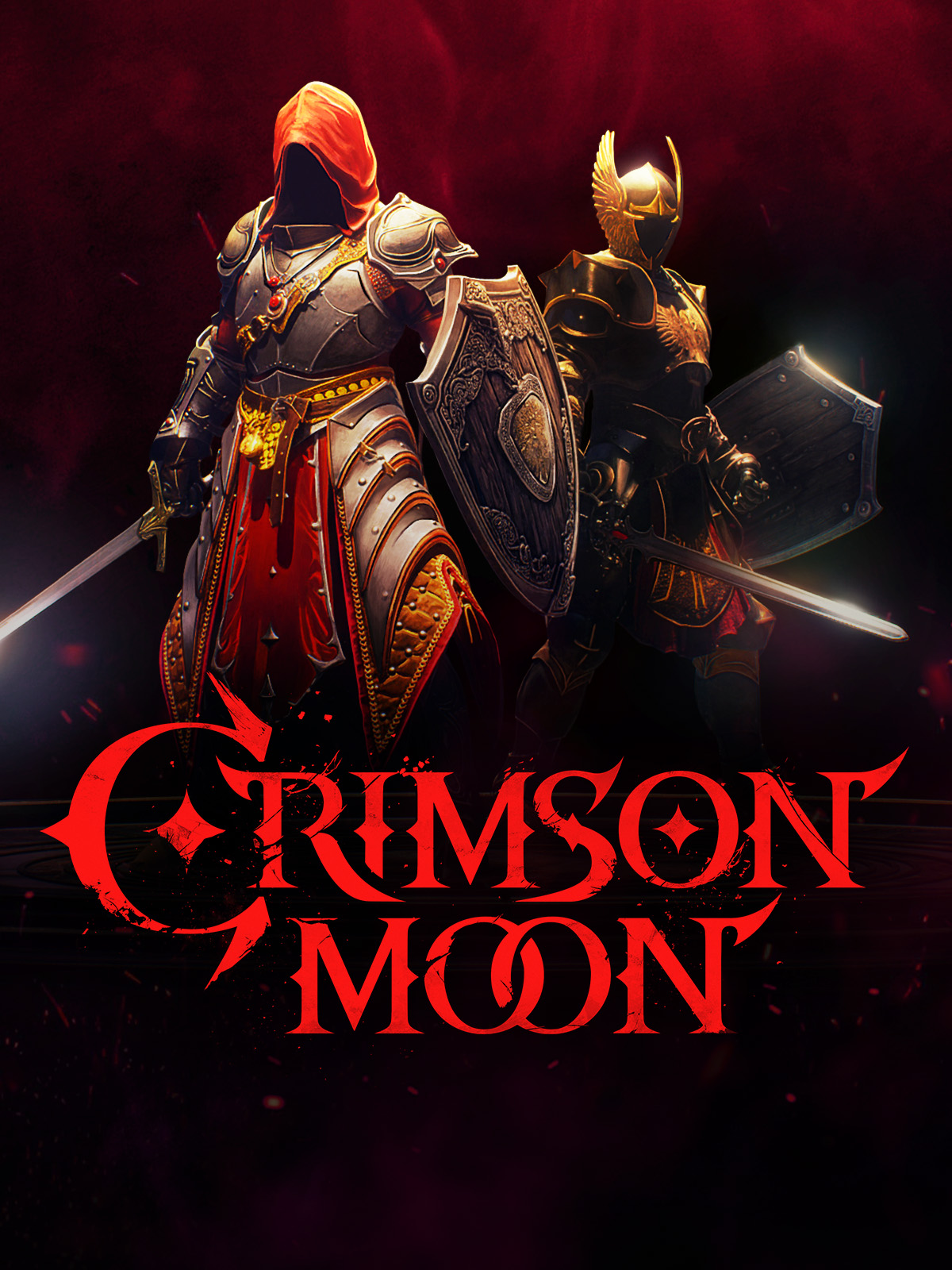
Crimson Moon utilizes Unreal Engine 5.6 to achieve stunning AAA-equivalent visual fidelity. The art direction relies heavily on Lumen for real-time, path-traced global illumination, creating striking contrasts between divine angelic radiance and the gritty, Hellgrowth-infested urban decay of Gildenarch. The engine simulates dense volumetric fog and GPU-driven cloth physics for the Nephilim's armor. The 'Angel Mode' transformation is the visual centerpiece, generating golden, winged manifestations mid-combat. The uncompromising graphics require aggressive upscaling (DLSS 5 / FSR 4) to maintain the rigid 60 FPS necessary for soulslike combat. |
| Audio & Soundtrack | |
|
The audio landscape of Beast of Reincarnation is a vital component of its immersive, post-apocalyptic atmosphere. The soundtrack features a hauntingly beautiful blend of traditional Japanese instruments and sweeping orchestral arrangements, perfectly capturing the sorrow of a fallen civilization and the fierce hope represented by Emma and Koo. During exploration, the music is somber and minimal, allowing the ambient sounds of nature reclaiming the concrete ruins and the distant, terrifying roars of Malefacts to take center stage. Once combat initiates, especially during monumental boss fights, the score erupts into adrenaline-pumping, fast-paced tracks that match the intensity of the Sekiro-lite swordplay. The sound design of the combat itself is incredibly satisfying; the sharp, metallic clang of a perfect parry serves as both a crucial audio cue and a rewarding dopamine hit, while the visceral impact of Koo's Bloom Arts grounds the fantastical abilities in heavy, destructive reality. |
The audio design heavily complements the game's dark fantasy, heavy metal aesthetic. Combat is punctuated by the visceral, meaty impacts of heavy weapons shattering armor, and distinct, high-pitched audio cues that signal the tight frame windows for perfect parries. The musical score oscillates between solemn, choral chants within the safety of the Sanctus Clypeus hub, and aggressive, driving heavy metal instrumentation that kicks in dynamically during intense mob encounters and the massive 'Dead Gods' boss fights. |
| User Interface (UI/UX) | |
|
The User Interface in Beast of Reincarnation is a masterclass in clean, functional design, specifically tailored to handle its complex, hybrid combat mechanics without cluttering the screen. Central to the HUD are the twin gauges floating above enemies: the traditional red Health Bar and the crucial Down Gauge, which fills as players land hits and perfect parries. For Emma, her Entanglement Gauge is elegantly displayed, tracking the energy needed for her heavy katana techniques. Koo's FP meter is prominently featured, ensuring players always know when they can trigger tactical Bloom Arts. When a Bloom Art is initiated, the UI smoothly transitions into a tactical pause, slowing down time and presenting command choices with clear, distinct icons. The menus for the shared Skill Tree and Spirit Stone inventory are highly intuitive, allowing for rapid build adjustments at campsites, ensuring players spend less time in menus and more time exploring. |
The User Interface at launch received severe, unified criticism from the PC player base. Criticisms highlighted off-center text, unscaled HUD elements that made health bars difficult to read during chaotic combat, and a lack of auto-pickup for basic consumables. More critically, the 1.0 PC release lacked manual keybinding (forcing players into rigid presets where dodge and sprint shared a button) and featured a third-person lock-on camera that snapped violently or clipped through geometry when tracking highly mobile elite enemies. Team Metal has promised immediate hotfixes to rectify these severe UX friction points. |
| Accessibility Options | |
|
Game Freak has made significant strides in ensuring Beast of Reincarnation is accessible to a wide audience, despite its challenging Soulslike combat roots. The most notable feature is the inclusion of a highly forgiving Story Mode, which dramatically widens the parry windows and completely removes harsh death penalties, allowing players to enjoy the narrative and exploration without immense frustration. The game’s tactical Bloom Arts system inherently adds a layer of accessibility by functioning as a slow-motion pause, giving players vital time to process the battlefield and choose their next move without relying solely on twitch reflexes. Additionally, players have access to extensive subtitle customization, including font size, color, opacity, and background boxes. The controls are fully remappable, and the UI can be adjusted for colorblindness. These thoughtful inclusions mean that both hardcore action veterans and casual RPG fans can experience Emma and Koo's journey on their own terms. |
Crimson Moon is inherently hostile to traditional accessibility standards by design, prioritizing extreme difficulty, punishing permanent-loss mechanics, and frame-perfect reaction times. However, the game does offer cooperative multiplayer as a means of mitigating difficulty, allowing a highly skilled player to 'carry' or support a less skilled partner (though the shared life pool makes this risky). The initial PC launch was notably poor for accessibility, entirely lacking custom keybindings, though this is actively being patched by the development team. |
| video_library Media Links | |
| Gameplay Video | |
| launchWatch | launchWatch |
| Walkthrough/Guide | |
| launchView | launchView |
| settings_applications System Requirements | |
| 1080p (Full HD) - Recommended (High Settings, 60 FPS) CPU: Provides a smooth, stutter-free experience necessary for consistent perfect parrying. CPU (Laptop): Excellent multi-core performance for consistent frame delivery. GPU: Delivers a locked 60 FPS with most visual flourishes enabled. GPU (Laptop): Handles the 1080p High profile flawlessly with DLSS enabled. RAM: Allows for optimal texture caching and seamless region loading. Storage: Fast NVMe SSD recommended for the best experience. | |
memoryCPU: Intel Core i7-10700K or AMD Ryzen 5 5600X developer_boardGPU: NVIDIA GeForce RTX 3060 or AMD Radeon RX 6600 XT laptop_macCPU (L): Intel Core i7-11800H or Ryzen 7 5800H laptop_windowsGPU (L): NVIDIA RTX 4060 Laptop (115W) layersRAM: 16 GB saveStorage (Tier): 70 GB SSD | memoryCPU: Intel Core i7-10700K / AMD Ryzen 5 5600X developer_boardGPU: NVIDIA GeForce RTX 3070 / AMD Radeon RX 6700 XT laptop_macCPU (L): Intel Core i7-12700H / AMD Ryzen 7 6800H laptop_windowsGPU (L): NVIDIA GeForce RTX 4060 Laptop GPU (115W+ TGP) layersRAM: 32 GB saveStorage (Tier): 50 GB NVMe SSD |
| 1080p (Full HD) - Minimum (Low-Medium Settings, 30 FPS) CPU: Adequate for maintaining basic game logic and AI companion pathing. CPU (Laptop): Sufficient for 30 FPS, though expect minor dips during heavy particle effect sequences. GPU: Capable of running the game at baseline resolutions without advanced visual features. GPU (Laptop): Provides enough VRAM and power to clear 30 FPS smoothly. RAM: The bare minimum to load essential textures and keep the game running without crashing. Storage: Solid state storage required to prevent micro-stutters during combat. | |
memoryCPU: Intel Core i5-8400 or AMD Ryzen 5 2600 developer_boardGPU: NVIDIA GeForce GTX 1060 6GB or AMD Radeon RX 580 laptop_macCPU (L): Intel Core i5-10300H laptop_windowsGPU (L): NVIDIA RTX 3050 Laptop (75W) layersRAM: 8 GB saveStorage (Tier): 70 GB SSD | memoryCPU: Intel Core i5-8400 / AMD Ryzen 5 2600 developer_boardGPU: NVIDIA GeForce GTX 1070 / AMD Radeon RX 5700 laptop_macCPU (L): Intel Core i7-9750H / AMD Ryzen 7 3750H laptop_windowsGPU (L): NVIDIA GeForce RTX 3050 Ti Laptop GPU layersRAM: 16 GB saveStorage (Tier): 50 GB (SSD Recommended) |
| 1440p (QHD/2K) - High (High/Max Preset, 60 FPS Target (DLSS/FSR Balanced)) CPU: Ensures the system never bottlenecks the GPU when rendering complex lighting and shadows at higher resolutions. CPU (Laptop): Top-tier mobile processors necessary to calculate UE5 physics without causing frame pacing drops. GPU: Delivers the rasterization overhead to manage path-traced lighting while keeping framerates strictly locked for parry timing. GPU (Laptop): Required to maintain high frame rates at 1440p on laptops without drastically reducing visual fidelity. RAM: Highly recommended for absolutely smooth gameplay. Storage: Crucial for asset streaming at higher resolutions. | |
| — | memoryCPU: Intel Core i5-13600K / AMD Ryzen 7 7700X developer_boardGPU: NVIDIA GeForce RTX 4070 / AMD Radeon RX 7800 XT laptop_macCPU (L): Intel Core i9-13900HX / AMD Ryzen 9 7845HX laptop_windowsGPU (L): NVIDIA GeForce RTX 4080 Laptop GPU (175W TGP) layersRAM: 32 GB saveStorage (Tier): 50 GB NVMe SSD |
| 1440p (QHD/2K) - Recommended (High Settings, 60 FPS) CPU: Ensures no CPU bottlenecking when pushing higher resolutions. CPU (Laptop): Powers through the heavy game logic required at this fidelity. GPU: Provides the raw horsepower needed for 1440p without sacrificing frame pacing. GPU (Laptop): Pushes 1440p comfortably when utilizing upscaling technologies. RAM: Standard requirement for high-end gaming. Storage: Ensures zero texture pop-in during high-speed traversal. | |
memoryCPU: Intel Core i5-12600K or AMD Ryzen 7 5800X3D developer_boardGPU: NVIDIA GeForce RTX 3070 Ti or AMD Radeon RX 6800 laptop_macCPU (L): Intel Core i7-12700H or AMD Ryzen 9 6900HX laptop_windowsGPU (L): NVIDIA RTX 3080 Laptop (130W) or RTX 4070 Laptop layersRAM: 16 GB saveStorage (Tier): 70 GB Gen4 NVMe SSD | — |
| 2160p (UHD/4K) - Ultra / Enthusiast (Max Preset, 60 FPS Target (DLSS/FSR Quality or Native)) CPU: Eliminates all system bottlenecks, ensuring that every gothic environment is rendered flawlessly with maximum simulation complexity. CPU (Laptop): The pinnacle of mobile processing power required to drive ultra-high-resolution UE5 calculations. GPU: Massive rasterization and VRAM capacity required to render 4K textures and handle the intense volumetric fog and particle systems natively. GPU (Laptop): Essential for attempting 4K gaming on a mobile platform, relying heavily on DLSS upscaling to maintain fluid motion. RAM: Ensures the system never bottlenecks during maximum memory saturation events. Storage: Provides instantaneous asset loading; estimated size requirement for full 4K texture pack installation. | |
| — | memoryCPU: Intel Core Ultra 7 / AMD Ryzen 7 9700X developer_boardGPU: NVIDIA GeForce RTX 5070 Ti / AMD Radeon RX 9070 XT laptop_macCPU (L): Intel Core i9-14900HX laptop_windowsGPU (L): NVIDIA GeForce RTX 4090 Laptop GPU (175W TGP) layersRAM: 32 GB saveStorage (Tier): 135 GB NVMe SSD |
| 2160p (UHD/4K) - Ultra (Max Settings, 60+ FPS) CPU: Top-tier CPUs to guarantee maximum frame delivery alongside heavy GPU loads. CPU (Laptop): Desktop-replacement level CPU required for untethered 4K performance. GPU: Capable of running native 4K max settings at 90-110FPS for an incredibly fluid visual showcase. GPU (Laptop): The only mobile silicon capable of driving this game at 4K Ultra. RAM: Provides massive overhead for 4K textures and background processes. Storage: Maximum bandwidth required for instantaneous asset streaming. | |
memoryCPU: Intel Core i9-13900K or AMD Ryzen 7 7800X3D developer_boardGPU: NVIDIA GeForce RTX 4080 or RTX 5090 laptop_macCPU (L): Intel Core i9-13980HX laptop_windowsGPU (L): NVIDIA RTX 4090 Laptop (175W) layersRAM: 32 GB saveStorage (Tier): 70 GB Gen4 NVMe SSD | — |
| save Overall Storage | |
| Spec: 70 GB SSD Note: An SSD is strictly required to ensure seamless loading of large regions and instant transitions into the Bloom Art tactical menus. Type: SSD | Spec: 50 GB NVMe SSD Note: While the footprint is relatively small for a UE5 title, an NVMe SSD is highly recommended to stream complex geometry and textures seamlessly during rapid traversal. Type: NVMe |
| desktop_windows Operating System | |
| Spec: Windows 10/11 64-bit Explanation: Required to handle the modern memory management and DirectX 12 features utilized by the engine. | Spec: Windows 10 / 11 (64-bit) Explanation: Requires a modern 64-bit architecture to manage the memory overhead required for UE5's rendering pipeline and dynamic environmental generation. |
| gamepad DirectX Version | |
| Spec: DirectX 12 Explanation: Mandatory for advanced rendering features, volumetric lighting, and particle effects. | Spec: DirectX 12 Ultimate Explanation: Strictly required to leverage hardware-accelerated ray tracing features associated with Lumen lighting and advanced shading techniques. |
| info_outline Other Game Notes | |
|
|
| build Optimization Details | |
|
|
| laptop Laptop Considerations | |
|
|

info_outline Feature details based on available data. System requirements and performance estimates may vary.
laptop_chromebook Laptop Recommendations
Common Recommendations (Handles All Compared Games)

- memory Intel Core i7-12700H
- developer_board NVIDIA GeForce RTX 3070
- layers 32GB DDR4-3200MHz
- track_changes Target GPU: NVIDIA RTX 3050 Laptop (75W) / NVIDIA GeForce RTX 3050 Ti Laptop GPU

- memory Intel Core i9-13900H
- developer_board NVIDIA GeForce RTX 4060
- layers 16GB DDR5-5200MHz
- track_changes Target GPU: NVIDIA RTX 3050 Laptop (75W) / NVIDIA GeForce RTX 3050 Ti Laptop GPU

- memory Intel Core i9-14900HX
- developer_board NVIDIA GeForce RTX 4060
- layers 32GB DDR5-5600MHz
- track_changes Target GPU: NVIDIA RTX 3050 Laptop (75W) / NVIDIA GeForce RTX 3050 Ti Laptop GPU

- memory AMD Ryzen 7 7435HS
- developer_board NVIDIA GeForce RTX 3050
- layers 32GB DDR5-4800MHz
- track_changes Target GPU: NVIDIA RTX 4060 Laptop (115W) / NVIDIA GeForce RTX 4060 Laptop GPU (115W+ TGP)

- memory Intel Core i9-14900HX
- developer_board NVIDIA GeForce RTX 4070
- layers 32GB DDR5-5600MHz
- track_changes Target GPU: NVIDIA RTX 3080 Laptop (130W) or RTX 4070 Laptop

- memory Intel Core i9-14900HX
- developer_board NVIDIA GeForce RTX 4070
- layers 16GB DDR5-5600MHz
- track_changes Target GPU: NVIDIA RTX 3080 Laptop (130W) or RTX 4070 Laptop

- memory Intel Core Ultra 7 255H
- developer_board NVIDIA GeForce RTX 5060 Laptop GPU
- layers 16GB DDR5-5600MHz (Dual-Channel)
- track_changes Target GPU: NVIDIA RTX 3080 Laptop (130W) or RTX 4070 Laptop

- memory Intel Core i9-14900HX
- developer_board NVIDIA GeForce RTX 4080 Laptop GPU
- layers 64 GB DDR5-5600MHz
- track_changes Target GPU: NVIDIA GeForce RTX 4080 Laptop GPU (175W TGP)

- memory Intel Core Ultra 9 Processor 275HX (Series 2)
- developer_board NVIDIA GeForce RTX 5070 Laptop GPU
- layers 32GB DDR5-5600MHz
- track_changes Target GPU: NVIDIA GeForce RTX 4080 Laptop GPU (175W TGP)

- memory Intel Core i9-14900HX Processor
- developer_board NVIDIA GeForce RTX 5070 Laptop GPU
- layers 32GB DDR5-5600MHz
- track_changes Target GPU: NVIDIA GeForce RTX 4080 Laptop GPU (175W TGP)

- memory Intel Core i9-14900HX
- developer_board NVIDIA GeForce RTX 4090
- layers 32GB DDR5-5600MHz
- track_changes Target GPU: NVIDIA RTX 4090 Laptop (175W)

- memory Intel Core Ultra 9 285H (Series 2) , 14 cores (6 Performance cores + 8 Efficient cores), 20 threads
- developer_board NVIDIA GeForce RTX 5050 Laptop GPU
- layers 32GB (2x16GB) DDR5 8400MHz SO-DIMM
- track_changes Target GPU: NVIDIA RTX 4090 Laptop (175W)

- memory Intel Core Ultra 9 285H
- developer_board NVIDIA GeForce RTX 5070
- layers 32GB (2x16GB) DDR5 4800MHz SO-DIMM
- track_changes Target GPU: NVIDIA RTX 4090 Laptop (175W)
For Beast of Reincarnation Specifically

- memory Intel Core i5-11400H
- developer_board NVIDIA GeForce RTX 2050
- layers 8GB DDR4-3200MHz
- track_changes Target GPU: NVIDIA GeForce GTX 1060 6GB or AMD Radeon RX 580
- memory Intel Core i7-12700H
- developer_board NVIDIA GeForce RTX 3070
- layers 32GB DDR4-3200MHz
- track_changes Target GPU: NVIDIA GeForce GTX 1060 6GB or AMD Radeon RX 580
- memory Intel Core i9-13900H
- developer_board NVIDIA GeForce RTX 4060
- layers 16GB DDR5-5200MHz
- track_changes Target GPU: NVIDIA GeForce GTX 1060 6GB or AMD Radeon RX 580
- memory Intel Core i9-14900HX
- developer_board NVIDIA GeForce RTX 4060
- layers 32GB DDR5-5600MHz
- track_changes Target GPU: NVIDIA GeForce GTX 1060 6GB or AMD Radeon RX 580

- memory Intel Core i9-12900H
- developer_board NVIDIA GeForce RTX 3070 Ti
- layers 16GB DDR5-4800MHz
- track_changes Target GPU: NVIDIA GeForce GTX 1060 6GB or AMD Radeon RX 580

- memory Intel Core i5-12450H
- developer_board NVIDIA GeForce RTX 3050
- layers 16GB DDR4-3200MHz
- track_changes Target GPU: NVIDIA GeForce GTX 1060 6GB or AMD Radeon RX 580

- memory Intel Core i5-12500H
- developer_board NVIDIA GeForce RTX 3050 Ti
- layers 16GB DDR4-3200MHz
- track_changes Target GPU: NVIDIA GeForce GTX 1060 6GB or AMD Radeon RX 580
- memory AMD Ryzen 7 7435HS
- developer_board NVIDIA GeForce RTX 3050
- layers 32GB DDR5-4800MHz
- track_changes Target GPU: NVIDIA GeForce GTX 1060 6GB or AMD Radeon RX 580

- memory AMD Ryzen 7 6800H
- developer_board NVIDIA GeForce RTX 3060
- layers 16GB DDR5-4800MHz
- track_changes Target GPU: NVIDIA GeForce GTX 1060 6GB or AMD Radeon RX 580

- memory AMD Ryzen 9 5900HS
- developer_board NVIDIA GeForce RTX 3080
- layers 16GB DDR4-3200MHz
- track_changes Target GPU: NVIDIA GeForce GTX 1060 6GB or AMD Radeon RX 580

- memory Intel Core i7-13620H
- developer_board NVIDIA GeForce RTX 4070
- layers 16GB DDR5-4800MHz
- track_changes Target GPU: NVIDIA GeForce RTX 3060 or AMD Radeon RX 6600 XT

- memory Intel Core i7-14700HX
- developer_board NVIDIA GeForce RTX 4070
- layers 16GB DDR5-5600MHz
- track_changes Target GPU: NVIDIA GeForce RTX 3060 or AMD Radeon RX 6600 XT
- memory Intel Core i9-14900HX
- developer_board NVIDIA GeForce RTX 4070
- layers 32GB DDR5-5600MHz
- track_changes Target GPU: NVIDIA GeForce RTX 3060 or AMD Radeon RX 6600 XT
- memory Intel Core i9-14900HX
- developer_board NVIDIA GeForce RTX 4070
- layers 32GB DDR5-5600MHz
- track_changes Target GPU: NVIDIA GeForce RTX 3070 Ti or AMD Radeon RX 6800
- memory Intel Core i9-14900HX
- developer_board NVIDIA GeForce RTX 4070
- layers 16GB DDR5-5600MHz
- track_changes Target GPU: NVIDIA GeForce RTX 3070 Ti or AMD Radeon RX 6800
- memory Intel Core Ultra 7 255H
- developer_board NVIDIA GeForce RTX 5060 Laptop GPU
- layers 16GB DDR5-5600MHz (Dual-Channel)
- track_changes Target GPU: NVIDIA GeForce RTX 3070 Ti or AMD Radeon RX 6800

- memory AMD Ryzen 9 8940HX Processor
- developer_board NVIDIA GeForce RTX 5060 Laptop GPU
- layers 32GB DDR5-5200MHz
- track_changes Target GPU: NVIDIA GeForce RTX 3070 Ti or AMD Radeon RX 6800

- memory Intel Core i9-12950HX
- developer_board NVIDIA GeForce RTX 3080 Ti
- layers 32GB DDR5-4800MHz
- track_changes Target GPU: NVIDIA GeForce RTX 3070 Ti or AMD Radeon RX 6800

- memory AMD Ryzen 7 7445HS
- developer_board NVIDIA GeForce RTX 4050
- layers 16GB (2x8GB) DDR5 5600MHz SO-DIMM
- track_changes Target GPU: NVIDIA GeForce RTX 3070 Ti or AMD Radeon RX 6800

- memory AMD Ryzen 7 7445HS
- developer_board NVIDIA GeForce RTX 4050
- layers 16GB DDR5 5600MHz SO-DIMM
- track_changes Target GPU: NVIDIA GeForce RTX 3070 Ti or AMD Radeon RX 6800
- memory Intel Core i9-14900HX
- developer_board NVIDIA GeForce RTX 4080 Laptop GPU
- layers 64 GB DDR5-5600MHz
- track_changes Target GPU: NVIDIA GeForce RTX 3070 Ti or AMD Radeon RX 6800
- memory Intel Core Ultra 9 Processor 275HX (Series 2)
- developer_board NVIDIA GeForce RTX 5070 Laptop GPU
- layers 32GB DDR5-5600MHz
- track_changes Target GPU: NVIDIA GeForce RTX 3070 Ti or AMD Radeon RX 6800
- memory Intel Core i9-14900HX Processor
- developer_board NVIDIA GeForce RTX 5070 Laptop GPU
- layers 32GB DDR5-5600MHz
- track_changes Target GPU: NVIDIA GeForce RTX 3070 Ti or AMD Radeon RX 6800
- memory Intel Core Ultra 9 285H (Series 2) , 14 cores (6 Performance cores + 8 Efficient cores), 20 threads
- developer_board NVIDIA GeForce RTX 5050 Laptop GPU
- layers 32GB (2x16GB) DDR5 8400MHz SO-DIMM
- track_changes Target GPU: NVIDIA GeForce RTX 4080 or RTX 5090
- memory Intel Core Ultra 9 285H
- developer_board NVIDIA GeForce RTX 5070
- layers 32GB (2x16GB) DDR5 4800MHz SO-DIMM
- track_changes Target GPU: NVIDIA GeForce RTX 4080 or RTX 5090

- memory Intel Core i9-14900HX Processor
- developer_board NVIDIA GeForce RTX 5070 Ti Laptop GPU
- layers 64GB DDR5-5600MHz (commonly listed as 4800MHz by some retailers, but 5600MHz is common for 14th Gen HX with DDR5)
- track_changes Target GPU: NVIDIA GeForce RTX 4080 or RTX 5090

- memory Intel Core Ultra 9 Processor 275HX
- developer_board NVIDIA GeForce RTX 5070 Ti Laptop GPU
- layers 64GB DDR5-6400MHz
- track_changes Target GPU: NVIDIA GeForce RTX 4080 or RTX 5090

- memory Intel Core Ultra 9 Processor 275HX (Series 2)
- developer_board NVIDIA GeForce RTX 5070 Ti Laptop GPU
- layers 32GB DDR5-5600MHz
- track_changes Target GPU: NVIDIA GeForce RTX 4080 or RTX 5090

- memory Intel Ultra 7 255HX
- developer_board NVIDIA GeForce RTX 5070 Ti
- layers 32GB DDR5 5600MHz
- track_changes Target GPU: NVIDIA GeForce RTX 4080 or RTX 5090

- memory Intel Core Ultra 7 240H
- developer_board NVIDIA GeForce RTX 5070 Ti Laptop GPU
- layers 32GB LPDDR5X 5600MHz
- track_changes Target GPU: NVIDIA GeForce RTX 4080 or RTX 5090

- memory Intel Core Ultra 9 275HX
- developer_board GeForce RTX 5070 Laptop Laptop GPU
- layers 64GB DDR5-6400MHz (Single-Channel)
- track_changes Target GPU: NVIDIA GeForce RTX 4080 or RTX 5090

- memory Intel Core Ultra 9 275HX
- developer_board NVIDIA GeForce RTX 5070 Ti
- layers 32GB
- track_changes Target GPU: NVIDIA GeForce RTX 4080 or RTX 5090

- memory Intel Core Ultra 9 275HX
- developer_board NVIDIA GeForce RTX 5070 Ti Laptop GPU
- layers 32 GB DDR5 6400MHz (2x16GB)
- track_changes Target GPU: NVIDIA GeForce RTX 4080 or RTX 5090
For Crimson Moon Specifically
- memory AMD Ryzen 7 7435HS
- developer_board NVIDIA GeForce RTX 3050
- layers 32GB DDR5-4800MHz
- track_changes Target GPU: NVIDIA GeForce GTX 1070 / AMD Radeon RX 5700
- memory AMD Ryzen 9 8940HX Processor
- developer_board NVIDIA GeForce RTX 5060 Laptop GPU
- layers 32GB DDR5-5200MHz
- track_changes Target GPU: NVIDIA GeForce GTX 1070 / AMD Radeon RX 5700
- memory AMD Ryzen 7 7445HS
- developer_board NVIDIA GeForce RTX 4050
- layers 16GB (2x8GB) DDR5 5600MHz SO-DIMM
- track_changes Target GPU: NVIDIA GeForce GTX 1070 / AMD Radeon RX 5700
- memory AMD Ryzen 7 7445HS
- developer_board NVIDIA GeForce RTX 4050
- layers 16GB DDR5 5600MHz SO-DIMM
- track_changes Target GPU: NVIDIA GeForce GTX 1070 / AMD Radeon RX 5700

- memory AMD Ryzen 9 7845HX
- developer_board NVIDIA GeForce RTX 4080
- layers Up to 64GB DDR5
- track_changes Target GPU: NVIDIA GeForce GTX 1070 / AMD Radeon RX 5700
- memory AMD Ryzen 9 9955HX
- developer_board NVIDIA GeForce RTX 5070 Ti Laptop GPU
- layers 64GB DDR5-5600MHz (Dual-Channel)
- track_changes Target GPU: NVIDIA GeForce GTX 1070 / AMD Radeon RX 5700
- memory Intel Core i7-12700H
- developer_board NVIDIA GeForce RTX 3070
- layers 32GB DDR4-3200MHz
- track_changes Target GPU: NVIDIA GeForce RTX 3070 / AMD Radeon RX 6700 XT
- memory Intel Core i9-14900HX
- developer_board NVIDIA GeForce RTX 4060
- layers 32GB DDR5-5600MHz
- track_changes Target GPU: NVIDIA GeForce RTX 3070 / AMD Radeon RX 6700 XT
- memory Intel Core i9-14900HX
- developer_board NVIDIA GeForce RTX 4070
- layers 32GB DDR5-5600MHz
- track_changes Target GPU: NVIDIA GeForce RTX 3070 / AMD Radeon RX 6700 XT
- memory Intel Core i9-12950HX
- developer_board NVIDIA GeForce RTX 3080 Ti
- layers 32GB DDR5-4800MHz
- track_changes Target GPU: NVIDIA GeForce RTX 3070 / AMD Radeon RX 6700 XT
- memory Intel Core i9-14900HX
- developer_board NVIDIA GeForce RTX 4080 Laptop GPU
- layers 64 GB DDR5-5600MHz
- track_changes Target GPU: NVIDIA GeForce RTX 3070 / AMD Radeon RX 6700 XT
- memory Intel Core Ultra 9 Processor 275HX (Series 2)
- developer_board NVIDIA GeForce RTX 5070 Laptop GPU
- layers 32GB DDR5-5600MHz
- track_changes Target GPU: NVIDIA GeForce RTX 3070 / AMD Radeon RX 6700 XT
- memory Intel Core i9-14900HX Processor
- developer_board NVIDIA GeForce RTX 5070 Laptop GPU
- layers 32GB DDR5-5600MHz
- track_changes Target GPU: NVIDIA GeForce RTX 3070 / AMD Radeon RX 6700 XT

- memory Intel Core i9-14900HX Processor
- developer_board NVIDIA GeForce RTX 5070 Laptop GPU
- layers 32GB DDR5-5600MHz
- track_changes Target GPU: NVIDIA GeForce RTX 3070 / AMD Radeon RX 6700 XT
- memory Intel Core i9-14900HX
- developer_board NVIDIA GeForce RTX 4080 Laptop GPU
- layers 64 GB DDR5-5600MHz
- track_changes Target GPU: NVIDIA GeForce RTX 4070 / AMD Radeon RX 7800 XT
- memory Intel Core Ultra 9 Processor 275HX (Series 2)
- developer_board NVIDIA GeForce RTX 5070 Laptop GPU
- layers 32GB DDR5-5600MHz
- track_changes Target GPU: NVIDIA GeForce RTX 4070 / AMD Radeon RX 7800 XT
- memory Intel Core i9-14900HX Processor
- developer_board NVIDIA GeForce RTX 5070 Laptop GPU
- layers 32GB DDR5-5600MHz
- track_changes Target GPU: NVIDIA GeForce RTX 4070 / AMD Radeon RX 7800 XT
- memory Intel Core i9-14900HX Processor
- developer_board NVIDIA GeForce RTX 5070 Laptop GPU
- layers 32GB DDR5-5600MHz
- track_changes Target GPU: NVIDIA GeForce RTX 4070 / AMD Radeon RX 7800 XT

- memory Intel Core Ultra 9 285H (Arrow Lake-H)
- developer_board NVIDIA GeForce RTX 5070 Laptop GPU
- layers 64GB LPDDR5x-8533MT/s (LPCAMM2)
- track_changes Target GPU: NVIDIA GeForce RTX 4070 / AMD Radeon RX 7800 XT

- memory Intel Core i9-14900HX
- developer_board NVIDIA GeForce RTX 4080
- layers 64GB DDR5-5600MHz
- track_changes Target GPU: NVIDIA GeForce RTX 4070 / AMD Radeon RX 7800 XT

- memory Intel Core i9-14900HX
- developer_board NVIDIA GeForce RTX 4080
- layers 32GB DDR5-5600MHz
- track_changes Target GPU: NVIDIA GeForce RTX 4070 / AMD Radeon RX 7800 XT

- memory Intel Core i9-14900HX
- developer_board NVIDIA GeForce RTX 4080
- layers 32GB DDR5-5600MHz
- track_changes Target GPU: NVIDIA GeForce RTX 4070 / AMD Radeon RX 7800 XT

- memory Intel Core i9-14900HX
- developer_board NVIDIA GeForce RTX 4080
- layers 32GB DDR5-5600MHz
- track_changes Target GPU: NVIDIA GeForce RTX 4070 / AMD Radeon RX 7800 XT
- memory AMD Ryzen 9 7845HX
- developer_board NVIDIA GeForce RTX 4080
- layers Up to 64GB DDR5
- track_changes Target GPU: NVIDIA GeForce RTX 4070 / AMD Radeon RX 7800 XT
- memory Intel Core Ultra 9 285H (Series 2) , 14 cores (6 Performance cores + 8 Efficient cores), 20 threads
- developer_board NVIDIA GeForce RTX 5050 Laptop GPU
- layers 32GB (2x16GB) DDR5 8400MHz SO-DIMM
- track_changes Target GPU: NVIDIA GeForce RTX 5070 Ti / AMD Radeon RX 9070 XT
- memory Intel Core Ultra 9 285H
- developer_board NVIDIA GeForce RTX 5070
- layers 32GB (2x16GB) DDR5 4800MHz SO-DIMM
- track_changes Target GPU: NVIDIA GeForce RTX 5070 Ti / AMD Radeon RX 9070 XT
- memory Intel Core i9-14900HX Processor
- developer_board NVIDIA GeForce RTX 5070 Ti Laptop GPU
- layers 64GB DDR5-5600MHz (commonly listed as 4800MHz by some retailers, but 5600MHz is common for 14th Gen HX with DDR5)
- track_changes Target GPU: NVIDIA GeForce RTX 5070 Ti / AMD Radeon RX 9070 XT
- memory Intel Core Ultra 9 Processor 275HX
- developer_board NVIDIA GeForce RTX 5070 Ti Laptop GPU
- layers 64GB DDR5-6400MHz
- track_changes Target GPU: NVIDIA GeForce RTX 5070 Ti / AMD Radeon RX 9070 XT
- memory Intel Core Ultra 9 Processor 275HX (Series 2)
- developer_board NVIDIA GeForce RTX 5070 Ti Laptop GPU
- layers 32GB DDR5-5600MHz
- track_changes Target GPU: NVIDIA GeForce RTX 5070 Ti / AMD Radeon RX 9070 XT
- memory Intel Ultra 7 255HX
- developer_board NVIDIA GeForce RTX 5070 Ti
- layers 32GB DDR5 5600MHz
- track_changes Target GPU: NVIDIA GeForce RTX 5070 Ti / AMD Radeon RX 9070 XT
- memory Intel Core Ultra 7 240H
- developer_board NVIDIA GeForce RTX 5070 Ti Laptop GPU
- layers 32GB LPDDR5X 5600MHz
- track_changes Target GPU: NVIDIA GeForce RTX 5070 Ti / AMD Radeon RX 9070 XT
- memory Intel Core Ultra 9 275HX
- developer_board GeForce RTX 5070 Laptop Laptop GPU
- layers 64GB DDR5-6400MHz (Single-Channel)
- track_changes Target GPU: NVIDIA GeForce RTX 5070 Ti / AMD Radeon RX 9070 XT
- memory Intel Core Ultra 9 275HX
- developer_board NVIDIA GeForce RTX 5070 Ti
- layers 32GB
- track_changes Target GPU: NVIDIA GeForce RTX 5070 Ti / AMD Radeon RX 9070 XT
- memory Intel Core Ultra 9 275HX
- developer_board NVIDIA GeForce RTX 5070 Ti Laptop GPU
- layers 32 GB DDR5 6400MHz (2x16GB)
- track_changes Target GPU: NVIDIA GeForce RTX 5070 Ti / AMD Radeon RX 9070 XT
info_outline Laptop recommendations are estimates based on available component benchmarks and game requirements. Actual performance may vary depending on settings, drivers, cooling, power limits, etc. Prices and availability subject to change. As an Amazon Associate, we earn from qualifying purchases.