Select Games to Compare
Benchmark your exact mobile GPU wattage (TGP), battery throttling drops, and cooling pad requirements for these games.
ACE COMBAT 8: WINGS OF THEVE vs Dinoblade
| close | close |
|---|---|
| shopping_cart Where to Buy | |
| info General Information | |
| Release Date | |
| Oct 2, 2026 | Jul 23, 2026 |
| Developer | |
| Project Aces | Jean Nguyen / Team Spino LLC |
| Publisher | |
| Bandai Namco Entertainment | Team Spino LLC |
| Genre(s) | |
| Combat Flight Simulation / Aerial Action | Action RPG / Soulslike |
| Engine | |
| Unreal Engine 5 | Custom High-Fidelity 3D Engine |
| stars Ratings & Price | |
| Content Rating | |
| T for Teen | T for Teen |
| Avg. User Rating | |
| 4.8 / 5.0 | 4.5 / 5.0 |
| Current Price (USD) | |
| $69.99 | $19.99 |
| tune Key Specs | |
| Quick Highlights | |
|
|
| sports_esports Gameplay & Mechanics | |
| Companions/Followers | |
|
|
| Key Collectibles | |
|
|
| Key Themes | |
|
|
| colorize Combat & Gear | |
| Weapons Overview | |
|
|
| Armor / Gear Sets | |
|
|
| Outfits/Customization | |
|
|
| trending_up Progression & Upgrades | |
| Skills & Progression | |
|
Aircraft progression is structured around the expanded 'Aircraft Tree 2.0', spanning over 40 modern, legacy, and experimental stealth fighters. Players earn Military Remuneration Points (MRP) through mission performance, allowing them to unlock branching technology nodes: American, European, and Russian airframe trees. Customization includes three distinct categories: Engine Modifications (boosting top speed and acceleration), Aerodynamic Surfaces (enhancing high-G turn pitch, roll, and stall recovery), and Avionics/Software (accelerating missile lock-on range, radar scan cones, and ECM flare reload times). |
Progression in Dinoblade is heavily tied to both traditional stat leveling and a specialized, visually spectacular Soul Arts skill tree. Players use collected SP (Soul Points) from defeating enemies to increase core combat attributes at Save Stones: Health, Stamina, Resonance (the game's equivalent to mana or skill fuel), and overall Damage. Additionally, the Soul Arts tree features unlockable active abilities that can completely change the pace of combat, such as the devastating 'Meteor Dash' or the area-of-effect 'Meteor Zone'. Resonance powers these anime-inspired abilities and temporary combat buffs. Weapons also play a massive role in a player's upgrade path, as different greatswords provide unique heavy combos and specialized attacks when their specific conditions are met during a fight. |
| public World & Exploration | |
| World & Level Design | |
|
Features massive, true 1:1 scale environments utilizing real-world spatial photogrammetry combined with fictional Strangereal geography. Operational theaters include the jagged volcanic ridges of Mount Shevchenko, the sprawling coastal metropolis of Cape Theve, the radar-jammed depths of the Berylline Archipelago, the industrial refinery networks of the Sotoan Border, and the vast open airspace of the South Usean Sea. Every map features dynamic cloud layers reaching from sea level up to 40,000 feet, where weather fronts drift dynamically across the battlefield. |
The world of Dinoblade is structured as a series of sprawling, interconnected linear levels rather than a traditional, sprawling open world map. Each region acts as its own distinct biome, filled with hidden side paths, areas for gathering resources, and environmental storytelling. The known regions include the arid and dangerous Dry Canyons, the misty and overgrown jungles, the perilous Red Ashy Swamp, and the vast expanses of the Great Lake. Each zone culminates in a highly challenging Alpha Boss encounter that blocks progression to the next area. While the main path is relatively straightforward to follow, thorough exploration of the environment highly rewards players with extra skill points (SP), vital upgrade crystals for health items, and hidden legendary weapons. |
| Playable Vehicles | |
|
N/A |
| Notable Fauna/Mounts | |
|
|
| book Story & Characters | |
| Main Characters | |
|
|
| Example Missions | |
|
|
| people Multiplayer | |
| Multiplayer Details | |
|
Robust synchronous online dogfighting suite: 4v4 Team Deathmatch (classic tactical fleet coordination and escort battles); 8-Player Battle Royale (dogfight survival in shifting storm fronts); Co-op Air Wing Missions (up to 4 players undertaking dynamic fortress and superweapon assault scenarios); and Custom Dogfight Rooms with strict weapon, era, and aircraft tier restrictions. |
Dinoblade is designed from the ground up as a strictly single-player, heavily narrative and combat-driven Soulslike experience. There are absolutely no cooperative multiplayer modes, phantom invasions, or competitive PvP arenas included in the game. The solo developer chose to focus entirely on creating tightly balanced, highly polished 1-on-1 melee combat mechanics and elaborate, multi-phase boss encounters that simply do not account for the variables of multiple players. The intense isolation of the single-player journey is a core part of the game's harsh atmospheric tone, ensuring that the difficulty curve remains notoriously punishing but always fair for a lone Spinosaurus battling against overwhelming apocalyptic odds. |
| extension Editions & DLC | |
| Available Editions | |
|
Standard Edition ($69.99 USD) includes the full base game. Deluxe Edition ($89.99 USD) grants 3-Day Early Access (unlocking September 29, 2026), the Season Pass containing 6 future DLC aircraft and 3 additional story missions, the 'Joker Flight' commemorative emblem set, and a complete modern digital port of the classic 'Ace Combat Zero: The Belkan War'. The Physical Collector's Edition ($149.99 USD) includes a die-cast 1:72 scale F-14D model, an embroidered Joker Flight squadron patch, and the 'Hour Zero' production artbook. |
Currently, Dinoblade is exclusively available in a single Standard Edition on the Steam digital storefront, priced at a very accessible entry point of around $20. As a passion project crafted primarily by a solo developer, there are no complicated tiered pre-orders, premium deluxe editions, or in-game microtransactions at launch. The developer, Jean Nguyen, has emphasized a straightforward, highly player-friendly release strategy that focuses purely on delivering a complete game. While there is no official roadmap for special editions at this time, the community has highly requested a digital artbook and an original soundtrack release, which could potentially be bundled as a Deluxe Upgrade in the future if the game sustains its massive launch momentum. |
| Post-Launch Content / DLC | |
|
The official post-launch roadmap encompasses three major expansions over 12 months. Each content drop introduces two new aircraft—including the highly anticipated return of the fictional CFA-44 Nosferatu and the X-02S Strike Wyvern—alongside high-difficulty campaign missions detailing the perspective of the opposing Sotoan elite squadrons. |
Following its highly successful and viral launch, Dinoblade's immediate post-launch support is focused primarily on technical stabilization, PC optimization, and resolving minor gameplay bugs. The developer has already introduced a highly requested 'Boss Rush Mode' in the release build, allowing hardcore players to re-challenge the game's toughest encounters back-to-back for ultimate bragging rights. Looking further ahead, the developer has openly discussed the exciting potential for future expansions or premium DLC that could introduce completely new playable dinosaur species. These potential additions would feature distinctly different weapons and entirely unique combat styles compared to the Spinosaurus, though these ideas currently remain in the early conceptual planning stages. |
| help_outline FAQ | |
| Frequently Asked Questions | |
|
|
| build Technical Details | |
| Graphics & Visual Fidelity | |
|
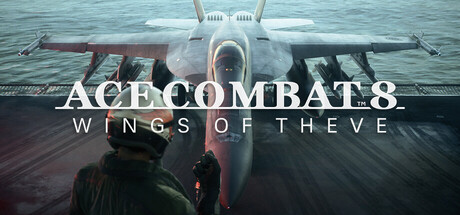
A technical showcase for Unreal Engine 5, featuring 1:1 true-scale aircraft models with functional cockpit instruments, realistic rivet and panel detailing, and dynamic afterburner heat-distortion shaders. The groundbreaking 'Cloudly' volumetric weather system allows players to visually track enemies through contrails and engine smoke, dive into cumulonimbus clouds to break missile locks, and battle through lightning storms that cause electrical instrumentation interference. |
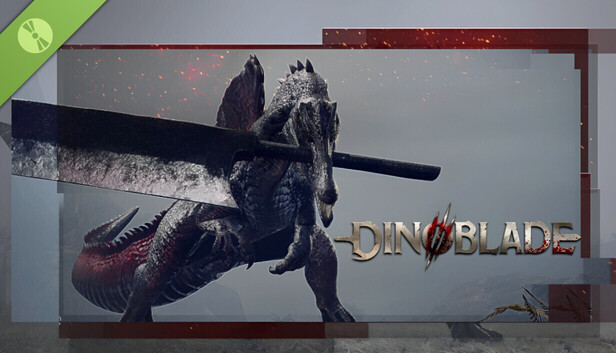
Visually, Dinoblade punches incredibly far above its weight class for an indie title. Developed solely by a veteran animator with extensive experience on major AAA games like Ghost of Tsushima, the game boasts incredibly fluid, realistic, and dynamic combat animations. The Spinosaurus protagonist moves with a highly believable sense of weight and physical momentum, completely selling the absurd premise of holding a giant metal sword in its jaws. The game's environments are richly detailed, ranging from the sun-baked, cracked rocks of the Dry Canyons to the dense, volumetric fog of the misty jungles. Dynamic lighting, motion blur, and intense particle effects shine brightest during combat, especially when utilizing flashy, anime-inspired abilities. |
| Audio & Soundtrack | |
|
The musical score is composed by series veteran Keiki Kobayashi, combining sweeping orchestral strings, electric rock guitar riffs, and choir arrangements that dynamically swell during ace duels. Audio utilizes full 3D spatial positioning: players hear the mechanical groan of the airframe under heavy G-forces, the whistling of wind shear past the canopy, supersonic sonic booms, and chaotic radio chatter from friendly and hostile pilots. |
The audio presentation in Dinoblade works to create a harsh, primitive, yet intensely cinematic atmosphere. While the early sound design has been noted by some reviewers as occasionally inconsistent—with some abilities lacking a heavy sense of auditory impact—the overall musical score delivers sweeping, epic orchestral tracks during the major boss battles that elevate the tension perfectly. Character dialogue is handled through a unique, eerie telepathic presentation with subtitles rather than traditional voice acting, fitting the bizarre concept of highly evolved, soul-bound dinosaurs. The deafening clash of giant metal blades, the terrifying roars of the alpha predators, and the heavy atmospheric ambiance are central to the game's sensory identity. |
| User Interface (UI/UX) | |
|
Features authentic, fully diegetic heads-up displays (HUD) tailored to each specific aircraft manufacturer (e.g., green collimated glass displays for Western jets, monochromatic blue/amber displays for Russian Sukhoi fighters). Includes an advanced radar toggle showing 3D tactical altitude rings, missile lock-on audio cues, and an integrated real-time G-meter warning players of imminent blackouts or redouts. |
The user interface in Dinoblade is purposely designed to be minimal and unobtrusive, keeping the player's primary focus firmly on the high-fidelity combat animations and crucial enemy environmental cues. The HUD features standard Action RPG elements: a highly visible health bar, a stamina gauge that is absolutely critical for managing dodges and blocks, and a Resonance meter used to execute powerful Soul Arts. A quick-select menu on the d-pad or keyboard allows for the rapid consumption of health stones and on-the-fly weapon swapping. During boss fights, a prominent stagger/resolve bar appears directly under the boss's massive health pool, heavily encouraging players to execute perfect parries to open the enemy up for massive critical finishers. |
| Accessibility Options | |
|
Extensive accessibility options: choice between 'Standard' arcade flight controls and 'Expert' full roll/pitch aviation physics; customizable high-contrast HUD colors for colorblind accessibility; missile warning visual indicators; automatic collision avoidance systems for low-altitude ground flight; and full button remapping for flight sticks, throttles, rudders, gamepads, and keyboards. |
As a hardcore, skill-based Soulslike, Dinoblade’s accessibility options are somewhat limited, leaning heavily into the genre's notoriously steep and punishing difficulty curve. However, the game does offer fully remappable controls for both keyboard/mouse setups and standard gamepads, ensuring players can find a comfortable layout. There are options to adjust the UI scale and increase subtitle size to aid readability during the game's telepathic dialogue sequences. Standard visual sliders for brightness, contrast, and field of view are available, and players can tweak camera sensitivity and lock-on behavior. There are currently no explicit difficulty sliders or invincibility modes, as mastering the parry and dodge timings is essential to the core design. |
| video_library Media Links | |
| Gameplay Video | |
| launchWatch | launchWatch |
| Walkthrough/Guide | |
| launchView | launchView |
| settings_applications System Requirements | |
| 1080p (Full HD) - Recommended (High Preset, 1080p 120 FPS / 144 FPS Esports Refresh) CPU: High single-core IPC and large L3 cache buffers ensure stable frame pacing during multi-target missile launches. CPU (Laptop): High-efficiency modern mobile chips sustaining high-refresh dogfight fluidity. GPU: High rasterization and VRAM bandwidth to render ultra-dense cloud formations and rain droplet distortion. GPU (Laptop): Ada Lovelace architecture providing high frame rates with DLSS Frame Generation enabled. RAM: Prevents memory bus bottlenecks during rapid altitude shifts between sea level and troposphere. Storage: Fast NVMe streaming eliminates terrain pop-in during Mach 2 low-altitude ground sweeps. | |
memoryCPU: Intel Core i5-13600K / AMD Ryzen 7 5800X3D developer_boardGPU: NVIDIA GeForce RTX 3070 Ti (8 GB) / AMD Radeon RX 6800 (16 GB) laptop_macCPU (L): Intel Core i7-13700H / AMD Ryzen 7 7840HS laptop_windowsGPU (L): NVIDIA GeForce RTX 4070 Mobile (115W+) layersRAM: 16 GB saveStorage (Tier): 125 GB NVMe PCIe Gen3/Gen4 SSD | memoryCPU: Intel Core i7-9700K / AMD Ryzen 5 3600 developer_boardGPU: NVIDIA GeForce GTX 1660 Super / AMD Radeon RX 5600 XT laptop_macCPU (L): Intel Core i7-10750H / AMD Ryzen 7 4800H laptop_windowsGPU (L): NVIDIA GeForce RTX 3060 Mobile (High TGP) layersRAM: 16 GB saveStorage (Tier): 13 GB SSD |
| 1080p (Full HD) - Minimum (Low-Medium Preset, 1080p 60 FPS, DLSS/FSR Balanced) CPU: Fast 6-core/8-core processors required to calculate supersonic flight physics and AI evasive maneuvering paths. CPU (Laptop): 8-core high-performance mobile silicon capable of handling baseline flight-model calculations. GPU: Baseline 6 GB VRAM GPUs required for hardware DirectX 12 Shader Model 6.6 instruction sets. GPU (Laptop): Entry-level modern mobile GPU running native 1080p with medium volumetric cloud settings. RAM: Mandatory system memory pool to load jet asset models, sound banks, and terrain textures. Storage: SATA SSD is acceptable for basic load times, though NVMe is strongly recommended. | |
memoryCPU: Intel Core i7-10700K / AMD Ryzen 5 3600X developer_boardGPU: NVIDIA GeForce RTX 2060 (6 GB) / AMD Radeon RX 5600 XT (6 GB) laptop_macCPU (L): Intel Core i7-11800H / AMD Ryzen 7 5800H laptop_windowsGPU (L): NVIDIA GeForce RTX 3060 Mobile (80W, 6 GB) layersRAM: 16 GB saveStorage (Tier): 125 GB SATA / NVMe SSD | memoryCPU: Intel Core i5-7500 / AMD Ryzen 5 1600 developer_boardGPU: NVIDIA GeForce GTX 1050 (4GB) / AMD Radeon RX 560 laptop_macCPU (L): Intel Core i5-9300H / AMD Ryzen 5 3550H laptop_windowsGPU (L): NVIDIA GeForce GTX 1650 Mobile layersRAM: 4 GB saveStorage (Tier): 13 GB |
| 1440p (QHD/2K) - Recommended (Ultra Preset, 1440p 60–90 FPS, Cloudly Max, DLSS Quality) CPU: High-tier desktop processors handling complex dynamic weather turbulence and multi-squadron radio voice lines. CPU (Laptop): Desktop-die mobile processors preventing performance degradation in heavy dogfights. GPU: 12+ GB VRAM buffer is mandatory to prevent allocation stutters when running 1440p photorealistic cockpit HUD textures. GPU (Laptop): Enthusiast mobile GPU boasting sufficient GDDR6 memory to render dense volumetric rainstorms. RAM: Optimal memory ceiling for smooth multi-tasking, flight stick drivers, and high-resolution assets. Storage: High bandwidth direct-to-GPU data pipeline support. | |
memoryCPU: Intel Core i7-13700K / AMD Ryzen 7 7700X developer_boardGPU: NVIDIA GeForce RTX 4070 Super (12 GB) / AMD Radeon RX 7900 GRE (16 GB) laptop_macCPU (L): Intel Core i7-14700HX / AMD Ryzen 9 7945HX laptop_windowsGPU (L): NVIDIA GeForce RTX 4080 Mobile (150W, 12 GB) layersRAM: 32 GB saveStorage (Tier): 125 GB NVMe PCIe Gen4 SSD | — |
| 2160p (UHD/4K) - Ultra (Ultra Preset, 4K Native 60–120 FPS, Ray-Traced Cockpit, DLSS Quality) CPU: Flagship gaming processors providing maximum frame rate headroom and zero system latency. CPU (Laptop): The apex mobile silicon capable of driving 4K desktop replacement flight setups. GPU: Enthusiast 24 GB framebuffers required to maintain uncompromised 4K resolution across multi-layer cloud turbulence. GPU (Laptop): The sole mobile graphics card truly capable of driving 4K Ultra flight simulation fidelity. RAM: Maximum memory bandwidth across CPU and GPU pipelines. Storage: Instantaneous asset streaming speed. | |
memoryCPU: Intel Core i9-14900K / AMD Ryzen 7 7800X3D developer_boardGPU: NVIDIA GeForce RTX 4090 (24 GB) / AMD Radeon RX 7900 XTX (24 GB) laptop_macCPU (L): Intel Core i9-14900HX / AMD Ryzen 9 7945HX3D laptop_windowsGPU (L): NVIDIA GeForce RTX 4090 Mobile (175W, 16 GB) layersRAM: 32 GB saveStorage (Tier): 125 GB NVMe PCIe Gen4/Gen5 SSD | — |
| save Overall Storage | |
Spec: 125 GB NVMe SSD Note: Solid State Drive is strictly mandatory; mechanical HDDs cannot stream 1:1 scaled terrain textures and 4K photogrammetric cloud data without severe mid-air hitching. Type: NVMe | Spec: 13 GB available space Note: An SSD is highly recommended for fast asset streaming and reducing load times after player deaths. Type: Unknown |
| desktop_windows Operating System | |
| Spec: Windows 11 (64-bit, Version 22H2 or later) Explanation: Requires Windows 11 64-bit architecture with DirectX 12 Ultimate agility drivers to support Nanite real-time geometry culling. | Spec: Windows 10 / 11 (64-bit) Explanation: A modern 64-bit Windows operating system is required to handle the game's memory management and engine APIs. |
| gamepad DirectX Version | |
| Spec: DirectX 12 (Feature Level 12_2, Shader Model 6.6+) Explanation: Mandatory for hardware ray-traced cockpit reflections, missile exhaust bloom, and variable rate shading (VRS). | Spec: DirectX 12 Explanation: Required for advanced lighting, rendering features, and modern hardware optimization. |
| info_outline Other Game Notes | |
|
|
| build Optimization Details | |
|
|
| laptop Laptop Considerations | |
|
|
info_outline Feature details based on available data. System requirements and performance estimates may vary.
laptop_chromebook Laptop Recommendations
Common Recommendations (Handles All Compared Games)

- memory Intel Core i7-12700H
- developer_board NVIDIA GeForce RTX 3070
- layers 32GB DDR4-3200MHz
- track_changes Target GPU: NVIDIA GeForce RTX 3060 Mobile (80W, 6 GB) / NVIDIA GeForce GTX 1650 Mobile

- memory Intel Core i9-13900H
- developer_board NVIDIA GeForce RTX 4060
- layers 16GB DDR5-5200MHz
- track_changes Target GPU: NVIDIA GeForce RTX 3060 Mobile (80W, 6 GB) / NVIDIA GeForce GTX 1650 Mobile

- memory Intel Core i9-14900HX
- developer_board NVIDIA GeForce RTX 4060
- layers 32GB DDR5-5600MHz
- track_changes Target GPU: NVIDIA GeForce RTX 3060 Mobile (80W, 6 GB) / NVIDIA GeForce GTX 1650 Mobile

- memory Intel Core i9-14900HX
- developer_board NVIDIA GeForce RTX 4080 Laptop GPU
- layers 64 GB DDR5-5600MHz
- track_changes Target GPU: NVIDIA GeForce RTX 4080 Mobile (150W, 12 GB)

- memory Intel Core Ultra 9 Processor 275HX (Series 2)
- developer_board NVIDIA GeForce RTX 5070 Laptop GPU
- layers 32GB DDR5-5600MHz
- track_changes Target GPU: NVIDIA GeForce RTX 4080 Mobile (150W, 12 GB)

- memory Intel Core i9-14900HX Processor
- developer_board NVIDIA GeForce RTX 5070 Laptop GPU
- layers 32GB DDR5-5600MHz
- track_changes Target GPU: NVIDIA GeForce RTX 4080 Mobile (150W, 12 GB)

- memory Intel Core i9-14900HX
- developer_board NVIDIA GeForce RTX 4090
- layers 32GB DDR5-5600MHz
- track_changes Target GPU: NVIDIA GeForce RTX 4090 Mobile (175W, 16 GB)

- memory Intel Core Ultra 9 285H (Series 2) , 14 cores (6 Performance cores + 8 Efficient cores), 20 threads
- developer_board NVIDIA GeForce RTX 5050 Laptop GPU
- layers 32GB (2x16GB) DDR5 8400MHz SO-DIMM
- track_changes Target GPU: NVIDIA GeForce RTX 4090 Mobile (175W, 16 GB)

- memory Intel Core Ultra 9 285H
- developer_board NVIDIA GeForce RTX 5070
- layers 32GB (2x16GB) DDR5 4800MHz SO-DIMM
- track_changes Target GPU: NVIDIA GeForce RTX 4090 Mobile (175W, 16 GB)
For ACE COMBAT 8: WINGS OF THEVE Specifically
- memory Intel Core i7-12700H
- developer_board NVIDIA GeForce RTX 3070
- layers 32GB DDR4-3200MHz
- track_changes Target GPU: NVIDIA GeForce RTX 2060 (6 GB) / AMD Radeon RX 5600 XT (6 GB)
- memory Intel Core i9-13900H
- developer_board NVIDIA GeForce RTX 4060
- layers 16GB DDR5-5200MHz
- track_changes Target GPU: NVIDIA GeForce RTX 2060 (6 GB) / AMD Radeon RX 5600 XT (6 GB)
- memory Intel Core i9-14900HX
- developer_board NVIDIA GeForce RTX 4060
- layers 32GB DDR5-5600MHz
- track_changes Target GPU: NVIDIA GeForce RTX 2060 (6 GB) / AMD Radeon RX 5600 XT (6 GB)

- memory Intel Core i9-12900H
- developer_board NVIDIA GeForce RTX 3070 Ti
- layers 16GB DDR5-4800MHz
- track_changes Target GPU: NVIDIA GeForce RTX 2060 (6 GB) / AMD Radeon RX 5600 XT (6 GB)

- memory AMD Ryzen 7 7435HS
- developer_board NVIDIA GeForce RTX 3050
- layers 32GB DDR5-4800MHz
- track_changes Target GPU: NVIDIA GeForce RTX 2060 (6 GB) / AMD Radeon RX 5600 XT (6 GB)

- memory AMD Ryzen 7 6800H
- developer_board NVIDIA GeForce RTX 3060
- layers 16GB DDR5-4800MHz
- track_changes Target GPU: NVIDIA GeForce RTX 2060 (6 GB) / AMD Radeon RX 5600 XT (6 GB)

- memory AMD Ryzen 9 5900HS
- developer_board NVIDIA GeForce RTX 3080
- layers 16GB DDR4-3200MHz
- track_changes Target GPU: NVIDIA GeForce RTX 2060 (6 GB) / AMD Radeon RX 5600 XT (6 GB)

- memory Intel Core i7-13620H
- developer_board NVIDIA GeForce RTX 4070
- layers 16GB DDR5-4800MHz
- track_changes Target GPU: NVIDIA GeForce RTX 2060 (6 GB) / AMD Radeon RX 5600 XT (6 GB)

- memory Intel Core i7-14700HX
- developer_board NVIDIA GeForce RTX 4070
- layers 16GB DDR5-5600MHz
- track_changes Target GPU: NVIDIA GeForce RTX 2060 (6 GB) / AMD Radeon RX 5600 XT (6 GB)

- memory Intel Core i9-14900HX
- developer_board NVIDIA GeForce RTX 4070
- layers 32GB DDR5-5600MHz
- track_changes Target GPU: NVIDIA GeForce RTX 2060 (6 GB) / AMD Radeon RX 5600 XT (6 GB)
- memory Intel Core i9-14900HX
- developer_board NVIDIA GeForce RTX 4080 Laptop GPU
- layers 64 GB DDR5-5600MHz
- track_changes Target GPU: NVIDIA GeForce RTX 4070 Super (12 GB) / AMD Radeon RX 7900 GRE (16 GB)
- memory Intel Core Ultra 9 Processor 275HX (Series 2)
- developer_board NVIDIA GeForce RTX 5070 Laptop GPU
- layers 32GB DDR5-5600MHz
- track_changes Target GPU: NVIDIA GeForce RTX 4070 Super (12 GB) / AMD Radeon RX 7900 GRE (16 GB)
- memory Intel Core i9-14900HX Processor
- developer_board NVIDIA GeForce RTX 5070 Laptop GPU
- layers 32GB DDR5-5600MHz
- track_changes Target GPU: NVIDIA GeForce RTX 4070 Super (12 GB) / AMD Radeon RX 7900 GRE (16 GB)

- memory Intel Core i9-14900HX Processor
- developer_board NVIDIA GeForce RTX 5070 Laptop GPU
- layers 32GB DDR5-5600MHz
- track_changes Target GPU: NVIDIA GeForce RTX 4070 Super (12 GB) / AMD Radeon RX 7900 GRE (16 GB)

- memory Intel Core Ultra 9 285H (Arrow Lake-H)
- developer_board NVIDIA GeForce RTX 5070 Laptop GPU
- layers 64GB LPDDR5x-8533MT/s (LPCAMM2)
- track_changes Target GPU: NVIDIA GeForce RTX 4070 Super (12 GB) / AMD Radeon RX 7900 GRE (16 GB)

- memory Intel Core i9-14900HX
- developer_board NVIDIA GeForce RTX 4080
- layers 64GB DDR5-5600MHz
- track_changes Target GPU: NVIDIA GeForce RTX 4070 Super (12 GB) / AMD Radeon RX 7900 GRE (16 GB)

- memory Intel Core i9-14900HX
- developer_board NVIDIA GeForce RTX 4080
- layers 32GB DDR5-5600MHz
- track_changes Target GPU: NVIDIA GeForce RTX 4070 Super (12 GB) / AMD Radeon RX 7900 GRE (16 GB)

- memory Intel Core i9-14900HX
- developer_board NVIDIA GeForce RTX 4080
- layers 32GB DDR5-5600MHz
- track_changes Target GPU: NVIDIA GeForce RTX 4070 Super (12 GB) / AMD Radeon RX 7900 GRE (16 GB)

- memory Intel Core i9-14900HX
- developer_board NVIDIA GeForce RTX 4080
- layers 32GB DDR5-5600MHz
- track_changes Target GPU: NVIDIA GeForce RTX 4070 Super (12 GB) / AMD Radeon RX 7900 GRE (16 GB)

- memory AMD Ryzen 9 7845HX
- developer_board NVIDIA GeForce RTX 4080
- layers Up to 64GB DDR5
- track_changes Target GPU: NVIDIA GeForce RTX 4070 Super (12 GB) / AMD Radeon RX 7900 GRE (16 GB)
- memory Intel Core Ultra 9 285H (Series 2) , 14 cores (6 Performance cores + 8 Efficient cores), 20 threads
- developer_board NVIDIA GeForce RTX 5050 Laptop GPU
- layers 32GB (2x16GB) DDR5 8400MHz SO-DIMM
- track_changes Target GPU: NVIDIA GeForce RTX 4090 (24 GB) / AMD Radeon RX 7900 XTX (24 GB)
- memory Intel Core Ultra 9 285H
- developer_board NVIDIA GeForce RTX 5070
- layers 32GB (2x16GB) DDR5 4800MHz SO-DIMM
- track_changes Target GPU: NVIDIA GeForce RTX 4090 (24 GB) / AMD Radeon RX 7900 XTX (24 GB)

- memory Intel Core i9-14900HX Processor
- developer_board NVIDIA GeForce RTX 5070 Ti Laptop GPU
- layers 64GB DDR5-5600MHz (commonly listed as 4800MHz by some retailers, but 5600MHz is common for 14th Gen HX with DDR5)
- track_changes Target GPU: NVIDIA GeForce RTX 4090 (24 GB) / AMD Radeon RX 7900 XTX (24 GB)

- memory Intel Core Ultra 9 Processor 275HX
- developer_board NVIDIA GeForce RTX 5070 Ti Laptop GPU
- layers 64GB DDR5-6400MHz
- track_changes Target GPU: NVIDIA GeForce RTX 4090 (24 GB) / AMD Radeon RX 7900 XTX (24 GB)

- memory Intel Core Ultra 9 Processor 275HX (Series 2)
- developer_board NVIDIA GeForce RTX 5070 Ti Laptop GPU
- layers 32GB DDR5-5600MHz
- track_changes Target GPU: NVIDIA GeForce RTX 4090 (24 GB) / AMD Radeon RX 7900 XTX (24 GB)

- memory Intel Ultra 7 255HX
- developer_board NVIDIA GeForce RTX 5070 Ti
- layers 32GB DDR5 5600MHz
- track_changes Target GPU: NVIDIA GeForce RTX 4090 (24 GB) / AMD Radeon RX 7900 XTX (24 GB)

- memory Intel Core Ultra 7 240H
- developer_board NVIDIA GeForce RTX 5070 Ti Laptop GPU
- layers 32GB LPDDR5X 5600MHz
- track_changes Target GPU: NVIDIA GeForce RTX 4090 (24 GB) / AMD Radeon RX 7900 XTX (24 GB)

- memory Intel Core Ultra 9 275HX
- developer_board GeForce RTX 5070 Laptop Laptop GPU
- layers 64GB DDR5-6400MHz (Single-Channel)
- track_changes Target GPU: NVIDIA GeForce RTX 4090 (24 GB) / AMD Radeon RX 7900 XTX (24 GB)

- memory Intel Core Ultra 9 275HX
- developer_board NVIDIA GeForce RTX 5070 Ti
- layers 32GB
- track_changes Target GPU: NVIDIA GeForce RTX 4090 (24 GB) / AMD Radeon RX 7900 XTX (24 GB)

- memory Intel Core Ultra 9 275HX
- developer_board NVIDIA GeForce RTX 5070 Ti Laptop GPU
- layers 32 GB DDR5 6400MHz (2x16GB)
- track_changes Target GPU: NVIDIA GeForce RTX 4090 (24 GB) / AMD Radeon RX 7900 XTX (24 GB)
For Dinoblade Specifically
- memory Intel Core i7-12700H
- developer_board NVIDIA GeForce RTX 3070
- layers 32GB DDR4-3200MHz
- track_changes Target GPU: NVIDIA GeForce GTX 1050 (4GB) / AMD Radeon RX 560
- memory Intel Core i9-13900H
- developer_board NVIDIA GeForce RTX 4060
- layers 16GB DDR5-5200MHz
- track_changes Target GPU: NVIDIA GeForce GTX 1050 (4GB) / AMD Radeon RX 560
- memory Intel Core i9-14900HX
- developer_board NVIDIA GeForce RTX 4060
- layers 32GB DDR5-5600MHz
- track_changes Target GPU: NVIDIA GeForce GTX 1050 (4GB) / AMD Radeon RX 560
- memory Intel Core i9-12900H
- developer_board NVIDIA GeForce RTX 3070 Ti
- layers 16GB DDR5-4800MHz
- track_changes Target GPU: NVIDIA GeForce GTX 1050 (4GB) / AMD Radeon RX 560

- memory Intel Core i5-12450H
- developer_board NVIDIA GeForce RTX 3050
- layers 16GB DDR4-3200MHz
- track_changes Target GPU: NVIDIA GeForce GTX 1050 (4GB) / AMD Radeon RX 560

- memory Intel Core i5-12500H
- developer_board NVIDIA GeForce RTX 3050 Ti
- layers 16GB DDR4-3200MHz
- track_changes Target GPU: NVIDIA GeForce GTX 1050 (4GB) / AMD Radeon RX 560
- memory AMD Ryzen 7 7435HS
- developer_board NVIDIA GeForce RTX 3050
- layers 32GB DDR5-4800MHz
- track_changes Target GPU: NVIDIA GeForce GTX 1050 (4GB) / AMD Radeon RX 560
- memory AMD Ryzen 7 6800H
- developer_board NVIDIA GeForce RTX 3060
- layers 16GB DDR5-4800MHz
- track_changes Target GPU: NVIDIA GeForce GTX 1050 (4GB) / AMD Radeon RX 560
- memory AMD Ryzen 9 5900HS
- developer_board NVIDIA GeForce RTX 3080
- layers 16GB DDR4-3200MHz
- track_changes Target GPU: NVIDIA GeForce GTX 1050 (4GB) / AMD Radeon RX 560
- memory Intel Core i7-13620H
- developer_board NVIDIA GeForce RTX 4070
- layers 16GB DDR5-4800MHz
- track_changes Target GPU: NVIDIA GeForce GTX 1050 (4GB) / AMD Radeon RX 560
- memory Intel Core i7-14700HX
- developer_board NVIDIA GeForce RTX 4070
- layers 16GB DDR5-5600MHz
- track_changes Target GPU: NVIDIA GeForce GTX 1660 Super / AMD Radeon RX 5600 XT
- memory Intel Core i9-14900HX
- developer_board NVIDIA GeForce RTX 4070
- layers 32GB DDR5-5600MHz
- track_changes Target GPU: NVIDIA GeForce GTX 1660 Super / AMD Radeon RX 5600 XT
info_outline Laptop recommendations are estimates based on available component benchmarks and game requirements. Actual performance may vary depending on settings, drivers, cooling, power limits, etc. Prices and availability subject to change. As an Amazon Associate, we earn from qualifying purchases.