Select Games to Compare
1001 Threads of Mizan vs The Mound: Omen of Cthulhu
| close | close |
|---|---|
| shopping_cart Where to Buy | |
| info General Information | |
| Release Date | |
| Nov 15, 2027 | Jul 15, 2026 |
| Developer | |
| MBC Game Studio | ACE Team |
| Publisher | |
| MBC Game Studio | Nacon |
| Genre(s) | |
| Cooperative Action-Adventure | Co-op Horror Adventure |
| Engine | |
| Unreal Engine 5 | Unreal Engine 5 |
| stars Ratings & Price | |
| Content Rating | |
| M for Mature | Mature |
| Avg. User Rating | |
| 4.5 / 5.0 | 4.5 / 5.0 |
| Current Price (USD) | |
| $69.99 | $39.99 |
| tune Key Specs | |
| Quick Highlights | |
|
|
| sports_esports Gameplay & Mechanics | |
| Companions/Followers | |
|
|
| Key Collectibles | |
|
|
| Key Themes | |
|
|
| colorize Combat & Gear | |
| Weapons Overview | |
|
|
| Armor / Gear Sets | |
|
|
| Outfits/Customization | |
|
|
| trending_up Progression & Upgrades | |
| Skills & Progression | |
|
The skill and upgrade system in 1001 Threads of Mizan is built around the rediscovery of ancient "Mizancraft," the highly intuitive technology fueled by Jinn flame and human ingenuity. Instead of traditional, bloated skill trees, the progression emphasizes asymmetric synergy between the three character classes. Sufyan upgrades focus on enhancing the crowd-control capabilities of his transforming whip-blade and boosting his aerial agility for rapid repositioning. Malik's skill tree heavily leans into increasing his burst damage potential, stagger resistance, and tanking efficiency during localized boss damage phases. Yusra's upgrades enhance her magic longbow, allowing her to cast wider areas of effect from safe hover distances. Across all characters, players can also upgrade their flying carpet mechanics, improving auto-summon speeds, high-velocity dive-bomb damage, and evasive maneuvers, ensuring that mid-air combat evolves alongside ground-based hack-and-slash mechanics throughout the campaign. |
In The Mound: Omen of Cthulhu, survival relies heavily on resource management and cooperative synergy rather than sprawling skill trees. Players start each expedition by receiving base equipment from the ship's Captain, which must be carefully split among the team. A key mechanic is the sanity system; as tension rises in the deep jungle, sanity begins to slip, affecting your atmospheric perception and physical senses. Managing this mental deterioration is crucial. You also must manage limited gunpowder, which acts as a powerful but dangerous resource. Upgrades likely involve better expedition gear, enhanced resistance to madness, and improved carrying capacity for the treasures you find. Success dictates that personal survival often outweighs combat, meaning your best skill is knowing when to run for your life to make it back to the Galleon. |
| public World & Exploration | |
| World & Level Design | |
|
The environmental design is meticulously crafted to support both high-speed aerial traversal and dense, ground-level exploration. Players navigate a sprawling Arabian fantasy realm characterized by golden deserts, mythic landscapes, forgotten ruins, and mysterious settlements. Because players can take flight instantly via their magic carpets, the map necessitates a volumetric level design, where threats, obstacles, and objectives are distributed across extreme vertical and horizontal axes. The world is highly dynamic, featuring weather systems such as massive sand plumes and dust storms that can engulf combat arenas and fundamentally alter visibility. Exploration yields knowledge of the Mizan rather than generic loot. The dichotomy between the vibrant human realm and the darker, ethereal Unseen realm creates a vast, interconnected map that encourages players to investigate hidden locations and forgotten corners tucked away beneath the shifting desert sands. |
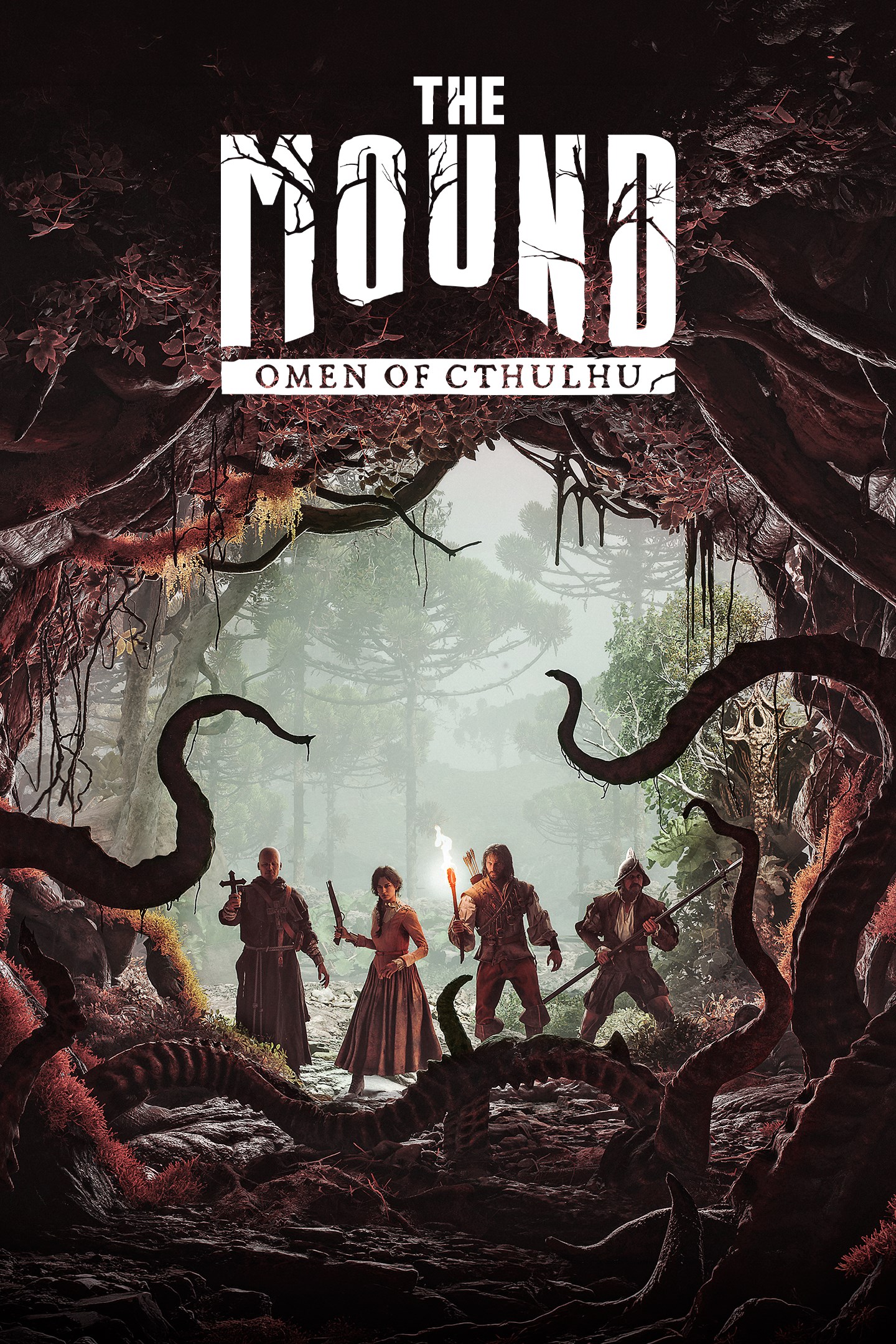
The game world offers a terrifying progression from the deceptive safety of your anchored Galleon to the heart of the cursed jungle. You begin your expeditions on the shore, moving inward through dense, wet, and claustrophobic Valdivian-inspired rainforests. The environment is designed to be highly unpredictable, acting as a living entity that existed long before the players arrived. There are distinct biomes, including the dense overgrowth of the surface jungle, hidden ancient ruins holding strange wonders, and a subterranean underworld dominated by the K'nyanian influence. The map's layout encourages strategic splitting up to cover ground for loot, but forces players back together as reality alters and monstrous threats emerge. This constant shift in the environment ensures that no two expeditions feel exactly the same, keeping players perpetually on edge. |
| Playable Vehicles | |
|
|
| Notable Fauna/Mounts | |
|
|
| book Story & Characters | |
| Main Characters | |
|
|
| Example Missions | |
|
|
| people Multiplayer | |
| Multiplayer Details | |
|
The mechanical depth of 1001 Threads of Mizan is most evident in its 1-3 player cooperative multiplayer mode. The architecture intentionally eschews forced Quick Time Events (QTEs) in favor of organic, systemic teamwork derived from strictly enforced, asymmetrical character classes. A full three-player team must consist of one of each hero archetype (Sufyan, Malik, and Yusra), preventing players from stacking duplicate roles. This rigid structure guarantees that all tactical responsibilities—crowd control, heavy tanking, and ranged support—are fulfilled. The integration of the flying carpet resolves the spatial disconnect common in cooperative games, granting each player an independent, high-speed vehicle that maintains connectivity during chaotic, volumetric boss fights. Difficulty scaling is achieved not by simply inflating enemy health pools, but through increased spatial complexity, forcing players to actively communicate, divide their attention, and execute perfectly coordinated flanking maneuvers across the air and ground. |
The core of The Mound: Omen of Cthulhu is its purely cooperative multiplayer mode, supporting up to four players online. Unlike many modern games that feature competitive or PvP elements, this title focuses entirely on PvE survival and exploration. Teamwork is not just encouraged; it is absolutely mandatory. Players must strategically divide their starting equipment, manage limited resources like gunpowder, and decide when to split up to search for treasure versus sticking together for safety. The game dynamically adjusts its tension; making too much noise with firearms can wake the hostile jungle, punishing reckless groups. For those unable to form a full squad of human players, the developers have addressed community requests by ensuring that solo or partial squads can be supplemented by AI bots, keeping the cooperative spirit intact even when playing alone. |
| extension Editions & DLC | |
| Available Editions | |
|
While MBC Game Studio has not finalized the official release window or storefront pre-orders as of late 2026, industry standards for a AAA global launch suggest a multi-tiered edition structure. A Standard Edition will include the base cooperative game across all supported platforms. A likely Deluxe Edition would offer exclusive, non-generative AI handcrafted cosmetic skins for the three heroes and their flying carpets, alongside early access to the game. Furthermore, a Collector's Edition is highly anticipated, given the game's emphasis on authentic Middle Eastern cosmography and rich lore. This premium tier would likely feature a high-quality statue of the colossal Sand Knight boss, a physical art book detailing the architectural designs and Jinn mythology curated by the embedded cultural historians, and a digital soundtrack featuring the game's authentic regional musical arrangements. All editions will strictly adhere to the studio's anti-AI generation policy. |
The Mound: Omen of Cthulhu is poised to launch globally on July 15, 2026, across PlayStation 5, Xbox Series X/S, and PC platforms. Nacon is expected to release a Standard Edition containing the base game and cooperative modes. Given the game's focus on deep, immersive environments and a richly crafted Lovecraftian lore, a Deluxe or Explorer's Edition is highly probable, offering digital artbooks, a haunting original soundtrack, and exclusive in-game cosmetic gear for your Conquistador explorers. Pre-order bonuses typically include early access to specific weapon skins or starting resources like extra gunpowder stashes to give your initial expeditions a slight edge. Regardless of the edition, all players will have access to the complete cooperative campaign and the terrifying descent into the K'nyanian underworld right from day one. |
| Post-Launch Content / DLC | |
|
Currently, MBC Game Studio has not formally announced a live-service roadmap or definitive Downloadable Content (DLC) schedule for 1001 Threads of Mizan. However, the structural foundation of the game—class-based cooperative play intertwined with rich, expansive lore—provides a highly versatile architecture for future expansions. The deep anthology of One Thousand and One Nights offers a virtually limitless well of narrative content that avoids the pitfalls of generic live-service bloat. Potential post-launch content could introduce entirely new Jinn lords as endgame bosses, unlocking previously unexplored biomes within the ethereal Unseen realm. Furthermore, the narrative framing of Shahrazad recruiting "prisoners" allows for the seamless introduction of new playable character classes with entirely distinct combat archetypes and aerial synergies. Given the immense regional backing from Saudi Arabian gaming initiatives, the title will undoubtedly receive substantial, high-quality post-launch support and community event integration. |
ACE Team and Nacon have a strong track record of supporting their unique titles post-launch, and a cooperative game like this practically demands continuous updates. After the initial release on July 15, 2026, players can anticipate a roadmap filled with new horrors. Post-launch content will likely include entirely new regions of the Valdivian-inspired rainforest to explore, deeper and more twisted K'nyanian underground ruins, and fresh, terrifying Lovecraftian entities that will further test your sanity. Additionally, the developers might introduce new playable character archetypes, expanding the Conquistador roster with unique starting traits or specialized gear. Free updates could also bring highly requested quality-of-life features, new weather dynamic systems that alter the jungle's hostility, and seasonal events that introduce limited-time cosmic horror phenomena, ensuring the cooperative expeditions remain fresh and terrifying for years. |
| help_outline FAQ | |
| Frequently Asked Questions | |
|
|
| build Technical Details | |
| Graphics & Visual Fidelity | |
|
Developed on Epic Games' cutting-edge Unreal Engine 5, 1001 Threads of Mizan pushes the boundaries of contemporary rendering architecture. The aggressive implementation of Nanite (virtualized micropolygon geometry) is absolutely essential for a game centered around high-speed aerial traversal, as it allows the engine to render extreme draw distances across sprawling deserts and detailed sandstone ruins without jarring Level of Detail (LOD) pop-in. Concurrently, the Lumen illumination system provides fully dynamic global lighting and reflections, reacting in real-time to the glowing, supernatural particle effects of Jinn attacks and shifting weather systems. Furthermore, the game natively integrates the HDR10+ GAMING protocol via a UE5.2.1 plug-in. This guarantees temporal stability and prevents the washing out of colors when players transition rapidly between the hyper-colorful human realm and the darker, ethereal Unseen dimension, faithfully preserving the intricate, handcrafted artistic vision of the developers. |
Leveraging modern rendering technologies, The Mound: Omen of Cthulhu presents a visually stunning and deeply unsettling world. The game beautifully captures the dense, wet, and ancient aesthetic of the South American Valdivian rainforest. High-fidelity textures bring the rotting wood, slick mud, and creeping vines to life, creating an intensely claustrophobic environment where danger could be lurking behind any tree. The lighting system is particularly crucial; players must rely on the warm, flickering glow of primitive torches and lanterns to push back the oppressive, volumetric darkness. As the Lovecraftian elements take hold, the visuals begin to distort, reflecting the K'nyanians' ability to biologically modify life and alter reality. The creature designs are a grotesque fusion of natural flora and cosmic horror, guaranteeing that the visual experience is both breathtakingly beautiful and fundamentally repulsive. |
| Audio & Soundtrack | |
|
The auditory landscape of 1001 Threads of Mizan is a critical component of its cultural authenticity and immersive world-building. Eschewing the generic, Westernized orchestral tropes often applied to Middle Eastern settings, MBC Game Studio has prioritized highly authentic regional musical arrangements. These compositions underscore the epic scale of the colossal boss battles while reflecting the historical cosmography of the Arabian mythological source material. A standout auditory feature is the voice acting for Shahrazad, the game's meta-narrator. Voiced by a talented regional actress, Shahrazad dynamically frames the player's actions and delivers vital exposition in real-time. This design choice effectively minimizes immersion-breaking dialogue between the playable characters during intense combat. Additionally, the dynamic audio engine ensures that the terrifying spatial sound cues of a Jinn's attack or a massive sandstorm are accurately represented, providing players with necessary auditory feedback during chaotic, multi-dimensional dogfights. |
Audio design plays a monumental role in cultivating the cosmic horror of The Mound: Omen of Cthulhu. The developers have masterfully recreated the oppressive soundscape of the Valdivian temperate rainforest. Every rustling leaf, snapping twig, and distant animal call is designed to keep players perpetually paranoid. Sound is also a crucial gameplay mechanic; the jungle is highly reactive to noise. The deafening blast of a musket not only shatters the eerie silence but serves as a beacon, waking unpredictable, monstrous threats. The musical score leans heavily into Lovecraftian dread, utilizing atonal strings, deep percussive thrums, and unsettling ambient drones that swell as your character's sanity begins to slip. This dynamic audio system ensures that the fear is as much auditory as it is visual, making the unseen horrors just as terrifying as the visible ones. |
| User Interface (UI/UX) | |
|
The User Interface (UI) of 1001 Threads of Mizan is designed to be as unobtrusive as possible, ensuring that the player's focus remains squarely on the fast-paced, volumetric combat and stunning environmental design. Standard HUD elements like health, stamina, and the special attack meter are cleanly integrated into the periphery of the screen. Crucially, the game features a highly intuitive auto-summon carpet mechanic tied to a single button press, avoiding clunky sub-menus and allowing for instant transitions between grounded and aerial combat. Furthermore, the integration of the HDR10+ GAMING standard dramatically improves the visual interface experience by utilizing "Source Side Tone Mapping." This technology automatically calibrates the game's metadata to the user's specific display capabilities, eliminating the need for players to navigate convoluted, multi-step HDR calibration menus just to achieve accurate contrast between the vibrant human realm and the dark Unseen realm. |
The user interface in this Lovecraftian adventure is meticulously designed to immerse players in the dread of the Conquistador era while providing essential survival data. To maintain the claustrophobic and terrifying atmosphere, the HUD is kept minimal. Instead of intrusive minimaps or glowing objective markers, players must rely on environmental cues and their own spatial awareness to navigate the ever-changing jungle. Key UI elements include a subtle sanity meter that visualizes the mental toll the cursed jungle and K'nyanian horrors are taking on your character. An ammunition counter highlights the extreme scarcity of your gunpowder, emphasizing that every shot must count. Inventory management screens are designed to facilitate the rapid sharing of resources between cooperative partners, ensuring that crucial healing items or torches can be distributed seamlessly during moments of high panic. |
| Accessibility Options | |
|
1001 Threads of Mizan is designed to balance demanding, Souls-like combat mechanics with intelligent accessibility features that ensure the game remains approachable. A major design pillar is the complete removal of forced Quick Time Events (QTEs), which often act as artificial dexterity barriers for many players. Instead, the game relies on clear, readable visual cues—such as glowing projectiles and distinct enemy wind-up animations—to signal incoming attacks. The controls for the high-velocity flying carpet are meticulously tuned to feel snappy and responsive, avoiding the clunky handling that traditionally plagues 3D aerial vehicles. Additionally, the game's difficulty scaling during cooperative play relies on spatial positioning and role management rather than pure reflex checks. While solo play is noted to be highly challenging, the drop-in, drop-out cooperative framework inherently serves as an accessibility tool, allowing struggling players to summon specialized support for difficult colossal boss encounters. |
While survival horror games are traditionally punishing, modern development standards dictate a robust suite of accessibility options to ensure all players can enjoy the cosmic dread. ACE Team is expected to include comprehensive subtitle settings, allowing players to adjust font size, color, and background opacity for all dialogue and crucial environmental sound cues. Visual accessibility features will likely encompass various colorblind modes to help distinguish important loot, aggressive enemies, and cooperative teammates against the lush green and dark brown backdrops of the jungle. Motor accessibility can be supported through fully remappable controls on both keyboards and gamepads, as well as toggle options for actions that typically require holding a button, such as aiming heavy muskets or sprinting. These features ensure that the terrifying challenge comes from the gameplay, not the interface. |
| video_library Media Links | |
| Gameplay Video | |
| launchWatch | launchWatch |
| Walkthrough/Guide | |
| launchView | launchView |
| settings_applications System Requirements | |
| 1080p (Full HD) - Recommended (High Settings, 60 FPS) CPU: Higher single-core speeds provide better frame pacing when multiple players are firing muskets simultaneously. CPU (Laptop): Solid 8-core mobile CPU for stable networking and physics. GPU: Sufficient rasterization muscle for 1080p 60fps with high volumetric settings. GPU (Laptop): Comfortably handles 1080p High with upscaling technologies. RAM: Ideal for smooth background asset streaming and hosting local co-op sessions. Storage: Fast loading times when returning to the Galleon after a failed expedition. | |
| — | memoryCPU: Intel Core i7-9700K or AMD Ryzen 5 3600 developer_boardGPU: NVIDIA GeForce RTX 3060 or AMD Radeon RX 6600 XT laptop_macCPU (L): Intel Core i7-11800H laptop_windowsGPU (L): NVIDIA RTX 4050 Mobile (85W+) layersRAM: 16 GB saveStorage (Tier): 50 GB NVMe SSD |
| 1080p (Full HD) - Minimum (Low/Medium Preset, 30 FPS, DLSS/FSR Balanced) CPU: Baseline required to handle basic enemy AI and physics calculations without severe stuttering. CPU (Laptop): Requires a capable 6-core mobile processor to manage UE5 overhead. GPU: Minimum VRAM and tensor cores required for Lumen-lite rendering. GPU (Laptop): High TGP required; low wattage 3060s will struggle with particle density during Jinn attacks. RAM: Necessary to buffer large open-world environments and high-resolution textures. Storage: Required for streaming assets. | |
memoryCPU: Intel Core i5-10400F / AMD Ryzen 5 3600 developer_boardGPU: NVIDIA GeForce RTX 3060 / AMD Radeon RX 5700 XT laptop_macCPU (L): Intel Core i5-11400H / AMD Ryzen 5 5600H laptop_windowsGPU (L): NVIDIA GeForce RTX 3060 (130W TGP) layersRAM: 16 GB saveStorage (Tier): 100 GB SSD | memoryCPU: Intel Core i5-8400 or AMD Ryzen 5 2600 developer_boardGPU: NVIDIA GeForce GTX 1060 6GB or AMD Radeon RX 580 laptop_macCPU (L): Intel Core i5-10300H laptop_windowsGPU (L): NVIDIA RTX 3050 Mobile (60W+) layersRAM: 8 GB saveStorage (Tier): 50 GB SSD |
| 1440p (QHD/2K) - Recommended (High Preset, 60 FPS, DLSS/FSR Quality) CPU: The 3D V-Cache or high core count ensures fluid frame pacing during complex, multi-stage aerial boss fights. CPU (Laptop): High-end mobile chips prevent CPU bottlenecking when flying across vast desert landscapes. GPU: Provides sufficient horsepower for uncompromised Lumen global illumination at 1440p. GPU (Laptop): Ensures stable 60fps even when weather systems like sandstorms cover the combat arena. RAM: Provides optimal bandwidth for UE5 asset streaming and multitasking. Storage: Gen 4 speeds eliminate load screens when transitioning between the human and Unseen realms. | |
memoryCPU: Intel Core i7-12700K / AMD Ryzen 7 5800X3D developer_boardGPU: NVIDIA GeForce RTX 4070 / AMD Radeon RX 7800 XT laptop_macCPU (L): Intel Core i7-13700HX / AMD Ryzen 7 7745HX laptop_windowsGPU (L): NVIDIA GeForce RTX 4080 Mobile layersRAM: 32 GB saveStorage (Tier): 100 GB NVMe SSD Gen 4 | memoryCPU: Intel Core i5-12400F or AMD Ryzen 5 5600X developer_boardGPU: NVIDIA GeForce RTX 4070 or AMD Radeon RX 7700 XT laptop_macCPU (L): AMD Ryzen 7 6800H laptop_windowsGPU (L): NVIDIA RTX 4070 Mobile (115W+) layersRAM: 16 GB saveStorage (Tier): 50 GB NVMe SSD |
| 2160p (UHD/4K) - Ultra (Epic Preset, 60 FPS, DLSS/FSR Quality, HDR10+) CPU: Top-tier processing required for absolute maximum draw distances and physics fidelity. CPU (Laptop): Flagship mobile processor needed to feed the GPU at 4K resolution. GPU: Required to render native 4K Nanite geometry alongside dense Jinn particle effects without dipping below 60fps. GPU (Laptop): The absolute maximum mobile specification is required for 4K Epic settings. RAM: High-speed memory prevents micro-stuttering during intense volumetric combat. Storage: Required for instantaneous texture loading. | |
memoryCPU: Intel Core i9-14900K / AMD Ryzen 7 7800X3D developer_boardGPU: NVIDIA GeForce RTX 4080 / RTX 4090 laptop_macCPU (L): Intel Core i9-14900HX laptop_windowsGPU (L): NVIDIA GeForce RTX 4090 Mobile (175W TGP) layersRAM: 32 GB saveStorage (Tier): 100 GB NVMe SSD Gen 4 | memoryCPU: Intel Core i7-13700K or AMD Ryzen 7 7800X3D developer_boardGPU: NVIDIA GeForce RTX 4080 or AMD Radeon RX 7900 XTX laptop_macCPU (L): Intel Core i9-13900HX laptop_windowsGPU (L): NVIDIA RTX 4090 Mobile (175W) layersRAM: 32 GB saveStorage (Tier): 50 GB Gen 4 NVMe SSD |
| save Overall Storage | |
Spec: 100 GB NVMe SSD Note: An NVMe SSD is strictly required. Standard HDDs will cause severe stuttering and asset pop-in due to the rapid movement speed of the flying carpet traversal. Type: NVMe | Spec: 50 GB Available Space Note: An NVMe SSD is strongly recommended to eliminate streaming hitches when reality seamlessly shifts around the players. Type: Unknown |
| desktop_windows Operating System | |
| Spec: Windows 10 / Windows 11 64-bit Explanation: Required for DirectX 12 Ultimate and advanced Unreal Engine 5 API calls. | Spec: Windows 10 / Windows 11 64-bit Explanation: Required for DirectX 12 compatibility and advanced memory management. |
| gamepad DirectX Version | |
| Spec: DirectX 12 Explanation: Necessary for hardware-accelerated ray tracing, Nanite geometry, and Lumen lighting calculations. | Spec: DirectX 12 Explanation: Necessary for optimal performance, utilizing modern rendering features for the dense foliage and lighting. |
| info_outline Other Game Notes | |
|
|
| build Optimization Details | |
|
|
| laptop Laptop Considerations | |
|
|
info_outline Feature details based on available data. System requirements and performance estimates may vary.
laptop_chromebook Laptop Recommendations
Common Recommendations (Handles All Compared Games)

- memory AMD Ryzen 7 6800H
- developer_board NVIDIA GeForce RTX 3060
- layers 16GB DDR5-4800MHz
- track_changes Target GPU: NVIDIA GeForce RTX 3060 (130W TGP) / NVIDIA RTX 3050 Mobile (60W+)

- memory AMD Ryzen 9 5900HS
- developer_board NVIDIA GeForce RTX 3080
- layers 16GB DDR4-3200MHz
- track_changes Target GPU: NVIDIA GeForce RTX 3060 (130W TGP) / NVIDIA RTX 3050 Mobile (60W+)

- memory Intel Core i7-13620H
- developer_board NVIDIA GeForce RTX 4070
- layers 16GB DDR5-4800MHz
- track_changes Target GPU: NVIDIA GeForce RTX 3060 (130W TGP) / NVIDIA RTX 3050 Mobile (60W+)

- memory Intel Core i7-12700H
- developer_board NVIDIA GeForce RTX 3070
- layers 32GB DDR4-3200MHz
- track_changes Target GPU: NVIDIA RTX 4050 Mobile (85W+)

- memory Intel Core i9-13900H
- developer_board NVIDIA GeForce RTX 4060
- layers 16GB DDR5-5200MHz
- track_changes Target GPU: NVIDIA RTX 4050 Mobile (85W+)

- memory Intel Core i9-14900HX
- developer_board NVIDIA GeForce RTX 4060
- layers 32GB DDR5-5600MHz
- track_changes Target GPU: NVIDIA RTX 4050 Mobile (85W+)

- memory Intel Core i9-14900HX
- developer_board NVIDIA GeForce RTX 4080 Laptop GPU
- layers 64 GB DDR5-5600MHz
- track_changes Target GPU: NVIDIA GeForce RTX 4080 Mobile / NVIDIA RTX 4070 Mobile (115W+)

- memory Intel Core Ultra 9 Processor 275HX (Series 2)
- developer_board NVIDIA GeForce RTX 5070 Laptop GPU
- layers 32GB DDR5-5600MHz
- track_changes Target GPU: NVIDIA GeForce RTX 4080 Mobile / NVIDIA RTX 4070 Mobile (115W+)

- memory Intel Core i9-14900HX Processor
- developer_board NVIDIA GeForce RTX 5070 Laptop GPU
- layers 32GB DDR5-5600MHz
- track_changes Target GPU: NVIDIA GeForce RTX 4080 Mobile / NVIDIA RTX 4070 Mobile (115W+)

- memory Intel Core i9-14900HX
- developer_board NVIDIA GeForce RTX 4090
- layers 32GB DDR5-5600MHz
- track_changes Target GPU: NVIDIA GeForce RTX 4090 Mobile (175W TGP) / NVIDIA RTX 4090 Mobile (175W)

- memory Intel Core Ultra 9 285H (Series 2) , 14 cores (6 Performance cores + 8 Efficient cores), 20 threads
- developer_board NVIDIA GeForce RTX 5050 Laptop GPU
- layers 32GB (2x16GB) DDR5 8400MHz SO-DIMM
- track_changes Target GPU: NVIDIA GeForce RTX 4090 Mobile (175W TGP) / NVIDIA RTX 4090 Mobile (175W)

- memory Intel Core Ultra 9 285H
- developer_board NVIDIA GeForce RTX 5070
- layers 32GB (2x16GB) DDR5 4800MHz SO-DIMM
- track_changes Target GPU: NVIDIA GeForce RTX 4090 Mobile (175W TGP) / NVIDIA RTX 4090 Mobile (175W)
For 1001 Threads of Mizan Specifically
- memory AMD Ryzen 7 6800H
- developer_board NVIDIA GeForce RTX 3060
- layers 16GB DDR5-4800MHz
- track_changes Target GPU: NVIDIA GeForce RTX 3060 / AMD Radeon RX 5700 XT
- memory AMD Ryzen 9 5900HS
- developer_board NVIDIA GeForce RTX 3080
- layers 16GB DDR4-3200MHz
- track_changes Target GPU: NVIDIA GeForce RTX 3060 / AMD Radeon RX 5700 XT
- memory Intel Core i7-13620H
- developer_board NVIDIA GeForce RTX 4070
- layers 16GB DDR5-4800MHz
- track_changes Target GPU: NVIDIA GeForce RTX 3060 / AMD Radeon RX 5700 XT

- memory Intel Core i7-14700HX
- developer_board NVIDIA GeForce RTX 4070
- layers 16GB DDR5-5600MHz
- track_changes Target GPU: NVIDIA GeForce RTX 3060 / AMD Radeon RX 5700 XT

- memory Intel Core i9-14900HX
- developer_board NVIDIA GeForce RTX 4070
- layers 32GB DDR5-5600MHz
- track_changes Target GPU: NVIDIA GeForce RTX 3060 / AMD Radeon RX 5700 XT

- memory Intel Core i9-14900HX
- developer_board NVIDIA GeForce RTX 4070
- layers 16GB DDR5-5600MHz
- track_changes Target GPU: NVIDIA GeForce RTX 3060 / AMD Radeon RX 5700 XT

- memory Intel Core i7 Processor 14650HX
- developer_board NVIDIA GeForce RTX 5060 Laptop GPU
- layers 16GB DDR5-5600MHz
- track_changes Target GPU: NVIDIA GeForce RTX 3060 / AMD Radeon RX 5700 XT

- memory AMD Ryzen 7 260
- developer_board NVIDIA GeForce RTX 5060 Laptop GPU
- layers 32GB DDR5-5600MHz
- track_changes Target GPU: NVIDIA GeForce RTX 3060 / AMD Radeon RX 5700 XT

- memory Intel Core Ultra 7 255H
- developer_board NVIDIA GeForce RTX 5060 Laptop GPU
- layers 16GB DDR5-5600MHz (Dual-Channel)
- track_changes Target GPU: NVIDIA GeForce RTX 3060 / AMD Radeon RX 5700 XT

- memory AMD Ryzen 9 8940HX Processor
- developer_board NVIDIA GeForce RTX 5060 Laptop GPU
- layers 32GB DDR5-5200MHz
- track_changes Target GPU: NVIDIA GeForce RTX 3060 / AMD Radeon RX 5700 XT
- memory Intel Core i9-14900HX
- developer_board NVIDIA GeForce RTX 4080 Laptop GPU
- layers 64 GB DDR5-5600MHz
- track_changes Target GPU: NVIDIA GeForce RTX 4070 / AMD Radeon RX 7800 XT
- memory Intel Core Ultra 9 Processor 275HX (Series 2)
- developer_board NVIDIA GeForce RTX 5070 Laptop GPU
- layers 32GB DDR5-5600MHz
- track_changes Target GPU: NVIDIA GeForce RTX 4070 / AMD Radeon RX 7800 XT
- memory Intel Core i9-14900HX Processor
- developer_board NVIDIA GeForce RTX 5070 Laptop GPU
- layers 32GB DDR5-5600MHz
- track_changes Target GPU: NVIDIA GeForce RTX 4070 / AMD Radeon RX 7800 XT

- memory Intel Core i9-14900HX Processor
- developer_board NVIDIA GeForce RTX 5070 Laptop GPU
- layers 32GB DDR5-5600MHz
- track_changes Target GPU: NVIDIA GeForce RTX 4070 / AMD Radeon RX 7800 XT

- memory Intel Core Ultra 9 285H (Arrow Lake-H)
- developer_board NVIDIA GeForce RTX 5070 Laptop GPU
- layers 64GB LPDDR5x-8533MT/s (LPCAMM2)
- track_changes Target GPU: NVIDIA GeForce RTX 4070 / AMD Radeon RX 7800 XT

- memory Intel Core i9-14900HX
- developer_board NVIDIA GeForce RTX 4080
- layers 64GB DDR5-5600MHz
- track_changes Target GPU: NVIDIA GeForce RTX 4070 / AMD Radeon RX 7800 XT

- memory Intel Core i9-14900HX
- developer_board NVIDIA GeForce RTX 4080
- layers 32GB DDR5-5600MHz
- track_changes Target GPU: NVIDIA GeForce RTX 4070 / AMD Radeon RX 7800 XT

- memory Intel Core i9-14900HX
- developer_board NVIDIA GeForce RTX 4080
- layers 32GB DDR5-5600MHz
- track_changes Target GPU: NVIDIA GeForce RTX 4070 / AMD Radeon RX 7800 XT

- memory Intel Core i9-14900HX
- developer_board NVIDIA GeForce RTX 4080
- layers 32GB DDR5-5600MHz
- track_changes Target GPU: NVIDIA GeForce RTX 4070 / AMD Radeon RX 7800 XT

- memory AMD Ryzen 9 7845HX
- developer_board NVIDIA GeForce RTX 4080
- layers Up to 64GB DDR5
- track_changes Target GPU: NVIDIA GeForce RTX 4070 / AMD Radeon RX 7800 XT
- memory Intel Core Ultra 9 285H (Series 2) , 14 cores (6 Performance cores + 8 Efficient cores), 20 threads
- developer_board NVIDIA GeForce RTX 5050 Laptop GPU
- layers 32GB (2x16GB) DDR5 8400MHz SO-DIMM
- track_changes Target GPU: NVIDIA GeForce RTX 4080 / RTX 4090
- memory Intel Core Ultra 9 285H
- developer_board NVIDIA GeForce RTX 5070
- layers 32GB (2x16GB) DDR5 4800MHz SO-DIMM
- track_changes Target GPU: NVIDIA GeForce RTX 4080 / RTX 4090

- memory Intel Core i9-14900HX Processor
- developer_board NVIDIA GeForce RTX 5070 Ti Laptop GPU
- layers 64GB DDR5-5600MHz (commonly listed as 4800MHz by some retailers, but 5600MHz is common for 14th Gen HX with DDR5)
- track_changes Target GPU: NVIDIA GeForce RTX 4080 / RTX 4090

- memory Intel Core Ultra 9 Processor 275HX
- developer_board NVIDIA GeForce RTX 5070 Ti Laptop GPU
- layers 64GB DDR5-6400MHz
- track_changes Target GPU: NVIDIA GeForce RTX 4080 / RTX 4090

- memory Intel Core Ultra 9 Processor 275HX (Series 2)
- developer_board NVIDIA GeForce RTX 5070 Ti Laptop GPU
- layers 32GB DDR5-5600MHz
- track_changes Target GPU: NVIDIA GeForce RTX 4080 / RTX 4090

- memory Intel Ultra 7 255HX
- developer_board NVIDIA GeForce RTX 5070 Ti
- layers 32GB DDR5 5600MHz
- track_changes Target GPU: NVIDIA GeForce RTX 4080 / RTX 4090

- memory Intel Core Ultra 7 240H
- developer_board NVIDIA GeForce RTX 5070 Ti Laptop GPU
- layers 32GB LPDDR5X 5600MHz
- track_changes Target GPU: NVIDIA GeForce RTX 4080 / RTX 4090

- memory Intel Core Ultra 9 275HX
- developer_board GeForce RTX 5070 Laptop Laptop GPU
- layers 64GB DDR5-6400MHz (Single-Channel)
- track_changes Target GPU: NVIDIA GeForce RTX 4080 / RTX 4090

- memory Intel Core Ultra 9 275HX
- developer_board NVIDIA GeForce RTX 5070 Ti
- layers 32GB
- track_changes Target GPU: NVIDIA GeForce RTX 4080 / RTX 4090

- memory Intel Core Ultra 9 275HX
- developer_board NVIDIA GeForce RTX 5070 Ti Laptop GPU
- layers 32 GB DDR5 6400MHz (2x16GB)
- track_changes Target GPU: NVIDIA GeForce RTX 4080 / RTX 4090
For The Mound: Omen of Cthulhu Specifically

- memory Intel Core i5-11400H
- developer_board NVIDIA GeForce RTX 2050
- layers 8GB DDR4-3200MHz
- track_changes Target GPU: NVIDIA GeForce GTX 1060 6GB or AMD Radeon RX 580
- memory Intel Core i7-12700H
- developer_board NVIDIA GeForce RTX 3070
- layers 32GB DDR4-3200MHz
- track_changes Target GPU: NVIDIA GeForce GTX 1060 6GB or AMD Radeon RX 580
- memory Intel Core i9-13900H
- developer_board NVIDIA GeForce RTX 4060
- layers 16GB DDR5-5200MHz
- track_changes Target GPU: NVIDIA GeForce GTX 1060 6GB or AMD Radeon RX 580
- memory Intel Core i9-14900HX
- developer_board NVIDIA GeForce RTX 4060
- layers 32GB DDR5-5600MHz
- track_changes Target GPU: NVIDIA GeForce GTX 1060 6GB or AMD Radeon RX 580

- memory Intel Core i9-12900H
- developer_board NVIDIA GeForce RTX 3070 Ti
- layers 16GB DDR5-4800MHz
- track_changes Target GPU: NVIDIA GeForce GTX 1060 6GB or AMD Radeon RX 580

- memory Intel Core i5-12450H
- developer_board NVIDIA GeForce RTX 3050
- layers 16GB DDR4-3200MHz
- track_changes Target GPU: NVIDIA GeForce GTX 1060 6GB or AMD Radeon RX 580

- memory Intel Core i5-12500H
- developer_board NVIDIA GeForce RTX 3050 Ti
- layers 16GB DDR4-3200MHz
- track_changes Target GPU: NVIDIA GeForce GTX 1060 6GB or AMD Radeon RX 580

- memory AMD Ryzen 7 7435HS
- developer_board NVIDIA GeForce RTX 3050
- layers 32GB DDR5-4800MHz
- track_changes Target GPU: NVIDIA GeForce GTX 1060 6GB or AMD Radeon RX 580
- memory AMD Ryzen 7 6800H
- developer_board NVIDIA GeForce RTX 3060
- layers 16GB DDR5-4800MHz
- track_changes Target GPU: NVIDIA GeForce GTX 1060 6GB or AMD Radeon RX 580
- memory AMD Ryzen 9 5900HS
- developer_board NVIDIA GeForce RTX 3080
- layers 16GB DDR4-3200MHz
- track_changes Target GPU: NVIDIA GeForce GTX 1060 6GB or AMD Radeon RX 580
- memory Intel Core i7-13620H
- developer_board NVIDIA GeForce RTX 4070
- layers 16GB DDR5-4800MHz
- track_changes Target GPU: NVIDIA GeForce RTX 3060 or AMD Radeon RX 6600 XT
- memory Intel Core i7-14700HX
- developer_board NVIDIA GeForce RTX 4070
- layers 16GB DDR5-5600MHz
- track_changes Target GPU: NVIDIA GeForce RTX 3060 or AMD Radeon RX 6600 XT
- memory Intel Core i9-14900HX
- developer_board NVIDIA GeForce RTX 4070
- layers 32GB DDR5-5600MHz
- track_changes Target GPU: NVIDIA GeForce RTX 3060 or AMD Radeon RX 6600 XT
- memory Intel Core i9-14900HX
- developer_board NVIDIA GeForce RTX 4070
- layers 32GB DDR5-5600MHz
- track_changes Target GPU: NVIDIA GeForce RTX 4070 or AMD Radeon RX 7700 XT
- memory Intel Core i9-14900HX
- developer_board NVIDIA GeForce RTX 4070
- layers 16GB DDR5-5600MHz
- track_changes Target GPU: NVIDIA GeForce RTX 4070 or AMD Radeon RX 7700 XT
- memory Intel Core Ultra 7 255H
- developer_board NVIDIA GeForce RTX 5060 Laptop GPU
- layers 16GB DDR5-5600MHz (Dual-Channel)
- track_changes Target GPU: NVIDIA GeForce RTX 4070 or AMD Radeon RX 7700 XT
- memory AMD Ryzen 9 8940HX Processor
- developer_board NVIDIA GeForce RTX 5060 Laptop GPU
- layers 32GB DDR5-5200MHz
- track_changes Target GPU: NVIDIA GeForce RTX 4070 or AMD Radeon RX 7700 XT

- memory Intel Core i9-12950HX
- developer_board NVIDIA GeForce RTX 3080 Ti
- layers 32GB DDR5-4800MHz
- track_changes Target GPU: NVIDIA GeForce RTX 4070 or AMD Radeon RX 7700 XT

- memory AMD Ryzen 7 7445HS
- developer_board NVIDIA GeForce RTX 4050
- layers 16GB (2x8GB) DDR5 5600MHz SO-DIMM
- track_changes Target GPU: NVIDIA GeForce RTX 4070 or AMD Radeon RX 7700 XT

- memory AMD Ryzen 7 7445HS
- developer_board NVIDIA GeForce RTX 4050
- layers 16GB DDR5 5600MHz SO-DIMM
- track_changes Target GPU: NVIDIA GeForce RTX 4070 or AMD Radeon RX 7700 XT
- memory Intel Core i9-14900HX
- developer_board NVIDIA GeForce RTX 4080 Laptop GPU
- layers 64 GB DDR5-5600MHz
- track_changes Target GPU: NVIDIA GeForce RTX 4070 or AMD Radeon RX 7700 XT

- memory AMD Ryzen 7 6800HS
- developer_board NVIDIA GeForce RTX 5070 Laptop GPU
- layers 16GB (2x8GB) DDR4 4800MHz SO-DIMM
- track_changes Target GPU: NVIDIA GeForce RTX 4070 or AMD Radeon RX 7700 XT
- memory Intel Core Ultra 9 Processor 275HX (Series 2)
- developer_board NVIDIA GeForce RTX 5070 Laptop GPU
- layers 32GB DDR5-5600MHz
- track_changes Target GPU: NVIDIA GeForce RTX 4070 or AMD Radeon RX 7700 XT
- memory Intel Core Ultra 9 285H (Series 2) , 14 cores (6 Performance cores + 8 Efficient cores), 20 threads
- developer_board NVIDIA GeForce RTX 5050 Laptop GPU
- layers 32GB (2x16GB) DDR5 8400MHz SO-DIMM
- track_changes Target GPU: NVIDIA GeForce RTX 4080 or AMD Radeon RX 7900 XTX
- memory Intel Core Ultra 9 285H
- developer_board NVIDIA GeForce RTX 5070
- layers 32GB (2x16GB) DDR5 4800MHz SO-DIMM
- track_changes Target GPU: NVIDIA GeForce RTX 4080 or AMD Radeon RX 7900 XTX
- memory Intel Core i9-14900HX Processor
- developer_board NVIDIA GeForce RTX 5070 Ti Laptop GPU
- layers 64GB DDR5-5600MHz (commonly listed as 4800MHz by some retailers, but 5600MHz is common for 14th Gen HX with DDR5)
- track_changes Target GPU: NVIDIA GeForce RTX 4080 or AMD Radeon RX 7900 XTX
- memory Intel Core Ultra 9 Processor 275HX
- developer_board NVIDIA GeForce RTX 5070 Ti Laptop GPU
- layers 64GB DDR5-6400MHz
- track_changes Target GPU: NVIDIA GeForce RTX 4080 or AMD Radeon RX 7900 XTX
- memory Intel Core Ultra 9 Processor 275HX (Series 2)
- developer_board NVIDIA GeForce RTX 5070 Ti Laptop GPU
- layers 32GB DDR5-5600MHz
- track_changes Target GPU: NVIDIA GeForce RTX 4080 or AMD Radeon RX 7900 XTX
- memory Intel Ultra 7 255HX
- developer_board NVIDIA GeForce RTX 5070 Ti
- layers 32GB DDR5 5600MHz
- track_changes Target GPU: NVIDIA GeForce RTX 4080 or AMD Radeon RX 7900 XTX
- memory Intel Core Ultra 7 240H
- developer_board NVIDIA GeForce RTX 5070 Ti Laptop GPU
- layers 32GB LPDDR5X 5600MHz
- track_changes Target GPU: NVIDIA GeForce RTX 4080 or AMD Radeon RX 7900 XTX
- memory Intel Core Ultra 9 275HX
- developer_board GeForce RTX 5070 Laptop Laptop GPU
- layers 64GB DDR5-6400MHz (Single-Channel)
- track_changes Target GPU: NVIDIA GeForce RTX 4080 or AMD Radeon RX 7900 XTX
- memory Intel Core Ultra 9 275HX
- developer_board NVIDIA GeForce RTX 5070 Ti
- layers 32GB
- track_changes Target GPU: NVIDIA GeForce RTX 4080 or AMD Radeon RX 7900 XTX
- memory Intel Core Ultra 9 275HX
- developer_board NVIDIA GeForce RTX 5070 Ti Laptop GPU
- layers 32 GB DDR5 6400MHz (2x16GB)
- track_changes Target GPU: NVIDIA GeForce RTX 4080 or AMD Radeon RX 7900 XTX
info_outline Laptop recommendations are estimates based on available component benchmarks and game requirements. Actual performance may vary depending on settings, drivers, cooling, power limits, etc. Prices and availability subject to change. As an Amazon Associate, we earn from qualifying purchases.