Select Games to Compare

search close
search close

Select up to 2 games to compare side-by-side.

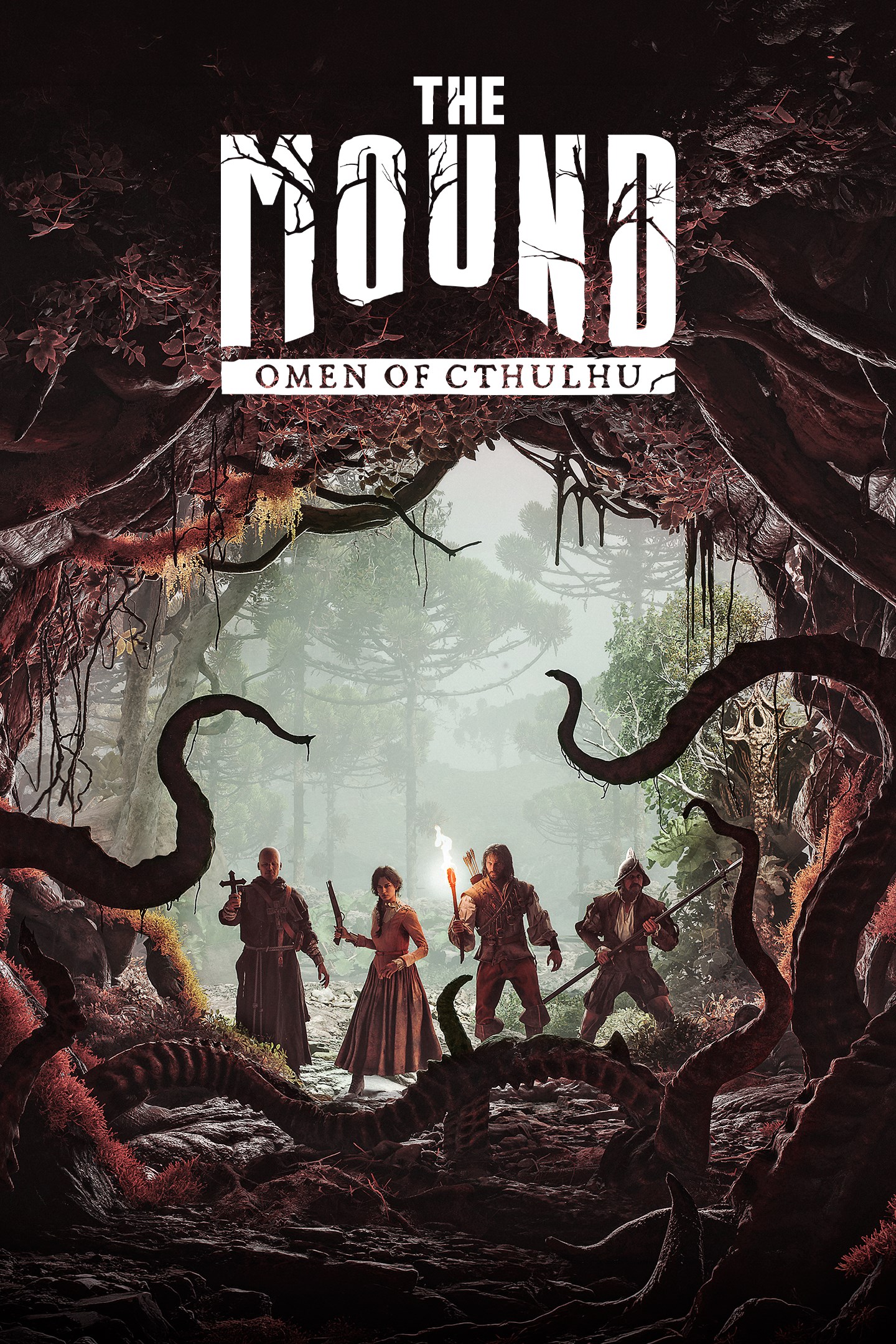
The Mound: Omen of Cthulhu vs Borderlands 3

close close
info General Information
Release Date
Jul 15, 2026 Sep 13, 2019
Developer
ACE Team Gearbox Software (additional development by Gearbox Studio Quebec)
Publisher
Nacon 2K Games
Genre(s)
Co-op Horror Adventure Action RPG, Looter Shooter, First-Person Shooter, Co-op
Engine
Unreal Engine 5 Unreal Engine 4
stars Ratings & Price
Content Rating
Mature M (Mature 17+) - ESRB Descriptors: Intense Violenc
Avg. User Rating
4.5 / 5.0 4.0 / 5.0
Current Price (USD)
$39.99 $59.99
tune Key Specs
Quick Highlights
  • Multiplayer: 1-4 Player Online Co-Op
  • Setting: Valdivian Rainforest / Conquistador Era
  • Perspective: First-Person
  • Multiplayer: Up to 4-player Online Co-op, LAN Co-op, Cross-Platform Multiplayer (most platforms)
  • Setting: Multiple Planets (Pandora, Promethea, Eden-6, etc.)
  • Platforms: PC (Windows, macOS), PlayStation 4, PlayStation 5, Xbox One, Xbox Series X/S, Google Stadia, Nintendo Switch (Ultimate Edition)
  • Unique Feature: Bazillions of procedurally generated guns, four distinct Vault Hunter classes with deep skill trees, signature cel-shaded art style and humor, multi-planet exploration, robust co-op gameplay.
sports_esports Gameplay & Mechanics
Companions/Followers
  • AI Explorer Bot: Fills out the 4-player squad when playing solo, providing covering fire and carrying loot.
    Human (AI)
  • FL4K's Pets (Skag, Spiderant, Jabber): FL4K, the Beastmaster, can choose one of three loyal pets to fight alongside them. Each pet has unique abilities, attacks, and can be upgraded through FL4K's skill trees. Pets can draw aggro, deal damage, and provide buffs. They are a core part of FL4K's gameplay.
    Various alien creatures
  • Moze's Iron Bear: Moze, the Gunner, can summon her bipedal Iron Bear mech as an Action Skill. Iron Bear is equipped with customizable heavy weapons on each arm (e.g., miniguns, grenade launchers, railguns, flamethrowers, melee fists) and provides significant firepower and protection for a limited time.
    Mech Suit
  • Zane's SNTNL Drone & Digi-Clone: Zane, the Operative, can deploy a SNTNL combat drone that flies around attacking enemies with machine guns or rockets. He can also deploy a Digi-Clone of himself that distracts enemies and fires at them; Zane can swap places with his clone. These are Action Skills with cooldowns.
    Robotic Drone / Holographic Clone
  • Co-op Player Characters (Vault Hunters): In co-operative multiplayer, other players join as their chosen Vault Hunters, each with their own unique skills and abilities, acting as active companions.
    Human/Siren/Robot
Key Collectibles
  • K'nyanian Idols: Hidden deep within the subterranean ruins of the cursed jungle.
  • Lost Journals: Found near the corpses of previous explorers along the jungle paths.
  • Typhon Logs & Dead Drops: Audio logs left by the first Vault Hunter, Typhon DeLeon, detailing his adventures and discoveries. Finding all three logs in a zone reveals the location of a Typhon Dead Drop, a hidden loot cache.
  • Eridian Writings: Ancient alien texts scattered across the planets. After acquiring an Eridian Analyzer, players can decipher these writings to gain XP and Eridium, and uncover more lore about the Eridians and Vaults.
  • Dead Claptraps: Parts from deceased Claptrap units that can be salvaged to help Claptrap build a new friend. Each part provides Eridium.
  • Crew Challenges (Various Types): A category of collectibles and repeatable activities specific to different NPCs and planets. Includes: - **Legendary Hunts:** (Sir Hammerlock) Defeating unique, powerful creatures. - **Targets of Opportunity:** (Zer0) Assassinating specific high-value targets. - **Crimson Radio:** (Moxxi) Sabotaging Children of the Vault propaganda towers. - **Hijack Target:** (Ellie) Stealing specific vehicle parts to unlock them for the Catch-A-Ride system.
  • Red Chests: Special chests containing higher-quality loot, often found in hidden areas or at the end of dungeons/challenges.
  • Vault Symbols & Eridium Piles: Hidden Vault symbols that can be found, and destructible Eridium crystal piles that yield Eridium currency (used for cosmetics and end-game purchases).
Key Themes
  • Lovecraftian
  • Cosmic Horror
  • Cthulhu Mythos
  • Cooperative Survival
  • Conquistador Era
  • Loot & Mayhem
  • Dark Humor
  • Cults & Propaganda
  • Space Exploration & Multiple Planets
  • Corporate Greed (Weapon Manufacturers)
  • Found Family
  • Cel-Shaded Art Style
  • Over-the-Top Action
  • Satire
  • Anarchy
colorize Combat & Gear
Weapons Overview
  • Matchlock Musket: Firearm
    A powerful, slow-loading long gun that requires limited gunpowder and produces immense, danger-attracting noise.
  • Flintlock Pistol: Sidearm
    A reliable close-range firearm for desperate situations, easily shared among squad mates.
  • Conquistador Rapier: Melee
    A silent thrusting sword perfect for dispatching smaller threats without waking the jungle.
  • Procedurally Generated Firearms: Varies (Pistols, SMGs, Shotguns, Assault Rifles, Sniper Rifles, Rocket Launchers, Heavy Weapons)
    The core of Borderlands: 'bazillions' of guns with randomly generated parts, stats, elemental effects (Incendiary, Shock, Corrosive, Cryo, Radiation), and special properties. Guns come in different rarities (Common to Legendary/Pearlescent). Anointed gear grants powerful bonuses tied to Action Skill usage.
  • Weapon Manufacturers (Examples): Varies (Determines Gun Characteristics)
    Each manufacturer has unique traits: **Jakobs** (high critical damage, ricocheting bullets, old-west aesthetic), **Maliwan** (elemental damage focus, charge-up times, dual elements), **Tediore** (guns are thrown like grenades when reloaded, then digistruct a new one), **Hyperion** (accuracy increases with sustained fire, deployable weapon shields when aiming), **Torgue** (explosive projectiles, sticky mode), **Dahl** (alternate fire modes - burst, full-auto, semi-auto), **Vladof** (high fire rate, under-barrel attachments like rockets/shotguns), **Atlas** (tracker tags for homing bullets), **COV (Children of the Vault)** ('infinite' ammo with overheat mechanic instead of traditional reloads).
  • Grenade Mods: Throwable Explosive/Utility
    Various grenade mods with diverse effects, including singularities, MIRVs (multiple explosions), transfusions (health stealing), elemental damage, and utility effects like teleportation or enemy grouping.
  • Shields: Defensive Gear
    Provide a regenerating energy shield that absorbs damage before health is affected. Shields have various capacities, recharge rates, recharge delays, and can have special properties like elemental resistance/nova bursts, damage boosting, or health regeneration.
  • Class Mods: Character Augment Gear
    Equippable items specific to each Vault Hunter class. They provide boosts to specific skills (even allowing skills to be over-leveled) and often grant passive stat increases or unique class-specific perks.
  • Artifacts: Utility Gear
    Provide powerful passive bonuses, often affecting movement (like enabling slam or slide anointments), elemental damage, melee damage, or providing unique utility effects like health regeneration or loot quality improvements.
Armor / Gear Sets
  • Morion Helmet: Classic conquistador headgear providing moderate protection against aerial ambush attacks.
  • Steel Breastplate: Heavy armor that maximizes physical defense at the cost of movement speed and stamina recovery.
  • Leather Explorer Jerkin: Lightweight gear facilitating faster sprints back to the Galleon during extractions.
  • Shields: Primary defensive gear. Shields have varying capacities, recharge rates, recharge delays, and can possess special properties from different manufacturers (e.g., Pangolin - high capacity; Anshin - elemental resistance; Hyperion - amp damage on depletion). Legendary and unique shields offer powerful, build-defining effects.
  • Class Mods: Class-specific items that grant points to skills in the Vault Hunter's skill trees (potentially pushing them beyond their normal maximum) and provide additional passive stat bonuses or unique perks that synergize with specific builds.
  • Artifacts: Equippable Eridian artifacts that provide significant passive bonuses and unique effects. These can include elemental damage boosts, improved slide/slam mechanics, increased luck, health regeneration effects, or anointments that trigger on action skill use or other conditions.
Outfits/Customization
  • Mud-Stained Tabard: Can be customized with various historically accurate dyes unlocked back at the Galleon.
  • Vault Hunter Heads: Unlockable and purchasable cosmetic heads that change the appearance of the player character's head. A wide variety of styles are available, from serious to outlandish.
  • Vault Hunter Skins: Cosmetic skins that alter the color scheme and patterns of the Vault Hunter's default outfit. Can be unlocked through gameplay, purchased, or obtained via special events and DLCs (e.g., Multiverse Final Form & Disciples of the Vault Cosmetic Packs).
  • Weapon Skins: Cosmetic skins that can be applied to weapons to change their appearance without affecting stats. Examples include the Butt Stallion weapon skin or Gold Weapon Skins Pack (pre-order/deluxe bonuses).
  • Weapon Trinkets: Small cosmetic charms that can be attached to weapons for personalization.
  • ECHO Device Skins: Cosmetic skins to change the appearance of the player's ECHO communication device.
  • Room Decorations (Sanctuary III): Players can find and place various decorations in their personal quarters aboard the Sanctuary III spaceship.
trending_up Progression & Upgrades
Skills & Progression

In The Mound: Omen of Cthulhu, survival relies heavily on resource management and cooperative synergy rather than sprawling skill trees. Players start each expedition by receiving base equipment from the ship's Captain, which must be carefully split among the team. A key mechanic is the sanity system; as tension rises in the deep jungle, sanity begins to slip, affecting your atmospheric perception and physical senses. Managing this mental deterioration is crucial. You also must manage limited gunpowder, which acts as a powerful but dangerous resource. Upgrades likely involve better expedition gear, enhanced resistance to madness, and improved carrying capacity for the treasures you find. Success dictates that personal survival often outweighs combat, meaning your best skill is knowing when to run for your life to make it back to the Galleon.

N/A
public World & Exploration
World & Level Design

The game world offers a terrifying progression from the deceptive safety of your anchored Galleon to the heart of the cursed jungle. You begin your expeditions on the shore, moving inward through dense, wet, and claustrophobic Valdivian-inspired rainforests. The environment is designed to be highly unpredictable, acting as a living entity that existed long before the players arrived. There are distinct biomes, including the dense overgrowth of the surface jungle, hidden ancient ruins holding strange wonders, and a subterranean underworld dominated by the K'nyanian influence. The map's layout encourages strategic splitting up to cover ground for loot, but forces players back together as reality alters and monstrous threats emerge. This constant shift in the environment ensures that no two expeditions feel exactly the same, keeping players perpetually on edge.

N/A
Playable Vehicles
  • The Galleon: Ship
    Your mobile sanctuary and hub where you prepare for expeditions and store your hard-earned treasures.
  • Rowboat: Small Craft
    Used to physically transport your squad from the anchored Galleon to the cursed shore.
  • Outrunner: Light Buggy / All-Terrain Vehicle
    A fast and versatile two-seater buggy, a staple of the Borderlands series. Customizable with different chassis, weapons (machine guns, rockets), armor, wheels, and paint jobs via the Catch-A-Ride system.
  • Technical: Armed Truck / Utility Vehicle
    A heavier, more durable vehicle often equipped with a rear-mounted turret. Can carry more passengers. Also customizable with various weapons and parts.
  • Cyclone: Monowheel Combat Vehicle
    A fast, agile single-wheel vehicle capable of strafing and high speeds. Offers unique offensive capabilities and maneuverability. Customizable with different weapon systems and mods.
  • Bandit Technical / COV Vehicles: Faction-Specific Armed Vehicles
    Vehicles used by enemy factions like the Children of the Vault. Often ramshackle, heavily armed, and can be commandeered by the player. Some can be scanned at a Catch-A-Ride to unlock their parts for player vehicle customization.
  • Hover-Wheels (DLC - Moxxi's Heist): Specialized Vehicle
    Unique hover-capable wheels found in 'Moxxi's Heist of the Handsome Jackpot' DLC, allowing vehicles to float over certain surfaces.
  • Jetbeast (DLC - Bounty of Blood): Customizable Hoverbike
    A heavily armed and customizable hoverbike introduced in the 'Bounty of Blood' DLC, used for traversing the plains of Gehenna.
Notable Fauna/Mounts
  • K'nyanian Hound: Mutated Canine
    Hostile predator biologically modified by the ancient immortal race to hunt intruders.
  • Cursed Macaque: Primate
    A corrupted jungle dweller that stalks the canopy, threatening to drop hazards on explorers.
  • Valdivian Jaguar: Feline
    A natural apex predator of the rainforest, highly dangerous if alerted by gunfire.
N/A
book Story & Characters
Main Characters
  • The Galleon Captain: Quest Giver
    The gruff leader who stays safely aboard the ship, distributing equipment and demanding treasure.
  • The Explorer: Protagonist
    A greedy, doomed conquistador seeking wealth in a cursed land.
  • The K'nyanian: Antagonist
    An ancient, immortal being capable of biological manipulation and reality warping.
  • Amara (The Siren): Playable Vault Hunter
    A renowned hero from Partali, Amara is a powerful Siren who can summon ethereal fists to pummel her enemies. Her action skills focus on elemental damage, crowd control, and melee combat (Phasegrasp, Phaseslam, Phasecast).
  • FL4K (The Beastmaster): Playable Vault Hunter
    An emergent AI robot on a quest of self-discovery, accompanied by one of three loyal pets (Skag, Spiderant, Jabber) that assist in combat. FL4K excels at critical hits, stealth (Fade Away), and commanding their beasts (Gamma Burst, Rakk Attack!).
  • Moze (The Gunner): Playable Vault Hunter
    A former Vladof soldier who can digistruct and pilot her heavily armed Iron Bear mech. Moze's skill trees allow customization of Iron Bear's weaponry (miniguns, grenade launchers, railguns, etc.) and focus on explosives, shields, or infinite ammo.
  • Zane Flynt (The Operative): Playable Vault Hunter
    A semi-retired corporate hitman from the Flynt family. Zane utilizes various gadgets like a SNTNL drone, a Digi-Clone, and a deployable Barrier. He is unique in his ability to equip two Action Skills simultaneously by sacrificing his grenade slot.
  • Tyreen Calypso: Main Antagonist / Siren
    One of the Calypso Twins and a powerful Siren. She leads the Children of the Vault cult with her brother Troy, seeking to absorb the power of Vaults across the galaxy. Known for her live-streaming persona and ability to leech power.
  • Troy Calypso: Main Antagonist / 'God-King'
    Tyreen's twin brother and co-leader of the Children of the Vault. He was born conjoined to Tyreen and possesses some Siren-like powers by siphoning her energy. He is ambitious and seeks to prove himself.
  • Lilith (The Firehawk): NPC / Leader of the Crimson Raiders / Siren
    A returning character from previous Borderlands games and a powerful Siren. She leads the Crimson Raiders in their fight against the Calypso Twins and commands the starship Sanctuary III.
  • Claptrap (CL4P-TP Steward Bot): NPC / Comic Relief
    The famously annoying but occasionally helpful Claptrap unit, a series staple. Provides introductory guidance and comic relief.
  • Patricia Tannis: NPC / Scientist & Eridian Expert
    A brilliant but socially awkward scientist specializing in Eridian technology and Vault lore. She plays a key role in understanding the Vaults and the Calypsos' plans.
  • Ellie: NPC / Mechanic
    Moxxi's daughter and a skilled mechanic responsible for the Catch-A-Ride vehicle system on Sanctuary III and various planets.
  • Marcus Kincaid: NPC / Arms Dealer
    The owner of Marcus Munitions, the primary weapon vending machines throughout the Borderlands universe.
Example Missions
  • The Shore Landing: Expedition Start
    Leave the safety of the Galleon, split your starting equipment, and establish a beachhead.
  • The Descent: Main Objective
    Navigate the twisted underground ruins to uncover K'nyanian artifacts while managing your sanity.
  • The Extraction: Climax
    Sprint back to the Galleon with your loot while being hunted by an awakened jungle.
  • Main Story Campaign
    A series of narrative quests following the new Vault Hunters as they join the Crimson Raiders to stop the Calypso Twins and their Children of the Vault cult from opening The Great Vault and gaining ultimate power. This journey spans multiple planets.
  • Side Missions
    Numerous optional quests found on each planet, offered by various NPCs. These often involve unique stories, characters, and rewards, expanding the lore and providing XP and loot.
  • Crew Challenges
    A set of planet-specific collectible and combat challenges issued by various crew members of Sanctuary III (e.g., Sir Hammerlock's Legendary Hunts, Zer0's Targets of Opportunity, Moxxi's Crimson Radio sabotage, Ellie's Hijack Targets, Claptrap's Dead Claptrap parts, Typhon DeLeon's Logs and Dead Drops). Completing these provides Eridium, XP, and contributes to area completion.
  • Proving Grounds (Eridian Trials)
    End-game timed dungeon-like instances unlocked by finding Eridian Writings. Players fight through waves of enemies and a final boss within a time limit to earn high-quality loot. Different Proving Grounds offer unique challenges.
  • Circles of Slaughter
    Wave-based survival arenas where players fight increasingly difficult hordes of enemies. Completing all rounds yields significant XP and loot. Examples include Cistern of Slaughter, Slaughter Shaft, Slaughterstar 3000.
  • DLC Campaign Missions
    Each of the four main story DLCs (Moxxi's Heist of the Handsome Jackpot, Guns, Love, and Tentacles, Bounty of Blood, Psycho Krieg and the Fantastic Fustercluck) features its own new campaign with unique storylines, locations, enemies, and bosses.
  • Arms Race (Designer's Cut DLC)
    A roguelike game mode where players start with no gear in a new zone (Stormblind Complex), scavenge for weapons, and fight to extract high-quality loot before being killed by enemies or an encroaching storm (Murdercane).
  • Ava's Murder Mysteries (Director's Cut DLC)
    A series of story-driven side missions where players help Ava investigate potentially paranormal happenings and uncover a conspiracy across multiple planets.
  • Hemovorous the Invincible (Director's Cut DLC)
    A challenging end-game raid boss encounter, requiring Eridium to access. Defeating this massive Varkid offers some of the best loot in the game.
people Multiplayer
Multiplayer Details

The core of The Mound: Omen of Cthulhu is its purely cooperative multiplayer mode, supporting up to four players online. Unlike many modern games that feature competitive or PvP elements, this title focuses entirely on PvE survival and exploration. Teamwork is not just encouraged; it is absolutely mandatory. Players must strategically divide their starting equipment, manage limited resources like gunpowder, and decide when to split up to search for treasure versus sticking together for safety. The game dynamically adjusts its tension; making too much noise with firearms can wake the hostile jungle, punishing reckless groups. For those unable to form a full squad of human players, the developers have addressed community requests by ensuring that solo or partial squads can be supplemented by AI bots, keeping the cooperative spirit intact even when playing alone.

N/A
extension Editions & DLC
Available Editions

The Mound: Omen of Cthulhu is poised to launch globally on July 15, 2026, across PlayStation 5, Xbox Series X/S, and PC platforms. Nacon is expected to release a Standard Edition containing the base game and cooperative modes. Given the game's focus on deep, immersive environments and a richly crafted Lovecraftian lore, a Deluxe or Explorer's Edition is highly probable, offering digital artbooks, a haunting original soundtrack, and exclusive in-game cosmetic gear for your Conquistador explorers. Pre-order bonuses typically include early access to specific weapon skins or starting resources like extra gunpowder stashes to give your initial expeditions a slight edge. Regardless of the edition, all players will have access to the complete cooperative campaign and the terrifying descent into the K'nyanian underworld right from day one.

N/A
Post-Launch Content / DLC

ACE Team and Nacon have a strong track record of supporting their unique titles post-launch, and a cooperative game like this practically demands continuous updates. After the initial release on July 15, 2026, players can anticipate a roadmap filled with new horrors. Post-launch content will likely include entirely new regions of the Valdivian-inspired rainforest to explore, deeper and more twisted K'nyanian underground ruins, and fresh, terrifying Lovecraftian entities that will further test your sanity. Additionally, the developers might introduce new playable character archetypes, expanding the Conquistador roster with unique starting traits or specialized gear. Free updates could also bring highly requested quality-of-life features, new weather dynamic systems that alter the jungle's hostility, and seasonal events that introduce limited-time cosmic horror phenomena, ensuring the cooperative expeditions remain fresh and terrifying for years.

N/A
help_outline FAQ
Frequently Asked Questions
  • Q: When does The Mound: Omen of Cthulhu release?
    A: The game is officially scheduled to launch on July 15, 2026.
  • Q: What platforms will the game be available on?
    A: It will be available on PC, PlayStation 5, and Xbox Series X/S.
  • Q: Is The Mound a single-player or multiplayer game?
    A: It is designed as a 1-4 player cooperative game. While you can play solo with AI bots, teamwork and co-op survival are the core focus.
  • Q: What is the setting of the game?
    A: The game takes place during the Conquistador era in a cursed ecosystem heavily inspired by the Valdivian temperate rainforest of South America.
  • Q: Does the game feature action combat or survival horror?
    A: It is a blend of both, but leans heavily into survival horror. Firearms use limited gunpowder and create noise that wakes up the dangerous jungle, meaning combat is often a desperate last resort.
  • Q: When was Borderlands 3 released?
    A: Borderlands 3 was initially released on September 13, 2019, for PlayStation 4, Xbox One, and PC (via Epic Games Store), with a Steam release for PC on March 13, 2020. It later came to other platforms like Stadia, PS5, Xbox Series X/S, and Nintendo Switch.
  • Q: Who are the playable characters in Borderlands 3?
    A: There are four playable Vault Hunters: Amara the Siren, FL4K the Beastmaster, Moze the Gunner, and Zane the Operative. Each has three unique skill trees and multiple Action Skills.
  • Q: Who are the main villains in Borderlands 3?
    A: The main antagonists are the Calypso Twins, Troy and Tyreen, who lead the Children of the Vault (COV) cult and seek to harness the power of the Great Vault.
  • Q: Does Borderlands 3 have multiplayer?
    A: Yes, Borderlands 3 supports up to 4-player online co-operative multiplayer. It also features local split-screen co-op on consoles. Cross-platform play is supported across PC (Steam/Epic), Xbox, PlayStation, and Mac.
  • Q: What is Mayhem Mode in Borderlands 3?
    A: Mayhem Mode is an end-game feature that significantly increases game difficulty by applying random modifiers to enemies and gameplay, while also increasing loot quality and XP gain. There are multiple Mayhem levels (1-11 with Mayhem 2.0 update).
  • Q: How many planets can you visit in Borderlands 3?
    A: Players can travel to multiple planets beyond Pandora, including Promethea, Athenas, Eden-6, and Nekrotafeyo, using the Sanctuary III starship as a mobile base.
  • Q: What kind of DLC does Borderlands 3 have?
    A: Borderlands 3 has two Season Passes. Season Pass 1 includes four major story campaign add-ons. Season Pass 2 includes the Designer's Cut (Arms Race mode, 4th skill tree for each Vault Hunter) and the Director's Cut (new raid boss, Ava's murder mystery quests, behind-the-scenes content, Vault Cards).
build Technical Details
Graphics & Visual Fidelity

Leveraging modern rendering technologies, The Mound: Omen of Cthulhu presents a visually stunning and deeply unsettling world. The game beautifully captures the dense, wet, and ancient aesthetic of the South American Valdivian rainforest. High-fidelity textures bring the rotting wood, slick mud, and creeping vines to life, creating an intensely claustrophobic environment where danger could be lurking behind any tree. The lighting system is particularly crucial; players must rely on the warm, flickering glow of primitive torches and lanterns to push back the oppressive, volumetric darkness. As the Lovecraftian elements take hold, the visuals begin to distort, reflecting the K'nyanians' ability to biologically modify life and alter reality. The creature designs are a grotesque fusion of natural flora and cosmic horror, guaranteeing that the visual experience is both breathtakingly beautiful and fundamentally repulsive.

N/A
Audio & Soundtrack

Audio design plays a monumental role in cultivating the cosmic horror of The Mound: Omen of Cthulhu. The developers have masterfully recreated the oppressive soundscape of the Valdivian temperate rainforest. Every rustling leaf, snapping twig, and distant animal call is designed to keep players perpetually paranoid. Sound is also a crucial gameplay mechanic; the jungle is highly reactive to noise. The deafening blast of a musket not only shatters the eerie silence but serves as a beacon, waking unpredictable, monstrous threats. The musical score leans heavily into Lovecraftian dread, utilizing atonal strings, deep percussive thrums, and unsettling ambient drones that swell as your character's sanity begins to slip. This dynamic audio system ensures that the fear is as much auditory as it is visual, making the unseen horrors just as terrifying as the visible ones.

N/A
User Interface (UI/UX)

The user interface in this Lovecraftian adventure is meticulously designed to immerse players in the dread of the Conquistador era while providing essential survival data. To maintain the claustrophobic and terrifying atmosphere, the HUD is kept minimal. Instead of intrusive minimaps or glowing objective markers, players must rely on environmental cues and their own spatial awareness to navigate the ever-changing jungle. Key UI elements include a subtle sanity meter that visualizes the mental toll the cursed jungle and K'nyanian horrors are taking on your character. An ammunition counter highlights the extreme scarcity of your gunpowder, emphasizing that every shot must count. Inventory management screens are designed to facilitate the rapid sharing of resources between cooperative partners, ensuring that crucial healing items or torches can be distributed seamlessly during moments of high panic.

N/A
Accessibility Options

While survival horror games are traditionally punishing, modern development standards dictate a robust suite of accessibility options to ensure all players can enjoy the cosmic dread. ACE Team is expected to include comprehensive subtitle settings, allowing players to adjust font size, color, and background opacity for all dialogue and crucial environmental sound cues. Visual accessibility features will likely encompass various colorblind modes to help distinguish important loot, aggressive enemies, and cooperative teammates against the lush green and dark brown backdrops of the jungle. Motor accessibility can be supported through fully remappable controls on both keyboards and gamepads, as well as toggle options for actions that typically require holding a button, such as aiming heavy muskets or sprinting. These features ensure that the terrifying challenge comes from the gameplay, not the interface.

N/A
Gameplay Video
launchWatch launchWatch
Walkthrough/Guide
launchView launchView
settings_applications System Requirements
1080p (Full HD) - Recommended (High Settings, 60 FPS)
CPU: Higher single-core speeds provide better frame pacing when multiple players are firing muskets simultaneously.
CPU (Laptop): Solid 8-core mobile CPU for stable networking and physics.
GPU: Sufficient rasterization muscle for 1080p 60fps with high volumetric settings.
GPU (Laptop): Comfortably handles 1080p High with upscaling technologies.
RAM: Ideal for smooth background asset streaming and hosting local co-op sessions.
Storage: Fast loading times when returning to the Galleon after a failed expedition.
memoryCPU: Intel Core i7-9700K or AMD Ryzen 5 3600
developer_boardGPU: NVIDIA GeForce RTX 3060 or AMD Radeon RX 6600 XT
laptop_macCPU (L): Intel Core i7-11800H
laptop_windowsGPU (L): NVIDIA RTX 4050 Mobile (85W+)
layersRAM: 16 GB
saveStorage (Tier): 50 GB NVMe SSD
1080p (Full HD) - Minimum (Low Settings, 30 FPS)
CPU: Provides enough processing power to handle the basic cooperative networking and AI pathfinding.
CPU (Laptop): Entry-level mobile processor capable of 30 FPS if thermal limits are respected.
GPU: 6GB of VRAM is the minimum to load the dense texture pools of the Valdivian rainforest.
GPU (Laptop): Will require DLSS set to 'Performance' to maintain smooth framerates in heavy combat.
RAM: Absolute minimum to run the OS and game; expect minor stuttering.
Storage: HDD not supported due to high streaming demands of the environment.
memoryCPU: Intel Core i5-8400 or AMD Ryzen 5 2600
developer_boardGPU: NVIDIA GeForce GTX 1060 6GB or AMD Radeon RX 580
laptop_macCPU (L): Intel Core i5-10300H
laptop_windowsGPU (L): NVIDIA RTX 3050 Mobile (60W+)
layersRAM: 8 GB
saveStorage (Tier): 50 GB SSD
1080p (Full HD) - Minimum (Target: 1080p, Low settings, ~30-60 FPS) (Low Preset.)
CPU: Minimum desktop CPU.
CPU (Laptop): Estimated laptop CPU. Performance depends on specific model's cooling and power limits.
GPU: Minimum desktop GPU with 2GB VRAM.
GPU (Laptop): Targets playable framerates at 720p-1080p Low. **2GB VRAM is an absolute minimum and might struggle; 4GB VRAM is strongly recommended for laptops.** Performance varies greatly by TGP.
RAM: Minimum RAM requirement (dual-channel highly recommended if using 8GB or more).
memoryCPU: AMD FX-8350 or Intel Core i5-3570
developer_boardGPU: AMD Radeon HD 7970 (2GB) or NVIDIA GeForce GTX 680 (2GB)
laptop_macCPU (L): Intel Core i5-7300HQ / AMD Ryzen 5 2500U or newer equivalent mobile CPUs with at least 4 cores/threads.
laptop_windowsGPU (L): NVIDIA GeForce GTX 960M (2GB/4GB), NVIDIA GeForce GTX 1050 Mobile (2GB/4GB); OR AMD Radeon R9 M385X (4GB). A GTX 1650 Laptop (4GB) would be a more comfortable modern minimum.
layersRAM: 6 GB
saveStorage (Tier): 75 GB available space (SSD Recommended)
1440p (QHD/2K) - Recommended (High Settings, 60 FPS)
CPU: Modern architecture reduces bottlenecks, keeping GPU utilization high.
CPU (Laptop): Excellent multi-core performance for managing co-op synchronization at higher resolutions.
GPU: Needed to push 1440p resolution alongside the game's intensive atmospheric rendering.
GPU (Laptop): Can sustain 1440p at 60 FPS using DLSS Quality.
RAM: Standard requirement for modern gaming.
Storage: Crucial for high-resolution asset streaming.
memoryCPU: Intel Core i5-12400F or AMD Ryzen 5 5600X
developer_boardGPU: NVIDIA GeForce RTX 4070 or AMD Radeon RX 7700 XT
laptop_macCPU (L): AMD Ryzen 7 6800H
laptop_windowsGPU (L): NVIDIA RTX 4070 Mobile (115W+)
layersRAM: 16 GB
saveStorage (Tier): 50 GB NVMe SSD
1440p (QHD/2K) - Recommended (Target: 1440p High settings OR 1080p Ultra settings, ~60 FPS) (High/Ultra Preset.)
CPU: Recommended desktop CPU.
CPU (Laptop): Recommended laptop CPU for a smooth 1080p Ultra or 1440p High experience.
GPU: Recommended desktop GPU for 1440p High / 1080p Ultra.
GPU (Laptop): Targets ~60 FPS at 1080p Ultra or 1440p High. **Ensure adequate TGP for NVIDIA cards.** 6GB VRAM minimum, 8GB VRAM strongly recommended for laptops at this tier.
RAM: 16GB RAM in dual-channel strongly recommended for optimal performance.
memoryCPU: AMD Ryzen 5 2600 or Intel Core i7-4770
developer_boardGPU: AMD Radeon RX 590 (8GB) or NVIDIA GeForce GTX 1060 (6GB)
laptop_macCPU (L): Intel Core i7-8750H / AMD Ryzen 5 3600H or newer performance mobile CPUs (e.g., Intel Core i7 H-series 9th gen+, AMD Ryzen 7 H-series 4000+).
laptop_windowsGPU (L): NVIDIA GeForce GTX 1070 Max-Q (8GB), NVIDIA GeForce RTX 2060 Laptop (6GB, High TGP), NVIDIA GeForce RTX 3060 Laptop (6GB, Medium to High TGP); OR AMD Radeon RX 5600M (6GB), RX 5700M (8GB), RX 6600M (8GB).
layersRAM: 16 GB
saveStorage (Tier): 75 GB available space (SSD Recommended)
2160p (UHD/4K) - Ultra (Epic Settings, 60 FPS)
CPU: Top-tier CPUs needed to eliminate any stuttering during massive reality-warping events.
CPU (Laptop): Desktop-class mobile replacement processor.
GPU: Mandatory for native 4K rendering with all post-processing horror effects maxed out.
GPU (Laptop): The highest tier mobile GPU is required to sustain 4K Epic settings.
RAM: Ensures no memory swapping occurs during massive particle and foliage rendering.
Storage: Maximum bandwidth for instant texture loads in the jungle.
memoryCPU: Intel Core i7-13700K or AMD Ryzen 7 7800X3D
developer_boardGPU: NVIDIA GeForce RTX 4080 or AMD Radeon RX 7900 XTX
laptop_macCPU (L): Intel Core i9-13900HX
laptop_windowsGPU (L): NVIDIA RTX 4090 Mobile (175W)
layersRAM: 32 GB
saveStorage (Tier): 50 GB Gen 4 NVMe SSD
save Overall Storage
Spec: 50 GB Available Space
Note: An NVMe SSD is strongly recommended to eliminate streaming hitches when reality seamlessly shifts around the players.
Type: Unknown
Spec: 75 GB available space (SSD Recommended)
Note: An SSD is recommended for faster load times and smoother overall gameplay experience.
Type: SSD
desktop_windows Operating System
Spec: Windows 10 / Windows 11 64-bit
Explanation: Required for DirectX 12 compatibility and advanced memory management.
Spec: Windows 7/10 (latest service pack)
Explanation: A 64-bit version of Windows 7, 8.1, 10, or 11 with the latest service packs is required.
gamepad DirectX Version
Spec: DirectX 12
Explanation: Necessary for optimal performance, utilizing modern rendering features for the dense foliage and lighting.
N/A
info_outline Other Game Notes
  • The Mound: Omen of Cthulhu features dense, atmospheric jungle rendering and complex enemy AI, requiring modern hardware to maintain stable frame rates during chaotic co-op sessions.
  • Laptop Performance Note: Laptops should be kept plugged in and set to High Performance mode to prevent power limit throttling during intense reality-warping visual sequences.
  • Laptop Consideration: G P U T G P: A GPU with at least 85W TGP is highly recommended to manage the heavy volumetric fog and dynamic lighting from player torches.
  • Laptop Consideration: Cooling Thermals: The dense jungle environments will stress both CPU and GPU simultaneously; aggressive cooling curves are recommended.
  • Laptop Consideration: C P U Power Limits: Ensure sustained power limits above 45W to prevent physics and AI bottlenecking when the jungle awakens.
  • Laptop Consideration: M U X Switch Optimus: A MUX switch is crucial to reduce latency and maintain visual fluidity during sudden monster ambushes.
  • Optimization Detail: Upscaling Tech: Supports DLSS 3, FSR 3, and Intel XeSS for performance enhancements.
  • Optimization Detail: Key Settings Impact: Lowering Volumetric Lighting and Shadow Quality can yield a 25-30% performance boost on mid-range hardware without ruining the horror atmosphere.
  • Game Name: The Mound: Omen of Cthulhu
  • Official PC system requirements for 'Borderlands 3' (released in 2019). An SSD is recommended for better loading times and texture streaming, especially with higher settings. The game supports DirectX 11 and DirectX 12.
  • Laptop Performance Note: Borderlands 3 can be played on a variety of gaming laptops. Laptop GPUs and CPUs perform differently than their desktop counterparts due to Total Graphics Power (TGP) and thermal constraints. The estimations below reflect hardware from around the game's release period or slightly newer equivalents for a good experience. **Always check specific laptop model reviews for performance benchmarks, especially TGP and cooling.**
  • Laptop Consideration: G P U T G P Impact: The TGP of a laptop GPU significantly affects its performance. Higher TGP values for the same GPU model generally lead to better framerates.
  • Laptop Consideration: Advanced Cooling Thermals: Good cooling is crucial for laptops to sustain performance during long gaming sessions and avoid thermal throttling, which can reduce framerates.
  • Laptop Consideration: C P U Performance Sustain: A capable mobile CPU is needed to handle the game's demands, especially in busy areas or during intense combat, without bottlenecking the GPU.
  • Laptop Consideration: R A M Configuration Speed: 6GB is absolute minimum, but 16GB in dual-channel configuration is strongly recommended for a much smoother experience and to prevent stuttering, especially when many enemies or effects are on screen.
  • Laptop Consideration: Display Panel G P U Pairing: Match your laptop's GPU power to its display resolution (typically 1080p for this era of requirements) and aim for a refresh rate the GPU can consistently support (e.g., 60Hz or higher).
  • Laptop Consideration: Driver Updates O S Optimization: Using up-to-date GPU drivers and ensuring your OS (Windows) is optimized for gaming can improve stability and performance.
  • Optimization Detail: A P I Choice: Offers DirectX 11 and DirectX 12 renderers. DX12 may offer better performance on some newer hardware but DX11 can be more stable on older systems.
  • Optimization Detail: Key Settings Impact: Resolution, Texture Streaming, Material Quality, Shadows, Draw Distance, Volumetric Fog, Screen Space Reflections, and Anti-Aliasing options (FXAA, Temporal AA) are key settings affecting performance.
  • Game Name: Borderlands 3
build Optimization Details
  • Upscaling Tech: Supports DLSS 3, FSR 3, and Intel XeSS for performance enhancements.
  • Key Settings Impact: Lowering Volumetric Lighting and Shadow Quality can yield a 25-30% performance boost on mid-range hardware without ruining the horror atmosphere.
  • A P I Choice: Offers DirectX 11 and DirectX 12 renderers. DX12 may offer better performance on some newer hardware but DX11 can be more stable on older systems.
  • Key Settings Impact: Resolution, Texture Streaming, Material Quality, Shadows, Draw Distance, Volumetric Fog, Screen Space Reflections, and Anti-Aliasing options (FXAA, Temporal AA) are key settings affecting performance.
laptop Laptop Considerations
  • G P U T G P: A GPU with at least 85W TGP is highly recommended to manage the heavy volumetric fog and dynamic lighting from player torches.
  • Cooling Thermals: The dense jungle environments will stress both CPU and GPU simultaneously; aggressive cooling curves are recommended.
  • C P U Power Limits: Ensure sustained power limits above 45W to prevent physics and AI bottlenecking when the jungle awakens.
  • M U X Switch Optimus: A MUX switch is crucial to reduce latency and maintain visual fluidity during sudden monster ambushes.
  • G P U T G P Impact: The TGP of a laptop GPU significantly affects its performance. Higher TGP values for the same GPU model generally lead to better framerates.
  • Advanced Cooling Thermals: Good cooling is crucial for laptops to sustain performance during long gaming sessions and avoid thermal throttling, which can reduce framerates.
  • C P U Performance Sustain: A capable mobile CPU is needed to handle the game's demands, especially in busy areas or during intense combat, without bottlenecking the GPU.
  • R A M Configuration Speed: 6GB is absolute minimum, but 16GB in dual-channel configuration is strongly recommended for a much smoother experience and to prevent stuttering, especially when many enemies or effects are on screen.
  • Display Panel G P U Pairing: Match your laptop's GPU power to its display resolution (typically 1080p for this era of requirements) and aim for a refresh rate the GPU can consistently support (e.g., 60Hz or higher).
  • Driver Updates O S Optimization: Using up-to-date GPU drivers and ensuring your OS (Windows) is optimized for gaming can improve stability and performance.

info_outline Feature details based on available data. System requirements and performance estimates may vary.

laptop_chromebook Laptop Recommendations

Common Recommendations (Handles All Compared Games)

check_circle_outline Recommended based on listed requirements for Full HD (1080p).
ASUS TUF Gaming F15 with RTX 2050 and Intel i5
  • memory Intel Core i5-11400H
  • developer_board NVIDIA GeForce RTX 2050
  • layers 8GB DDR4-3200MHz
  • track_changes Target GPU: NVIDIA RTX 3050 Mobile (60W+)
MSI Pulse GL66 with RTX 3070 and i7 12th Gen
  • memory Intel Core i7-12700H
  • developer_board NVIDIA GeForce RTX 3070
  • layers 32GB DDR4-3200MHz
  • track_changes Target GPU: NVIDIA RTX 3050 Mobile (60W+)

Acer Nitro V with RTX 4060 and i9 13th Gen
  • memory Intel Core i9-13900H
  • developer_board NVIDIA GeForce RTX 4060
  • layers 16GB DDR5-5200MHz
  • track_changes Target GPU: NVIDIA RTX 3050 Mobile (60W+)
Lenovo Legion Pro 5i (i9-14900HX, RTX 4060)
  • memory Intel Core i9-14900HX
  • developer_board NVIDIA GeForce RTX 4060
  • layers 32GB DDR5-5600MHz
  • track_changes Target GPU: NVIDIA RTX 4050 Mobile (85W+)
ASUS TUF A15 with RTX 3050 and Ryzen 7
  • memory AMD Ryzen 7 7435HS
  • developer_board NVIDIA GeForce RTX 3050
  • layers 32GB DDR5-4800MHz
  • track_changes Target GPU: NVIDIA GeForce GTX 960M (2GB/4GB), NVIDIA GeForce GTX 1050 Mobile (2GB/4GB); OR AMD Radeon R9 M385X (4GB). A GTX 1650 Laptop (4GB) would be a more comfortable modern minimum.
MSI Creator M16 HX with RTX 4070
  • memory Intel Core i9-14900HX
  • developer_board NVIDIA GeForce RTX 4070
  • layers 32GB DDR5-5600MHz
  • track_changes Target GPU: NVIDIA GeForce GTX 960M (2GB/4GB), NVIDIA GeForce GTX 1050 Mobile (2GB/4GB); OR AMD Radeon R9 M385X (4GB). A GTX 1650 Laptop (4GB) would be a more comfortable modern minimum.
check_circle_outline Recommended based on listed requirements for QHD (1440p).
MSI Creator M16 HX with RTX 4070
  • memory Intel Core i9-14900HX
  • developer_board NVIDIA GeForce RTX 4070
  • layers 32GB DDR5-5600MHz
  • track_changes Target GPU: NVIDIA RTX 4070 Mobile (115W+)
ASUS ROG Strix G16 with RTX 4070
  • memory Intel Core i9-14900HX
  • developer_board NVIDIA GeForce RTX 4070
  • layers 16GB DDR5-5600MHz
  • track_changes Target GPU: NVIDIA RTX 4070 Mobile (115W+)

MSI Cyborg 15 (RTX 5050 & Intel 7)
  • memory Intel Core Ultra 7 255H
  • developer_board NVIDIA GeForce RTX 5060 Laptop GPU
  • layers 16GB DDR5-5600MHz (Dual-Channel)
  • track_changes Target GPU: NVIDIA RTX 4070 Mobile (115W+)
ASUS TUF A15 with RTX 3050 and Ryzen 7
  • memory AMD Ryzen 7 7435HS
  • developer_board NVIDIA GeForce RTX 3050
  • layers 32GB DDR5-4800MHz
  • track_changes Target GPU: NVIDIA GeForce GTX 1070 Max-Q (8GB), NVIDIA GeForce RTX 2060 Laptop (6GB, High TGP), NVIDIA GeForce RTX 3060 Laptop (6GB, Medium to High TGP); OR AMD Radeon RX 5600M (6GB), RX 5700M (8GB), RX 6600M (8GB).
HP Omen 16 (RTX 5060 & Ryzen 9 8940HX)
  • memory AMD Ryzen 9 8940HX Processor
  • developer_board NVIDIA GeForce RTX 5060 Laptop GPU
  • layers 32GB DDR5-5200MHz
  • track_changes Target GPU: NVIDIA GeForce GTX 1070 Max-Q (8GB), NVIDIA GeForce RTX 2060 Laptop (6GB, High TGP), NVIDIA GeForce RTX 3060 Laptop (6GB, Medium to High TGP); OR AMD Radeon RX 5600M (6GB), RX 5700M (8GB), RX 6600M (8GB).

HP Victus 15 (RTX 4050 & Ryzen 7)
  • memory AMD Ryzen 7 7445HS
  • developer_board NVIDIA GeForce RTX 4050
  • layers 16GB (2x8GB) DDR5 5600MHz SO-DIMM
  • track_changes Target GPU: NVIDIA GeForce GTX 1070 Max-Q (8GB), NVIDIA GeForce RTX 2060 Laptop (6GB, High TGP), NVIDIA GeForce RTX 3060 Laptop (6GB, Medium to High TGP); OR AMD Radeon RX 5600M (6GB), RX 5700M (8GB), RX 6600M (8GB).
check_circle_outline Recommended based on listed requirements for UHD (4K).
Lenovo Legion Pro 7 16IRX9H with RTX 4090
  • memory Intel Core i9-14900HX
  • developer_board NVIDIA GeForce RTX 4090
  • layers 32GB DDR5-5600MHz
  • track_changes Target GPU: NVIDIA RTX 4090 Mobile (175W)
LG Gram Pro 17 with RTX 5050
  • memory Intel Core Ultra 9 285H (Series 2) , 14 cores (6 Performance cores + 8 Efficient cores), 20 threads
  • developer_board NVIDIA GeForce RTX 5050 Laptop GPU
  • layers 32GB (2x16GB) DDR5 8400MHz SO-DIMM
  • track_changes Target GPU: NVIDIA RTX 4090 Mobile (175W)
HP OMEN Ultra Slim 16 (RTX 5070 & Intel i9)
  • memory Intel Core Ultra 9 285H
  • developer_board NVIDIA GeForce RTX 5070
  • layers 32GB (2x16GB) DDR5 4800MHz SO-DIMM
  • track_changes Target GPU: NVIDIA RTX 4090 Mobile (175W)

For The Mound: Omen of Cthulhu Specifically

check_circle_outline Recommended based on listed requirements for Full HD (1080p).
ASUS TUF Gaming F15 with RTX 2050 and Intel i5
  • memory Intel Core i5-11400H
  • developer_board NVIDIA GeForce RTX 2050
  • layers 8GB DDR4-3200MHz
  • track_changes Target GPU: NVIDIA GeForce GTX 1060 6GB or AMD Radeon RX 580
MSI Pulse GL66 with RTX 3070 and i7 12th Gen
  • memory Intel Core i7-12700H
  • developer_board NVIDIA GeForce RTX 3070
  • layers 32GB DDR4-3200MHz
  • track_changes Target GPU: NVIDIA GeForce GTX 1060 6GB or AMD Radeon RX 580
Acer Nitro V with RTX 4060 and i9 13th Gen
  • memory Intel Core i9-13900H
  • developer_board NVIDIA GeForce RTX 4060
  • layers 16GB DDR5-5200MHz
  • track_changes Target GPU: NVIDIA GeForce GTX 1060 6GB or AMD Radeon RX 580

Lenovo Legion Pro 5i (i9-14900HX, RTX 4060)
  • memory Intel Core i9-14900HX
  • developer_board NVIDIA GeForce RTX 4060
  • layers 32GB DDR5-5600MHz
  • track_changes Target GPU: NVIDIA GeForce GTX 1060 6GB or AMD Radeon RX 580
Asus Rog Strix Scar 15 with RTX 3070 Ti and i9 12th Gen
  • memory Intel Core i9-12900H
  • developer_board NVIDIA GeForce RTX 3070 Ti
  • layers 16GB DDR5-4800MHz
  • track_changes Target GPU: NVIDIA GeForce GTX 1060 6GB or AMD Radeon RX 580

HP Victus 15 with RTX 3050 and i5 12th Gen
  • memory Intel Core i5-12450H
  • developer_board NVIDIA GeForce RTX 3050
  • layers 16GB DDR4-3200MHz
  • track_changes Target GPU: NVIDIA GeForce GTX 1060 6GB or AMD Radeon RX 580
Acer Nitro 5 with RTX 3050 Ti and i5 12th Gen
  • memory Intel Core i5-12500H
  • developer_board NVIDIA GeForce RTX 3050 Ti
  • layers 16GB DDR4-3200MHz
  • track_changes Target GPU: NVIDIA GeForce GTX 1060 6GB or AMD Radeon RX 580
ASUS TUF A15 with RTX 3050 and Ryzen 7
  • memory AMD Ryzen 7 7435HS
  • developer_board NVIDIA GeForce RTX 3050
  • layers 32GB DDR5-4800MHz
  • track_changes Target GPU: NVIDIA GeForce GTX 1060 6GB or AMD Radeon RX 580
ASUS ROG Strix G15 with RTX 3060 and Ryzen 7
  • memory AMD Ryzen 7 6800H
  • developer_board NVIDIA GeForce RTX 3060
  • layers 16GB DDR5-4800MHz
  • track_changes Target GPU: NVIDIA GeForce GTX 1060 6GB or AMD Radeon RX 580
ASUS ROG Zephyrus G15 Ultra with RTX 3080 and Ryzen 9
  • memory AMD Ryzen 9 5900HS
  • developer_board NVIDIA GeForce RTX 3080
  • layers 16GB DDR4-3200MHz
  • track_changes Target GPU: NVIDIA GeForce GTX 1060 6GB or AMD Radeon RX 580
MSI Katana 15 with RTX 4070
  • memory Intel Core i7-13620H
  • developer_board NVIDIA GeForce RTX 4070
  • layers 16GB DDR5-4800MHz
  • track_changes Target GPU: NVIDIA GeForce RTX 3060 or AMD Radeon RX 6600 XT
Alienware M18 with RTX 4070
  • memory Intel Core i7-14700HX
  • developer_board NVIDIA GeForce RTX 4070
  • layers 16GB DDR5-5600MHz
  • track_changes Target GPU: NVIDIA GeForce RTX 3060 or AMD Radeon RX 6600 XT
MSI Creator M16 HX with RTX 4070
  • memory Intel Core i9-14900HX
  • developer_board NVIDIA GeForce RTX 4070
  • layers 32GB DDR5-5600MHz
  • track_changes Target GPU: NVIDIA GeForce RTX 3060 or AMD Radeon RX 6600 XT
check_circle_outline Recommended based on listed requirements for QHD (1440p).
MSI Creator M16 HX with RTX 4070
  • memory Intel Core i9-14900HX
  • developer_board NVIDIA GeForce RTX 4070
  • layers 32GB DDR5-5600MHz
  • track_changes Target GPU: NVIDIA GeForce RTX 4070 or AMD Radeon RX 7700 XT
ASUS ROG Strix G16 with RTX 4070
  • memory Intel Core i9-14900HX
  • developer_board NVIDIA GeForce RTX 4070
  • layers 16GB DDR5-5600MHz
  • track_changes Target GPU: NVIDIA GeForce RTX 4070 or AMD Radeon RX 7700 XT
MSI Cyborg 15 (RTX 5050 & Intel 7)
  • memory Intel Core Ultra 7 255H
  • developer_board NVIDIA GeForce RTX 5060 Laptop GPU
  • layers 16GB DDR5-5600MHz (Dual-Channel)
  • track_changes Target GPU: NVIDIA GeForce RTX 4070 or AMD Radeon RX 7700 XT
HP Omen 16 (RTX 5060 & Ryzen 9 8940HX)
  • memory AMD Ryzen 9 8940HX Processor
  • developer_board NVIDIA GeForce RTX 5060 Laptop GPU
  • layers 32GB DDR5-5200MHz
  • track_changes Target GPU: NVIDIA GeForce RTX 4070 or AMD Radeon RX 7700 XT
ASUS ROG Strix Scar 17 Se with RTX 3080 Ti  and i9
ASUS ROG Strix Scar 17 Se with RTX 3080 Ti and i9
  • memory Intel Core i9-12950HX
  • developer_board NVIDIA GeForce RTX 3080 Ti
  • layers 32GB DDR5-4800MHz
  • track_changes Target GPU: NVIDIA GeForce RTX 4070 or AMD Radeon RX 7700 XT
HP Victus 15 (RTX 4050 & Ryzen 7)
  • memory AMD Ryzen 7 7445HS
  • developer_board NVIDIA GeForce RTX 4050
  • layers 16GB (2x8GB) DDR5 5600MHz SO-DIMM
  • track_changes Target GPU: NVIDIA GeForce RTX 4070 or AMD Radeon RX 7700 XT
ASUS TUF Gaming  A16 with RTX 4050
ASUS TUF Gaming A16 with RTX 4050
  • memory AMD Ryzen 7 7445HS
  • developer_board NVIDIA GeForce RTX 4050
  • layers 16GB DDR5 5600MHz SO-DIMM
  • track_changes Target GPU: NVIDIA GeForce RTX 4070 or AMD Radeon RX 7700 XT
HP OMEN 16 with RTX 4080 and intel i9 14th Gen
  • memory Intel Core i9-14900HX
  • developer_board NVIDIA GeForce RTX 4080 Laptop GPU
  • layers 64 GB DDR5-5600MHz
  • track_changes Target GPU: NVIDIA GeForce RTX 4070 or AMD Radeon RX 7700 XT
ASUS TUF A18 (RTX 5070 & Ryzen 7 260)
  • memory AMD Ryzen 7 6800HS
  • developer_board NVIDIA GeForce RTX 5070 Laptop GPU
  • layers 16GB (2x8GB) DDR4 4800MHz SO-DIMM
  • track_changes Target GPU: NVIDIA GeForce RTX 4070 or AMD Radeon RX 7700 XT
GIGABYTE AORUS Elite 16 (RTX 5070 & Intel Core Ultra 9 275HX)
  • memory Intel Core Ultra 9 Processor 275HX (Series 2)
  • developer_board NVIDIA GeForce RTX 5070 Laptop GPU
  • layers 32GB DDR5-5600MHz
  • track_changes Target GPU: NVIDIA GeForce RTX 4070 or AMD Radeon RX 7700 XT
check_circle_outline Recommended based on listed requirements for UHD (4K).
LG Gram Pro 17 with RTX 5050
  • memory Intel Core Ultra 9 285H (Series 2) , 14 cores (6 Performance cores + 8 Efficient cores), 20 threads
  • developer_board NVIDIA GeForce RTX 5050 Laptop GPU
  • layers 32GB (2x16GB) DDR5 8400MHz SO-DIMM
  • track_changes Target GPU: NVIDIA GeForce RTX 4080 or AMD Radeon RX 7900 XTX
HP OMEN Ultra Slim 16 (RTX 5070 & Intel i9)
  • memory Intel Core Ultra 9 285H
  • developer_board NVIDIA GeForce RTX 5070
  • layers 32GB (2x16GB) DDR5 4800MHz SO-DIMM
  • track_changes Target GPU: NVIDIA GeForce RTX 4080 or AMD Radeon RX 7900 XTX
Thunderobot Radiant 16 (RTX 5070 Ti & Intel i9 14th Gen)
  • memory Intel Core i9-14900HX Processor
  • developer_board NVIDIA GeForce RTX 5070 Ti Laptop GPU
  • layers 64GB DDR5-5600MHz (commonly listed as 4800MHz by some retailers, but 5600MHz is common for 14th Gen HX with DDR5)
  • track_changes Target GPU: NVIDIA GeForce RTX 4080 or AMD Radeon RX 7900 XTX
Lenovo Legion Pro 7i Gen 10 with RTX 5070 Ti
  • memory Intel Core Ultra 9 Processor 275HX
  • developer_board NVIDIA GeForce RTX 5070 Ti Laptop GPU
  • layers 64GB DDR5-6400MHz
  • track_changes Target GPU: NVIDIA GeForce RTX 4080 or AMD Radeon RX 7900 XTX
GIGABYTE AORUS Master 16 (RTX 5070 Ti & Intel Core Ultra 9 275HX)
  • memory Intel Core Ultra 9 Processor 275HX (Series 2)
  • developer_board NVIDIA GeForce RTX 5070 Ti Laptop GPU
  • layers 32GB DDR5-5600MHz
  • track_changes Target GPU: NVIDIA GeForce RTX 4080 or AMD Radeon RX 7900 XTX

MSI Vector 16 HX with RTX 5070 Ti
  • memory Intel Ultra 7 255HX
  • developer_board NVIDIA GeForce RTX 5070 Ti
  • layers 32GB DDR5 5600MHz
  • track_changes Target GPU: NVIDIA GeForce RTX 4080 or AMD Radeon RX 7900 XTX
GIGABYTE A16 Pro (RTX 5070 Ti & Intel Core Ultra 7)
  • memory Intel Core Ultra 7 240H
  • developer_board NVIDIA GeForce RTX 5070 Ti Laptop GPU
  • layers 32GB LPDDR5X 5600MHz
  • track_changes Target GPU: NVIDIA GeForce RTX 4080 or AMD Radeon RX 7900 XTX
XMG Fusion 16 (RTX 5070 & Ultra 9)
  • memory Intel Core Ultra 9 275HX
  • developer_board GeForce RTX 5070 Laptop Laptop GPU
  • layers 64GB DDR5-6400MHz (Single-Channel)
  • track_changes Target GPU: NVIDIA GeForce RTX 4080 or AMD Radeon RX 7900 XTX
Lenovo Legion Pro 5i Gen 10 (RTX 5070 Ti & Intel Core Ultra 9 275HX)
  • memory Intel Core Ultra 9 275HX
  • developer_board NVIDIA GeForce RTX 5070 Ti
  • layers 32GB
  • track_changes Target GPU: NVIDIA GeForce RTX 4080 or AMD Radeon RX 7900 XTX
Acer Predator Helios Neo 16S (RTX 5070 Ti & Intel Ultra 9 275HX)
  • memory Intel Core Ultra 9 275HX
  • developer_board NVIDIA GeForce RTX 5070 Ti Laptop GPU
  • layers 32 GB DDR5 6400MHz (2x16GB)
  • track_changes Target GPU: NVIDIA GeForce RTX 4080 or AMD Radeon RX 7900 XTX

For Borderlands 3 Specifically

check_circle_outline Recommended based on listed requirements for Full HD (1080p).
Lenovo Legion Pro 5i (i9-14900HX, RTX 4060)
  • memory Intel Core i9-14900HX
  • developer_board NVIDIA GeForce RTX 4060
  • layers 32GB DDR5-5600MHz
  • track_changes Target GPU: AMD Radeon HD 7970 (2GB) or NVIDIA GeForce GTX 680 (2GB)
ASUS TUF A15 with RTX 3050 and Ryzen 7
  • memory AMD Ryzen 7 7435HS
  • developer_board NVIDIA GeForce RTX 3050
  • layers 32GB DDR5-4800MHz
  • track_changes Target GPU: AMD Radeon HD 7970 (2GB) or NVIDIA GeForce GTX 680 (2GB)
MSI Creator M16 HX with RTX 4070
  • memory Intel Core i9-14900HX
  • developer_board NVIDIA GeForce RTX 4070
  • layers 32GB DDR5-5600MHz
  • track_changes Target GPU: AMD Radeon HD 7970 (2GB) or NVIDIA GeForce GTX 680 (2GB)
ASUS ROG Strix G16 with RTX 4070
  • memory Intel Core i9-14900HX
  • developer_board NVIDIA GeForce RTX 4070
  • layers 16GB DDR5-5600MHz
  • track_changes Target GPU: AMD Radeon HD 7970 (2GB) or NVIDIA GeForce GTX 680 (2GB)
MSI Cyborg 15 (RTX 5050 & Intel 7)
  • memory Intel Core Ultra 7 255H
  • developer_board NVIDIA GeForce RTX 5060 Laptop GPU
  • layers 16GB DDR5-5600MHz (Dual-Channel)
  • track_changes Target GPU: AMD Radeon HD 7970 (2GB) or NVIDIA GeForce GTX 680 (2GB)
HP Omen 16 (RTX 5060 & Ryzen 9 8940HX)
  • memory AMD Ryzen 9 8940HX Processor
  • developer_board NVIDIA GeForce RTX 5060 Laptop GPU
  • layers 32GB DDR5-5200MHz
  • track_changes Target GPU: AMD Radeon HD 7970 (2GB) or NVIDIA GeForce GTX 680 (2GB)
HP Victus 15 (RTX 4050 & Ryzen 7)
  • memory AMD Ryzen 7 7445HS
  • developer_board NVIDIA GeForce RTX 4050
  • layers 16GB (2x8GB) DDR5 5600MHz SO-DIMM
  • track_changes Target GPU: AMD Radeon HD 7970 (2GB) or NVIDIA GeForce GTX 680 (2GB)
ASUS TUF Gaming  A16 with RTX 4050
ASUS TUF Gaming A16 with RTX 4050
  • memory AMD Ryzen 7 7445HS
  • developer_board NVIDIA GeForce RTX 4050
  • layers 16GB DDR5 5600MHz SO-DIMM
  • track_changes Target GPU: AMD Radeon HD 7970 (2GB) or NVIDIA GeForce GTX 680 (2GB)
HP OMEN 16 with RTX 4080 and intel i9 14th Gen
  • memory Intel Core i9-14900HX
  • developer_board NVIDIA GeForce RTX 4080 Laptop GPU
  • layers 64 GB DDR5-5600MHz
  • track_changes Target GPU: AMD Radeon HD 7970 (2GB) or NVIDIA GeForce GTX 680 (2GB)
GIGABYTE AORUS Elite 16 (RTX 5070 & Intel Core Ultra 9 275HX)
  • memory Intel Core Ultra 9 Processor 275HX (Series 2)
  • developer_board NVIDIA GeForce RTX 5070 Laptop GPU
  • layers 32GB DDR5-5600MHz
  • track_changes Target GPU: AMD Radeon HD 7970 (2GB) or NVIDIA GeForce GTX 680 (2GB)
check_circle_outline Recommended based on listed requirements for QHD (1440p).
ASUS TUF A15 with RTX 3050 and Ryzen 7
  • memory AMD Ryzen 7 7435HS
  • developer_board NVIDIA GeForce RTX 3050
  • layers 32GB DDR5-4800MHz
  • track_changes Target GPU: AMD Radeon RX 590 (8GB) or NVIDIA GeForce GTX 1060 (6GB)
HP Omen 16 (RTX 5060 & Ryzen 9 8940HX)
  • memory AMD Ryzen 9 8940HX Processor
  • developer_board NVIDIA GeForce RTX 5060 Laptop GPU
  • layers 32GB DDR5-5200MHz
  • track_changes Target GPU: AMD Radeon RX 590 (8GB) or NVIDIA GeForce GTX 1060 (6GB)
HP Victus 15 (RTX 4050 & Ryzen 7)
  • memory AMD Ryzen 7 7445HS
  • developer_board NVIDIA GeForce RTX 4050
  • layers 16GB (2x8GB) DDR5 5600MHz SO-DIMM
  • track_changes Target GPU: AMD Radeon RX 590 (8GB) or NVIDIA GeForce GTX 1060 (6GB)
ASUS TUF Gaming  A16 with RTX 4050
ASUS TUF Gaming A16 with RTX 4050
  • memory AMD Ryzen 7 7445HS
  • developer_board NVIDIA GeForce RTX 4050
  • layers 16GB DDR5 5600MHz SO-DIMM
  • track_changes Target GPU: AMD Radeon RX 590 (8GB) or NVIDIA GeForce GTX 1060 (6GB)
Lenovo Thinkpad T1G Gen 8 (RTX 5070 & Ultra 9)
  • memory Intel Core Ultra 9 285H (Arrow Lake-H)
  • developer_board NVIDIA GeForce RTX 5070 Laptop GPU
  • layers 64GB LPDDR5x-8533MT/s (LPCAMM2)
  • track_changes Target GPU: AMD Radeon RX 590 (8GB) or NVIDIA GeForce GTX 1060 (6GB)
Dell Alienware M16 Gaming Laptop with RTX 4080
  • memory AMD Ryzen 9 7845HX
  • developer_board NVIDIA GeForce RTX 4080
  • layers Up to 64GB DDR5
  • track_changes Target GPU: AMD Radeon RX 590 (8GB) or NVIDIA GeForce GTX 1060 (6GB)
LG Gram Pro 17 with RTX 5050
  • memory Intel Core Ultra 9 285H (Series 2) , 14 cores (6 Performance cores + 8 Efficient cores), 20 threads
  • developer_board NVIDIA GeForce RTX 5050 Laptop GPU
  • layers 32GB (2x16GB) DDR5 8400MHz SO-DIMM
  • track_changes Target GPU: AMD Radeon RX 590 (8GB) or NVIDIA GeForce GTX 1060 (6GB)
HP OMEN Ultra Slim 16 (RTX 5070 & Intel i9)
  • memory Intel Core Ultra 9 285H
  • developer_board NVIDIA GeForce RTX 5070
  • layers 32GB (2x16GB) DDR5 4800MHz SO-DIMM
  • track_changes Target GPU: AMD Radeon RX 590 (8GB) or NVIDIA GeForce GTX 1060 (6GB)
XMG Fusion 16 (RTX 5070 & Ultra 9)
  • memory Intel Core Ultra 9 275HX
  • developer_board GeForce RTX 5070 Laptop Laptop GPU
  • layers 64GB DDR5-6400MHz (Single-Channel)
  • track_changes Target GPU: AMD Radeon RX 590 (8GB) or NVIDIA GeForce GTX 1060 (6GB)
Lenovo Legion Pro 5i Gen 10 (RTX 5070 Ti & Intel Core Ultra 9 275HX)
  • memory Intel Core Ultra 9 275HX
  • developer_board NVIDIA GeForce RTX 5070 Ti
  • layers 32GB
  • track_changes Target GPU: AMD Radeon RX 590 (8GB) or NVIDIA GeForce GTX 1060 (6GB)

info_outline Laptop recommendations are estimates based on available component benchmarks and game requirements. Actual performance may vary depending on settings, drivers, cooling, power limits, etc. Prices and availability subject to change. As an Amazon Associate, we earn from qualifying purchases.

Processing...