Select Games to Compare
Shatterline vs Hollow Knight: Silksong
| close | close |
|---|---|
| shopping_cart Where to Buy | |
| info General Information | |
| Release Date | |
| Jul 3, 2025 | Sep 4, 2025 |
| Developer | |
| Frag Lab LLC | Team Cherry |
| Publisher | |
| Frag Lab LLC | Team Cherry |
| Genre(s) | |
| First-Person Shooter, Multiplayer, Co-op, PvP, Roguelike | Metroidvania, Action-Adventure, Platformer, Indie |
| Engine | |
| Amazon Lumberyard | Unity |
| stars Ratings & Price | |
| Content Rating | |
| T (Teen) | E10+ (Everyone 10+) |
| Avg. User Rating | |
| 4.1 / 5.0 | 4.5 / 5.0 |
| Current Price (USD) | |
| Free | $19.99 |
|
|
|
| tune Key Specs | |
| Quick Highlights | |
|
|
| sports_esports Gameplay & Mechanics | |
| Companions/Followers | |
|
|
| Key Collectibles | |
|
|
| Key Themes | |
|
|
| colorize Combat & Gear | |
| Weapons Overview | |
|
|
| Armor / Gear Sets | |
|
|
| Outfits/Customization | |
|
|
| trending_up Progression & Upgrades | |
| Skills & Progression | |
| N/A |
Progression is centered on Hornet's unique abilities. The Charm system is replaced by 'Crests,' which alter Hornet's playstyle and provide sockets for a wide array of craftable 'Tools' (sub-weapons). New 'Silk Skills,' powerful spells like Silk Spear and Threadstorm, are unlocked by finding Weaver sites. Health and Silk (healing resource) upgrades are found through exploration. |
| public World & Exploration | |
| World & Level Design | |
| N/A |
The game is set in the vast, interconnected world of Pharloom. It is a handcrafted Metroidvania map featuring a wide variety of biomes, including mossy grottos, gilded cities, coral forests, and misted moors. The world is dotted with nearly 100 benches that serve as save points and fast travel locations. |
| Playable Vehicles | |
|
|
|
|
|
| book Story & Characters | |
| Main Characters | |
|
|
| Example Missions | |
|
|
| people Multiplayer | |
| Multiplayer Details | |
|
The game is divided into two main components: a 3-player co-op PvE mode (Expedition) with roguelike elements, and a suite of classic 6v6 PvP modes including Team Deathmatch, Conquest, Plant-the-Bomb, and Escort. |
The game is a strictly single-player experience and does not have any multiplayer or co-operative modes. |
| extension Editions & DLC | |
| Available Editions | |
| N/A |
The game is available as a single standard edition for a modest price of $19.99. It was available day one on Xbox Game Pass. |
| Post-Launch Content / DLC | |
| N/A |
Team Cherry is known for its extensive post-launch support with free content packs, and similar updates are expected for Silksong to address balance and add new content over time. |
| help_outline FAQ | |
| Frequently Asked Questions | |
|
|
| video_library Media Links | |
| Gameplay Video | |
| launchWatch | launchWatch |
| Walkthrough/Guide | |
| launchView | launchView |
| settings_applications System Requirements | |
| 1080p (Full HD) - Recommended (Targets 1080p, High settings, ~144+ FPS) (High Preset, 1080p resolution, aiming for a high refresh rate competitive experience.) CPU: Official recommended desktop CPU for a high-framerate experience. CPU (Laptop): A strong mobile CPU is needed to maintain high framerates during intense firefights. GPU: Official recommended desktop GPU for a high-quality 1080p experience. GPU (Laptop): Good laptop GPUs for a solid 1080p high-refresh-rate experience. RAM: 12GB RAM is officially recommended. Storage: An SSD is recommended for this tier to ensure fast loading. | |
memoryCPU: Intel Core i7-7700 developer_boardGPU: NVIDIA GeForce GTX 1070 laptop_macCPU (L): Intel Core i7-8750H / AMD Ryzen 7 3750H or better. laptop_windowsGPU (L): NVIDIA GeForce RTX 3060 Laptop (6GB), RTX 4060 Laptop (8GB). (Future-proof: RTX 5060 Laptop) layersRAM: 12 GB saveStorage (Tier): 24 GB SSD | — |
| 1080p (Full HD) - Recommended (High Refresh Rate) (Max Settings, 1080p resolution, aiming for 120+ FPS.) CPU: Official recommended CPU for a high-framerate experience. CPU (Laptop): A solid mobile CPU is needed to maintain a high and stable framerate in intense combat. GPU: Official recommended GPU for a high-quality, high-framerate 1080p experience. GPU (Laptop): An entry-level discrete laptop GPU will easily provide an excellent high-framerate 1080p experience. RAM: 8GB RAM is the official recommended amount. Storage: An SSD is strongly recommended for this tier. | |
| — | memoryCPU: Intel Core i5-4460 or AMD Ryzen 3 1200 developer_boardGPU: NVIDIA GeForce GTX 970 or AMD Radeon RX 570 laptop_macCPU (L): Intel Core i5-10300H / AMD Ryzen 5 4600H or better. laptop_windowsGPU (L): NVIDIA GeForce RTX 3050 Laptop (4GB), RTX 4050 Laptop (6GB). (Future-proof: RTX 5050 Laptop) layersRAM: 8 GB saveStorage (Tier): 9 GB SSD |
| 1080p (Full HD) - Minimum (Targets 1080p, Low settings, ~60+ FPS) (Low Preset, 1080p resolution. This tier aims for a baseline competitive framerate.) CPU: Official minimum desktop CPU requirement. CPU (Laptop): Estimated entry-level laptop CPUs for minimum playability. GPU: Official minimum desktop GPU. This is a very old card, making the game highly accessible. GPU (Laptop): Estimated laptop GPUs for minimum settings. An RTX 3050 or better will provide a significantly better experience. RAM: 8GB RAM is the official minimum requirement. Storage: An HDD is technically sufficient for the minimum spec, but an SSD is recommended. | |
memoryCPU: Intel Core i5-8400 developer_boardGPU: NVIDIA GeForce GTX 750 Ti laptop_macCPU (L): Intel Core i5-9300H / AMD Ryzen 5 3550H or better. laptop_windowsGPU (L): NVIDIA GeForce MX350, RTX 3050 Laptop (4GB), RTX 4050 Laptop (6GB). (Future-proof: RTX 5050 Laptop) layersRAM: 8 GB saveStorage (Tier): 24 GB HDD | — |
| 1080p (Full HD) - Minimum (Max Settings, 1080p resolution, targeting 60 FPS.) CPU: Official minimum CPU from the Steam page. This is a very low requirement, accessible to PCs from the early 2010s. CPU (Laptop): Most modern laptop CPUs, including efficient U-series processors, will easily meet this requirement. GPU: Official minimum GPU from the Steam page. A very low-end discrete GPU is sufficient. GPU (Laptop): Modern integrated graphics are more than capable of running the game smoothly at 1080p. RAM: 4GB RAM is the official minimum requirement, making the game very accessible. Storage: An SSD is recommended for faster load times. | |
| — | memoryCPU: Intel Core i3-2100 or AMD FX-4350 developer_boardGPU: NVIDIA GeForce GTX 560 or AMD Radeon HD 7770 laptop_macCPU (L): Intel Core i5-7200U / AMD Ryzen 3 3200U or better. laptop_windowsGPU (L): NVIDIA GeForce MX350, Intel Iris Xe Graphics. (Future-proof: Any RTX 30/40/50 series laptop) layersRAM: 4 GB saveStorage (Tier): 9 GB (SSD Recommended) |
| 1440p (QHD/2K) - High / Competitive (Targets 1440p, High settings, ~144+ FPS) (High Preset, 1440p resolution, aiming for high refresh rate gameplay.) CPU: A powerful modern CPU is crucial to avoid bottlenecks and maintain high framerates at 1440p. CPU (Laptop): High-performance laptop CPUs are essential for a consistent high-refresh-rate 1440p experience. GPU: Desktop GPUs capable of a strong 1440p/144FPS experience. A modern card like the RTX 4060 Ti would be ideal. GPU (Laptop): A high-TGP RTX 4060 or RTX 3070 Laptop is the ideal target for 1440p competitive play. A future RTX 5060 Laptop would offer an even better experience. RAM: 16GB RAM is highly recommended for smooth 1440p gaming. Storage: A fast NVMe SSD is recommended for the best loading times and performance at 1440p. | |
memoryCPU: Intel Core i5-12600K or AMD Ryzen 5 5600X developer_boardGPU: NVIDIA GeForce RTX 3060 Ti (8GB) or AMD Radeon RX 6700 XT (12GB). (Future-proof: RTX 4060 Ti) laptop_macCPU (L): Intel Core i7-12700H / AMD Ryzen 7 6800H or newer. laptop_windowsGPU (L): NVIDIA GeForce RTX 3070 Laptop (8GB), RTX 4060 Laptop (8GB). (Future-proof: RTX 5060 Laptop) layersRAM: 16 GB saveStorage (Tier): 24 GB NVMe SSD | — |
| 1440p (QHD/2K) - High (Targets 1440p, High settings, ~144+ FPS) (Max Settings, 1440p resolution, aiming for high framerates.) CPU: A good mid-range CPU is recommended to ensure the system is not bottlenecked at 1440p high refresh rates. CPU (Laptop): A strong laptop CPU will help maintain a consistent 144+ FPS for a super-smooth experience. GPU: A modern entry-level desktop GPU will be more than sufficient for high-refresh-rate 1440p gameplay. GPU (Laptop): A budget-friendly RTX laptop GPU is ideal for pushing high framerates at 1440p. RAM: 16GB RAM is recommended for a comfortable experience with multitasking. Storage: A fast NVMe SSD ensures the quickest possible load times. | |
| — | memoryCPU: Intel Core i5-10400F or AMD Ryzen 5 3600 developer_boardGPU: NVIDIA GeForce RTX 3050 (8GB) or AMD Radeon RX 6600 (8GB) laptop_macCPU (L): Intel Core i7-11800H / AMD Ryzen 7 5800H or newer. laptop_windowsGPU (L): NVIDIA GeForce RTX 3050 Ti Laptop (4GB), RTX 4050 Laptop (6GB). (Future-proof: RTX 5050 Laptop) layersRAM: 16 GB saveStorage (Tier): 9 GB NVMe SSD |
| 2160p (UHD/4K) - 4K Ultra Settings (Targets 2160p/4K, High settings, ~60+ FPS) (High Preset, 2160p (4K) resolution, aiming for 60 FPS or higher.) CPU: A top-tier desktop CPU with the best possible gaming performance is recommended to minimize CPU bottlenecks at 4K. CPU (Laptop): The highest-end laptop CPUs are needed to pair with flagship GPUs for the most stable 4K experience possible. GPU: High-end 40-series desktop GPUs are needed for a chance at a stable 4K/60FPS experience. A future RTX 5070 would be a much better target. GPU (Laptop): Flagship laptop GPUs are required for a playable 4K experience, but users should still expect to rely on upscaling for a consistent 60 FPS. RAM: While 16GB is playable, 32GB is advised to provide sufficient headroom and minimize stuttering at 4K. Storage: A fast NVMe SSD is essential for the best possible experience at 4K. | |
memoryCPU: Intel Core i7-13700K or AMD Ryzen 7 7800X3D developer_boardGPU: NVIDIA GeForce RTX 4070 Ti (12GB) or AMD Radeon RX 7900 XT (20GB). (Future-proof: RTX 5070) laptop_macCPU (L): Intel Core i9-13900HX / AMD Ryzen 9 7945HX or newer. laptop_windowsGPU (L): NVIDIA GeForce RTX 3080 Ti Laptop (16GB), RTX 4080 Laptop (12GB), RTX 4090 Laptop (16GB). (Future-proof: RTX 5080 Laptop) layersRAM: 16 GB saveStorage (Tier): 24 GB NVMe SSD | — |
| 2160p (UHD/4K) - 4K Ultra (Targets 4K, High settings, ~120+ FPS) (Max Settings, 2160p (4K) resolution, targeting 120 FPS or higher.) CPU: A modern high-performance CPU is recommended to push very high framerates at 4K. CPU (Laptop): High-end mobile CPUs are needed to ensure no bottlenecks affect the 4K high-refresh-rate experience. GPU: A modern mid-range GPU can easily handle Silksong at 4K with very high framerates. GPU (Laptop): A mid-to-high-range laptop GPU will provide a flawless 4K high-framerate experience. RAM: 16GB of fast RAM is recommended to provide sufficient headroom at 4K. Storage: A fast NVMe SSD is essential for the best possible experience at 4K. | |
| — | memoryCPU: Intel Core i5-12600K or AMD Ryzen 5 7600X developer_boardGPU: NVIDIA GeForce RTX 4060 (8GB) or AMD Radeon RX 7600 (8GB) laptop_macCPU (L): Intel Core i7-13650HX / AMD Ryzen 7 7745HX or newer. laptop_windowsGPU (L): NVIDIA GeForce RTX 4060 Laptop (8GB), RTX 3070 Laptop (8GB). (Future-proof: RTX 5060 Laptop) layersRAM: 16 GB saveStorage (Tier): 9 GB NVMe SSD |
| save Overall Storage | |
Spec: 24 GB available space (SSD Recommended) Note: The game requires a modest 24 GB of storage space. An SSD is recommended for faster loading times into matches and for the operating system in general. Type: SSD | Spec: 9 GB available space (SSD Recommended) Note: An SSD is recommended for faster loading times between areas, though not strictly required. The small file size makes it an easy fit on most drives. Type: SSD |
| desktop_windows Operating System | |
| Spec: Windows 10 / Windows 11 (64-bit Required) Explanation: A 64-bit version of Windows 10 is the minimum requirement. Windows 11 is fully supported. | Spec: Windows 10 / Windows 11 (64-bit Required) Explanation: A 64-bit version of Windows 10 is the minimum requirement. Windows 11 is also fully supported. |
| gamepad DirectX Version | |
| Spec: DirectX 11 Explanation: The official requirement is DirectX 11. The game is built on a custom engine that utilizes the DX11 API. | Spec: DirectX 11 Explanation: The official requirement is DirectX 11. The game is built on the Unity engine, which is well-optimized for this API. |
| info_outline Other Game Notes | |
|
|
| build Optimization Details | |
|
|
| laptop Laptop Considerations | |
|
|

info_outline Feature details based on available data. System requirements and performance estimates may vary.
laptop_chromebook Laptop Recommendations
Common Recommendations (Handles All Compared Games)

- memory Intel Core i7-12700H
- developer_board NVIDIA GeForce RTX 3070
- layers 32GB DDR4-3200MHz
- track_changes Target GPU: NVIDIA GeForce MX350, RTX 3050 Laptop (4GB), RTX 4050 Laptop (6GB). (Future-proof: RTX 5050 Laptop)
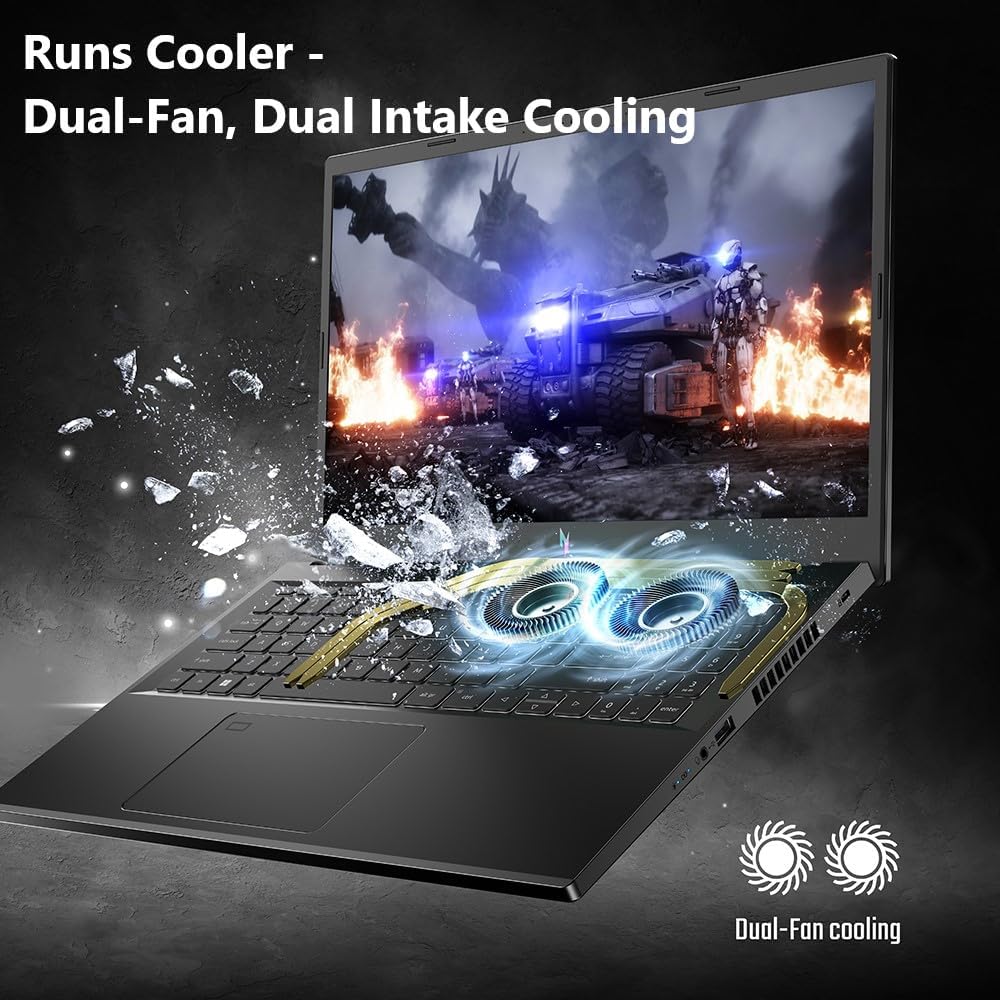
- memory Intel Core i9-13900H
- developer_board NVIDIA GeForce RTX 4060
- layers 16GB DDR5-5200MHz
- track_changes Target GPU: NVIDIA GeForce MX350, RTX 3050 Laptop (4GB), RTX 4050 Laptop (6GB). (Future-proof: RTX 5050 Laptop)

- memory Intel Core i9-14900HX
- developer_board NVIDIA GeForce RTX 4060
- layers 32GB DDR5-5600MHz
- track_changes Target GPU: NVIDIA GeForce MX350, RTX 3050 Laptop (4GB), RTX 4050 Laptop (6GB). (Future-proof: RTX 5050 Laptop)

- memory AMD Ryzen 7 7435HS
- developer_board NVIDIA GeForce RTX 3050
- layers 32GB DDR5-4800MHz
- track_changes Target GPU: NVIDIA GeForce RTX 3060 Laptop (6GB), RTX 4060 Laptop (8GB). (Future-proof: RTX 5060 Laptop)

- memory AMD Ryzen 9 8940HX Processor
- developer_board NVIDIA GeForce RTX 5060 Laptop GPU
- layers 32GB DDR5-5200MHz
- track_changes Target GPU: NVIDIA GeForce RTX 3060 Laptop (6GB), RTX 4060 Laptop (8GB). (Future-proof: RTX 5060 Laptop)

- memory AMD Ryzen 7 7445HS
- developer_board NVIDIA GeForce RTX 4050
- layers 16GB DDR5 5600MHz SO-DIMM
- track_changes Target GPU: NVIDIA GeForce RTX 3060 Laptop (6GB), RTX 4060 Laptop (8GB). (Future-proof: RTX 5060 Laptop)

- memory Intel Core i5-11400H
- developer_board NVIDIA GeForce RTX 2050
- layers 8GB DDR4-3200MHz
- track_changes Target GPU: NVIDIA GeForce RTX 3050 Laptop (4GB), RTX 4050 Laptop (6GB). (Future-proof: RTX 5050 Laptop)
- memory Intel Core i7-12700H
- developer_board NVIDIA GeForce RTX 3070
- layers 32GB DDR4-3200MHz
- track_changes Target GPU: NVIDIA GeForce RTX 3070 Laptop (8GB), RTX 4060 Laptop (8GB). (Future-proof: RTX 5060 Laptop)
- memory Intel Core i9-13900H
- developer_board NVIDIA GeForce RTX 4060
- layers 16GB DDR5-5200MHz
- track_changes Target GPU: NVIDIA GeForce RTX 3070 Laptop (8GB), RTX 4060 Laptop (8GB). (Future-proof: RTX 5060 Laptop)
- memory Intel Core i9-14900HX
- developer_board NVIDIA GeForce RTX 4060
- layers 32GB DDR5-5600MHz
- track_changes Target GPU: NVIDIA GeForce RTX 3070 Laptop (8GB), RTX 4060 Laptop (8GB). (Future-proof: RTX 5060 Laptop)

- memory Intel Core i9-14900HX
- developer_board NVIDIA GeForce RTX 4070
- layers 32GB DDR5-5600MHz
- track_changes Target GPU: NVIDIA GeForce RTX 3080 Ti Laptop (16GB), RTX 4080 Laptop (12GB), RTX 4090 Laptop (16GB). (Future-proof: RTX 5080 Laptop)

- memory Intel Core i9-14900HX
- developer_board NVIDIA GeForce RTX 4070
- layers 16GB DDR5-5600MHz
- track_changes Target GPU: NVIDIA GeForce RTX 3080 Ti Laptop (16GB), RTX 4080 Laptop (12GB), RTX 4090 Laptop (16GB). (Future-proof: RTX 5080 Laptop)
- memory AMD Ryzen 9 8940HX Processor
- developer_board NVIDIA GeForce RTX 5060 Laptop GPU
- layers 32GB DDR5-5200MHz
- track_changes Target GPU: NVIDIA GeForce RTX 3080 Ti Laptop (16GB), RTX 4080 Laptop (12GB), RTX 4090 Laptop (16GB). (Future-proof: RTX 5080 Laptop)
- memory Intel Core i7-12700H
- developer_board NVIDIA GeForce RTX 3070
- layers 32GB DDR4-3200MHz
- track_changes Target GPU: NVIDIA GeForce RTX 4060 Laptop (8GB), RTX 3070 Laptop (8GB). (Future-proof: RTX 5060 Laptop)
- memory Intel Core i9-13900H
- developer_board NVIDIA GeForce RTX 4060
- layers 16GB DDR5-5200MHz
- track_changes Target GPU: NVIDIA GeForce RTX 4060 Laptop (8GB), RTX 3070 Laptop (8GB). (Future-proof: RTX 5060 Laptop)
- memory Intel Core i9-14900HX
- developer_board NVIDIA GeForce RTX 4060
- layers 32GB DDR5-5600MHz
- track_changes Target GPU: NVIDIA GeForce RTX 4060 Laptop (8GB), RTX 3070 Laptop (8GB). (Future-proof: RTX 5060 Laptop)
For Shatterline Specifically
- memory Intel Core i7-12700H
- developer_board NVIDIA GeForce RTX 3070
- layers 32GB DDR4-3200MHz
- track_changes Target GPU: NVIDIA GeForce GTX 750 Ti
- memory Intel Core i9-13900H
- developer_board NVIDIA GeForce RTX 4060
- layers 16GB DDR5-5200MHz
- track_changes Target GPU: NVIDIA GeForce GTX 750 Ti
- memory Intel Core i9-14900HX
- developer_board NVIDIA GeForce RTX 4060
- layers 32GB DDR5-5600MHz
- track_changes Target GPU: NVIDIA GeForce GTX 750 Ti

- memory Intel Core i9-12900H
- developer_board NVIDIA GeForce RTX 3070 Ti
- layers 16GB DDR5-4800MHz
- track_changes Target GPU: NVIDIA GeForce GTX 750 Ti

- memory Intel Core i5-12450H
- developer_board NVIDIA GeForce RTX 3050
- layers 16GB DDR4-3200MHz
- track_changes Target GPU: NVIDIA GeForce GTX 750 Ti
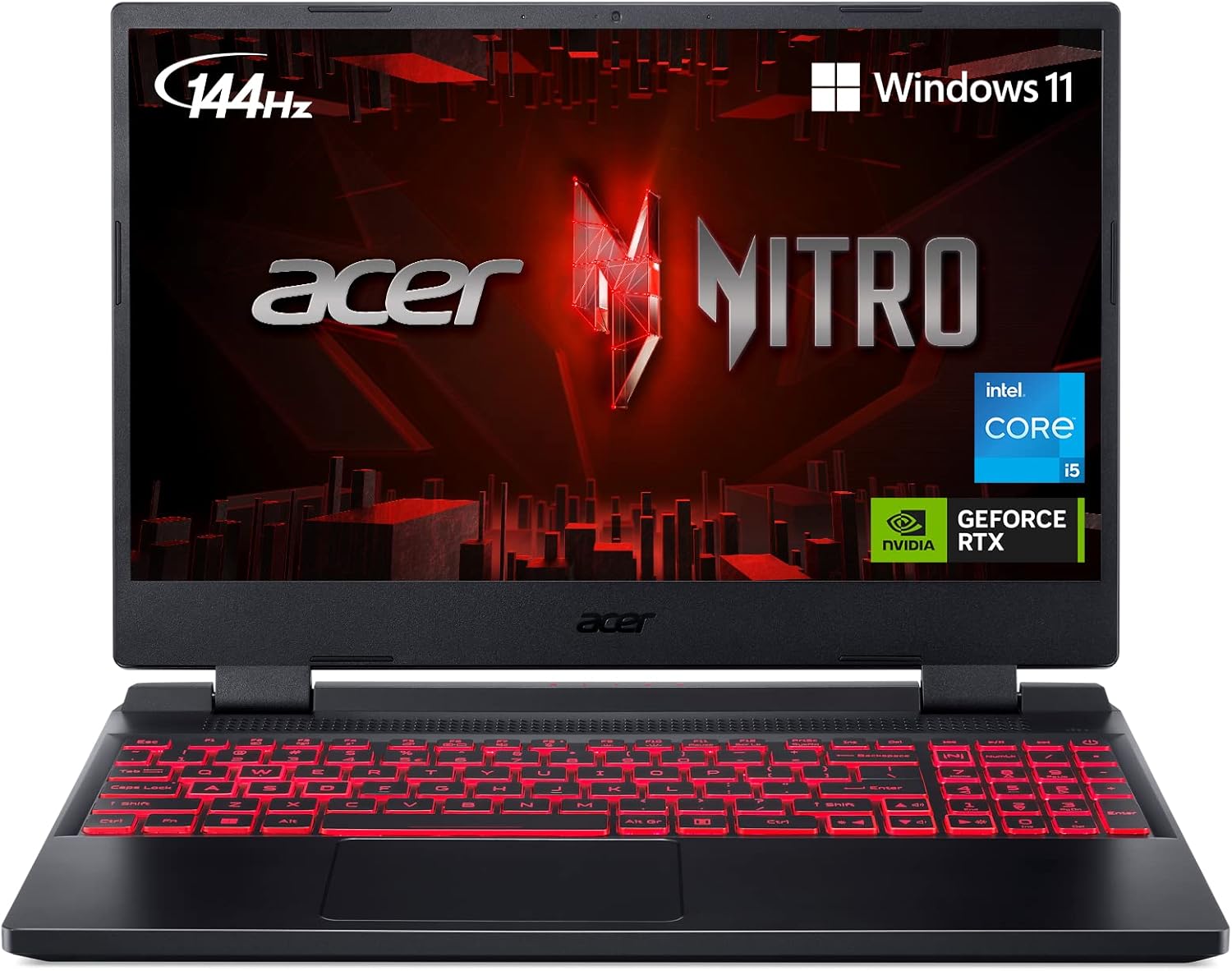
- memory Intel Core i5-12500H
- developer_board NVIDIA GeForce RTX 3050 Ti
- layers 16GB DDR4-3200MHz
- track_changes Target GPU: NVIDIA GeForce GTX 750 Ti
- memory AMD Ryzen 7 7435HS
- developer_board NVIDIA GeForce RTX 3050
- layers 32GB DDR5-4800MHz
- track_changes Target GPU: NVIDIA GeForce GTX 750 Ti

- memory AMD Ryzen 7 6800H
- developer_board NVIDIA GeForce RTX 3060
- layers 16GB DDR5-4800MHz
- track_changes Target GPU: NVIDIA GeForce GTX 750 Ti
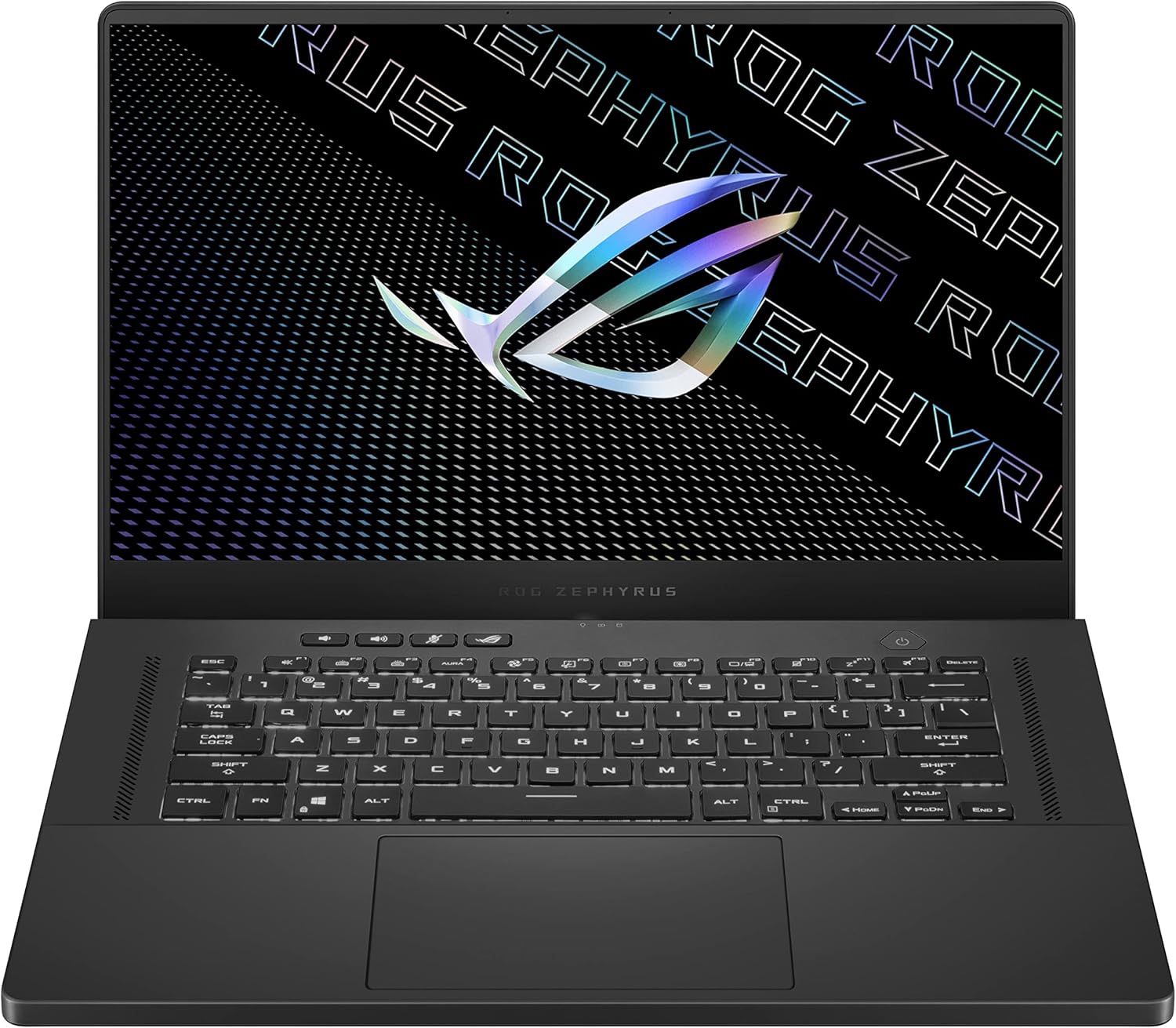
- memory AMD Ryzen 9 5900HS
- developer_board NVIDIA GeForce RTX 3080
- layers 16GB DDR4-3200MHz
- track_changes Target GPU: NVIDIA GeForce GTX 750 Ti

- memory Intel Core i7-13620H
- developer_board NVIDIA GeForce RTX 4070
- layers 16GB DDR5-4800MHz
- track_changes Target GPU: NVIDIA GeForce GTX 750 Ti
- memory AMD Ryzen 9 8940HX Processor
- developer_board NVIDIA GeForce RTX 5060 Laptop GPU
- layers 32GB DDR5-5200MHz
- track_changes Target GPU: NVIDIA GeForce GTX 1070
- memory AMD Ryzen 7 7445HS
- developer_board NVIDIA GeForce RTX 4050
- layers 16GB DDR5 5600MHz SO-DIMM
- track_changes Target GPU: NVIDIA GeForce GTX 1070

- memory AMD Ryzen 9 7845HX
- developer_board NVIDIA GeForce RTX 4080
- layers Up to 64GB DDR5
- track_changes Target GPU: NVIDIA GeForce GTX 1070

- memory Intel Core Ultra 9 285H (Series 2) , 14 cores (6 Performance cores + 8 Efficient cores), 20 threads
- developer_board NVIDIA GeForce RTX 5050 Laptop GPU
- layers 32GB (2x16GB) DDR5 8400MHz SO-DIMM
- track_changes Target GPU: NVIDIA GeForce GTX 1070

- memory Intel Core Ultra 9 285H
- developer_board NVIDIA GeForce RTX 5070
- layers 32GB (2x16GB) DDR5 4800MHz SO-DIMM
- track_changes Target GPU: NVIDIA GeForce GTX 1070

- memory Intel Core Ultra 9 275HX
- developer_board NVIDIA GeForce RTX 5070 Ti
- layers 32GB
- track_changes Target GPU: NVIDIA GeForce GTX 1070

- memory Intel Core Ultra 9 275HX
- developer_board NVIDIA GeForce RTX 5070 Ti Laptop GPU
- layers 32 GB DDR5 6400MHz (2x16GB)
- track_changes Target GPU: NVIDIA GeForce GTX 1070

- memory Intel Core Ultra 9 285HX
- developer_board NVIDIA GeForce RTX 5080
- layers 64GB DDR5-5600MHz
- track_changes Target GPU: NVIDIA GeForce GTX 1070

- memory Intel Core Ultra 9 275HX
- developer_board NVIDIA GeForce RTX 5080
- layers 32GB DDR5-6400MHz
- track_changes Target GPU: NVIDIA GeForce GTX 1070
- memory Intel Core i7-12700H
- developer_board NVIDIA GeForce RTX 3070
- layers 32GB DDR4-3200MHz
- track_changes Target GPU: NVIDIA GeForce RTX 3060 Ti (8GB) or AMD Radeon RX 6700 XT (12GB). (Future-proof: RTX 4060 Ti)
- memory Intel Core i9-13900H
- developer_board NVIDIA GeForce RTX 4060
- layers 16GB DDR5-5200MHz
- track_changes Target GPU: NVIDIA GeForce RTX 3060 Ti (8GB) or AMD Radeon RX 6700 XT (12GB). (Future-proof: RTX 4060 Ti)
- memory Intel Core i9-14900HX
- developer_board NVIDIA GeForce RTX 4060
- layers 32GB DDR5-5600MHz
- track_changes Target GPU: NVIDIA GeForce RTX 3060 Ti (8GB) or AMD Radeon RX 6700 XT (12GB). (Future-proof: RTX 4060 Ti)
- memory Intel Core i9-12900H
- developer_board NVIDIA GeForce RTX 3070 Ti
- layers 16GB DDR5-4800MHz
- track_changes Target GPU: NVIDIA GeForce RTX 3060 Ti (8GB) or AMD Radeon RX 6700 XT (12GB). (Future-proof: RTX 4060 Ti)
- memory AMD Ryzen 7 7435HS
- developer_board NVIDIA GeForce RTX 3050
- layers 32GB DDR5-4800MHz
- track_changes Target GPU: NVIDIA GeForce RTX 3060 Ti (8GB) or AMD Radeon RX 6700 XT (12GB). (Future-proof: RTX 4060 Ti)
- memory Intel Core i9-14900HX
- developer_board NVIDIA GeForce RTX 4070
- layers 32GB DDR5-5600MHz
- track_changes Target GPU: NVIDIA GeForce RTX 3060 Ti (8GB) or AMD Radeon RX 6700 XT (12GB). (Future-proof: RTX 4060 Ti)
- memory Intel Core i9-14900HX
- developer_board NVIDIA GeForce RTX 4070
- layers 16GB DDR5-5600MHz
- track_changes Target GPU: NVIDIA GeForce RTX 3060 Ti (8GB) or AMD Radeon RX 6700 XT (12GB). (Future-proof: RTX 4060 Ti)
- memory AMD Ryzen 9 8940HX Processor
- developer_board NVIDIA GeForce RTX 5060 Laptop GPU
- layers 32GB DDR5-5200MHz
- track_changes Target GPU: NVIDIA GeForce RTX 3060 Ti (8GB) or AMD Radeon RX 6700 XT (12GB). (Future-proof: RTX 4060 Ti)

- memory Intel Core i9-12950HX
- developer_board NVIDIA GeForce RTX 3080 Ti
- layers 32GB DDR5-4800MHz
- track_changes Target GPU: NVIDIA GeForce RTX 3060 Ti (8GB) or AMD Radeon RX 6700 XT (12GB). (Future-proof: RTX 4060 Ti)
- memory AMD Ryzen 7 7445HS
- developer_board NVIDIA GeForce RTX 4050
- layers 16GB DDR5 5600MHz SO-DIMM
- track_changes Target GPU: NVIDIA GeForce RTX 3060 Ti (8GB) or AMD Radeon RX 6700 XT (12GB). (Future-proof: RTX 4060 Ti)
- memory Intel Core i9-14900HX
- developer_board NVIDIA GeForce RTX 4070
- layers 32GB DDR5-5600MHz
- track_changes Target GPU: NVIDIA GeForce RTX 4070 Ti (12GB) or AMD Radeon RX 7900 XT (20GB). (Future-proof: RTX 5070)
- memory Intel Core i9-14900HX
- developer_board NVIDIA GeForce RTX 4070
- layers 16GB DDR5-5600MHz
- track_changes Target GPU: NVIDIA GeForce RTX 4070 Ti (12GB) or AMD Radeon RX 7900 XT (20GB). (Future-proof: RTX 5070)
- memory AMD Ryzen 9 8940HX Processor
- developer_board NVIDIA GeForce RTX 5060 Laptop GPU
- layers 32GB DDR5-5200MHz
- track_changes Target GPU: NVIDIA GeForce RTX 4070 Ti (12GB) or AMD Radeon RX 7900 XT (20GB). (Future-proof: RTX 5070)
- memory AMD Ryzen 7 7445HS
- developer_board NVIDIA GeForce RTX 4050
- layers 16GB DDR5 5600MHz SO-DIMM
- track_changes Target GPU: NVIDIA GeForce RTX 4070 Ti (12GB) or AMD Radeon RX 7900 XT (20GB). (Future-proof: RTX 5070)

- memory Intel Core i9-14900HX
- developer_board NVIDIA GeForce RTX 4080 Laptop GPU
- layers 64 GB DDR5-5600MHz
- track_changes Target GPU: NVIDIA GeForce RTX 4070 Ti (12GB) or AMD Radeon RX 7900 XT (20GB). (Future-proof: RTX 5070)

- memory Intel Core Ultra 9 Processor 275HX (Series 2)
- developer_board NVIDIA GeForce RTX 5070 Laptop GPU
- layers 32GB DDR5-5600MHz
- track_changes Target GPU: NVIDIA GeForce RTX 4070 Ti (12GB) or AMD Radeon RX 7900 XT (20GB). (Future-proof: RTX 5070)

- memory Intel Core i9-14900HX Processor
- developer_board NVIDIA GeForce RTX 5070 Laptop GPU
- layers 32GB DDR5-5600MHz
- track_changes Target GPU: NVIDIA GeForce RTX 4070 Ti (12GB) or AMD Radeon RX 7900 XT (20GB). (Future-proof: RTX 5070)

- memory Intel Core i9-14900HX Processor
- developer_board NVIDIA GeForce RTX 5070 Laptop GPU
- layers 32GB DDR5-5600MHz
- track_changes Target GPU: NVIDIA GeForce RTX 4070 Ti (12GB) or AMD Radeon RX 7900 XT (20GB). (Future-proof: RTX 5070)

- memory Intel Core Ultra 9 Processor 285H
- developer_board NVIDIA GeForce RTX 5070 Laptop GPU
- layers 16GB DDR5-5600MHz
- track_changes Target GPU: NVIDIA GeForce RTX 4070 Ti (12GB) or AMD Radeon RX 7900 XT (20GB). (Future-proof: RTX 5070)

- memory Intel Core i9-14900HX
- developer_board NVIDIA GeForce RTX 4080
- layers 64GB DDR5-5600MHz
- track_changes Target GPU: NVIDIA GeForce RTX 4070 Ti (12GB) or AMD Radeon RX 7900 XT (20GB). (Future-proof: RTX 5070)
For Hollow Knight: Silksong Specifically
- memory Intel Core i7-12700H
- developer_board NVIDIA GeForce RTX 3070
- layers 32GB DDR4-3200MHz
- track_changes Target GPU: NVIDIA GeForce GTX 560 or AMD Radeon HD 7770
- memory Intel Core i9-13900H
- developer_board NVIDIA GeForce RTX 4060
- layers 16GB DDR5-5200MHz
- track_changes Target GPU: NVIDIA GeForce GTX 560 or AMD Radeon HD 7770
- memory Intel Core i9-14900HX
- developer_board NVIDIA GeForce RTX 4060
- layers 32GB DDR5-5600MHz
- track_changes Target GPU: NVIDIA GeForce GTX 560 or AMD Radeon HD 7770
- memory Intel Core i9-12900H
- developer_board NVIDIA GeForce RTX 3070 Ti
- layers 16GB DDR5-4800MHz
- track_changes Target GPU: NVIDIA GeForce GTX 560 or AMD Radeon HD 7770
- memory AMD Ryzen 7 7435HS
- developer_board NVIDIA GeForce RTX 3050
- layers 32GB DDR5-4800MHz
- track_changes Target GPU: NVIDIA GeForce GTX 560 or AMD Radeon HD 7770
- memory AMD Ryzen 7 6800H
- developer_board NVIDIA GeForce RTX 3060
- layers 16GB DDR5-4800MHz
- track_changes Target GPU: NVIDIA GeForce GTX 560 or AMD Radeon HD 7770
- memory Intel Core i9-14900HX
- developer_board NVIDIA GeForce RTX 4070
- layers 32GB DDR5-5600MHz
- track_changes Target GPU: NVIDIA GeForce GTX 560 or AMD Radeon HD 7770
- memory Intel Core i9-14900HX
- developer_board NVIDIA GeForce RTX 4070
- layers 16GB DDR5-5600MHz
- track_changes Target GPU: NVIDIA GeForce GTX 560 or AMD Radeon HD 7770
- memory AMD Ryzen 9 8940HX Processor
- developer_board NVIDIA GeForce RTX 5060 Laptop GPU
- layers 32GB DDR5-5200MHz
- track_changes Target GPU: NVIDIA GeForce GTX 560 or AMD Radeon HD 7770
- memory Intel Core i9-12950HX
- developer_board NVIDIA GeForce RTX 3080 Ti
- layers 32GB DDR5-4800MHz
- track_changes Target GPU: NVIDIA GeForce GTX 560 or AMD Radeon HD 7770
- memory Intel Core i5-11400H
- developer_board NVIDIA GeForce RTX 2050
- layers 8GB DDR4-3200MHz
- track_changes Target GPU: NVIDIA GeForce GTX 970 or AMD Radeon RX 570
- memory Intel Core i5-12450H
- developer_board NVIDIA GeForce RTX 3050
- layers 16GB DDR4-3200MHz
- track_changes Target GPU: NVIDIA GeForce GTX 970 or AMD Radeon RX 570
- memory Intel Core i5-12500H
- developer_board NVIDIA GeForce RTX 3050 Ti
- layers 16GB DDR4-3200MHz
- track_changes Target GPU: NVIDIA GeForce GTX 970 or AMD Radeon RX 570
- memory AMD Ryzen 9 5900HS
- developer_board NVIDIA GeForce RTX 3080
- layers 16GB DDR4-3200MHz
- track_changes Target GPU: NVIDIA GeForce GTX 970 or AMD Radeon RX 570
- memory Intel Core i7-12700H
- developer_board NVIDIA GeForce RTX 3070
- layers 32GB DDR4-3200MHz
- track_changes Target GPU: NVIDIA GeForce RTX 3050 (8GB) or AMD Radeon RX 6600 (8GB)
- memory Intel Core i9-13900H
- developer_board NVIDIA GeForce RTX 4060
- layers 16GB DDR5-5200MHz
- track_changes Target GPU: NVIDIA GeForce RTX 3050 (8GB) or AMD Radeon RX 6600 (8GB)
- memory Intel Core i9-14900HX
- developer_board NVIDIA GeForce RTX 4060
- layers 32GB DDR5-5600MHz
- track_changes Target GPU: NVIDIA GeForce RTX 3050 (8GB) or AMD Radeon RX 6600 (8GB)
- memory Intel Core i9-12900H
- developer_board NVIDIA GeForce RTX 3070 Ti
- layers 16GB DDR5-4800MHz
- track_changes Target GPU: NVIDIA GeForce RTX 3050 (8GB) or AMD Radeon RX 6600 (8GB)
- memory AMD Ryzen 7 7435HS
- developer_board NVIDIA GeForce RTX 3050
- layers 32GB DDR5-4800MHz
- track_changes Target GPU: NVIDIA GeForce RTX 3050 (8GB) or AMD Radeon RX 6600 (8GB)
- memory AMD Ryzen 7 6800H
- developer_board NVIDIA GeForce RTX 3060
- layers 16GB DDR5-4800MHz
- track_changes Target GPU: NVIDIA GeForce RTX 3050 (8GB) or AMD Radeon RX 6600 (8GB)
- memory AMD Ryzen 9 5900HS
- developer_board NVIDIA GeForce RTX 3080
- layers 16GB DDR4-3200MHz
- track_changes Target GPU: NVIDIA GeForce RTX 3050 (8GB) or AMD Radeon RX 6600 (8GB)
- memory Intel Core i7-13620H
- developer_board NVIDIA GeForce RTX 4070
- layers 16GB DDR5-4800MHz
- track_changes Target GPU: NVIDIA GeForce RTX 3050 (8GB) or AMD Radeon RX 6600 (8GB)

- memory Intel Core i7-14700HX
- developer_board NVIDIA GeForce RTX 4070
- layers 16GB DDR5-5600MHz
- track_changes Target GPU: NVIDIA GeForce RTX 3050 (8GB) or AMD Radeon RX 6600 (8GB)
- memory Intel Core i9-14900HX
- developer_board NVIDIA GeForce RTX 4070
- layers 32GB DDR5-5600MHz
- track_changes Target GPU: NVIDIA GeForce RTX 3050 (8GB) or AMD Radeon RX 6600 (8GB)
- memory Intel Core i7-12700H
- developer_board NVIDIA GeForce RTX 3070
- layers 32GB DDR4-3200MHz
- track_changes Target GPU: NVIDIA GeForce RTX 4060 (8GB) or AMD Radeon RX 7600 (8GB)
- memory Intel Core i9-13900H
- developer_board NVIDIA GeForce RTX 4060
- layers 16GB DDR5-5200MHz
- track_changes Target GPU: NVIDIA GeForce RTX 4060 (8GB) or AMD Radeon RX 7600 (8GB)
- memory Intel Core i9-14900HX
- developer_board NVIDIA GeForce RTX 4060
- layers 32GB DDR5-5600MHz
- track_changes Target GPU: NVIDIA GeForce RTX 4060 (8GB) or AMD Radeon RX 7600 (8GB)
- memory Intel Core i9-12900H
- developer_board NVIDIA GeForce RTX 3070 Ti
- layers 16GB DDR5-4800MHz
- track_changes Target GPU: NVIDIA GeForce RTX 4060 (8GB) or AMD Radeon RX 7600 (8GB)
- memory AMD Ryzen 7 7435HS
- developer_board NVIDIA GeForce RTX 3050
- layers 32GB DDR5-4800MHz
- track_changes Target GPU: NVIDIA GeForce RTX 4060 (8GB) or AMD Radeon RX 7600 (8GB)
- memory AMD Ryzen 7 6800H
- developer_board NVIDIA GeForce RTX 3060
- layers 16GB DDR5-4800MHz
- track_changes Target GPU: NVIDIA GeForce RTX 4060 (8GB) or AMD Radeon RX 7600 (8GB)
- memory Intel Core i7-14700HX
- developer_board NVIDIA GeForce RTX 4070
- layers 16GB DDR5-5600MHz
- track_changes Target GPU: NVIDIA GeForce RTX 4060 (8GB) or AMD Radeon RX 7600 (8GB)
- memory Intel Core i9-14900HX
- developer_board NVIDIA GeForce RTX 4070
- layers 32GB DDR5-5600MHz
- track_changes Target GPU: NVIDIA GeForce RTX 4060 (8GB) or AMD Radeon RX 7600 (8GB)
- memory Intel Core i9-14900HX
- developer_board NVIDIA GeForce RTX 4070
- layers 16GB DDR5-5600MHz
- track_changes Target GPU: NVIDIA GeForce RTX 4060 (8GB) or AMD Radeon RX 7600 (8GB)
- memory AMD Ryzen 9 8940HX Processor
- developer_board NVIDIA GeForce RTX 5060 Laptop GPU
- layers 32GB DDR5-5200MHz
- track_changes Target GPU: NVIDIA GeForce RTX 4060 (8GB) or AMD Radeon RX 7600 (8GB)
info_outline Laptop recommendations are estimates based on available component benchmarks and game requirements. Actual performance may vary depending on settings, drivers, cooling, power limits, etc. Prices and availability subject to change. As an Amazon Associate, we earn from qualifying purchases.