Select Games to Compare

search close
search close

Select up to 2 games to compare side-by-side.

💻
Mobile Hardware & Thermal Intelligence (2026)
Gaming on a Laptop? Check Real-World Compatibility

Benchmark your exact mobile GPU wattage (TGP), battery throttling drops, and cooling pad requirements for these games.

Test Laptop Specs → ⚖️ Compare Laptops

Destiny 2 vs Half-Life: Alyx

close close
info General Information
Release Date
Sep 6, 2017 Mar 23, 2020
Developer
Bungie Valve
Publisher
Bungie Valve
Genre(s)
Action MMO, First-Person Shooter, Looter Shooter, Live-Service, Sci-Fi VR, First-Person Shooter, Action-Adventure, Sci-Fi, Horror
Engine
Tiger Engine Source 2 Engine
stars Ratings & Price
Content Rating
Teen Mature 17+
Avg. User Rating
4.1 / 5.0 4.9 / 5.0
Current Price (USD)
Free $59.99
tune Key Specs
Quick Highlights
  • Platforms: PC (Steam, Epic), PlayStation 4, PlayStation 5, Xbox One, Xbox Series X/S
  • Release Date: October 24, 2017 (PC Launch)
  • Perspective: First-Person (VR)
  • Multiplayer: None (Single-Player Only, with extensive mod support via Steam Workshop)
  • Setting: City 17 & surrounding areas, Earth (Between Half-Life 1 & Half-Life 2)
  • Platforms: PC (Windows - SteamVR Compatible)
  • Unique Feature: Flagship VR Title, Gravity Gloves Interaction, Unprecedented VR Immersion & Detail, Continuation of Half-Life Story, Source 2 Modding Tools.
sports_esports Gameplay & Mechanics
Companions/Followers
  • The Fireteam: The game is built around squads of up to 6 players. Combining different subclasses (e.g., a Warlock's Well of Radiance paired with a Hunter's Shadowshot) is mandatory for endgame success.
    Other Players
  • The Ghost: Your personal connection to the Traveler. It acts as your flashlight, hacks terminals, navigates the UI, and constantly resurrects you upon death.
    Sentient Machine
  • Russell (Via Radio Comms): While not physically present, Russell is Alyx's constant companion via radio communication. He provides mission objectives, guidance, technical support, lore exposition, and humorous commentary throughout the game. He is crucial for narrative progression and player guidance.
    Human
  • None (Physical AI Combat Companions): Alyx undertakes her physical journey through City 17 alone. She does not have any AI-controlled combat companions that follow her or fight alongside her in the traditional sense, emphasizing her vulnerability and resourcefulness in the VR environment.
Key Collectibles
  • Catalysts: Rare drops obtained by completing specific activities (like Vanguard Strikes). Once slotted into an Exotic weapon, they require hundreds of kills to unlock, significantly boosting the weapon's stats.
  • Titles / Seals: Displayed as purple or gold text under a player's name in social spaces. Earned by completing massive, specific checklists of triumphs (e.g., 'Descendant', 'Iron Lord').
  • Ghost Shells: Cosmetic overrides for your floating companion. They can look like anything from a traditional geometric shell to a floating vinyl record, a cat, or an inner tube.
  • Resin: Small, orange, cylindrical pieces of Combine material found scattered throughout all levels, often in crates, shelves, or hidden nooks. Collected and used at Combine Fabricator stations to upgrade Alyx's three main weapons (Pistol, Shotgun, SMG).
  • Ammo (Pistol Clips, Shotgun Shells, SMG Power Cells): Found in Combine supply crates, on defeated enemies, or in the environment. Essential for combat. Alyx can store a limited amount on her person and in her backpack.
  • Health Syringes: Medical items that restore Alyx's health. Found in medical kits, bathrooms, or sometimes dropped by Combine medics. Stored in wrist slots for quick access.
  • Combine Grenades: Standard fragmentation grenades used by the Combine. Can be found in the environment or taken from defeated enemies. Stored in wrist slots.
  • Grub Nests / Antlion Grubs (Healing Items - Minor): In Xen-infested areas, Alyx can find Antlion grubs in nests. Crushing them provides a small amount of healing. A nod to Half-Life 2: Episode Two.
  • Vodka Bottles (For Jeff sequence): Specific to Chapter 7: Jeff. Vodka bottles are used as throwable distractions to lure the sound-sensitive creature Jeff away from Alyx's path.
  • Battery Cells (For Multi-Tool Puzzles): Small cylindrical batteries that must be found and inserted into specific slots to power up doors, lifts, or other machinery as part of environmental puzzles solved with the Multi-Tool.
  • Hidden Gnome Chompski (Easter Egg): A single, well-hidden garden gnome. Finding it and carrying it to a specific later point in the game unlocks an achievement, referencing a long-running Valve gag.
Key Themes
  • Space Magic
  • Alien Invasions
  • Looter Shooter
  • Live-Service
  • Post-Apocalyptic Sci-Fi
  • Fireteam Co-Op
  • Alien Occupation & Resistance
  • Father-Daughter Relationship
  • Hope in Oppression
  • Scientific Discovery & Peril
  • Body Horror (Headcrabs
  • Xen Creatures)
  • Totalitarian Control (The Combine)
  • VR Immersion
  • Prequel Story
  • Environmental Storytelling
colorize Combat & Gear
Weapons Overview
  • Hand Cannons: Primary / Precision Weapon
    The most iconic weapon archetype in Destiny. Heavy-hitting, revolver-style weapons that reward precision aiming and dominate the competitive PvP meta.
  • Fusion Rifles: Special Weapon
    Unique to the Destiny universe, these energy weapons require a brief charge-up time before unleashing a devastating, vaporizing burst of elemental bolts.
  • Rocket Launchers / Swords: Heavy Weapon
    Equipped in the Power slot, these weapons utilize highly restricted purple ammunition but deal massive burst damage required to complete Raid boss DPS phases.
  • Pistol (USP Match / Alyx's Pistol): Handgun (Semi-Automatic)
    Alyx's starting weapon. A reliable semi-automatic pistol. Can be upgraded with a reflex sight, laser sight, extended magazine, and a burst fire module.
  • Shotgun (Modified Winchester 1887 / 'Old Reliable'): Shotgun (Pump-Action/Lever-Action Hybrid)
    A powerful close-quarters weapon. Can be upgraded with a laser sight, double shot capability (fires two shells at once), and a grenade launcher attachment (fires explosive grenades).
  • SMG (Combine Pulse Submachine Gun): Submachine Gun (Automatic)
    A rapid-firing Combine weapon. Can be upgraded with an extended magazine, laser sight, and reflex sight. Effective against groups or for sustained fire.
  • Gravity Gloves ('Russells'): Utility Tool / Pseudo-Weapon
    Not a traditional weapon, but Alyx's primary tool for interacting with the environment. Allows her to target and flick distant objects (ammo, Resin, health syringes, physics objects) into her hands. Can be used offensively by throwing explosive objects or heavy items at enemies.
  • Grenades (Combine Grenades): Throwable Explosive
    Standard fragmentation grenades found in the environment or dropped by Combine soldiers. Can be stored in wrist slots and thrown physically by the player.
  • Multi-Tool: Utility Tool (Hacking/Puzzle Solving)
    A handheld device used to hack Combine interfaces, disable force fields, solve electrical circuit puzzles by redirecting power, and scan objects for information.
  • Xen Grenades / Snarks (Implied/Contextual): Organic Throwable (From Xen Creatures)
    Players can often find and throw explosive Xen flora (like 'Boom Blobs') or potentially use Snark-like creatures found in specific containers, though these are environmental interactions rather than equippable weapons.
Armor / Gear Sets
  • Exotic Armor: Players can only equip one Exotic armor piece at a time. These pieces grant massive, build-defining perks, such as providing an extra grenade charge or altering how a Super ability functions.
  • Artifice Armor: The highest tier of legendary armor, earned exclusively by completing Master-level Dungeons. It provides an extra mod slot for a free +3 stat boost, essential for min-maxing builds.
  • Armor Synthesis (Transmog): The cosmetic system that allows players to take the visual appearance of any armor piece they have ever collected and apply it to their currently equipped, high-stat gear.
  • No Equipable Armor System: Alyx Vance does not have an equipable armor system where players can find or upgrade different pieces of armor for stat boosts. Her survivability is based on her base health, which can be restored using Health Syringes found in the environment or from Health Stations. Player skill in combat, using cover effectively, and managing resources are key to survival.
  • Health Syringes & Health Stations: Health Syringes are consumable items stored in Alyx's wrist slots that provide instant healing. Wall-mounted Health Stations can also be found, allowing Alyx to restore her health by interacting with them (often requiring a puzzle or power to activate).
Outfits/Customization
  • Titan Marks: The distinct class item for Titans, consisting of a cloth badge worn on the hip, representing their order, history, and martial discipline.
  • Hunter Cloaks: The iconic class item for Hunters. A massive cape and hood that defines their rogue-like aesthetic, offering the most visible customization in the game.
  • Warlock Bonds: The subtle class item for Warlocks, worn as a glowing, holographic armband on the bicep to signify their arcane mastery.
  • Alyx Vance's Standard Attire: Alyx wears a consistent outfit throughout the game, consisting of a practical jacket (often with a Black Mesa logo reference), shirt, pants, and her iconic fingerless gloves which house her health/ammo display and are part of the Gravity Glove system. There are no player-controlled clothing customization options for Alyx; her appearance is fixed for the narrative.
  • Gravity Gloves ('Russells'): These are a key piece of Alyx's gear, not clothing in the traditional sense, but visually distinct. They are black and yellow and integral to her ability to interact with the VR world. They are not customizable in appearance.
trending_up Progression & Upgrades
Skills & Progression

Progression relies on two main pillars: Power Level (increased by equipping higher-stat loot) and Subclass customization. Players choose from three classes (Titan, Hunter, Warlock), each featuring distinct movement mechanics and class abilities (barricades, dodges, rifts). Using the updated 'Subclass 3.0' system, players deeply customize their elemental subclasses (Solar, Arc, Void, Stasis, Strand) by equipping 'Aspects' and 'Fragments' that dictate how their abilities synergize. 'The Final Shape' introduced the 'Prismatic' subclass, allowing players to transcend boundaries and mix abilities from both Light and Darkness simultaneously. Power is further customized via an intricate armor modding system, allowing for specialized builds focused on grenade spam, melee damage, or healing.

N/A
public World & Exploration
World & Level Design

Destiny 2 is not a single open world, but a collection of massive, distinct sandbox destinations. Players orbit the solar system via a Director menu, choosing to land on beautifully crafted patrol zones. These include the overgrown ruins of the European Dead Zone (EDZ), the Vex-transformed landscapes of Nessus, the frozen, golden-age ruins of Europa, the treacherous Throne World of Savathûn, the neon-cyberpunk city of Neomuna on Neptune, and the surreal, fractured reality of The Pale Heart inside the Traveler. Each region acts as a public space where players seamlessly encounter each other to complete public events, find hidden Lost Sectors, and initiate specific strikes or story missions.

N/A
Playable Vehicles
  • The Sparrow: Hover Bike
    The primary transport vehicle used to rapidly traverse the massive planetary patrol zones. They are highly customizable and can be summoned instantly.
  • The Skimmer: Hoverboard
    Introduced recently, this vehicle functions like a Sparrow but allows players to grind on rails, jump, and perform tricks, completely changing traversal dynamics.
  • Jumpship: Spacecraft
    Your personal spacecraft. While you do not pilot it manually in combat, it serves as your customizable transport seen flying in orbit during loading screens.
  • None (Player Controlled for General Traversal)
    Alyx Vance traverses all environments on foot using various VR locomotion options (Teleport, Shift, Continuous). There are no player-controlled vehicles like cars, bikes, or aircraft for general navigation in the game.
  • Combine Razor Train (Contextual / Environmental): Mass Transit / Enemy Transport
    The iconic Combine Razor Trains are present in City 17's environment and feature in some scripted sequences or as background elements, but Alyx does not pilot or directly control them.
  • Lifts & Elevators (Environmental): Mechanical Traversal
    Various lifts and elevators are found within levels, providing vertical traversal. Alyx interacts with them to move between floors or different sections of a facility.
Notable Fauna/Mounts
  • The Pouka: Paracausal Entity
    Mysterious, flying, fish-like creatures originally discovered by Elsie Bray, closely tied to the planet Neomuna and the discovery of the Strand subclass.
  • War Beasts: Cabal Fauna
    Vicious, heavily armored dog-like creatures utilized by the Cabal military empire to aggressively swarm Guardians in packs.
  • Starcats: Ethereal Feline
    Hidden, ghostly cats found throughout the Dreaming City and Riven's Lair, serving as cute, highly sought-after collectibles.
N/A
book Story & Characters
Main Characters
  • The Guardian: Player Avatar
    The mostly-silent protagonist. Resurrected from the dead with no memories, they rise to become the legendary savior of the Last City.
  • Savathûn: The Witch Queen
    The Hive God of Cunning and Lies. A brilliantly written antagonist who manages to steal the Traveler's Light, blurring the lines between friend, foe, and manipulator.
  • Ikora Rey: Warlock Vanguard
    The undisputed champion of the Crucible and leader of the Warlocks. She provides wisdom, intelligence gathering via her 'Hidden' network, and immense raw power.
  • Alyx Vance: Protagonist / Resistance Fighter
    The main playable character. A resourceful and skilled member of the human resistance against the Combine. Daughter of Dr. Eli Vance. She is determined, witty, and possesses a strong moral compass. The game explores her capabilities and resolve before she meets Gordon Freeman.
  • Eli Vance: Supporting Character / Resistance Leader / Scientist
    Alyx's father, a brilliant scientist formerly of Black Mesa and a key leader in the resistance. His capture by the Combine at the start of the game is the catalyst for Alyx's mission.
  • Russell: Ally / Resistance Technician & Inventor
    A quirky and humorous resistance member who communicates with Alyx via radio throughout her journey. He provides technical support, guidance, and invents crucial gear for Alyx, including the Gravity Gloves (which he calls 'Russells').
  • Combine Overwatch (Various Voices/Units): Primary Antagonistic Force
    The military arm of the interdimensional Combine empire occupying Earth. They are cold, calculating, and technologically superior. Communicate via standardized radio chatter. Alyx confronts various soldier types and their technology.
  • Vortigaunts: Allies / Enslaved Alien Species
    An alien species from Xen, formerly enslaved by the Nihilanth and now also oppressed by the Combine. Some Vortigaunts aid the resistance and Alyx, possessing unique energy-based abilities and cryptic wisdom.
  • G-Man (Brief Appearance/Reference): Enigmatic Interdimensional Figure
    The mysterious, pan-dimensional 'bureaucrat' who has influenced events throughout the Half-Life series. His presence is felt, and he makes a pivotal appearance that recontextualizes past and future events.
  • Dr. Judith Mossman (Mentioned/Implied): Scientist / Double Agent
    While not directly appearing in person for most of the game, her actions and involvement with Eli Vance and the Combine are referenced, linking to the broader Half-Life narrative.
  • Headcrabs, Zombies, Barnacles, etc. (Xen Creatures): Antagonistic Fauna/Flora
    Various hostile lifeforms originating from the borderworld Xen, now infesting parts of City 17 due to Combine activity or portals.
Example Missions
  • Campaign Missions: Story
    Cinematic, narrative-driven missions designed to be played alone or with up to 2 friends. Recent expansions introduced 'Legendary' difficulty, providing a brutal, highly rewarding challenge.
  • Raids: Pinnacle PvE
    The pinnacle of PvE. A 6-player activity lacking matchmaking that requires perfect communication, puzzle-solving, and optimized DPS builds to defeat massive, complex bosses.
  • Trials of Osiris: Pinnacle PvP
    The sweatiest, most competitive PvP mode in the game. A 3v3 elimination tournament available only on weekends where players must string together 7 consecutive wins (going 'Flawless') to reach the Lighthouse.
  • Main Story Chapters (Approximately 11 Chapters)
    A linear series of chapters that progress the narrative of Alyx Vance's mission to rescue her father, Eli Vance, from the Combine. This involves navigating various sectors of City 17, infiltrating Combine facilities, confronting Xen creatures, solving environmental puzzles using VR interactions and the Multi-Tool, and ultimately reaching a massive Combine Vault. Each chapter presents unique environments, challenges, and story developments.
  • Environmental Puzzle Solving
    Throughout the levels, Alyx must solve various environmental puzzles to progress. These often involve using the Gravity Gloves to manipulate objects, finding and placing battery cells, rewiring circuits with the Multi-Tool (involving 3D holographic puzzles), disabling Combine security systems, or navigating hazardous terrain.
  • Combat Encounters (Combine & Xen)
    Engage in intense first-person combat against Combine soldiers (various types with different weapons and tactics) and hostile Xen creatures (Headcrabs, Zombies, Barnacles, etc.). Combat emphasizes physically aiming, reloading weapons, using cover, and utilizing throwable items like grenades or environmental explosives.
  • Stealth Sequences & Evasion
    Certain sections require or encourage stealthy approaches to bypass heavily armed Combine patrols, avoid waking dormant enemies, or navigate areas with unkillable threats like Jeff. This involves using cover, distractions, and careful movement.
  • Resource Scavenging & Management
    Continuously search the environment for vital resources: Resin (for weapon upgrades), ammunition for Alyx's three firearms, health syringes, Combine grenades, and other useful items. Efficiently managing these limited resources is key to survival.
  • Weapon Upgrading (At Combine Fabricators)
    Locate Combine fabricator stations and spend collected Resin to unlock and apply various upgrades to Alyx's pistol, shotgun, and SMG, enhancing their capabilities (e.g., adding sights, extended magazines, alternate fire modes like a grenade launcher).
people Multiplayer
Multiplayer Details

The game is inherently multiplayer. PvE activities range from 3-player matchmade 'Vanguard Ops' (Strikes) and narrative missions to brutally difficult 3-player 'Dungeons' and pinnacle 6-player 'Raids' (like the Vault of Glass or Salvation's Edge) that require intense communication and lack matchmaking. Competitive PvP is handled in 'The Crucible', featuring modes like Control, Clash, and the highly competitive 3v3 weekend tournament, 'Trials of Osiris'. Additionally, 'Gambit' offers a unique PvPvE hybrid where two teams race to clear AI enemies and bank motes while invading each other's arenas.

Half-Life: Alyx is a purely single-player experience. There are no official multiplayer modes. Community-created mods might explore multiplayer concepts, but these are not part of the base game.

extension Editions & DLC
Available Editions

Destiny 2 is fundamentally free-to-play ('New Light'), offering access to core playlists (Strikes, Crucible, Gambit) and select patrol zones. However, the bulk of the content relies on purchasing expansions. Players can buy standalone expansions (such as The Witch Queen, Lightfall, or The Final Shape) or purchase bundles like the 'Legacy Collection' to access older campaigns, raids, and exotic quests. The game transitioned from a seasonal model to an 'Episodic' structure following The Final Shape, with three massive acts per episode (e.g., Echoes, Revenant, Heresy) offering continuous story beats and loot.

Half-Life: Alyx was released as a single digital edition on Steam. Owners of the Valve Index VR headset received the game for free. There were no special or collector's physical editions announced by Valve.

Post-Launch Content / DLC

Destiny 2 is the quintessential live-service game. Its post-launch model relies on major yearly expansions that advance the overarching narrative, add entirely new destinations, and introduce new subclasses or mechanics. Between expansions, the game receives continuous updates via its Episodic format (formerly Seasons), which introduce new 3-player and 6-player matchmade activities, exotic missions, and Battle Pass rewards. Bungie also frequently updates the game with sandbox balancing patches, holiday events (Festival of the Lost, The Dawning), and quality-of-life overhauls.

Valve released extensive modding tools (Source 2 SDK) for Half-Life: Alyx, leading to a vibrant community workshop scene with numerous custom maps, campaigns, and experiences created by users. No official story DLC or expansions have been released by Valve for Alyx.

help_outline FAQ
Frequently Asked Questions
  • Q: Do I have to pay to play Destiny 2?
    A: The base game ('New Light') is free-to-play, allowing access to strikes, PvP, and patrol zones. However, to experience the campaigns, raids, and acquire the best exotic weapons, you must purchase the yearly expansions.
  • Q: Can I play solo?
    A: Yes, all story campaigns, patrol zones, and lost sectors can be played entirely solo. However, endgame activities like Raids and Dungeons require a pre-made fireteam and cannot be reasonably completed alone.
  • Q: What is the 'DCV' (Destiny Content Vault)?
    A: A highly controversial practice where Bungie removed older, paid expansions (like the original Red War campaign and Forsaken) from the game to reduce the overall file size and maintenance burden. Bungie has stated they will no longer vault expansion content moving forward.
  • Q: Do I need to know the lore to enjoy the game?
    A: No. The gunplay and loot grind are exceptional on their own. However, the lore is incredibly deep, and understanding the overarching 10-year narrative significantly enhances the emotional impact of the expansions.
  • Q: Is Half-Life: Alyx a VR-only game?
    A: Yes, Half-Life: Alyx was designed from the ground up exclusively for virtual reality and requires a compatible PC VR headset (like Valve Index, HTC Vive, Oculus Rift/Quest with Link, Windows Mixed Reality) and motion controllers to play.
  • Q: Where does Half-Life: Alyx fit into the Half-Life timeline?
    A: Half-Life: Alyx is a prequel set between the events of the original Half-Life and Half-Life 2. It takes place five years before Gordon Freeman's return in Half-Life 2.
  • Q: Do I need to have played previous Half-Life games to understand Alyx?
    A: While Half-Life: Alyx tells a self-contained story focused on Alyx Vance, familiarity with the Half-Life universe, characters (like Eli Vance, G-Man), and the Combine will significantly enhance the appreciation of its narrative, lore, and the impact of its ending. However, it can still be enjoyed by newcomers.
  • Q: What are the 'Russells' or Gravity Gloves?
    A: The Gravity Gloves, nicknamed 'Russells' by Alyx after their inventor, are a pair of gloves that allow her to target distant objects and flick her wrist to pull them towards her through the air. They are a core VR mechanic for interaction, looting, and puzzle-solving.
  • Q: How long is Half-Life: Alyx?
    A: A typical playthrough of the main story campaign takes around 12-15 hours, though this can vary depending on exploration, puzzle difficulty, and player skill. The Steam Workshop offers many additional hours of community-created content.
  • Q: Does Half-Life: Alyx have mod support?
    A: Yes, Valve released official modding tools (Source 2 SDK) for Half-Life: Alyx, which has led to a thriving modding community creating custom maps, new campaigns, gameplay modifications, and other experiences available through the Steam Workshop.
build Technical Details
Graphics & Visual Fidelity

Powered by the Tiger Engine, Destiny 2 features breathtaking art direction that often masks its aging technological foundation. The game is famous for its awe-inspiring skyboxes—massive, painted backdrops of shattered planets, colossal alien dreadnoughts, and swirling nebulas that make every destination feel overwhelmingly vast. The character and weapon models are meticulously detailed, and the particle effects during combat—especially when multiple Supers are cast simultaneously—are vibrant and chaotic. The visual distinctness of its alien races and their architecture is a masterclass in sci-fi design.

Developed on the Source 2 Engine, Half-Life: Alyx sets a new benchmark for visual fidelity and detail in VR. It features incredibly realistic environments with high-resolution textures, advanced lighting and shadow effects, and detailed character/enemy models. The level of interactivity with objects in the environment is exceptional, designed to leverage VR capabilities. The game is renowned for its atmospheric and immersive world.

Audio & Soundtrack

The auditory experience is universally praised as one of the best in gaming. The sound design for weapons is incredibly punchy and distinct; veterans can identify which gun is firing across a map solely by its sound. The musical score, originally featuring work by Michael Salvatori and Skye Lewin, is sweeping, heroic, and emotional, transitioning from somber, atmospheric choruses in deep space to adrenaline-pumping synth and orchestral anthems during raid boss DPS phases.

Original score composed by Mike Morasky, featuring atmospheric electronic and orchestral pieces that build tension, enhance horror, and underscore dramatic moments. Sound design is crucial for VR immersion, with highly realistic spatial audio, distinct enemy vocalizations (Combine radio chatter, Headcrab screeches, Barnacle clicks), and impactful weapon sounds. Environmental audio plays a key role in detecting threats and navigating.

User Interface (UI/UX)

The UI is clean and highly stylized, famously popularizing the free-moving cursor system on gamepads. The 'Director' acts as the central hub for launching activities, navigating planets, and tracking quests. The character screen provides a clean layout of equipped weapons, armor, power levels, and subclass configuration. The game features an extensive 'Collections' tab to track acquired gear and a 'Triumphs' menu that acts as an in-game achievement system, rewarding players with equippable Titles (like 'Conqueror' or 'Godslayer') for completing grueling challenges.

Designed for VR immersion. Health and ammo are displayed on Alyx's left glove. Weapon selection is often done by reaching over the shoulder or via a wrist-mounted menu. The Gravity Gloves provide intuitive object interaction. Inventory (syringes, grenades, Resin) is managed via wrist slots or a backpack accessible by reaching behind the shoulder. Minimal on-screen HUD elements to maximize immersion.

Accessibility Options

Bungie has heavily invested in accessibility features over the years. The game includes robust colorblind modes that completely overhaul the radar and shield colors to assist visually impaired players. It features fully remappable controls on both keyboard and gamepad, toggleable sprint and aim functions, full-auto melee settings, and customizable subtitle sizes/backgrounds. Additionally, a major update introduced 'Full Auto Retrofit' functionally as an intrinsic option for all weapons, significantly reducing hand strain.

N/A
Gameplay Video
launchWatch launchWatch
Walkthrough/Guide
launchView launchView
settings_applications System Requirements
1080p (Full HD) - Recommended (High Preset, 1080p (60+ FPS Target))
CPU: Official recommended processors, providing enough multi-threaded overhead to eliminate stuttering during 6-player raid encounters.
CPU (Laptop): Ensures perfectly fluid frame pacing, critical for maintaining aiming consistency in the Crucible.
GPU: The official recommended GPUs have the rasterization power to max out textures and lighting at 1080p.
GPU (Laptop): Delivers a perfect, locked 60+ FPS experience on a portable display with maximum visual fidelity.
RAM: The official recommended memory, though 16GB is practically required for modern Windows overhead.
Storage: NVMe SSD highly recommended.
memoryCPU: Intel Core i5-2400 3.4 GHz / i5-7400 3.5 GHz or AMD Ryzen R5 1600X 3.6 GHz
developer_boardGPU: NVIDIA GeForce GTX 970 4GB / GTX 1060 6GB or AMD R9 390 8GB
laptop_macCPU (L): Intel Core i7-9750H / AMD Ryzen 7 4800H
laptop_windowsGPU (L): NVIDIA GeForce RTX 3060 Mobile / RTX 4050 Mobile
layersRAM: 8 GB
saveStorage (Tier): 150 GB available space
—
1080p (Full HD) - VR Minimum (Mapped to '1080p' key for structural consistency) (Targets baseline VR performance, suitable for Low/Medium in-game fidelity settings. Actual render resolution depends on the VR headset used.)
CPU: Official minimum desktop CPU required to run Half-Life: Alyx.
CPU (Laptop): Estimated laptop CPU equivalent. VR is demanding; ensure the laptop can sustain performance without overheating.
GPU: Official minimum desktop GPU required for Half-Life: Alyx. Must have appropriate video outputs for your VR headset.
GPU (Laptop): Estimated laptop GPUs. Ensure the laptop GPU is not a significantly lower-power variant and has the required VRAM.
RAM: 12 GB of system RAM is the official minimum requirement.
Storage: SSD installation is strongly recommended for the best experience in VR to minimize load times and asset streaming issues.
—
memoryCPU: Intel Core i5-7500 or AMD Ryzen 5 1600
developer_boardGPU: NVIDIA GeForce GTX 1060 (6GB VRAM) or AMD Radeon RX 580 (8GB VRAM)
laptop_macCPU (L): Intel Core i7-7700HQ / AMD Ryzen 5 3550H equivalent or better.
laptop_windowsGPU (L): NVIDIA GeForce GTX 1060 Mobile (6GB, full desktop equivalent performance) / GTX 1660 Ti Mobile or AMD Radeon RX 5500M (with sufficient VRAM and performance).
layersRAM: 12 GB
saveStorage (Tier): ~70 GB (SSD Recommended)
1080p (Full HD) - Minimum (Low/Medium Preset, 1080p (30-60 FPS Target))
CPU: The official minimum processors. These older CPUs are the bare minimum to run the game logic and handle basic patrol zones.
CPU (Laptop): Entry-level quad-core mobile CPUs comfortably exceed the minimums and will run the game smoothly.
GPU: The official minimum GPUs. The 2GB VRAM buffer is incredibly small by modern standards and necessitates strictly low settings.
GPU (Laptop): Capable of providing a highly playable 1080p experience at 60 FPS on medium settings.
RAM: Official minimum required system memory.
Storage: SSD strongly recommended to prevent multi-minute load times when flying into the Tower hub.
memoryCPU: Intel Core i3-3250 3.5 GHz / Intel Pentium G4560 3.5 GHz or AMD FX-4350 4.2 GHz
developer_boardGPU: NVIDIA GeForce GTX 660 2GB / GTX 1050 2GB or AMD Radeon HD 7850 2GB
laptop_macCPU (L): Intel Core i5-8300H / AMD Ryzen 5 3550H
laptop_windowsGPU (L): NVIDIA GeForce GTX 1650 Mobile
layersRAM: 6 GB
saveStorage (Tier): 150 GB available space
—
1440p (QHD/2K) - Enthusiast (Highest Preset, 1440p (60-144 FPS Target))
CPU: Modern mid-to-high end CPUs provide massive overhead, ensuring that complex particle effects and enemy spawns don't halt the render thread.
CPU (Laptop): Easily powers the game's logic while driving high-refresh-rate 1440p laptop displays.
GPU: Handles the increased pixel count cleanly, ensuring sharp visuals on the intricate armor sets and alien architecture.
GPU (Laptop): Provides the necessary compute overhead for 1440p rendering on portable panels.
RAM: Optimal configuration for running the game alongside Discord and browser tabs.
Storage: NVMe SSD.
memoryCPU: Intel Core i5-11600K / AMD Ryzen 5 5600X
developer_boardGPU: NVIDIA GeForce RTX 3060 Ti / AMD Radeon RX 6700 XT
laptop_macCPU (L): Intel Core i7-11800H / AMD Ryzen 7 5800H
laptop_windowsGPU (L): NVIDIA GeForce RTX 3070 Mobile / RTX 4060 Mobile
layersRAM: 16 GB
saveStorage (Tier): 150 GB available space
—
1440p (QHD/2K) - VR Recommended (Mapped to '1440p' key for structural consistency) (Targets higher fidelity VR performance, suitable for High in-game fidelity settings. Actual render resolution depends on the VR headset used.)
CPU: Official recommended desktop CPU for a smoother and more consistent Half-Life: Alyx experience.
CPU (Laptop): Estimated higher-performance laptop CPUs to better handle VR demands at higher settings.
GPU: Official recommended desktop GPU for playing Half-Life: Alyx at higher fidelity settings.
GPU (Laptop): Estimated performance-focused laptop GPUs. High TGP and good thermal design are critical for these higher-end mobile GPUs in VR.
RAM: 16 GB of system RAM is officially recommended for improved performance and stability at higher settings.
Storage: SSD installation is strongly recommended.
—
memoryCPU: Intel Core i7-9700K or AMD Ryzen 5 3600
developer_boardGPU: NVIDIA GeForce RTX 2070 Super (8GB VRAM) or AMD Radeon RX 5700 XT (8GB VRAM)
laptop_macCPU (L): Intel Core i7-10750H / AMD Ryzen 7 4800H equivalent or better.
laptop_windowsGPU (L): NVIDIA GeForce RTX 2070 Super Mobile / RTX 2080 Mobile / RTX 3060 Mobile (High TGP variants) or AMD Radeon RX 6700M / RX 6800M.
layersRAM: 16 GB
saveStorage (Tier): ~70 GB (SSD Recommended)
2160p (UHD/4K) - Extreme VR (Max Fidelity & Supersampling - '2160p' key used for structure) (Ultra in-game fidelity, significant supersampling (e.g., 150%-200%+ on high-resolution headsets) to achieve maximum visual clarity. Targets highest stable framerate supported by top-tier VR headsets (e.g., 90Hz, 120Hz+).)
CPU: Top-tier desktop CPUs required to minimize any potential bottlenecks when pushing extreme VR resolutions and maintaining high, stable framerates.
CPU (Laptop): Absolute flagship laptop CPUs. Performance will still be below desktop counterparts and heavily dependent on laptop cooling and power delivery.
GPU: Flagship desktop GPUs with maximum available VRAM essential for driving very high VR resolutions with supersampling and ultra settings.
GPU (Laptop): The most powerful laptop GPU available (as of early-mid 2025). Performance will vary based on TGP; will still require careful settings management for extreme supersampling compared to desktop.
RAM: 32GB of fast DDR5 RAM recommended for handling extreme VR demands and potential background processes without issue.
Storage: A very fast NVMe SSD (PCIe Gen 4.0 or newer) recommended to ensure ultra-fast loading and asset streaming for the most seamless experience at maximum settings.
—
memoryCPU: Intel Core i9-13900K / Core i9-14900K or AMD Ryzen 9 7900X3D / Ryzen 9 7950X3D
developer_boardGPU: NVIDIA GeForce RTX 4090 (24GB VRAM) or AMD Radeon RX 7900 XTX (24GB VRAM)
laptop_macCPU (L): Intel Core i9-13980HX / Core i9-14900HX or AMD Ryzen 9 7945HX / Ryzen 9 7945HX3D
laptop_windowsGPU (L): NVIDIA GeForce RTX 4090 Laptop GPU (16GB VRAM, Max TGP)
layersRAM: 32 GB
saveStorage (Tier): ~70 GB (High-speed NVMe PCIe 4.0/5.0 SSD)
2160p (UHD/4K) - Ultra (Highest Preset, 4K (60+ FPS))
CPU: Ensures absolutely no bottlenecks at the highest visual fidelity.
CPU (Laptop): Desktop-grade performance in a portable chassis.
GPU: Powers the grueling 4K resolution effortlessly, rendering the breathtaking planetary skyboxes flawlessly.
GPU (Laptop): Required to maintain a stable 4K frame rate on an external display during the most chaotic encounters.
RAM: Overkill for Destiny 2, but provides maximum system stability.
Storage: Gen4 NVMe SSD.
memoryCPU: Intel Core i7-13700K / AMD Ryzen 7 7800X3D
developer_boardGPU: NVIDIA GeForce RTX 4070 Ti / AMD Radeon RX 7800 XT
laptop_macCPU (L): Intel Core i9-13900HX / AMD Ryzen 9 7945HX
laptop_windowsGPU (L): NVIDIA GeForce RTX 4080 Mobile
layersRAM: 32 GB
saveStorage (Tier): 150 GB available space
—
save Overall Storage
Spec: 150 GB to 300 GB available space (SSD Required)
Note: An SSD is practically mandatory. While the base game is smaller, having the latest expansions installed pushes the size north of 150 GB, and Steam requires additional overhead for unpacking expansion pre-loads.
Type: SSD
Spec: ~70 GB available space (SSD Recommended)
Note: An SSD (Solid State Drive) is strongly recommended for optimal loading times and to reduce potential stuttering during gameplay. Approximately 70 GB of free disk space is required for installation.
Type: SSD
desktop_windows Operating System
Spec: Windows 10 64-bit
Explanation: A 64-bit operating system is strictly required. Bungie officially ended support for Windows 7, 8, and 8.1 on June 4, 2024, to maintain modern security and API standards.
Spec: Windows 10 (64-bit)
Explanation: 64-bit Windows 10 is the officially supported operating system. Windows 11 is also generally compatible.
gamepad DirectX Version
Spec: Version 11
Explanation: The game utilizes DirectX 11, providing broad compatibility and incredibly optimized draw calls for its stunning skyboxes and lighting.
Spec: Vulkan (Primary), DirectX 11
Explanation: Half-Life: Alyx primarily utilizes the Vulkan API for rendering, which is recommended for best performance. DirectX 11 is also supported as a fallback.
info_outline Other Game Notes
  • System requirements are rigorously verified against official Bungie and Steam storefront documentation. Due to its live-service nature and massive yearly expansions, the required storage footprint is immense and performance demands have crept up slightly over its lifespan.
  • Laptop Performance Note: Bungie officially notes that they 'do not officially support Destiny 2 PC on laptop configurations', however, modern gaming laptops run the Tiger Engine flawlessly. Because of the heavy particle effects during super abilities and massive enemy density in high-level activities, managing thermals is crucial to prevent frame drops during raid encounters.
  • Laptop Consideration: G P U T G P: A minimal TGP of 60W is perfectly adequate to hit 1080p 60 FPS on medium settings. For higher resolutions or maintaining 144Hz+ for the competitive Crucible modes, target an 85W+ TGP.
  • Laptop Consideration: Cooling Thermals: Raids and 6-player offensive activities put significant sustained loads on the CPU and GPU. A cooling pad is highly recommended to prevent stuttering when transitioning between distinct zones or triggering massive explosive chain reactions.
  • Laptop Consideration: C P U Power Limits: Set Windows power profiles to 'Performance'. The game features un-capped framerates and relies heavily on the CPU to manage the AI routines of dozens of enemies simultaneously.
  • Laptop Consideration: M U X Switch Optimus: Highly recommended for competitive PvP (Crucible and Trials of Osiris) to minimize input latency and maximize hit registration accuracy.
  • Optimization Detail: Upscaling Tech: Supports NVIDIA Reflex for low latency, though it does not natively rely on aggressive upscalers like DLSS/FSR due to its high baseline optimization.
  • Optimization Detail: Key Settings Impact: Depth of Field, Shadow Quality, and Environmental Detail have the highest impact on GPU overhead. Lowering shadow quality significantly boosts framerates in heavily forested areas like the EDZ.
  • Game Name: Destiny 2
  • OFFICIAL SYSTEM REQUIREMENTS for Half-Life: Alyx (VR Game). This information has been adapted to the provided JSON structure. Half-Life: Alyx is a VR-exclusive title with established requirements. The '1080p' and '1440p' tier keys from the template are used here to represent 'VR Minimum' and 'VR Recommended' specifications, respectively. The '2160p' tier has been populated with hardware for an 'Extreme VR / Max Supersampling' scenario, which is not an official Valve-defined tier but represents a very high-end target.
  • Laptop Performance Note: For VR titles like Half-Life: Alyx, laptop models of listed desktop GPUs must have comparable performance. Sufficient TGP (Total Graphics Power) for the GPU, robust cooling, and correct port connections for the VR headset are critical for a good VR experience.
  • Laptop Consideration: G P U T G P: Adequate TGP is crucial for VR performance on laptops, ensuring the GPU can deliver its expected power.
  • Laptop Consideration: Cooling Thermals: Excellent cooling is essential to prevent thermal throttling and maintain stable frame rates, which is vital for VR comfort.
  • Laptop Consideration: C P U Power Limits: Sustained CPU performance is important for physics calculations, AI, and overall game logic in demanding VR scenarios.
  • Laptop Consideration: M U X Switch Optimus: A MUX switch or NVIDIA Advanced Optimus can reduce latency and improve framerates by allowing the dedicated GPU to connect directly to the display (or VR headset via appropriate ports), which is highly beneficial for VR.
  • Optimization Detail: Upscaling Tech: The game engine (Source 2) features dynamic resolution scaling and allows for fixed render resolution overrides (per-eye) to manage performance for VR. SteamVR also provides global and per-application resolution settings.
  • Optimization Detail: Key Settings Impact: In-game graphics fidelity settings (Low, Medium, High, Ultra), the VR headset's native refresh rate (e.g., 90Hz, 120Hz, 144Hz), and the render resolution (per-eye) are the most significant factors affecting performance and visual quality. Maintaining a stable framerate matching the headset's refresh rate is crucial for a comfortable and immersive VR experience.
  • Game Name: Half-Life: Alyx
build Optimization Details
  • Upscaling Tech: Supports NVIDIA Reflex for low latency, though it does not natively rely on aggressive upscalers like DLSS/FSR due to its high baseline optimization.
  • Key Settings Impact: Depth of Field, Shadow Quality, and Environmental Detail have the highest impact on GPU overhead. Lowering shadow quality significantly boosts framerates in heavily forested areas like the EDZ.
  • Upscaling Tech: The game engine (Source 2) features dynamic resolution scaling and allows for fixed render resolution overrides (per-eye) to manage performance for VR. SteamVR also provides global and per-application resolution settings.
  • Key Settings Impact: In-game graphics fidelity settings (Low, Medium, High, Ultra), the VR headset's native refresh rate (e.g., 90Hz, 120Hz, 144Hz), and the render resolution (per-eye) are the most significant factors affecting performance and visual quality. Maintaining a stable framerate matching the headset's refresh rate is crucial for a comfortable and immersive VR experience.
laptop Laptop Considerations
  • G P U T G P: A minimal TGP of 60W is perfectly adequate to hit 1080p 60 FPS on medium settings. For higher resolutions or maintaining 144Hz+ for the competitive Crucible modes, target an 85W+ TGP.
  • Cooling Thermals: Raids and 6-player offensive activities put significant sustained loads on the CPU and GPU. A cooling pad is highly recommended to prevent stuttering when transitioning between distinct zones or triggering massive explosive chain reactions.
  • C P U Power Limits: Set Windows power profiles to 'Performance'. The game features un-capped framerates and relies heavily on the CPU to manage the AI routines of dozens of enemies simultaneously.
  • M U X Switch Optimus: Highly recommended for competitive PvP (Crucible and Trials of Osiris) to minimize input latency and maximize hit registration accuracy.
  • G P U T G P: Adequate TGP is crucial for VR performance on laptops, ensuring the GPU can deliver its expected power.
  • Cooling Thermals: Excellent cooling is essential to prevent thermal throttling and maintain stable frame rates, which is vital for VR comfort.
  • C P U Power Limits: Sustained CPU performance is important for physics calculations, AI, and overall game logic in demanding VR scenarios.
  • M U X Switch Optimus: A MUX switch or NVIDIA Advanced Optimus can reduce latency and improve framerates by allowing the dedicated GPU to connect directly to the display (or VR headset via appropriate ports), which is highly beneficial for VR.

info_outline Feature details based on available data. System requirements and performance estimates may vary.

laptop_chromebook Laptop Recommendations

Common Recommendations (Handles All Compared Games)

check_circle_outline Recommended based on listed requirements for Full HD (1080p).
MSI Pulse GL66 with RTX 3070 and i7 12th Gen
  • memory Intel Core i7-12700H
  • developer_board NVIDIA GeForce RTX 3070
  • layers 32GB DDR4-3200MHz
  • track_changes Target GPU: NVIDIA GeForce GTX 1650 Mobile

Acer Nitro V with RTX 4060 and i9 13th Gen
  • memory Intel Core i9-13900H
  • developer_board NVIDIA GeForce RTX 4060
  • layers 16GB DDR5-5200MHz
  • track_changes Target GPU: NVIDIA GeForce GTX 1650 Mobile
Lenovo Legion Pro 5i (i9-14900HX, RTX 4060)
  • memory Intel Core i9-14900HX
  • developer_board NVIDIA GeForce RTX 4060
  • layers 32GB DDR5-5600MHz
  • track_changes Target GPU: NVIDIA GeForce GTX 1650 Mobile
ASUS TUF A15 with RTX 3050 and Ryzen 7
  • memory AMD Ryzen 7 7435HS
  • developer_board NVIDIA GeForce RTX 3050
  • layers 32GB DDR5-4800MHz
  • track_changes Target GPU: NVIDIA GeForce RTX 3060 Mobile / RTX 4050 Mobile
HP Omen 16 (RTX 5060 & Ryzen 9 8940HX)
  • memory AMD Ryzen 9 8940HX Processor
  • developer_board NVIDIA GeForce RTX 5060 Laptop GPU
  • layers 32GB DDR5-5200MHz
  • track_changes Target GPU: NVIDIA GeForce RTX 3060 Mobile / RTX 4050 Mobile

HP Victus 15 (RTX 4050 & Ryzen 7)
  • memory AMD Ryzen 7 7445HS
  • developer_board NVIDIA GeForce RTX 4050
  • layers 16GB (2x8GB) DDR5 5600MHz SO-DIMM
  • track_changes Target GPU: NVIDIA GeForce RTX 3060 Mobile / RTX 4050 Mobile
check_circle_outline Recommended based on listed requirements for QHD (1440p).
MSI Pulse GL66 with RTX 3070 and i7 12th Gen
  • memory Intel Core i7-12700H
  • developer_board NVIDIA GeForce RTX 3070
  • layers 32GB DDR4-3200MHz
  • track_changes Target GPU: NVIDIA GeForce RTX 3070 Mobile / RTX 4060 Mobile
Acer Nitro V with RTX 4060 and i9 13th Gen
  • memory Intel Core i9-13900H
  • developer_board NVIDIA GeForce RTX 4060
  • layers 16GB DDR5-5200MHz
  • track_changes Target GPU: NVIDIA GeForce RTX 3070 Mobile / RTX 4060 Mobile
Lenovo Legion Pro 5i (i9-14900HX, RTX 4060)
  • memory Intel Core i9-14900HX
  • developer_board NVIDIA GeForce RTX 4060
  • layers 32GB DDR5-5600MHz
  • track_changes Target GPU: NVIDIA GeForce RTX 3070 Mobile / RTX 4060 Mobile
check_circle_outline Recommended based on listed requirements for UHD (4K).
HP OMEN 16 with RTX 4080 and intel i9 14th Gen
  • memory Intel Core i9-14900HX
  • developer_board NVIDIA GeForce RTX 4080 Laptop GPU
  • layers 64 GB DDR5-5600MHz
  • track_changes Target GPU: NVIDIA GeForce RTX 4080 Mobile
GIGABYTE AORUS Elite 16 (RTX 5070 & Intel Core Ultra 9 275HX)
  • memory Intel Core Ultra 9 Processor 275HX (Series 2)
  • developer_board NVIDIA GeForce RTX 5070 Laptop GPU
  • layers 32GB DDR5-5600MHz
  • track_changes Target GPU: NVIDIA GeForce RTX 4080 Mobile
MSI Katana 15 HX (RTX 5070 & Intel i7 14th Gen)
  • memory Intel Core i9-14900HX Processor
  • developer_board NVIDIA GeForce RTX 5070 Laptop GPU
  • layers 32GB DDR5-5600MHz
  • track_changes Target GPU: NVIDIA GeForce RTX 4080 Mobile

For Destiny 2 Specifically

check_circle_outline Recommended based on listed requirements for Full HD (1080p).
MSI Pulse GL66 with RTX 3070 and i7 12th Gen
  • memory Intel Core i7-12700H
  • developer_board NVIDIA GeForce RTX 3070
  • layers 32GB DDR4-3200MHz
  • track_changes Target GPU: NVIDIA GeForce GTX 660 2GB / GTX 1050 2GB or AMD Radeon HD 7850 2GB
Acer Nitro V with RTX 4060 and i9 13th Gen
  • memory Intel Core i9-13900H
  • developer_board NVIDIA GeForce RTX 4060
  • layers 16GB DDR5-5200MHz
  • track_changes Target GPU: NVIDIA GeForce GTX 660 2GB / GTX 1050 2GB or AMD Radeon HD 7850 2GB
Lenovo Legion Pro 5i (i9-14900HX, RTX 4060)
  • memory Intel Core i9-14900HX
  • developer_board NVIDIA GeForce RTX 4060
  • layers 32GB DDR5-5600MHz
  • track_changes Target GPU: NVIDIA GeForce GTX 660 2GB / GTX 1050 2GB or AMD Radeon HD 7850 2GB

Asus Rog Strix Scar 15 with RTX 3070 Ti and i9 12th Gen
  • memory Intel Core i9-12900H
  • developer_board NVIDIA GeForce RTX 3070 Ti
  • layers 16GB DDR5-4800MHz
  • track_changes Target GPU: NVIDIA GeForce GTX 660 2GB / GTX 1050 2GB or AMD Radeon HD 7850 2GB
HP Victus 15 with RTX 3050 and i5 12th Gen
  • memory Intel Core i5-12450H
  • developer_board NVIDIA GeForce RTX 3050
  • layers 16GB DDR4-3200MHz
  • track_changes Target GPU: NVIDIA GeForce GTX 660 2GB / GTX 1050 2GB or AMD Radeon HD 7850 2GB

Acer Nitro 5 with RTX 3050 Ti and i5 12th Gen
  • memory Intel Core i5-12500H
  • developer_board NVIDIA GeForce RTX 3050 Ti
  • layers 16GB DDR4-3200MHz
  • track_changes Target GPU: NVIDIA GeForce GTX 660 2GB / GTX 1050 2GB or AMD Radeon HD 7850 2GB
ASUS TUF A15 with RTX 3050 and Ryzen 7
  • memory AMD Ryzen 7 7435HS
  • developer_board NVIDIA GeForce RTX 3050
  • layers 32GB DDR5-4800MHz
  • track_changes Target GPU: NVIDIA GeForce GTX 660 2GB / GTX 1050 2GB or AMD Radeon HD 7850 2GB
ASUS ROG Strix G15 with RTX 3060 and Ryzen 7
  • memory AMD Ryzen 7 6800H
  • developer_board NVIDIA GeForce RTX 3060
  • layers 16GB DDR5-4800MHz
  • track_changes Target GPU: NVIDIA GeForce GTX 660 2GB / GTX 1050 2GB or AMD Radeon HD 7850 2GB
ASUS ROG Zephyrus G15 Ultra with RTX 3080 and Ryzen 9
  • memory AMD Ryzen 9 5900HS
  • developer_board NVIDIA GeForce RTX 3080
  • layers 16GB DDR4-3200MHz
  • track_changes Target GPU: NVIDIA GeForce GTX 660 2GB / GTX 1050 2GB or AMD Radeon HD 7850 2GB
MSI Katana 15 with RTX 4070
  • memory Intel Core i7-13620H
  • developer_board NVIDIA GeForce RTX 4070
  • layers 16GB DDR5-4800MHz
  • track_changes Target GPU: NVIDIA GeForce GTX 660 2GB / GTX 1050 2GB or AMD Radeon HD 7850 2GB
HP Omen 16 (RTX 5060 & Ryzen 9 8940HX)
  • memory AMD Ryzen 9 8940HX Processor
  • developer_board NVIDIA GeForce RTX 5060 Laptop GPU
  • layers 32GB DDR5-5200MHz
  • track_changes Target GPU: NVIDIA GeForce GTX 970 4GB / GTX 1060 6GB or AMD R9 390 8GB
HP Victus 15 (RTX 4050 & Ryzen 7)
  • memory AMD Ryzen 7 7445HS
  • developer_board NVIDIA GeForce RTX 4050
  • layers 16GB (2x8GB) DDR5 5600MHz SO-DIMM
  • track_changes Target GPU: NVIDIA GeForce GTX 970 4GB / GTX 1060 6GB or AMD R9 390 8GB
ASUS TUF Gaming  A16 with RTX 4050
ASUS TUF Gaming A16 with RTX 4050
  • memory AMD Ryzen 7 7445HS
  • developer_board NVIDIA GeForce RTX 4050
  • layers 16GB DDR5 5600MHz SO-DIMM
  • track_changes Target GPU: NVIDIA GeForce GTX 970 4GB / GTX 1060 6GB or AMD R9 390 8GB
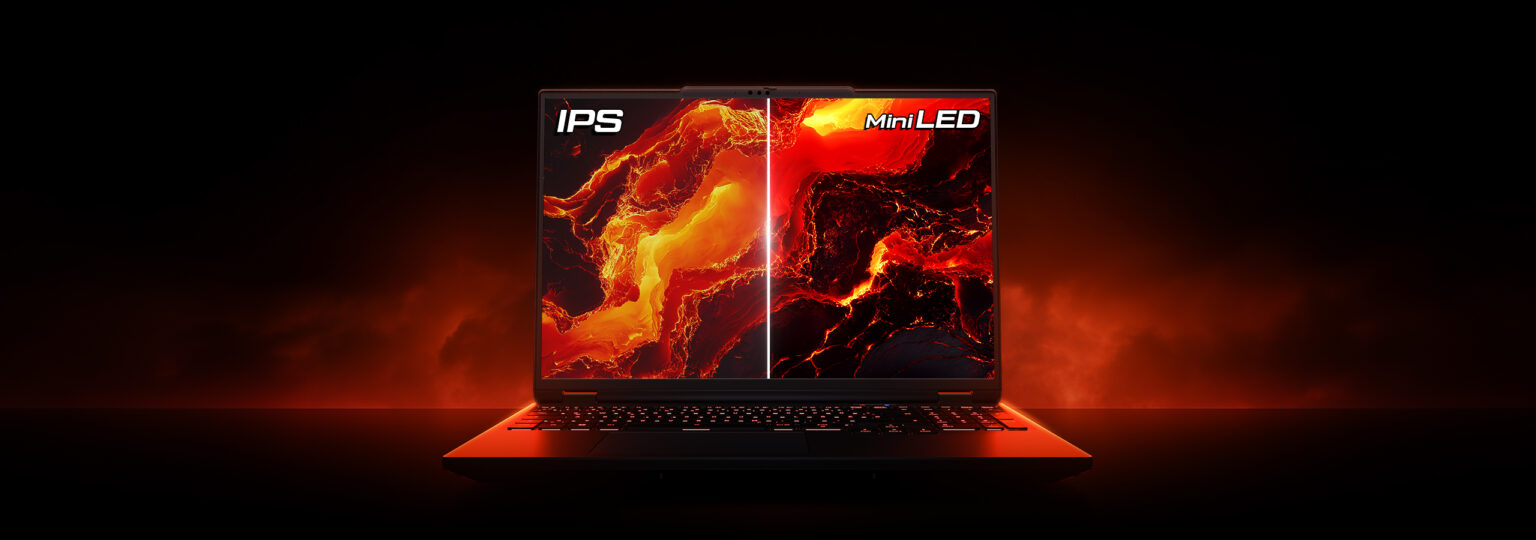
Dell Alienware M16 Gaming Laptop with RTX 4080
  • memory AMD Ryzen 9 7845HX
  • developer_board NVIDIA GeForce RTX 4080
  • layers Up to 64GB DDR5
  • track_changes Target GPU: NVIDIA GeForce GTX 970 4GB / GTX 1060 6GB or AMD R9 390 8GB
XMG Apex 16 Max (RTX 5070 Ti & Ryzen 9)
  • memory AMD Ryzen 9 9955HX
  • developer_board NVIDIA GeForce RTX 5070 Ti Laptop GPU
  • layers 64GB DDR5-5600MHz (Dual-Channel)
  • track_changes Target GPU: NVIDIA GeForce GTX 970 4GB / GTX 1060 6GB or AMD R9 390 8GB
check_circle_outline Recommended based on listed requirements for QHD (1440p).
MSI Pulse GL66 with RTX 3070 and i7 12th Gen
  • memory Intel Core i7-12700H
  • developer_board NVIDIA GeForce RTX 3070
  • layers 32GB DDR4-3200MHz
  • track_changes Target GPU: NVIDIA GeForce RTX 3060 Ti / AMD Radeon RX 6700 XT
Acer Nitro V with RTX 4060 and i9 13th Gen
  • memory Intel Core i9-13900H
  • developer_board NVIDIA GeForce RTX 4060
  • layers 16GB DDR5-5200MHz
  • track_changes Target GPU: NVIDIA GeForce RTX 3060 Ti / AMD Radeon RX 6700 XT
Lenovo Legion Pro 5i (i9-14900HX, RTX 4060)
  • memory Intel Core i9-14900HX
  • developer_board NVIDIA GeForce RTX 4060
  • layers 32GB DDR5-5600MHz
  • track_changes Target GPU: NVIDIA GeForce RTX 3060 Ti / AMD Radeon RX 6700 XT
Asus Rog Strix Scar 15 with RTX 3070 Ti and i9 12th Gen
  • memory Intel Core i9-12900H
  • developer_board NVIDIA GeForce RTX 3070 Ti
  • layers 16GB DDR5-4800MHz
  • track_changes Target GPU: NVIDIA GeForce RTX 3060 Ti / AMD Radeon RX 6700 XT
ASUS TUF A15 with RTX 3050 and Ryzen 7
  • memory AMD Ryzen 7 7435HS
  • developer_board NVIDIA GeForce RTX 3050
  • layers 32GB DDR5-4800MHz
  • track_changes Target GPU: NVIDIA GeForce RTX 3060 Ti / AMD Radeon RX 6700 XT
ASUS ROG Strix G15 with RTX 3060 and Ryzen 7
  • memory AMD Ryzen 7 6800H
  • developer_board NVIDIA GeForce RTX 3060
  • layers 16GB DDR5-4800MHz
  • track_changes Target GPU: NVIDIA GeForce RTX 3060 Ti / AMD Radeon RX 6700 XT
ASUS ROG Zephyrus G15 Ultra with RTX 3080 and Ryzen 9
  • memory AMD Ryzen 9 5900HS
  • developer_board NVIDIA GeForce RTX 3080
  • layers 16GB DDR4-3200MHz
  • track_changes Target GPU: NVIDIA GeForce RTX 3060 Ti / AMD Radeon RX 6700 XT
MSI Katana 15 with RTX 4070
  • memory Intel Core i7-13620H
  • developer_board NVIDIA GeForce RTX 4070
  • layers 16GB DDR5-4800MHz
  • track_changes Target GPU: NVIDIA GeForce RTX 3060 Ti / AMD Radeon RX 6700 XT
Alienware M18 with RTX 4070
  • memory Intel Core i7-14700HX
  • developer_board NVIDIA GeForce RTX 4070
  • layers 16GB DDR5-5600MHz
  • track_changes Target GPU: NVIDIA GeForce RTX 3060 Ti / AMD Radeon RX 6700 XT
MSI Creator M16 HX with RTX 4070
  • memory Intel Core i9-14900HX
  • developer_board NVIDIA GeForce RTX 4070
  • layers 32GB DDR5-5600MHz
  • track_changes Target GPU: NVIDIA GeForce RTX 3060 Ti / AMD Radeon RX 6700 XT
check_circle_outline Recommended based on listed requirements for UHD (4K).
HP OMEN 16 with RTX 4080 and intel i9 14th Gen
  • memory Intel Core i9-14900HX
  • developer_board NVIDIA GeForce RTX 4080 Laptop GPU
  • layers 64 GB DDR5-5600MHz
  • track_changes Target GPU: NVIDIA GeForce RTX 4070 Ti / AMD Radeon RX 7800 XT
GIGABYTE AORUS Elite 16 (RTX 5070 & Intel Core Ultra 9 275HX)
  • memory Intel Core Ultra 9 Processor 275HX (Series 2)
  • developer_board NVIDIA GeForce RTX 5070 Laptop GPU
  • layers 32GB DDR5-5600MHz
  • track_changes Target GPU: NVIDIA GeForce RTX 4070 Ti / AMD Radeon RX 7800 XT
MSI Katana 15 HX (RTX 5070 & Intel i7 14th Gen)
  • memory Intel Core i9-14900HX Processor
  • developer_board NVIDIA GeForce RTX 5070 Laptop GPU
  • layers 32GB DDR5-5600MHz
  • track_changes Target GPU: NVIDIA GeForce RTX 4070 Ti / AMD Radeon RX 7800 XT
Dell Alienware 16X Aurora (RTX 5070 & Intel Core Ultra 9 275HX)
  • memory Intel Core i9-14900HX Processor
  • developer_board NVIDIA GeForce RTX 5070 Laptop GPU
  • layers 32GB DDR5-5600MHz
  • track_changes Target GPU: NVIDIA GeForce RTX 4070 Ti / AMD Radeon RX 7800 XT
Lenovo Thinkpad T1G Gen 8 (RTX 5070 & Ultra 9)
  • memory Intel Core Ultra 9 285H (Arrow Lake-H)
  • developer_board NVIDIA GeForce RTX 5070 Laptop GPU
  • layers 64GB LPDDR5x-8533MT/s (LPCAMM2)
  • track_changes Target GPU: NVIDIA GeForce RTX 4070 Ti / AMD Radeon RX 7800 XT
Lenovo Legion Pro 7 Gaming Laptop with RTX 4080 and Ryzen 9
  • memory AMD Ryzen 9 7945HX
  • developer_board NVIDIA GeForce RTX 4080
  • layers 32GB DDR5
  • track_changes Target GPU: NVIDIA GeForce RTX 4070 Ti / AMD Radeon RX 7800 XT
Acer Predator Helios Neo 18 2024 With Rtx 4080
  • memory Intel Core i9-14900HX
  • developer_board NVIDIA GeForce RTX 4080
  • layers 64GB DDR5-5600MHz
  • track_changes Target GPU: NVIDIA GeForce RTX 4070 Ti / AMD Radeon RX 7800 XT
ASUS ROG Strix G18 with RTX 4080 and intel i9 14th Gen
  • memory Intel Core i9-14900HX
  • developer_board NVIDIA GeForce RTX 4080
  • layers 32GB DDR5-5600MHz
  • track_changes Target GPU: NVIDIA GeForce RTX 4070 Ti / AMD Radeon RX 7800 XT
MSI Vector 17 HX with RTX 4080 in 2025
  • memory Intel Core i9-14900HX
  • developer_board NVIDIA GeForce RTX 4080
  • layers 32GB DDR5-5600MHz
  • track_changes Target GPU: NVIDIA GeForce RTX 4070 Ti / AMD Radeon RX 7800 XT
ASUS ROG Strix Scar 18 Gaming Laptop with RTX 4080
  • memory Intel Core i9-14900HX
  • developer_board NVIDIA GeForce RTX 4080
  • layers 32GB DDR5-5600MHz
  • track_changes Target GPU: NVIDIA GeForce RTX 4070 Ti / AMD Radeon RX 7800 XT

For Half-Life: Alyx Specifically

check_circle_outline Recommended based on listed requirements for Full HD (1080p).
MSI Pulse GL66 with RTX 3070 and i7 12th Gen
  • memory Intel Core i7-12700H
  • developer_board NVIDIA GeForce RTX 3070
  • layers 32GB DDR4-3200MHz
  • track_changes Target GPU: NVIDIA GeForce GTX 1060 (6GB VRAM) or AMD Radeon RX 580 (8GB VRAM)
Acer Nitro V with RTX 4060 and i9 13th Gen
  • memory Intel Core i9-13900H
  • developer_board NVIDIA GeForce RTX 4060
  • layers 16GB DDR5-5200MHz
  • track_changes Target GPU: NVIDIA GeForce GTX 1060 (6GB VRAM) or AMD Radeon RX 580 (8GB VRAM)
Lenovo Legion Pro 5i (i9-14900HX, RTX 4060)
  • memory Intel Core i9-14900HX
  • developer_board NVIDIA GeForce RTX 4060
  • layers 32GB DDR5-5600MHz
  • track_changes Target GPU: NVIDIA GeForce GTX 1060 (6GB VRAM) or AMD Radeon RX 580 (8GB VRAM)
Asus Rog Strix Scar 15 with RTX 3070 Ti and i9 12th Gen
  • memory Intel Core i9-12900H
  • developer_board NVIDIA GeForce RTX 3070 Ti
  • layers 16GB DDR5-4800MHz
  • track_changes Target GPU: NVIDIA GeForce GTX 1060 (6GB VRAM) or AMD Radeon RX 580 (8GB VRAM)
HP Victus 15 with RTX 3050 and i5 12th Gen
  • memory Intel Core i5-12450H
  • developer_board NVIDIA GeForce RTX 3050
  • layers 16GB DDR4-3200MHz
  • track_changes Target GPU: NVIDIA GeForce GTX 1060 (6GB VRAM) or AMD Radeon RX 580 (8GB VRAM)
Acer Nitro 5 with RTX 3050 Ti and i5 12th Gen
  • memory Intel Core i5-12500H
  • developer_board NVIDIA GeForce RTX 3050 Ti
  • layers 16GB DDR4-3200MHz
  • track_changes Target GPU: NVIDIA GeForce GTX 1060 (6GB VRAM) or AMD Radeon RX 580 (8GB VRAM)
ASUS TUF A15 with RTX 3050 and Ryzen 7
  • memory AMD Ryzen 7 7435HS
  • developer_board NVIDIA GeForce RTX 3050
  • layers 32GB DDR5-4800MHz
  • track_changes Target GPU: NVIDIA GeForce GTX 1060 (6GB VRAM) or AMD Radeon RX 580 (8GB VRAM)
ASUS ROG Strix G15 with RTX 3060 and Ryzen 7
  • memory AMD Ryzen 7 6800H
  • developer_board NVIDIA GeForce RTX 3060
  • layers 16GB DDR5-4800MHz
  • track_changes Target GPU: NVIDIA GeForce GTX 1060 (6GB VRAM) or AMD Radeon RX 580 (8GB VRAM)
ASUS ROG Zephyrus G15 Ultra with RTX 3080 and Ryzen 9
  • memory AMD Ryzen 9 5900HS
  • developer_board NVIDIA GeForce RTX 3080
  • layers 16GB DDR4-3200MHz
  • track_changes Target GPU: NVIDIA GeForce GTX 1060 (6GB VRAM) or AMD Radeon RX 580 (8GB VRAM)
MSI Katana 15 with RTX 4070
  • memory Intel Core i7-13620H
  • developer_board NVIDIA GeForce RTX 4070
  • layers 16GB DDR5-4800MHz
  • track_changes Target GPU: NVIDIA GeForce GTX 1060 (6GB VRAM) or AMD Radeon RX 580 (8GB VRAM)
check_circle_outline Recommended based on listed requirements for QHD (1440p).
MSI Pulse GL66 with RTX 3070 and i7 12th Gen
  • memory Intel Core i7-12700H
  • developer_board NVIDIA GeForce RTX 3070
  • layers 32GB DDR4-3200MHz
  • track_changes Target GPU: NVIDIA GeForce RTX 2070 Super (8GB VRAM) or AMD Radeon RX 5700 XT (8GB VRAM)
Acer Nitro V with RTX 4060 and i9 13th Gen
  • memory Intel Core i9-13900H
  • developer_board NVIDIA GeForce RTX 4060
  • layers 16GB DDR5-5200MHz
  • track_changes Target GPU: NVIDIA GeForce RTX 2070 Super (8GB VRAM) or AMD Radeon RX 5700 XT (8GB VRAM)
Lenovo Legion Pro 5i (i9-14900HX, RTX 4060)
  • memory Intel Core i9-14900HX
  • developer_board NVIDIA GeForce RTX 4060
  • layers 32GB DDR5-5600MHz
  • track_changes Target GPU: NVIDIA GeForce RTX 2070 Super (8GB VRAM) or AMD Radeon RX 5700 XT (8GB VRAM)
Asus Rog Strix Scar 15 with RTX 3070 Ti and i9 12th Gen
  • memory Intel Core i9-12900H
  • developer_board NVIDIA GeForce RTX 3070 Ti
  • layers 16GB DDR5-4800MHz
  • track_changes Target GPU: NVIDIA GeForce RTX 2070 Super (8GB VRAM) or AMD Radeon RX 5700 XT (8GB VRAM)
ASUS TUF A15 with RTX 3050 and Ryzen 7
  • memory AMD Ryzen 7 7435HS
  • developer_board NVIDIA GeForce RTX 3050
  • layers 32GB DDR5-4800MHz
  • track_changes Target GPU: NVIDIA GeForce RTX 2070 Super (8GB VRAM) or AMD Radeon RX 5700 XT (8GB VRAM)
ASUS ROG Strix G15 with RTX 3060 and Ryzen 7
  • memory AMD Ryzen 7 6800H
  • developer_board NVIDIA GeForce RTX 3060
  • layers 16GB DDR5-4800MHz
  • track_changes Target GPU: NVIDIA GeForce RTX 2070 Super (8GB VRAM) or AMD Radeon RX 5700 XT (8GB VRAM)
ASUS ROG Zephyrus G15 Ultra with RTX 3080 and Ryzen 9
  • memory AMD Ryzen 9 5900HS
  • developer_board NVIDIA GeForce RTX 3080
  • layers 16GB DDR4-3200MHz
  • track_changes Target GPU: NVIDIA GeForce RTX 2070 Super (8GB VRAM) or AMD Radeon RX 5700 XT (8GB VRAM)
MSI Katana 15 with RTX 4070
  • memory Intel Core i7-13620H
  • developer_board NVIDIA GeForce RTX 4070
  • layers 16GB DDR5-4800MHz
  • track_changes Target GPU: NVIDIA GeForce RTX 2070 Super (8GB VRAM) or AMD Radeon RX 5700 XT (8GB VRAM)
Alienware M18 with RTX 4070
  • memory Intel Core i7-14700HX
  • developer_board NVIDIA GeForce RTX 4070
  • layers 16GB DDR5-5600MHz
  • track_changes Target GPU: NVIDIA GeForce RTX 2070 Super (8GB VRAM) or AMD Radeon RX 5700 XT (8GB VRAM)
MSI Creator M16 HX with RTX 4070
  • memory Intel Core i9-14900HX
  • developer_board NVIDIA GeForce RTX 4070
  • layers 32GB DDR5-5600MHz
  • track_changes Target GPU: NVIDIA GeForce RTX 2070 Super (8GB VRAM) or AMD Radeon RX 5700 XT (8GB VRAM)

info_outline Laptop recommendations are estimates based on available component benchmarks and game requirements. Actual performance may vary depending on settings, drivers, cooling, power limits, etc. Prices and availability subject to change. As an Amazon Associate, we earn from qualifying purchases.

Processing...