Select Games to Compare
Benchmark your exact mobile GPU wattage (TGP), battery throttling drops, and cooling pad requirements for these games.
Monster Hunter Wilds Ascendance vs Path of Exile
| close | close |
|---|---|
| shopping_cart Where to Buy | |
| info General Information | |
| Release Date | |
| Feb 28, 2025 | Oct 23, 2013 |
| Developer | |
| Capcom | Grinding Gear Games |
| Publisher | |
| Capcom | Grinding Gear Games |
| Genre(s) | |
| Action Role-Playing | Action Role-Playing (Action RPG), Hack and Slash, Loot-based |
| Engine | |
| RE Engine | Proprietary Engine (DirectX 11/12/Vulkan) |
| stars Ratings & Price | |
| Content Rating | |
| Teen | M (Mature 17+) |
| Avg. User Rating | |
| 4.0 / 5.0 | 4.5 / 5.0 |
| Current Price (USD) | |
| $39.99 | Free |
| tune Key Specs | |
| Quick Highlights | |
|
|
| sports_esports Gameplay & Mechanics | |
| Companions/Followers | |
|
|
| Key Collectibles | |
|
|
| Key Themes | |
|
|
| colorize Combat & Gear | |
| Weapons Overview | |
|
|
| Armor / Gear Sets | |
|
|
| Outfits/Customization | |
|
|
| trending_up Progression & Upgrades | |
| Skills & Progression | |
|
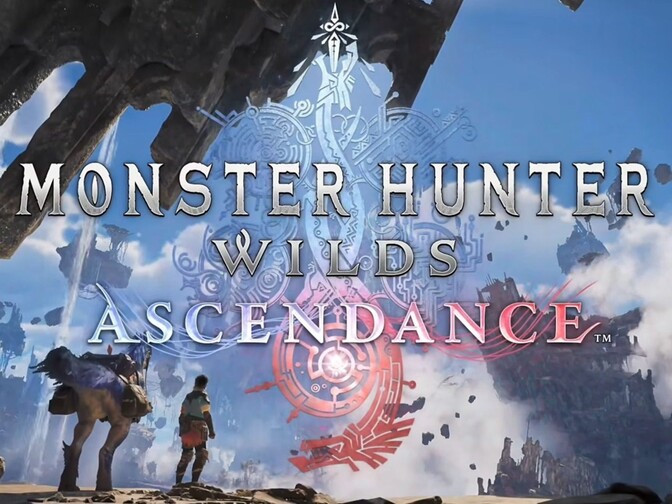
The mechanical progression in Wilds is deeply tied to mastering the Dual Weapon and Focus Mode systems. Focus Mode allows hunters to target specific anatomical weak points, progressively opening deep wounds on the monster's hide. Executing weapon-specific Focus Strikes on these wounds bypasses standard hitzone values for massive, staggering damage. In the Ascendance expansion, players unlock the Boost Bracer, a revolutionary kinetic technology. This bracer demands hyper-aggressive, sustained assaults to build Boost Energy. Activating the Boost State entirely overrides standard weapon movesets, unlocking devastating combo paths, advanced guard points, and cinematic ultimate attacks that drastically elevate the mechanical skill ceiling. |
N/A |
| public World & Exploration | |
| World & Level Design | |
|
The geographic scope of the Forbidden Lands is unprecedented, encompassing several massive, interconnected biomes that transition seamlessly without loading screens. The Windward Plains feature sprawling arid dunes punctuated by lethal Sandtides, signaling the arrival of the apex predator Rey Dau. The Scarlet Forest offers intense verticality and dense jungle canopies flooded by torrential Downpours, serving as the domain for the leviathan Uth Duna. Moving deeper, players encounter the highly combustible Oilwell Basin, the freezing Iceshard Cliffs, and the culturally dense Ruins of Wyveria. The Ascendance expansion further massively expands this footprint by introducing the floating architecture of the Eastlands and a meticulously data-mined subterranean biome. |
N/A |
| Playable Vehicles | |
|
|
| Notable Fauna/Mounts | |
|
N/A |
| book Story & Characters | |
| Main Characters | |
|
|
| Example Missions | |
|
|
| people Multiplayer | |
| Multiplayer Details | |
|
Multiplayer interactions have been deeply woven into the seamless open-world structure of the Forbidden Lands. The centralized Grand Hub supports massive lobbies where players can socialize, orchestrate complex siege strategies, and engage with the quest board. In the field, standard four-player co-op dynamically scales monster health and aggression based on party size. The introduction of the Wound system inherently encourages specialized cooperative roles; lightweight weapon users can focus on rapidly lacerating a monster's hide, while heavy weapon specialists like Great Sword users hold their devastating Focus Strikes until the vulnerability is fully exposed, creating a deeply rewarding, synergistic multiplayer feedback loop across all platforms. |
N/A |
| extension Editions & DLC | |
| Available Editions | |
|
Capcom deployed a highly stratified release model to maximize revenue across different consumer segments. Following a price maturation strategy, the Standard Edition base game saw a permanent reduction to $39.99 in late 2026. Premium tiers include the Deluxe Edition, offering exclusive cosmetic packs and communication stickers. The Premium Deluxe Edition caters to high-investment fans with the Guild Knight Layered Armor, the Hope Charm Talisman, and unique Seikret mount decorations. Finally, the Gold Edition encompasses all aforementioned content alongside two massive post-launch cosmetic DLC packs, providing a comprehensive package for franchise completionists seeking the entirety of the Year 1 digital goods and character customization vouchers. |
N/A |
| Post-Launch Content / DLC | |
|
Capcom delivered a monumental year of free post-launch support through four major Title Updates in 2025. These updates systematically injected fan-favorite monsters like the bubble-producing Mizutsune and the electric Lagiacrus into the ecosystem, alongside a massive crossover event with Final Fantasy XIV Online. The base game lifecycle culminated with the introduction of Arch-Tempered Arkveld in TU4. Moving forward, the massive paid expansion, Ascendance, launches in 2027. This expansion introduces the grueling Master Rank difficulty, returning Elder Dragons like Teostra and Gogmazios, and a brand-new atmospheric flagship threat known as Gundoraja, entirely transforming the endgame progression loop and armor crafting meta. |
N/A |
| help_outline FAQ | |
| Frequently Asked Questions | |
|
|
| build Technical Details | |
| Graphics & Visual Fidelity | |
|
Stretching the proprietary RE Engine to its absolute limits, the visual fidelity of Wilds is staggering, though it demanded immense hardware resources. The game utilizes advanced volumetric rendering for dynamic storm clouds, fluid simulations for bubbling tar in the Oilwell Basin, and dense, ray-traced shadows. On the PlayStation 5 Pro, the game operates natively at 4K/30fps in Quality Mode or upscaled via PSSR to 1080p/60fps in Performance Mode. PC players initially faced severe DRM-related CPU bottlenecking, prompting the community to heavily rely on open-source FSR 3.1 frame generation modifications to achieve stable framerates before Capcom stabilized the engine thread allocation in Title Update 4. |
N/A |
| Audio & Soundtrack | |
|
The auditory landscape of Monster Hunter Wilds is as dynamic and reactive as its meteorological systems. The audio engine heavily leverages spatial sound and volumetric acoustics to reflect the shifting environment accurately. During Fallows, the soundtrack is sparse and desolate, emphasizing the harsh crunch of dry earth and the desperate calls of starving wildlife. When Inclemencies strike, such as the Scarlet Forest's Downpour, the music swells into bombastic, orchestral panic, accompanied by the deafening roar of torrential rain and the terrifying, localized roars of apex Guardians like Uth Duna. These adaptive audio cues are critical for alerting hunters to rapid ecological shifts off-screen. |
N/A |
| User Interface (UI/UX) | |
|
The heads-up display and user interface in Monster Hunter Wilds underwent significant iterative refinement to accommodate the game's complex new mechanics. Toggling Focus Mode fundamentally shifts the UI, overlaying distinct visual markers directly onto a monster's anatomical weak points to clearly indicate active Wounds and optimal strike angles. Furthermore, meticulous community data-mining of Patch 1.040 revealed that Capcom subtly adjusted the internal coordinate system of the in-game map interface, specifically shifting elements surrounding the Scarlet Forest to clear pixel real estate. UI analysts theorize this modification was implemented specifically to accommodate a massive new 'Underground Map' icon for the unannounced Ascendance subterranean biome. |
N/A |
| Accessibility Options | |
|
Recognizing the immense complexity of its overlapping systems, Capcom integrated robust accessibility options into the main settings menu. The UI offers high-contrast rendering modes for the visually impaired, allowing hunters to distinctly separate the monster's silhouette from complex environmental backgrounds like the dense Scarlet Forest foliage. The Focus Mode naturally acts as an accessibility aid, providing explicit, hard-locked visual reticles for weak points, vastly reducing the cognitive load of memorizing invisible hitzone data. Additionally, the game features extensive controller remapping, toggle-to-hold options for sprinting and mounting, and scalable subtitle sizing to ensure the complex narrative and tutorials remain approachable for all demographics. |
N/A |
| video_library Media Links | |
| Gameplay Video | |
| launchWatch | launchWatch |
| Walkthrough/Guide | |
| launchView | launchView |
| settings_applications System Requirements | |
| 1080p (Full HD) - Recommended (60 FPS, Native) (High Preset, Native 1080p or DLSS/FSR 'Quality') CPU: Adequate multi-threading to handle the AI routines of pack-hunting monsters and dynamic environmental destruction. CPU (Laptop): High core count ensures the game's logic threads are not starved during multiplayer network synching. GPU: 8GB VRAM is necessary to load high-resolution mud, snow, and tar displacement textures without stalling. GPU (Laptop): Access to DLSS 3 Frame Generation heavily bridges the gap between desktop and mobile performance at this tier. RAM: Sufficient for 1080p, though background applications should be closed to free up system page files. Storage: Provides optimal load times and completely eliminates traversal stutter between major biomes. | |
memoryCPU: Intel Core i5-11600K or AMD Ryzen 5 5600X developer_boardGPU: NVIDIA GeForce RTX 2070 Super or AMD Radeon RX 6700 XT (8GB VRAM) laptop_macCPU (L): Intel Core i7-12700H or AMD Ryzen 7 6800H laptop_windowsGPU (L): NVIDIA GeForce RTX 4060 Laptop (115W+ TGP) layersRAM: 16 GB saveStorage (Tier): 140 GB NVMe Gen 4 SSD | — |
| 1080p (Full HD) - Minimum (30 FPS, Upscaled) (Low Preset, FSR/DLSS set to 'Performance' (Upscaled from 720p)) CPU: The absolute baseline for the RE Engine's physics calculations. Expect heavy utilization during the chaotic Inclemencies weather events. CPU (Laptop): Mobile CPUs will struggle with the background DRM polling; expect frequent dips below 30 FPS if thermal throttling occurs. GPU: 6GB of VRAM is the hard floor. The engine will aggressively drop texture resolution to prevent crashing. GPU (Laptop): Requires DLSS upscaling on 'Ultra Performance' to maintain playable framerates during heavy alpha-particle attacks. RAM: Dual-channel memory is critical. 8GB will result in immediate hard crashing upon entering the Forbidden Lands. Storage: DirectStorage API is utilized. Fast read speeds are necessary to stream the interconnected open-world assets. | |
memoryCPU: Intel Core i5-10400 or AMD Ryzen 5 3600 developer_boardGPU: NVIDIA GeForce GTX 1660 or AMD Radeon RX 5600 XT (6GB VRAM) laptop_macCPU (L): Intel Core i5-11400H or AMD Ryzen 5 5600H laptop_windowsGPU (L): NVIDIA GeForce RTX 3050 Ti Laptop (75W+) layersRAM: 16 GB saveStorage (Tier): 140 GB NVMe Gen 3 SSD | — |
| 1080p (Full HD) - Recommended (Targets 1080p, High settings, ~60 FPS) (High Preset, 1080p resolution, aiming for 60 FPS in typical gameplay, though drops are expected in intense endgame content.) CPU: Official recommended desktop CPU. Strong single-core performance is key. CPU (Laptop): A strong mobile CPU is needed to handle the game's processing demands and maintain a stable framerate. GPU: Official recommended desktop GPUs. While these can run the game, a more powerful modern card is suggested for a smoother experience. GPU (Laptop): Good laptop GPUs for a solid 1080p experience. The RTX 3050 offers access to driver-level features that may be beneficial. RAM: 16GB RAM is officially recommended and is highly advised for smoother gameplay, especially when multitasking. Storage: An SSD is officially recommended for this tier to ensure fast loading and reduce stutter. | |
| — | memoryCPU: 3.2 GHz Quad Core developer_boardGPU: NVIDIA GeForce GTX 1050 Ti or AMD Radeon RX 560 laptop_macCPU (L): Intel Core i7-9750H / AMD Ryzen 7 4800H or better. laptop_windowsGPU (L): NVIDIA GeForce GTX 1650 Laptop (4GB) / RTX 3050 Laptop (4GB). layersRAM: 16 GB saveStorage (Tier): 40 GB SSD |
| 1080p (Full HD) - Minimum (Targets 1080p, Low settings, ~30-60 FPS) (Low Preset, 1080p resolution. Framerate can be highly variable.) CPU: Official minimum desktop CPU requirement. A modern quad-core processor is the baseline. CPU (Laptop): Estimated entry-level laptop CPUs for minimum playability. GPU: Official minimum desktop GPU from the developer. These are very old cards, and a more modern entry-level card is highly advisable. GPU (Laptop): Estimated laptop GPUs for minimum settings. Expect dynamic resolution to be active frequently. RAM: 8GB RAM is the official minimum requirement. Storage: An HDD is technically sufficient for the minimum spec, but an SSD is strongly recommended. | |
| — | memoryCPU: 2.6 GHz Quad Core developer_boardGPU: NVIDIA GeForce GTX 650 Ti or AMD Radeon HD 7850 laptop_macCPU (L): Intel Core i5-8300H / AMD Ryzen 5 2500U or better. laptop_windowsGPU (L): NVIDIA GeForce MX350 / GTX 1050 Mobile (2GB). layersRAM: 8 GB saveStorage (Tier): 40 GB HDD |
| 1440p (QHD/2K) - High (60+ FPS, Native/Quality) (Ultra Preset, DLSS/FSR set to 'Quality') CPU: The massive L3 cache on the 5800X3D specifically smooths out the severe 1% low frame drops caused by the game's DRM checks. CPU (Laptop): Desktop-class silicon in a mobile chassis is required to maintain the required physics IPC without dropping frames. GPU: 12GB of VRAM allows for maximum texture fidelity and full resolution volumetric fog rendering during Sandtides. GPU (Laptop): High wattage is critical to ensure the core clock remains elevated during extended, hour-long siege encounters. RAM: High bandwidth DDR5 significantly improves the game's ability to stream vast amounts of topographical data seamlessly. Storage: Mandatory to prevent high-resolution asset pop-in while traversing the map rapidly on the Seikret mount. | |
memoryCPU: Intel Core i7-12700K or AMD Ryzen 7 5800X3D developer_boardGPU: NVIDIA GeForce RTX 4070 or AMD Radeon RX 7800 XT (12GB+ VRAM) laptop_macCPU (L): Intel Core i9-13900HX or AMD Ryzen 9 7845HX laptop_windowsGPU (L): NVIDIA GeForce RTX 4080 Laptop (175W TGP) layersRAM: 32 GB saveStorage (Tier): 140 GB NVMe Gen 4 SSD | — |
| 1440p (QHD/2K) - High (Targets 1440p, High settings, ~60 FPS) (High Preset, 1440p resolution, aiming for 60 FPS.) CPU: A powerful modern CPU with high single-thread performance is crucial to avoid bottlenecks at 1440p. CPU (Laptop): High-performance laptop CPUs are essential for a consistent 1440p experience in a CPU-bound game like PoE. GPU: Desktop GPUs capable of a strong 1440p/60FPS experience. A modern card like the RTX 4060 Ti would provide a more consistent framerate. GPU (Laptop): A high-TGP RTX 4060 or RTX 3070 Laptop is the ideal target for 1440p. A future RTX 5060 Laptop would offer an even smoother experience. RAM: 16GB RAM is the minimum for smooth 1440p gaming; 32GB can help reduce stutters in extremely demanding situations. Storage: A fast NVMe SSD is recommended for the best loading times and performance at 1440p. | |
| — | memoryCPU: Intel Core i5-12600K or AMD Ryzen 5 5600X developer_boardGPU: NVIDIA GeForce RTX 3060 Ti (8GB) or AMD Radeon RX 6700 XT (12GB). (Future-proof: RTX 4060 Ti) laptop_macCPU (L): Intel Core i7-12700H / AMD Ryzen 7 6800H or newer. laptop_windowsGPU (L): NVIDIA GeForce RTX 3070 Laptop (8GB) / RTX 4060 Laptop (8GB). (Future-proof: RTX 5060 Laptop) layersRAM: 16 GB saveStorage (Tier): 40 GB NVMe SSD |
| 2160p (UHD/4K) - Ultra 4K (60+ FPS, Native/Quality) (Maximum Preset, Ray Tracing Enabled, DLSS/FSR 'Balanced') CPU: Provides absolute maximum overhead to ensure the GPU is fully saturated, handling massive AI calculations flawlessly. CPU (Laptop): Top-tier mobile processors with immense cache sizes are required to drive 4K asset streaming logic. GPU: Necessary raw rasterization power to push 8.2 million pixels while rendering advanced fluid simulations for the Oilwell Basin. GPU (Laptop): The only mobile GPU capable of brute-forcing the RE Engine at 4K resolution with active ray-traced shadows. RAM: Ensures absolutely no memory bottlenecks while processing high-fidelity 4K textures and uncompressed audio. Storage: Peak sequential read speeds guarantee instant loading of complex environmental geometry and lighting maps. | |
memoryCPU: Intel Core i9-13900K or AMD Ryzen 7 7800X3D developer_boardGPU: NVIDIA GeForce RTX 4080 Super or AMD Radeon RX 7900 XTX (16GB+ VRAM) laptop_macCPU (L): Intel Core i9-14900HX or AMD Ryzen 9 7945HX3D laptop_windowsGPU (L): NVIDIA GeForce RTX 4090 Laptop (175W TGP) layersRAM: 32 GB saveStorage (Tier): 140 GB NVMe Gen 4/Gen 5 SSD | — |
| 2160p (UHD/4K) - 4K Ultra Settings (Targets 2160p/4K, High settings, ~60 FPS) (High Preset, 2160p (4K) resolution, aiming for 60 FPS.) CPU: A top-tier desktop CPU with the best possible single-core speed is recommended to minimize CPU bottlenecks at 4K. CPU (Laptop): The highest-end laptop CPUs are needed to pair with flagship GPUs for the most stable 4K experience possible. GPU: High-end 40-series desktop GPUs are needed for a chance at a stable 4K/60FPS experience, though performance will still vary wildly depending on in-game action. A future RTX 5080 would be a much better target. GPU (Laptop): Flagship laptop GPUs are required for a playable 4K experience, but users should still expect frame drops in the most demanding endgame scenarios. RAM: 32GB of fast RAM is highly recommended to provide sufficient headroom and minimize stuttering at 4K. Storage: A fast NVMe SSD is essential for the best possible experience at 4K. | |
| — | memoryCPU: Intel Core i7-13700K or AMD Ryzen 7 7800X3D developer_boardGPU: NVIDIA GeForce RTX 4070 Ti (12GB) or AMD Radeon RX 7900 XT (20GB). (Future-proof: RTX 5080) laptop_macCPU (L): Intel Core i9-13900HX / AMD Ryzen 9 7945HX or newer. laptop_windowsGPU (L): NVIDIA GeForce RTX 4080 Laptop (12GB) / RTX 4090 Laptop (16GB). layersRAM: 32 GB saveStorage (Tier): 40 GB NVMe SSD |
| save Overall Storage | |
| Spec: 140 GB NVMe SSD Note: SATA SSDs and traditional HDDs are not supported. NVMe Gen 3.0 or higher is required to load seamless biomes and handle dynamic weather texture swapping. Type: NVMe | Spec: 40 GB available space (SSD Strongly Recommended) Note: While the game will run on an HDD, an SSD is strongly recommended by the developers to significantly reduce loading times, which are frequent, and to prevent in-game stuttering caused by slow asset loading. Type: SSD |
| desktop_windows Operating System | |
| Spec: Windows 10 / Windows 11 64-bit Explanation: Required to properly allocate system memory and fully utilize DirectX 12 Ultimate feature sets required by the RE Engine. | Spec: Windows 10 / Windows 11 (64-bit Required) Explanation: A 64-bit version of Windows 10 is the current standard requirement. Windows 11 is fully supported. |
| gamepad DirectX Version | |
| Spec: DirectX 12 Ultimate (Feature Level 12_2) Explanation: Mandatory for ray-traced global illumination, advanced particle rendering during weather events, and variable rate shading. | Spec: DirectX 11 / DirectX 12 / Vulkan Explanation: The game officially supports DirectX 11 as the default renderer. Beta versions of DirectX 12 and Vulkan are also available in the graphics options, which can offer better performance on some hardware configurations, though stability may vary. |
| info_outline Other Game Notes | |
|
|
| build Optimization Details | |
|
|
| laptop Laptop Considerations | |
|
|

info_outline Feature details based on available data. System requirements and performance estimates may vary.
laptop_chromebook Laptop Recommendations
Common Recommendations (Handles All Compared Games)

- memory Intel Core i7-12700H
- developer_board NVIDIA GeForce RTX 3070
- layers 32GB DDR4-3200MHz
- track_changes Target GPU: NVIDIA GeForce RTX 3050 Ti Laptop (75W+)

- memory Intel Core i9-13900H
- developer_board NVIDIA GeForce RTX 4060
- layers 16GB DDR5-5200MHz
- track_changes Target GPU: NVIDIA GeForce RTX 3050 Ti Laptop (75W+)

- memory Intel Core i9-14900HX
- developer_board NVIDIA GeForce RTX 4060
- layers 32GB DDR5-5600MHz
- track_changes Target GPU: NVIDIA GeForce RTX 3050 Ti Laptop (75W+)

- memory AMD Ryzen 7 7435HS
- developer_board NVIDIA GeForce RTX 3050
- layers 32GB DDR5-4800MHz
- track_changes Target GPU: NVIDIA GeForce GTX 1650 Laptop (4GB) / RTX 3050 Laptop (4GB).

- memory AMD Ryzen 9 8940HX Processor
- developer_board NVIDIA GeForce RTX 5060 Laptop GPU
- layers 32GB DDR5-5200MHz
- track_changes Target GPU: NVIDIA GeForce GTX 1650 Laptop (4GB) / RTX 3050 Laptop (4GB).

- memory AMD Ryzen 7 7445HS
- developer_board NVIDIA GeForce RTX 4050
- layers 16GB (2x8GB) DDR5 5600MHz SO-DIMM
- track_changes Target GPU: NVIDIA GeForce GTX 1650 Laptop (4GB) / RTX 3050 Laptop (4GB).

- memory Intel Core i9-14900HX
- developer_board NVIDIA GeForce RTX 4080 Laptop GPU
- layers 64 GB DDR5-5600MHz
- track_changes Target GPU: NVIDIA GeForce RTX 4080 Laptop (175W TGP)

- memory Intel Core Ultra 9 Processor 275HX (Series 2)
- developer_board NVIDIA GeForce RTX 5070 Laptop GPU
- layers 32GB DDR5-5600MHz
- track_changes Target GPU: NVIDIA GeForce RTX 4080 Laptop (175W TGP)

- memory Intel Core i9-14900HX Processor
- developer_board NVIDIA GeForce RTX 5070 Laptop GPU
- layers 32GB DDR5-5600MHz
- track_changes Target GPU: NVIDIA GeForce RTX 4080 Laptop (175W TGP)
- memory Intel Core i7-12700H
- developer_board NVIDIA GeForce RTX 3070
- layers 32GB DDR4-3200MHz
- track_changes Target GPU: NVIDIA GeForce RTX 3070 Laptop (8GB) / RTX 4060 Laptop (8GB). (Future-proof: RTX 5060 Laptop)
- memory Intel Core i9-13900H
- developer_board NVIDIA GeForce RTX 4060
- layers 16GB DDR5-5200MHz
- track_changes Target GPU: NVIDIA GeForce RTX 3070 Laptop (8GB) / RTX 4060 Laptop (8GB). (Future-proof: RTX 5060 Laptop)
- memory Intel Core i9-14900HX
- developer_board NVIDIA GeForce RTX 4060
- layers 32GB DDR5-5600MHz
- track_changes Target GPU: NVIDIA GeForce RTX 3070 Laptop (8GB) / RTX 4060 Laptop (8GB). (Future-proof: RTX 5060 Laptop)
- memory Intel Core i9-14900HX
- developer_board NVIDIA GeForce RTX 4080 Laptop GPU
- layers 64 GB DDR5-5600MHz
- track_changes Target GPU: NVIDIA GeForce RTX 4080 Laptop (12GB) / RTX 4090 Laptop (16GB).
- memory Intel Core Ultra 9 Processor 275HX (Series 2)
- developer_board NVIDIA GeForce RTX 5070 Laptop GPU
- layers 32GB DDR5-5600MHz
- track_changes Target GPU: NVIDIA GeForce RTX 4080 Laptop (12GB) / RTX 4090 Laptop (16GB).
- memory Intel Core i9-14900HX Processor
- developer_board NVIDIA GeForce RTX 5070 Laptop GPU
- layers 32GB DDR5-5600MHz
- track_changes Target GPU: NVIDIA GeForce RTX 4080 Laptop (12GB) / RTX 4090 Laptop (16GB).
For Monster Hunter Wilds Ascendance Specifically
- memory Intel Core i7-12700H
- developer_board NVIDIA GeForce RTX 3070
- layers 32GB DDR4-3200MHz
- track_changes Target GPU: NVIDIA GeForce GTX 1660 or AMD Radeon RX 5600 XT (6GB VRAM)
- memory Intel Core i9-13900H
- developer_board NVIDIA GeForce RTX 4060
- layers 16GB DDR5-5200MHz
- track_changes Target GPU: NVIDIA GeForce GTX 1660 or AMD Radeon RX 5600 XT (6GB VRAM)
- memory Intel Core i9-14900HX
- developer_board NVIDIA GeForce RTX 4060
- layers 32GB DDR5-5600MHz
- track_changes Target GPU: NVIDIA GeForce GTX 1660 or AMD Radeon RX 5600 XT (6GB VRAM)

- memory Intel Core i9-12900H
- developer_board NVIDIA GeForce RTX 3070 Ti
- layers 16GB DDR5-4800MHz
- track_changes Target GPU: NVIDIA GeForce GTX 1660 or AMD Radeon RX 5600 XT (6GB VRAM)
- memory AMD Ryzen 7 7435HS
- developer_board NVIDIA GeForce RTX 3050
- layers 32GB DDR5-4800MHz
- track_changes Target GPU: NVIDIA GeForce GTX 1660 or AMD Radeon RX 5600 XT (6GB VRAM)

- memory AMD Ryzen 7 6800H
- developer_board NVIDIA GeForce RTX 3060
- layers 16GB DDR5-4800MHz
- track_changes Target GPU: NVIDIA GeForce GTX 1660 or AMD Radeon RX 5600 XT (6GB VRAM)

- memory AMD Ryzen 9 5900HS
- developer_board NVIDIA GeForce RTX 3080
- layers 16GB DDR4-3200MHz
- track_changes Target GPU: NVIDIA GeForce GTX 1660 or AMD Radeon RX 5600 XT (6GB VRAM)

- memory Intel Core i7-13620H
- developer_board NVIDIA GeForce RTX 4070
- layers 16GB DDR5-4800MHz
- track_changes Target GPU: NVIDIA GeForce GTX 1660 or AMD Radeon RX 5600 XT (6GB VRAM)

- memory Intel Core i7-14700HX
- developer_board NVIDIA GeForce RTX 4070
- layers 16GB DDR5-5600MHz
- track_changes Target GPU: NVIDIA GeForce GTX 1660 or AMD Radeon RX 5600 XT (6GB VRAM)

- memory Intel Core i9-14900HX
- developer_board NVIDIA GeForce RTX 4070
- layers 32GB DDR5-5600MHz
- track_changes Target GPU: NVIDIA GeForce GTX 1660 or AMD Radeon RX 5600 XT (6GB VRAM)

- memory Intel Core i9-14900HX
- developer_board NVIDIA GeForce RTX 4070
- layers 16GB DDR5-5600MHz
- track_changes Target GPU: NVIDIA GeForce RTX 2070 Super or AMD Radeon RX 6700 XT (8GB VRAM)

- memory Intel Core Ultra 7 255H
- developer_board NVIDIA GeForce RTX 5060 Laptop GPU
- layers 16GB DDR5-5600MHz (Dual-Channel)
- track_changes Target GPU: NVIDIA GeForce RTX 2070 Super or AMD Radeon RX 6700 XT (8GB VRAM)
- memory AMD Ryzen 9 8940HX Processor
- developer_board NVIDIA GeForce RTX 5060 Laptop GPU
- layers 32GB DDR5-5200MHz
- track_changes Target GPU: NVIDIA GeForce RTX 2070 Super or AMD Radeon RX 6700 XT (8GB VRAM)

- memory Intel Core i9-12950HX
- developer_board NVIDIA GeForce RTX 3080 Ti
- layers 32GB DDR5-4800MHz
- track_changes Target GPU: NVIDIA GeForce RTX 2070 Super or AMD Radeon RX 6700 XT (8GB VRAM)
- memory Intel Core i9-14900HX
- developer_board NVIDIA GeForce RTX 4080 Laptop GPU
- layers 64 GB DDR5-5600MHz
- track_changes Target GPU: NVIDIA GeForce RTX 4070 or AMD Radeon RX 7800 XT (12GB+ VRAM)
- memory Intel Core Ultra 9 Processor 275HX (Series 2)
- developer_board NVIDIA GeForce RTX 5070 Laptop GPU
- layers 32GB DDR5-5600MHz
- track_changes Target GPU: NVIDIA GeForce RTX 4070 or AMD Radeon RX 7800 XT (12GB+ VRAM)
- memory Intel Core i9-14900HX Processor
- developer_board NVIDIA GeForce RTX 5070 Laptop GPU
- layers 32GB DDR5-5600MHz
- track_changes Target GPU: NVIDIA GeForce RTX 4070 or AMD Radeon RX 7800 XT (12GB+ VRAM)

- memory Intel Core i9-14900HX Processor
- developer_board NVIDIA GeForce RTX 5070 Laptop GPU
- layers 32GB DDR5-5600MHz
- track_changes Target GPU: NVIDIA GeForce RTX 4070 or AMD Radeon RX 7800 XT (12GB+ VRAM)

- memory Intel Core Ultra 9 285H (Arrow Lake-H)
- developer_board NVIDIA GeForce RTX 5070 Laptop GPU
- layers 64GB LPDDR5x-8533MT/s (LPCAMM2)
- track_changes Target GPU: NVIDIA GeForce RTX 4070 or AMD Radeon RX 7800 XT (12GB+ VRAM)

- memory Intel Core i9-14900HX
- developer_board NVIDIA GeForce RTX 4080
- layers 64GB DDR5-5600MHz
- track_changes Target GPU: NVIDIA GeForce RTX 4070 or AMD Radeon RX 7800 XT (12GB+ VRAM)

- memory Intel Core i9-14900HX
- developer_board NVIDIA GeForce RTX 4080
- layers 32GB DDR5-5600MHz
- track_changes Target GPU: NVIDIA GeForce RTX 4070 or AMD Radeon RX 7800 XT (12GB+ VRAM)

- memory Intel Core i9-14900HX
- developer_board NVIDIA GeForce RTX 4080
- layers 32GB DDR5-5600MHz
- track_changes Target GPU: NVIDIA GeForce RTX 4070 or AMD Radeon RX 7800 XT (12GB+ VRAM)

- memory Intel Core i9-14900HX
- developer_board NVIDIA GeForce RTX 4080
- layers 32GB DDR5-5600MHz
- track_changes Target GPU: NVIDIA GeForce RTX 4070 or AMD Radeon RX 7800 XT (12GB+ VRAM)

- memory AMD Ryzen 9 7845HX
- developer_board NVIDIA GeForce RTX 4080
- layers Up to 64GB DDR5
- track_changes Target GPU: NVIDIA GeForce RTX 4070 or AMD Radeon RX 7800 XT (12GB+ VRAM)
For Path of Exile Specifically
- memory Intel Core i7-12700H
- developer_board NVIDIA GeForce RTX 3070
- layers 32GB DDR4-3200MHz
- track_changes Target GPU: NVIDIA GeForce GTX 650 Ti or AMD Radeon HD 7850
- memory Intel Core i9-13900H
- developer_board NVIDIA GeForce RTX 4060
- layers 16GB DDR5-5200MHz
- track_changes Target GPU: NVIDIA GeForce GTX 650 Ti or AMD Radeon HD 7850
- memory Intel Core i9-14900HX
- developer_board NVIDIA GeForce RTX 4060
- layers 32GB DDR5-5600MHz
- track_changes Target GPU: NVIDIA GeForce GTX 650 Ti or AMD Radeon HD 7850
- memory Intel Core i9-12900H
- developer_board NVIDIA GeForce RTX 3070 Ti
- layers 16GB DDR5-4800MHz
- track_changes Target GPU: NVIDIA GeForce GTX 650 Ti or AMD Radeon HD 7850

- memory Intel Core i5-12450H
- developer_board NVIDIA GeForce RTX 3050
- layers 16GB DDR4-3200MHz
- track_changes Target GPU: NVIDIA GeForce GTX 650 Ti or AMD Radeon HD 7850

- memory Intel Core i5-12500H
- developer_board NVIDIA GeForce RTX 3050 Ti
- layers 16GB DDR4-3200MHz
- track_changes Target GPU: NVIDIA GeForce GTX 650 Ti or AMD Radeon HD 7850
- memory AMD Ryzen 7 7435HS
- developer_board NVIDIA GeForce RTX 3050
- layers 32GB DDR5-4800MHz
- track_changes Target GPU: NVIDIA GeForce GTX 650 Ti or AMD Radeon HD 7850
- memory AMD Ryzen 7 6800H
- developer_board NVIDIA GeForce RTX 3060
- layers 16GB DDR5-4800MHz
- track_changes Target GPU: NVIDIA GeForce GTX 650 Ti or AMD Radeon HD 7850
- memory AMD Ryzen 9 5900HS
- developer_board NVIDIA GeForce RTX 3080
- layers 16GB DDR4-3200MHz
- track_changes Target GPU: NVIDIA GeForce GTX 650 Ti or AMD Radeon HD 7850
- memory Intel Core i7-13620H
- developer_board NVIDIA GeForce RTX 4070
- layers 16GB DDR5-4800MHz
- track_changes Target GPU: NVIDIA GeForce GTX 650 Ti or AMD Radeon HD 7850
- memory AMD Ryzen 9 8940HX Processor
- developer_board NVIDIA GeForce RTX 5060 Laptop GPU
- layers 32GB DDR5-5200MHz
- track_changes Target GPU: NVIDIA GeForce GTX 1050 Ti or AMD Radeon RX 560
- memory AMD Ryzen 7 7445HS
- developer_board NVIDIA GeForce RTX 4050
- layers 16GB (2x8GB) DDR5 5600MHz SO-DIMM
- track_changes Target GPU: NVIDIA GeForce GTX 1050 Ti or AMD Radeon RX 560

- memory AMD Ryzen 7 7445HS
- developer_board NVIDIA GeForce RTX 4050
- layers 16GB DDR5 5600MHz SO-DIMM
- track_changes Target GPU: NVIDIA GeForce GTX 1050 Ti or AMD Radeon RX 560
- memory AMD Ryzen 9 7845HX
- developer_board NVIDIA GeForce RTX 4080
- layers Up to 64GB DDR5
- track_changes Target GPU: NVIDIA GeForce GTX 1050 Ti or AMD Radeon RX 560
- memory AMD Ryzen 9 9955HX
- developer_board NVIDIA GeForce RTX 5070 Ti Laptop GPU
- layers 64GB DDR5-5600MHz (Dual-Channel)
- track_changes Target GPU: NVIDIA GeForce GTX 1050 Ti or AMD Radeon RX 560
- memory Intel Core i7-12700H
- developer_board NVIDIA GeForce RTX 3070
- layers 32GB DDR4-3200MHz
- track_changes Target GPU: NVIDIA GeForce RTX 3060 Ti (8GB) or AMD Radeon RX 6700 XT (12GB). (Future-proof: RTX 4060 Ti)
- memory Intel Core i9-13900H
- developer_board NVIDIA GeForce RTX 4060
- layers 16GB DDR5-5200MHz
- track_changes Target GPU: NVIDIA GeForce RTX 3060 Ti (8GB) or AMD Radeon RX 6700 XT (12GB). (Future-proof: RTX 4060 Ti)
- memory Intel Core i9-14900HX
- developer_board NVIDIA GeForce RTX 4060
- layers 32GB DDR5-5600MHz
- track_changes Target GPU: NVIDIA GeForce RTX 3060 Ti (8GB) or AMD Radeon RX 6700 XT (12GB). (Future-proof: RTX 4060 Ti)
- memory Intel Core i9-12900H
- developer_board NVIDIA GeForce RTX 3070 Ti
- layers 16GB DDR5-4800MHz
- track_changes Target GPU: NVIDIA GeForce RTX 3060 Ti (8GB) or AMD Radeon RX 6700 XT (12GB). (Future-proof: RTX 4060 Ti)
- memory AMD Ryzen 7 7435HS
- developer_board NVIDIA GeForce RTX 3050
- layers 32GB DDR5-4800MHz
- track_changes Target GPU: NVIDIA GeForce RTX 3060 Ti (8GB) or AMD Radeon RX 6700 XT (12GB). (Future-proof: RTX 4060 Ti)
- memory Intel Core i9-14900HX
- developer_board NVIDIA GeForce RTX 4070
- layers 32GB DDR5-5600MHz
- track_changes Target GPU: NVIDIA GeForce RTX 3060 Ti (8GB) or AMD Radeon RX 6700 XT (12GB). (Future-proof: RTX 4060 Ti)
- memory Intel Core i9-14900HX
- developer_board NVIDIA GeForce RTX 4070
- layers 16GB DDR5-5600MHz
- track_changes Target GPU: NVIDIA GeForce RTX 3060 Ti (8GB) or AMD Radeon RX 6700 XT (12GB). (Future-proof: RTX 4060 Ti)
- memory Intel Core Ultra 7 255H
- developer_board NVIDIA GeForce RTX 5060 Laptop GPU
- layers 16GB DDR5-5600MHz (Dual-Channel)
- track_changes Target GPU: NVIDIA GeForce RTX 3060 Ti (8GB) or AMD Radeon RX 6700 XT (12GB). (Future-proof: RTX 4060 Ti)
- memory AMD Ryzen 9 8940HX Processor
- developer_board NVIDIA GeForce RTX 5060 Laptop GPU
- layers 32GB DDR5-5200MHz
- track_changes Target GPU: NVIDIA GeForce RTX 3060 Ti (8GB) or AMD Radeon RX 6700 XT (12GB). (Future-proof: RTX 4060 Ti)
- memory Intel Core i9-12950HX
- developer_board NVIDIA GeForce RTX 3080 Ti
- layers 32GB DDR5-4800MHz
- track_changes Target GPU: NVIDIA GeForce RTX 3060 Ti (8GB) or AMD Radeon RX 6700 XT (12GB). (Future-proof: RTX 4060 Ti)
- memory Intel Core i9-14900HX
- developer_board NVIDIA GeForce RTX 4080 Laptop GPU
- layers 64 GB DDR5-5600MHz
- track_changes Target GPU: NVIDIA GeForce RTX 4070 Ti (12GB) or AMD Radeon RX 7900 XT (20GB). (Future-proof: RTX 5080)
- memory Intel Core Ultra 9 Processor 275HX (Series 2)
- developer_board NVIDIA GeForce RTX 5070 Laptop GPU
- layers 32GB DDR5-5600MHz
- track_changes Target GPU: NVIDIA GeForce RTX 4070 Ti (12GB) or AMD Radeon RX 7900 XT (20GB). (Future-proof: RTX 5080)
- memory Intel Core i9-14900HX Processor
- developer_board NVIDIA GeForce RTX 5070 Laptop GPU
- layers 32GB DDR5-5600MHz
- track_changes Target GPU: NVIDIA GeForce RTX 4070 Ti (12GB) or AMD Radeon RX 7900 XT (20GB). (Future-proof: RTX 5080)
- memory Intel Core i9-14900HX Processor
- developer_board NVIDIA GeForce RTX 5070 Laptop GPU
- layers 32GB DDR5-5600MHz
- track_changes Target GPU: NVIDIA GeForce RTX 4070 Ti (12GB) or AMD Radeon RX 7900 XT (20GB). (Future-proof: RTX 5080)
- memory Intel Core Ultra 9 285H (Arrow Lake-H)
- developer_board NVIDIA GeForce RTX 5070 Laptop GPU
- layers 64GB LPDDR5x-8533MT/s (LPCAMM2)
- track_changes Target GPU: NVIDIA GeForce RTX 4070 Ti (12GB) or AMD Radeon RX 7900 XT (20GB). (Future-proof: RTX 5080)
- memory Intel Core i9-14900HX
- developer_board NVIDIA GeForce RTX 4080
- layers 64GB DDR5-5600MHz
- track_changes Target GPU: NVIDIA GeForce RTX 4070 Ti (12GB) or AMD Radeon RX 7900 XT (20GB). (Future-proof: RTX 5080)
- memory Intel Core i9-14900HX
- developer_board NVIDIA GeForce RTX 4080
- layers 32GB DDR5-5600MHz
- track_changes Target GPU: NVIDIA GeForce RTX 4070 Ti (12GB) or AMD Radeon RX 7900 XT (20GB). (Future-proof: RTX 5080)
- memory Intel Core i9-14900HX
- developer_board NVIDIA GeForce RTX 4080
- layers 32GB DDR5-5600MHz
- track_changes Target GPU: NVIDIA GeForce RTX 4070 Ti (12GB) or AMD Radeon RX 7900 XT (20GB). (Future-proof: RTX 5080)
- memory Intel Core i9-14900HX
- developer_board NVIDIA GeForce RTX 4080
- layers 32GB DDR5-5600MHz
- track_changes Target GPU: NVIDIA GeForce RTX 4070 Ti (12GB) or AMD Radeon RX 7900 XT (20GB). (Future-proof: RTX 5080)
- memory AMD Ryzen 9 7845HX
- developer_board NVIDIA GeForce RTX 4080
- layers Up to 64GB DDR5
- track_changes Target GPU: NVIDIA GeForce RTX 4070 Ti (12GB) or AMD Radeon RX 7900 XT (20GB). (Future-proof: RTX 5080)
info_outline Laptop recommendations are estimates based on available component benchmarks and game requirements. Actual performance may vary depending on settings, drivers, cooling, power limits, etc. Prices and availability subject to change. As an Amazon Associate, we earn from qualifying purchases.