Select Games to Compare
Benchmark your exact mobile GPU wattage (TGP), battery throttling drops, and cooling pad requirements for these games.
Minecraft Dungeons II vs Dinoblade
| close | close |
|---|---|
| shopping_cart Where to Buy | |
| info General Information | |
| Release Date | |
| Sep 29, 2026 | Jul 23, 2026 |
| Developer | |
| Mojang Studios / Double Eleven | Jean Nguyen / Team Spino LLC |
| Publisher | |
| Xbox Game Studios | Team Spino LLC |
| Genre(s) | |
| Action RPG / Cooperative Dungeon Crawler | Action RPG / Soulslike |
| Engine | |
| Unreal Engine 5 | Custom High-Fidelity 3D Engine |
| stars Ratings & Price | |
| Content Rating | |
| Everyone 10+ | T for Teen |
| Avg. User Rating | |
| 4.7 / 5.0 | 4.5 / 5.0 |
| Current Price (USD) | |
| $29.99 | $19.99 |
| tune Key Specs | |
| Quick Highlights | |
|
|
| sports_esports Gameplay & Mechanics | |
| Companions/Followers | |
|
|
| Key Collectibles | |
|
|
| Key Themes | |
|
|
| colorize Combat & Gear | |
| Weapons Overview | |
|
|
| Armor / Gear Sets | |
|
|
| Outfits/Customization | |
|
|
| trending_up Progression & Upgrades | |
| Skills & Progression | |
|
The game retains its celebrated 'you are what you wear' class-less buildcraft, dramatically expanded with new equipment categories. Players now equip: one Melee Weapon, one Ranged Weapon, one Magic Wand (a new weapon class dedicated to casting projectile and area-of-effect spells), four modular Armor pieces (Helmet, Chestplate, Gauntlets, and Boots), three active Artifacts, and three passive Talismans. The enchanting system features multi-branch skill trees on every item, allowing players to forge intricate builds such as minion-mancer summoners, lightning-proc critical strikers, and invulnerable tank paladins. |
Progression in Dinoblade is heavily tied to both traditional stat leveling and a specialized, visually spectacular Soul Arts skill tree. Players use collected SP (Soul Points) from defeating enemies to increase core combat attributes at Save Stones: Health, Stamina, Resonance (the game's equivalent to mana or skill fuel), and overall Damage. Additionally, the Soul Arts tree features unlockable active abilities that can completely change the pace of combat, such as the devastating 'Meteor Dash' or the area-of-effect 'Meteor Zone'. Resonance powers these anime-inspired abilities and temporary combat buffs. Weapons also play a massive role in a player's upgrade path, as different greatswords provide unique heavy combos and specialized attacks when their specific conditions are met during a fight. |
| public World & Exploration | |
| World & Level Design | |
|
Dungeons in the sequel are dynamically generated using multi-floor procedural architecture that combines curated cinematic combat set-pieces with randomized pathways, secret puzzle crypts, and environmental hazards. Key operational regions include: 1) Whispering Highlands: Vertical mountain peaks filled with wind currents and illager fortifications. 2) The Abyssal Deep Dark: A pitch-black subterranean cavern system requiring stealth and acoustic diversion to bypass dormant Wardens. 3) The Sift Wastes: Warped floating island chains where gravity fluctuates and void portals spawn endless enemy swarms. |
The world of Dinoblade is structured as a series of sprawling, interconnected linear levels rather than a traditional, sprawling open world map. Each region acts as its own distinct biome, filled with hidden side paths, areas for gathering resources, and environmental storytelling. The known regions include the arid and dangerous Dry Canyons, the misty and overgrown jungles, the perilous Red Ashy Swamp, and the vast expanses of the Great Lake. Each zone culminates in a highly challenging Alpha Boss encounter that blocks progression to the next area. While the main path is relatively straightforward to follow, thorough exploration of the environment highly rewards players with extra skill points (SP), vital upgrade crystals for health items, and hidden legendary weapons. |
| Playable Vehicles | |
|
N/A |
| Notable Fauna/Mounts | |
|
|
| book Story & Characters | |
| Main Characters | |
|
|
| Example Missions | |
|
|
| people Multiplayer | |
| Multiplayer Details | |
|
The game offers 4-player co-op across both local couch co-op and online matchmaking. Difficulty dynamically scales with party size, increasing enemy spawn rates, elite modifier density, and loot rarity drops. Players can also test their coordination in 'The Gauntlet of the Ancients,' a dedicated weekly cooperative endgame raid mode featuring escalating modifier challenges and exclusive gilded loot caches. |
Dinoblade is designed from the ground up as a strictly single-player, heavily narrative and combat-driven Soulslike experience. There are absolutely no cooperative multiplayer modes, phantom invasions, or competitive PvP arenas included in the game. The solo developer chose to focus entirely on creating tightly balanced, highly polished 1-on-1 melee combat mechanics and elaborate, multi-phase boss encounters that simply do not account for the variables of multiple players. The intense isolation of the single-player journey is a core part of the game's harsh atmospheric tone, ensuring that the difficulty curve remains notoriously punishing but always fair for a lone Spinosaurus battling against overwhelming apocalyptic odds. |
| extension Editions & DLC | |
| Available Editions | |
|
Mojang Studios and Xbox Game Studios are launching two primary editions: The Standard Edition ($29.99 / ₹2,499) includes the full base game with day-one access on Xbox Game Pass and PC Game Pass. The Deluxe Edition ($49.99 / ₹3,999) includes the base game, the Season Pass granting access to the first two post-launch DLC expansions, the Hero Cape, two exclusive Hero Skins, and the Red Panda companion pet. |
Currently, Dinoblade is exclusively available in a single Standard Edition on the Steam digital storefront, priced at a very accessible entry point of around $20. As a passion project crafted primarily by a solo developer, there are no complicated tiered pre-orders, premium deluxe editions, or in-game microtransactions at launch. The developer, Jean Nguyen, has emphasized a straightforward, highly player-friendly release strategy that focuses purely on delivering a complete game. While there is no official roadmap for special editions at this time, the community has highly requested a digital artbook and an original soundtrack release, which could potentially be bundled as a Deluxe Upgrade in the future if the game sustains its massive launch momentum. |
| Post-Launch Content / DLC | |
|
The post-launch roadmap outlines a continuous seasonal content cycle. The Deluxe Edition Season Pass guarantees two major expansion packs slated for early and mid-2027: 'Depths of the Sift' and 'Echoes of the Void,' adding new story chapters, two unique biomes, high-tier Ancient Hunts, and legendary artifact categories. |
Following its highly successful and viral launch, Dinoblade's immediate post-launch support is focused primarily on technical stabilization, PC optimization, and resolving minor gameplay bugs. The developer has already introduced a highly requested 'Boss Rush Mode' in the release build, allowing hardcore players to re-challenge the game's toughest encounters back-to-back for ultimate bragging rights. Looking further ahead, the developer has openly discussed the exciting potential for future expansions or premium DLC that could introduce completely new playable dinosaur species. These potential additions would feature distinctly different weapons and entirely unique combat styles compared to the Spinosaurus, though these ideas currently remain in the early conceptual planning stages. |
| help_outline FAQ | |
| Frequently Asked Questions | |
|
|
| build Technical Details | |
| Graphics & Visual Fidelity | |
|
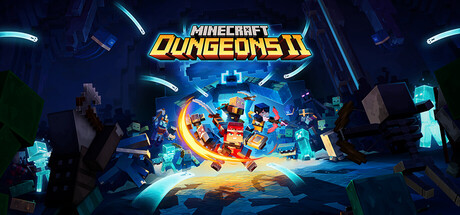
Unreal Engine 5 elevates the iconic Minecraft voxel aesthetic with stunning modern fidelity: volumetric mist drifting through ancient pine forests, dynamic ray-traced water reflections, realistic block surface textures, and radiant glow-stone lighting that dynamically illuminates dark caverns and battle arenas. |
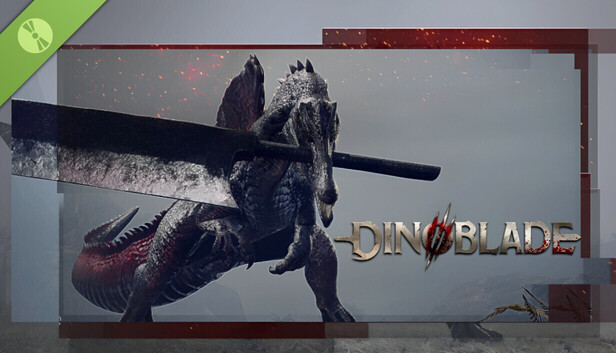
Visually, Dinoblade punches incredibly far above its weight class for an indie title. Developed solely by a veteran animator with extensive experience on major AAA games like Ghost of Tsushima, the game boasts incredibly fluid, realistic, and dynamic combat animations. The Spinosaurus protagonist moves with a highly believable sense of weight and physical momentum, completely selling the absurd premise of holding a giant metal sword in its jaws. The game's environments are richly detailed, ranging from the sun-baked, cracked rocks of the Dry Canyons to the dense, volumetric fog of the misty jungles. Dynamic lighting, motion blur, and intense particle effects shine brightest during combat, especially when utilizing flashy, anime-inspired abilities. |
| Audio & Soundtrack | |
|
The soundtrack is composed by Peter Hont and Samuel � berg, blending iconic ambient Minecraft synth textures with grand cinematic orchestral arrangements, thunderous percussion, and unsettling vocal chants for the Sift mobs. Audio positioning takes full advantage of 3D spatial sound to alert players to incoming creeper hisses and distant warden vibrations. |
The audio presentation in Dinoblade works to create a harsh, primitive, yet intensely cinematic atmosphere. While the early sound design has been noted by some reviewers as occasionally inconsistent—with some abilities lacking a heavy sense of auditory impact—the overall musical score delivers sweeping, epic orchestral tracks during the major boss battles that elevate the tension perfectly. Character dialogue is handled through a unique, eerie telepathic presentation with subtitles rather than traditional voice acting, fitting the bizarre concept of highly evolved, soul-bound dinosaurs. The deafening clash of giant metal blades, the terrifying roars of the alpha predators, and the heavy atmospheric ambiance are central to the game's sensory identity. |
| User Interface (UI/UX) | |
|
The UI features a clean, modernized overhaul of the inventory and character sheet. Players can easily inspect active enchantment synergies, elemental resistance percentages, minion health pools, and DPS readouts in real time. A quick-swap loadout wheel allows seamless switching between specialized boss-killing and mob-clearing builds on the fly. |
The user interface in Dinoblade is purposely designed to be minimal and unobtrusive, keeping the player's primary focus firmly on the high-fidelity combat animations and crucial enemy environmental cues. The HUD features standard Action RPG elements: a highly visible health bar, a stamina gauge that is absolutely critical for managing dodges and blocks, and a Resonance meter used to execute powerful Soul Arts. A quick-select menu on the d-pad or keyboard allows for the rapid consumption of health stones and on-the-fly weapon swapping. During boss fights, a prominent stagger/resolve bar appears directly under the boss's massive health pool, heavily encouraging players to execute perfect parries to open the enemy up for massive critical finishers. |
| Accessibility Options | |
|
Comprehensive accessibility options include complete key and button remapping, full native WASD keyboard movement controls on PC, high-contrast outlines for allies and interactables, directional visual indicators for sound cues, auto-aim assistance for ranged weapons, and adjustable screen-shake and flashing-effect sliders. |
As a hardcore, skill-based Soulslike, Dinoblade’s accessibility options are somewhat limited, leaning heavily into the genre's notoriously steep and punishing difficulty curve. However, the game does offer fully remappable controls for both keyboard/mouse setups and standard gamepads, ensuring players can find a comfortable layout. There are options to adjust the UI scale and increase subtitle size to aid readability during the game's telepathic dialogue sequences. Standard visual sliders for brightness, contrast, and field of view are available, and players can tweak camera sensitivity and lock-on behavior. There are currently no explicit difficulty sliders or invincibility modes, as mastering the parry and dodge timings is essential to the core design. |
| video_library Media Links | |
| Gameplay Video | |
| launchWatch | launchWatch |
| Walkthrough/Guide | |
| launchView | launchView |
| settings_applications System Requirements | |
| 1080p (Full HD) - Recommended (High Settings, 60 FPS) CPU: Provides enough processing headroom for complex enemy AI and smooth 60 FPS combat. CPU (Laptop): Strong multi-core performance to prevent frame drops during intense boss encounters. GPU: Offers excellent 1080p performance, handling high-resolution textures and particle effects easily. GPU (Laptop): Easily matches the desktop recommendation, ensuring smooth and fluid combat animations. RAM: Ensures no memory bottlenecks, allowing for seamless background asset loading. Storage: An SSD is recommended to significantly reduce loading times and asset pop-in. | |
| — | memoryCPU: Intel Core i7-9700K / AMD Ryzen 5 3600 developer_boardGPU: NVIDIA GeForce GTX 1660 Super / AMD Radeon RX 5600 XT laptop_macCPU (L): Intel Core i7-10750H / AMD Ryzen 7 4800H laptop_windowsGPU (L): NVIDIA GeForce RTX 3060 Mobile (High TGP) layersRAM: 16 GB saveStorage (Tier): 13 GB SSD |
| 1080p (Full HD) - Minimum (Low-Medium Settings, 1080p at locked 60fps) CPU: Quad-core CPU sufficient for managing basic entity AI and physics collisions. CPU (Laptop): Baseline mobile quad-core processor. GPU: Provides necessary VRAM for 1080p textures and medium lighting effects. GPU (Laptop): Sufficient for 1080p at 60fps with FSR/DLSS Quality. RAM: Standard memory required for single-player and co-op hosting. Storage: Ensures swift level generation and fast loading. | |
memoryCPU: Intel Core i5-6600K or AMD Ryzen 5 1600 developer_boardGPU: NVIDIA GeForce GTX 1060 6GB / AMD Radeon RX 580 8GB laptop_macCPU (L): Intel Core i5-10300H or AMD Ryzen 5 4600H laptop_windowsGPU (L): NVIDIA GeForce GTX 1650 Ti Mobile / RTX 3050 Mobile layersRAM: 8 GB saveStorage (Tier): 25 GB SSD | memoryCPU: Intel Core i5-7500 / AMD Ryzen 5 1600 developer_boardGPU: NVIDIA GeForce GTX 1050 (4GB) / AMD Radeon RX 560 laptop_macCPU (L): Intel Core i5-9300H / AMD Ryzen 5 3550H laptop_windowsGPU (L): NVIDIA GeForce GTX 1650 Mobile layersRAM: 4 GB saveStorage (Tier): 13 GB |
| 1440p (QHD/2K) - Recommended (High Settings, 1440p at locked 60fps - 120fps) CPU: 8-core processor that guarantees zero stuttering during massive mob swarms. CPU (Laptop): Octa-core mobile CPU delivering consistent performance. GPU: Easily powers 1440p high settings with vibrant post-processing and volumetric fog. GPU (Laptop): Delivers smooth 1440p high-frame-rate dungeon crawling. RAM: Recommended for silky-smooth co-op sessions with multiple summon minions on screen. Storage: Instant level loads and seamless hub transitions. | |
memoryCPU: Intel Core i7-10700K or AMD Ryzen 7 3700X developer_boardGPU: NVIDIA GeForce RTX 3060 12GB / AMD Radeon RX 6700 XT 12GB laptop_macCPU (L): Intel Core i7-11800H or AMD Ryzen 7 5800H laptop_windowsGPU (L): NVIDIA GeForce RTX 3060 Mobile (115W TGP) / RTX 4060 Mobile layersRAM: 16 GB saveStorage (Tier): 25 GB NVMe SSD | — |
| 2160p (UHD/4K) - Ultra/Enthusiast (Estimated) (Epic Settings, Native 4K at 60fps - 144fps) CPU: Top-tier gaming processor ensuring uncompromised framerates at maximum mob density. CPU (Laptop): Enthusiast mobile processor designed for extreme compute throughput. GPU: Effortlessly drives 4K resolution with maximum lighting, reflections, and particles. GPU (Laptop): Powers 4K gaming on external displays with native-like clarity. RAM: Immense memory headroom for streaming complex procedural dungeons. Storage: Near-zero load times across all biomes. | |
memoryCPU: Intel Core i7-13700K or AMD Ryzen 7 7800X3D developer_boardGPU: NVIDIA GeForce RTX 4070 Ti 12GB / AMD Radeon RX 7900 XT 20GB laptop_macCPU (L): Intel Core i9-13900HX or AMD Ryzen 9 7945HX laptop_windowsGPU (L): NVIDIA GeForce RTX 4080 Mobile layersRAM: 32 GB saveStorage (Tier): 25 GB PCIe 4.0 NVMe SSD | — |
| save Overall Storage | |
| Spec: 25 GB available space (NVMe SSD Recommended) Note: Solid-state drive ensures instant procedural room loading and seamless portal transitions. Type: NVMe | Spec: 13 GB available space Note: An SSD is highly recommended for fast asset streaming and reducing load times after player deaths. Type: Unknown |
| desktop_windows Operating System | |
| Spec: Windows 10 / Windows 11 (64-bit, latest service pack) Explanation: Required for DirectX 12 API execution and low-overhead multi-threaded draw calls. | Spec: Windows 10 / 11 (64-bit) Explanation: A modern 64-bit Windows operating system is required to handle the game's memory management and engine APIs. |
| gamepad DirectX Version | |
| Spec: DirectX 12 Explanation: Powers advanced shader pipelines, dynamic shadows, and hardware-accelerated particle systems. | Spec: DirectX 12 Explanation: Required for advanced lighting, rendering features, and modern hardware optimization. |
| info_outline Other Game Notes | |
|
|
| build Optimization Details | |
|
|
| laptop Laptop Considerations | |
|
|
info_outline Feature details based on available data. System requirements and performance estimates may vary.
laptop_chromebook Laptop Recommendations
Common Recommendations (Handles All Compared Games)

- memory Intel Core i7-12700H
- developer_board NVIDIA GeForce RTX 3070
- layers 32GB DDR4-3200MHz
- track_changes Target GPU: NVIDIA GeForce GTX 1650 Ti Mobile / RTX 3050 Mobile / NVIDIA GeForce GTX 1650 Mobile

- memory Intel Core i9-13900H
- developer_board NVIDIA GeForce RTX 4060
- layers 16GB DDR5-5200MHz
- track_changes Target GPU: NVIDIA GeForce GTX 1650 Ti Mobile / RTX 3050 Mobile / NVIDIA GeForce GTX 1650 Mobile

- memory Intel Core i9-14900HX
- developer_board NVIDIA GeForce RTX 4060
- layers 32GB DDR5-5600MHz
- track_changes Target GPU: NVIDIA GeForce GTX 1650 Ti Mobile / RTX 3050 Mobile / NVIDIA GeForce GTX 1650 Mobile
- memory Intel Core i7-12700H
- developer_board NVIDIA GeForce RTX 3070
- layers 32GB DDR4-3200MHz
- track_changes Target GPU: NVIDIA GeForce RTX 3060 Mobile (115W TGP) / RTX 4060 Mobile
- memory Intel Core i9-13900H
- developer_board NVIDIA GeForce RTX 4060
- layers 16GB DDR5-5200MHz
- track_changes Target GPU: NVIDIA GeForce RTX 3060 Mobile (115W TGP) / RTX 4060 Mobile
- memory Intel Core i9-14900HX
- developer_board NVIDIA GeForce RTX 4060
- layers 32GB DDR5-5600MHz
- track_changes Target GPU: NVIDIA GeForce RTX 3060 Mobile (115W TGP) / RTX 4060 Mobile

- memory Intel Core i9-14900HX
- developer_board NVIDIA GeForce RTX 4080 Laptop GPU
- layers 64 GB DDR5-5600MHz
- track_changes Target GPU: NVIDIA GeForce RTX 4080 Mobile

- memory Intel Core Ultra 9 Processor 275HX (Series 2)
- developer_board NVIDIA GeForce RTX 5070 Laptop GPU
- layers 32GB DDR5-5600MHz
- track_changes Target GPU: NVIDIA GeForce RTX 4080 Mobile

- memory Intel Core i9-14900HX Processor
- developer_board NVIDIA GeForce RTX 5070 Laptop GPU
- layers 32GB DDR5-5600MHz
- track_changes Target GPU: NVIDIA GeForce RTX 4080 Mobile
For Minecraft Dungeons II Specifically
- memory Intel Core i7-12700H
- developer_board NVIDIA GeForce RTX 3070
- layers 32GB DDR4-3200MHz
- track_changes Target GPU: NVIDIA GeForce GTX 1060 6GB / AMD Radeon RX 580 8GB
- memory Intel Core i9-13900H
- developer_board NVIDIA GeForce RTX 4060
- layers 16GB DDR5-5200MHz
- track_changes Target GPU: NVIDIA GeForce GTX 1060 6GB / AMD Radeon RX 580 8GB
- memory Intel Core i9-14900HX
- developer_board NVIDIA GeForce RTX 4060
- layers 32GB DDR5-5600MHz
- track_changes Target GPU: NVIDIA GeForce GTX 1060 6GB / AMD Radeon RX 580 8GB

- memory Intel Core i9-12900H
- developer_board NVIDIA GeForce RTX 3070 Ti
- layers 16GB DDR5-4800MHz
- track_changes Target GPU: NVIDIA GeForce GTX 1060 6GB / AMD Radeon RX 580 8GB

- memory AMD Ryzen 7 7435HS
- developer_board NVIDIA GeForce RTX 3050
- layers 32GB DDR5-4800MHz
- track_changes Target GPU: NVIDIA GeForce GTX 1060 6GB / AMD Radeon RX 580 8GB

- memory AMD Ryzen 7 6800H
- developer_board NVIDIA GeForce RTX 3060
- layers 16GB DDR5-4800MHz
- track_changes Target GPU: NVIDIA GeForce GTX 1060 6GB / AMD Radeon RX 580 8GB

- memory AMD Ryzen 9 5900HS
- developer_board NVIDIA GeForce RTX 3080
- layers 16GB DDR4-3200MHz
- track_changes Target GPU: NVIDIA GeForce GTX 1060 6GB / AMD Radeon RX 580 8GB

- memory Intel Core i7-13620H
- developer_board NVIDIA GeForce RTX 4070
- layers 16GB DDR5-4800MHz
- track_changes Target GPU: NVIDIA GeForce GTX 1060 6GB / AMD Radeon RX 580 8GB

- memory Intel Core i7-14700HX
- developer_board NVIDIA GeForce RTX 4070
- layers 16GB DDR5-5600MHz
- track_changes Target GPU: NVIDIA GeForce GTX 1060 6GB / AMD Radeon RX 580 8GB

- memory Intel Core i9-14900HX
- developer_board NVIDIA GeForce RTX 4070
- layers 32GB DDR5-5600MHz
- track_changes Target GPU: NVIDIA GeForce GTX 1060 6GB / AMD Radeon RX 580 8GB
- memory Intel Core i7-12700H
- developer_board NVIDIA GeForce RTX 3070
- layers 32GB DDR4-3200MHz
- track_changes Target GPU: NVIDIA GeForce RTX 3060 12GB / AMD Radeon RX 6700 XT 12GB
- memory Intel Core i9-13900H
- developer_board NVIDIA GeForce RTX 4060
- layers 16GB DDR5-5200MHz
- track_changes Target GPU: NVIDIA GeForce RTX 3060 12GB / AMD Radeon RX 6700 XT 12GB
- memory Intel Core i9-14900HX
- developer_board NVIDIA GeForce RTX 4060
- layers 32GB DDR5-5600MHz
- track_changes Target GPU: NVIDIA GeForce RTX 3060 12GB / AMD Radeon RX 6700 XT 12GB
- memory Intel Core i9-12900H
- developer_board NVIDIA GeForce RTX 3070 Ti
- layers 16GB DDR5-4800MHz
- track_changes Target GPU: NVIDIA GeForce RTX 3060 12GB / AMD Radeon RX 6700 XT 12GB
- memory AMD Ryzen 7 7435HS
- developer_board NVIDIA GeForce RTX 3050
- layers 32GB DDR5-4800MHz
- track_changes Target GPU: NVIDIA GeForce RTX 3060 12GB / AMD Radeon RX 6700 XT 12GB
- memory AMD Ryzen 7 6800H
- developer_board NVIDIA GeForce RTX 3060
- layers 16GB DDR5-4800MHz
- track_changes Target GPU: NVIDIA GeForce RTX 3060 12GB / AMD Radeon RX 6700 XT 12GB
- memory AMD Ryzen 9 5900HS
- developer_board NVIDIA GeForce RTX 3080
- layers 16GB DDR4-3200MHz
- track_changes Target GPU: NVIDIA GeForce RTX 3060 12GB / AMD Radeon RX 6700 XT 12GB
- memory Intel Core i7-13620H
- developer_board NVIDIA GeForce RTX 4070
- layers 16GB DDR5-4800MHz
- track_changes Target GPU: NVIDIA GeForce RTX 3060 12GB / AMD Radeon RX 6700 XT 12GB
- memory Intel Core i7-14700HX
- developer_board NVIDIA GeForce RTX 4070
- layers 16GB DDR5-5600MHz
- track_changes Target GPU: NVIDIA GeForce RTX 3060 12GB / AMD Radeon RX 6700 XT 12GB
- memory Intel Core i9-14900HX
- developer_board NVIDIA GeForce RTX 4070
- layers 32GB DDR5-5600MHz
- track_changes Target GPU: NVIDIA GeForce RTX 3060 12GB / AMD Radeon RX 6700 XT 12GB
- memory Intel Core i9-14900HX
- developer_board NVIDIA GeForce RTX 4080 Laptop GPU
- layers 64 GB DDR5-5600MHz
- track_changes Target GPU: NVIDIA GeForce RTX 4070 Ti 12GB / AMD Radeon RX 7900 XT 20GB
- memory Intel Core Ultra 9 Processor 275HX (Series 2)
- developer_board NVIDIA GeForce RTX 5070 Laptop GPU
- layers 32GB DDR5-5600MHz
- track_changes Target GPU: NVIDIA GeForce RTX 4070 Ti 12GB / AMD Radeon RX 7900 XT 20GB
- memory Intel Core i9-14900HX Processor
- developer_board NVIDIA GeForce RTX 5070 Laptop GPU
- layers 32GB DDR5-5600MHz
- track_changes Target GPU: NVIDIA GeForce RTX 4070 Ti 12GB / AMD Radeon RX 7900 XT 20GB

- memory Intel Core i9-14900HX Processor
- developer_board NVIDIA GeForce RTX 5070 Laptop GPU
- layers 32GB DDR5-5600MHz
- track_changes Target GPU: NVIDIA GeForce RTX 4070 Ti 12GB / AMD Radeon RX 7900 XT 20GB

- memory Intel Core Ultra 9 285H (Arrow Lake-H)
- developer_board NVIDIA GeForce RTX 5070 Laptop GPU
- layers 64GB LPDDR5x-8533MT/s (LPCAMM2)
- track_changes Target GPU: NVIDIA GeForce RTX 4070 Ti 12GB / AMD Radeon RX 7900 XT 20GB

- memory Intel Core i9-14900HX
- developer_board NVIDIA GeForce RTX 4080
- layers 64GB DDR5-5600MHz
- track_changes Target GPU: NVIDIA GeForce RTX 4070 Ti 12GB / AMD Radeon RX 7900 XT 20GB

- memory Intel Core i9-14900HX
- developer_board NVIDIA GeForce RTX 4080
- layers 32GB DDR5-5600MHz
- track_changes Target GPU: NVIDIA GeForce RTX 4070 Ti 12GB / AMD Radeon RX 7900 XT 20GB

- memory Intel Core i9-14900HX
- developer_board NVIDIA GeForce RTX 4080
- layers 32GB DDR5-5600MHz
- track_changes Target GPU: NVIDIA GeForce RTX 4070 Ti 12GB / AMD Radeon RX 7900 XT 20GB

- memory Intel Core i9-14900HX
- developer_board NVIDIA GeForce RTX 4080
- layers 32GB DDR5-5600MHz
- track_changes Target GPU: NVIDIA GeForce RTX 4070 Ti 12GB / AMD Radeon RX 7900 XT 20GB

- memory AMD Ryzen 9 7845HX
- developer_board NVIDIA GeForce RTX 4080
- layers Up to 64GB DDR5
- track_changes Target GPU: NVIDIA GeForce RTX 4070 Ti 12GB / AMD Radeon RX 7900 XT 20GB
For Dinoblade Specifically
- memory Intel Core i7-12700H
- developer_board NVIDIA GeForce RTX 3070
- layers 32GB DDR4-3200MHz
- track_changes Target GPU: NVIDIA GeForce GTX 1050 (4GB) / AMD Radeon RX 560
- memory Intel Core i9-13900H
- developer_board NVIDIA GeForce RTX 4060
- layers 16GB DDR5-5200MHz
- track_changes Target GPU: NVIDIA GeForce GTX 1050 (4GB) / AMD Radeon RX 560
- memory Intel Core i9-14900HX
- developer_board NVIDIA GeForce RTX 4060
- layers 32GB DDR5-5600MHz
- track_changes Target GPU: NVIDIA GeForce GTX 1050 (4GB) / AMD Radeon RX 560
- memory Intel Core i9-12900H
- developer_board NVIDIA GeForce RTX 3070 Ti
- layers 16GB DDR5-4800MHz
- track_changes Target GPU: NVIDIA GeForce GTX 1050 (4GB) / AMD Radeon RX 560

- memory Intel Core i5-12450H
- developer_board NVIDIA GeForce RTX 3050
- layers 16GB DDR4-3200MHz
- track_changes Target GPU: NVIDIA GeForce GTX 1050 (4GB) / AMD Radeon RX 560

- memory Intel Core i5-12500H
- developer_board NVIDIA GeForce RTX 3050 Ti
- layers 16GB DDR4-3200MHz
- track_changes Target GPU: NVIDIA GeForce GTX 1050 (4GB) / AMD Radeon RX 560
- memory AMD Ryzen 7 7435HS
- developer_board NVIDIA GeForce RTX 3050
- layers 32GB DDR5-4800MHz
- track_changes Target GPU: NVIDIA GeForce GTX 1050 (4GB) / AMD Radeon RX 560
- memory AMD Ryzen 7 6800H
- developer_board NVIDIA GeForce RTX 3060
- layers 16GB DDR5-4800MHz
- track_changes Target GPU: NVIDIA GeForce GTX 1050 (4GB) / AMD Radeon RX 560
- memory AMD Ryzen 9 5900HS
- developer_board NVIDIA GeForce RTX 3080
- layers 16GB DDR4-3200MHz
- track_changes Target GPU: NVIDIA GeForce GTX 1050 (4GB) / AMD Radeon RX 560
- memory Intel Core i7-13620H
- developer_board NVIDIA GeForce RTX 4070
- layers 16GB DDR5-4800MHz
- track_changes Target GPU: NVIDIA GeForce GTX 1050 (4GB) / AMD Radeon RX 560
- memory Intel Core i7-14700HX
- developer_board NVIDIA GeForce RTX 4070
- layers 16GB DDR5-5600MHz
- track_changes Target GPU: NVIDIA GeForce GTX 1660 Super / AMD Radeon RX 5600 XT
- memory Intel Core i9-14900HX
- developer_board NVIDIA GeForce RTX 4070
- layers 32GB DDR5-5600MHz
- track_changes Target GPU: NVIDIA GeForce GTX 1660 Super / AMD Radeon RX 5600 XT
info_outline Laptop recommendations are estimates based on available component benchmarks and game requirements. Actual performance may vary depending on settings, drivers, cooling, power limits, etc. Prices and availability subject to change. As an Amazon Associate, we earn from qualifying purchases.