FC 27 Transfer Market Locked? How to Unlock Web & Companion App Access
⚡ Quick Answer: FC 27 Web App Market Unlock
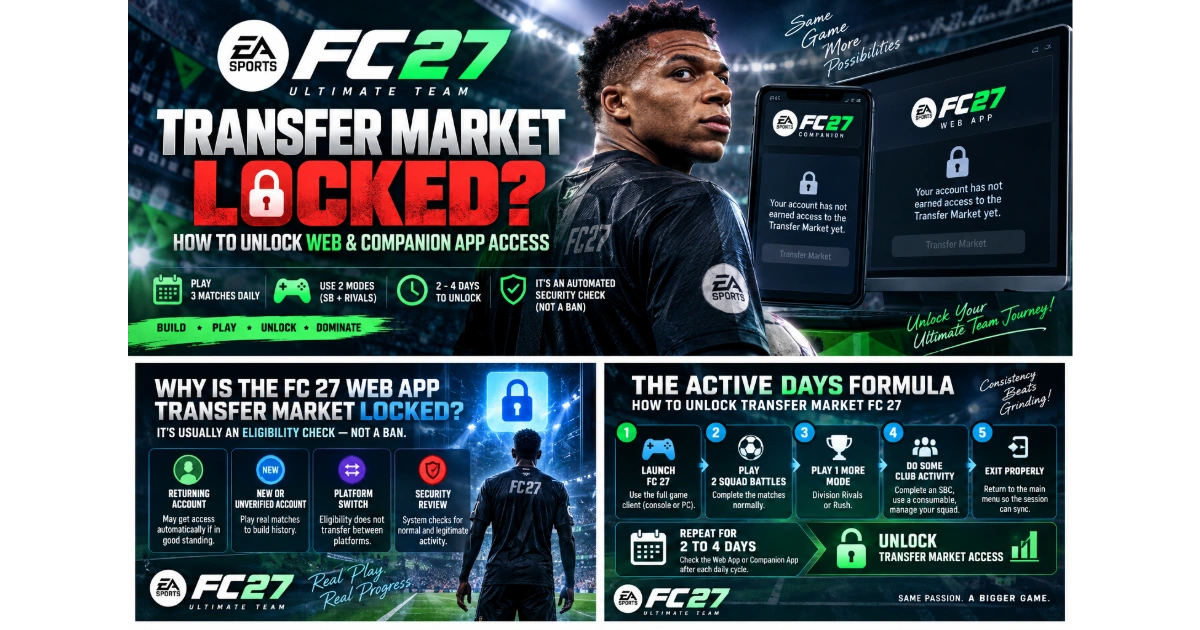
- The message Your account has not earned access to the Transfer Market yet is normally an automated security restriction, not a ban.
- Play three full matches per day across at least two different modes, such as Squad Battles and Division Rivals.
- Most eligible accounts unlock after 2 to 4 active calendar days of genuine play on console or PC.
- Grinding 20 matches in one day does not replace multiple active days or speed up the process.
- EA Support cannot manually unlock Web or Companion App market access. The system grants it automatically. 🔒
Opening the EA SPORTS FC 27 Web App or Companion App should feel like the start of your Ultimate Team season: squads to build, packs to open, and early-market bargains to hunt. So seeing a locked Transfer Market banner is understandably frustrating. The important part is that, in most cases, it is not a punishment and it does not mean your account is permanently blocked.

EA SPORTS FC 27
The fc 27 transfer market locked web app message is part of EA's automated account-security process. New, recently moved, or not-yet-established accounts must build a small record of normal Ultimate Team activity in the full game client before remote market trading becomes available. Your mission is simple: play complete matches over consecutive days, use more than one mode, and let each session sync correctly. 🎯
“Your account has not earned access to the Transfer Market yet” is usually an eligibility checkpoint—not a verdict on your account standing.
Why Is the FC 27 Web App Transfer Market Locked?
Remote Transfer Market access carries extra risk because it allows trading away from your primary platform. EA's eligibility systems therefore look for signals that an account is being used normally in Ultimate Team. That is why playing a stack of matches in one marathon session is less valuable than showing up and completing activity across separate calendar days.
⭐ Returning account in good standing
If you played FC 26 on the same platform ecosystem and had no market-related restrictions, Web App access may be available automatically around launch. This is eligibility-based, not an absolute guarantee.
🆕 New or unverified account
Accounts created after August 2026 need to establish in-game history. Complete real matches and normal Club activity before expecting remote market access.
🔄 Platform switch
Moving from PlayStation to PC, Xbox to PlayStation, or another platform route does not carry your market eligibility over. Treat the new platform as a fresh qualification path.
🛡️ Security review
A lock can also remain while automated systems assess account activity. The safest response is consistent, legitimate gameplay—never shortcuts, automation, or account-sharing.
The Active Days Formula: How to Unlock Transfer Market FC 27 Companion App
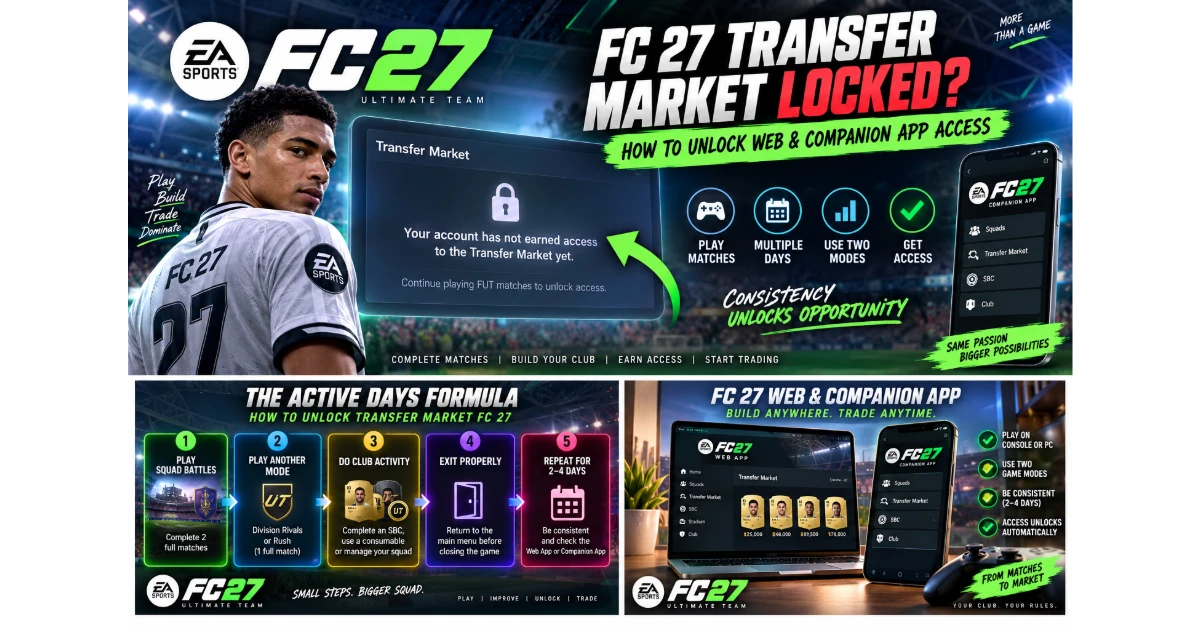
There is no public countdown that shows your exact progress, but the reliable approach is based on active calendar days rather than raw playtime. For each day, log into Ultimate Team through the console or PC client, finish at least three matches, spread those matches across two modes, perform a little Club activity, then leave the mode cleanly so the session can sync.
- Launch the full FC 27 game client. Console and PC sessions count; eligible matches during the 10-hour EA Play early-access trial can count too.
- Complete two Squad Battles matches. Finish them normally. Avoid forfeits, intentional disconnects, or quitting before the final whistle.
- Complete one match in another mode. Division Rivals or Rush is the ideal companion mode because it demonstrates varied active play.
- Interact with your Club. Complete an SBC, apply a consumable, manage your squad, or purchase a low-cost player through the in-game market if it is available.
- Exit Ultimate Team properly. Return to the main menu before closing the game, giving EA's servers a clean opportunity to record the session.
- Repeat for 2 to 4 consecutive days. Check the Web App or Companion App after each completed daily cycle. 🔥
FC 27 Transfer Market Unlock Timeline
Use this schedule as a practical checklist, not a guaranteed timer. Eligibility is automated and can vary by account history, platform, and successful server synchronization. The goal is to give the system clear, repeated evidence of normal Ultimate Team play.
| Day | Recommended activity | What it proves |
|---|---|---|
| Day 1 | 2 Squad Battles + 1 Rivals or Rush match; complete an SBC. | Your account is actively playing across multiple Ultimate Team systems. |
| Day 2 | Repeat three full matches in two modes; adjust your squad or use a consumable. | Consistent activity across a second calendar day. |
| Day 3 | Run the same routine and exit Ultimate Team to the main menu. | Many accounts will be eligible around this point. Check both apps. |
| Day 4+ | Continue normal play; verify platform account and game access are correct. | Adds further legitimate history if the automated check has not completed. |
Account Has Not Earned Access to Transfer Market: Fix Checklist
- Confirm that you are signed into the correct EA Account and the correct PlayStation, Xbox, or PC platform profile.
- Make sure your matches are completed, not forfeited, disconnected, or abandoned early.
- Use at least two Ultimate Team game modes each active day.
- Log out of Ultimate Team to the FC 27 main menu after playing rather than immediately closing the app or powering down.
- Wait for the next calendar day instead of repeatedly refreshing the Web App after one long session.
- If you changed platforms, complete the qualification process again on the new platform.
If you have followed the routine for several consecutive days and the banner is still present, keep playing normally and review your account status through official EA channels. Support can help explain account issues, but they cannot flip a switch and manually grant Web App market access. The unlock itself remains automated.
FC 27 Web & Companion App Transfer Market FAQ
Can EA Support unlock the Transfer Market if I open a ticket?
No. EA customer support advisors cannot manually enable Transfer Market access in the FC 27 Web App or Companion App. Access is awarded by the automated eligibility process once your account meets its requirements.
Does the 10-hour EA Play trial count toward unlocking access?
Yes. Matches played during the EA Play trial can contribute toward active-day criteria, provided you complete them normally in the game client. Use the same multi-mode routine during the trial. ⚡
Will playing 20 matches in one day unlock the market faster?
No. The key signal is repeated activity on separate calendar days, not a giant one-day match total. Three completed matches across two modes on multiple days is the smarter route.
Why did my market access disappear after changing platforms?
Market eligibility does not transfer between platforms. Even if your previous account had remote access, a new platform environment must establish its own gameplay history before Web and Companion App trading unlocks.